Overview
Extract Attachments and Portfolio Items extracts embedded files from a PDF document and saves them to a folder on disk. It handles three types of embedded content:
- Portfolio items — files contained in a PDF Portfolio (also known as PDF Packages)
- Embedded file attachments — files attached at the document level via the EmbeddedFiles name tree
- File attachment annotations — files attached to specific pages via FileAttachment annotations
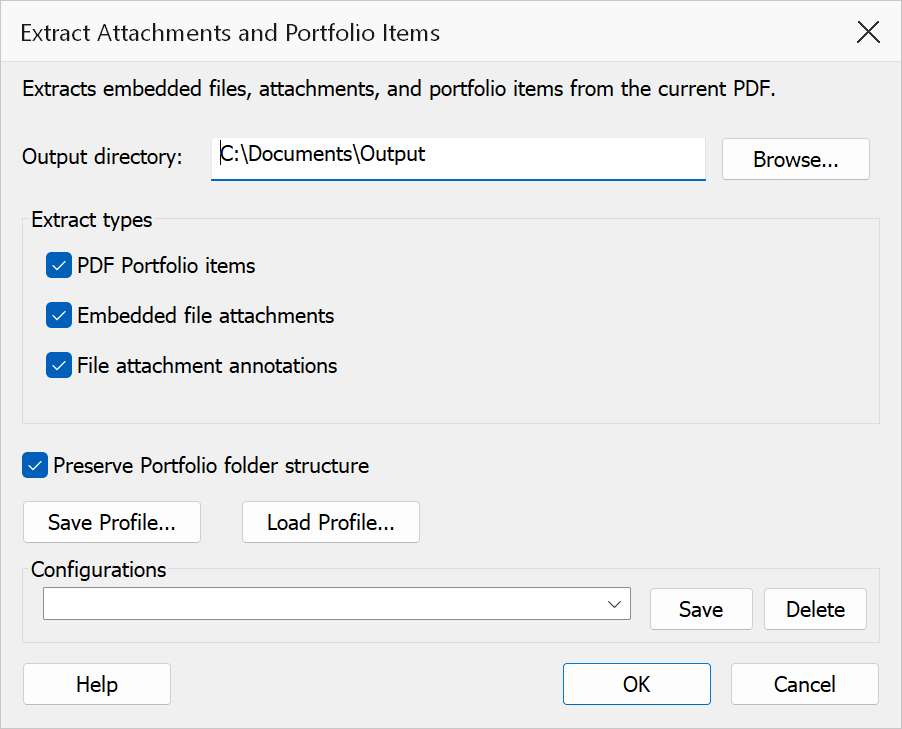
How to use
- Open the PDF document containing attachments or portfolio items.
- Go to Plug-Ins > Extract Attachments and Portfolio Items.
- Set the Output directory where extracted files will be saved.
- Select which types of attachments to extract using the checkboxes.
- Optionally enable Preserve folder structure to maintain portfolio folder hierarchy.
- Click OK to extract the files.
Options
| Option | Description |
|---|---|
| Output directory | The folder where extracted files will be saved. Click Browse to select a folder. |
| Extract portfolio items | When enabled, extracts files contained within a PDF Portfolio. |
| Extract embedded file attachments | When enabled, extracts document-level embedded file attachments. |
| Extract file attachment annotations | When enabled, extracts files from FileAttachment annotations on individual pages. |
| Preserve folder structure | When enabled, recreates the portfolio's folder hierarchy in the output directory. When disabled, all files are extracted to the top level of the output directory. |
Tip
If you only need to extract files from a PDF Portfolio, uncheck the other extraction types to speed up the process.
Note
If multiple attachments have the same file name, a numeric suffix is added to avoid
overwriting (e.g. document(2).pdf).