
01 / Define
Identify your headings.
Use the text styles in your document to define what becomes a bookmark.
PDF navigation / Adobe Acrobat plug-in
Turn document headings into PDF bookmarks. Give readers a clear way through reports, manuals and specifications.
One-time license
Includes 1 year of updates and support, renewable yearly. Volume licensing available. Teams: annual support plans from $650/yr for up to 10 users. Ask for a quote.
Already a customer? Get the latest version →
No credit card required for the trial.
Acrobat Pro or Standard on Windows. Check requirements
Before
Project report
A clear plan.
Every detail covered.
1. Introduction
2. Project scope
2.1 Deliverables
2.2 Timeline
After
Bookmarks
1. Introduction
2. Project scope
2.1 Deliverables
2.2 Timeline
Headings become
easy-to-follow navigation.
Ready now. Bookmarker runs with Acrobat’s Protected Mode switched on, so you no longer need to disable it. Adobe removes the option to turn it off in December 2026 — what this means for your plug-ins.
From document to navigation
01 / Define
Use the text styles in your document to define what becomes a bookmark.
02 / Structure
Organize bookmarks into levels that reflect your document's sections.
03 / Navigate
Add structured navigation to reports, manuals and other lengthy PDFs.
Before you install
Bookmarker runs inside the desktop version of Adobe Acrobat.
Public beta / PDF Compositor
Mapsoft PDF Compositor, formerly TOCBuilder v2, combines Bookmarker and TOCBuilder in one plug-in. This screenshot from the PDF Compositor user guide shows the Bookmark from Styles interface.
Bookmarker purchases include PDF Compositor free of charge. Existing customers: upgrade free by helping test the beta, or if you bought in the last six months.
Comparing it with the EverMap AutoBookmark plug-in? See PDF Compositor vs AutoBookmark.
Download the public beta →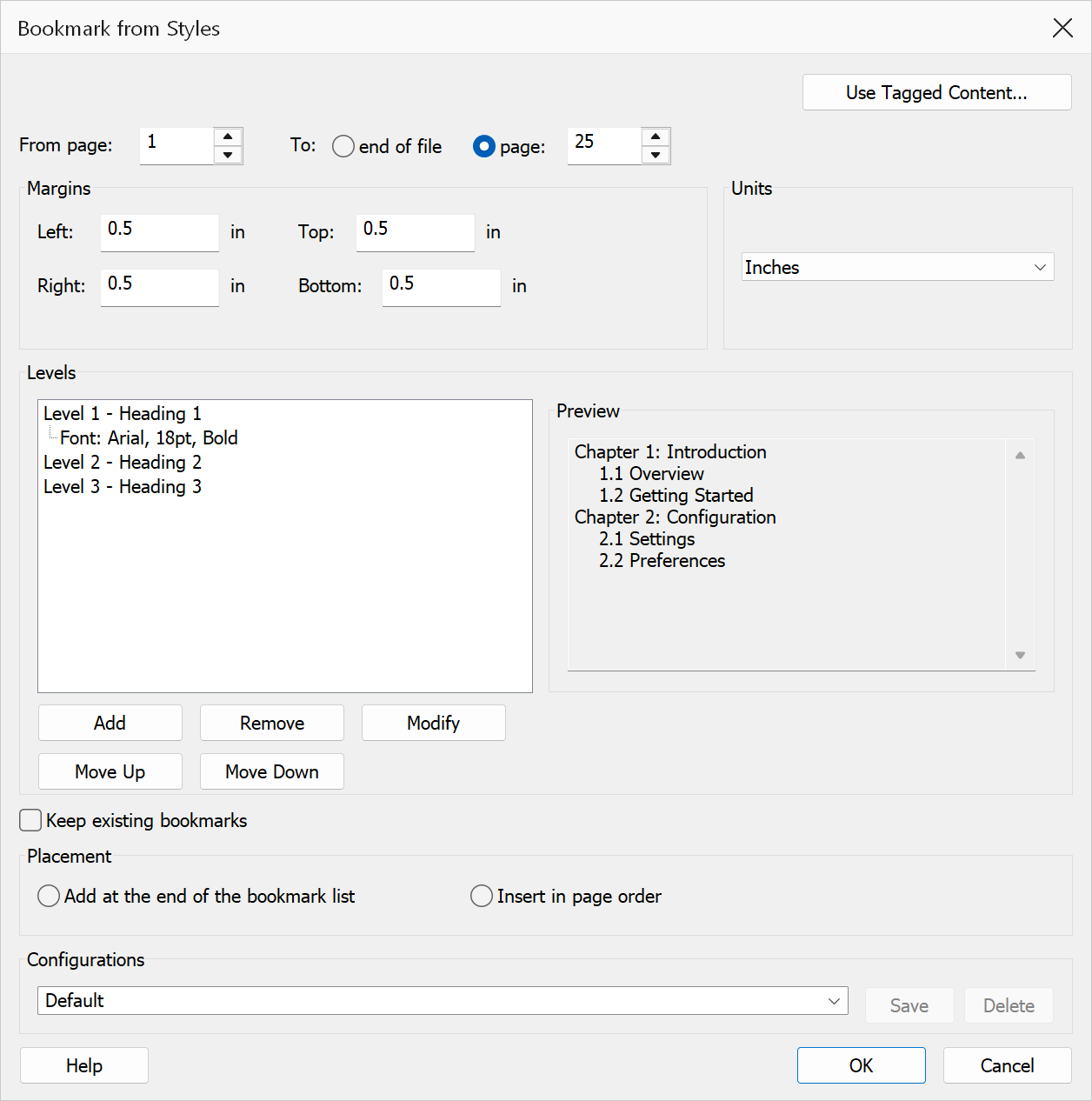
A few useful answers
No. You need Adobe Acrobat Pro or Standard on Windows.
Yes. The trial is fully unlocked for 30 days from first launch. No credit card is required. Get the trial.
Read the user guide or contact Mapsoft support.