
Adobe PDF Spaces: Shared, AI-Powered PDF Bundles Explained
Adobe’s PDF Spaces turns a folder of documents into a branded, shareable workspace with an AI Assistant, an audio overview, and recipient analytics — here’s what it is, who can create one, and how it fits into a real workflow.
What is a PDF Space?
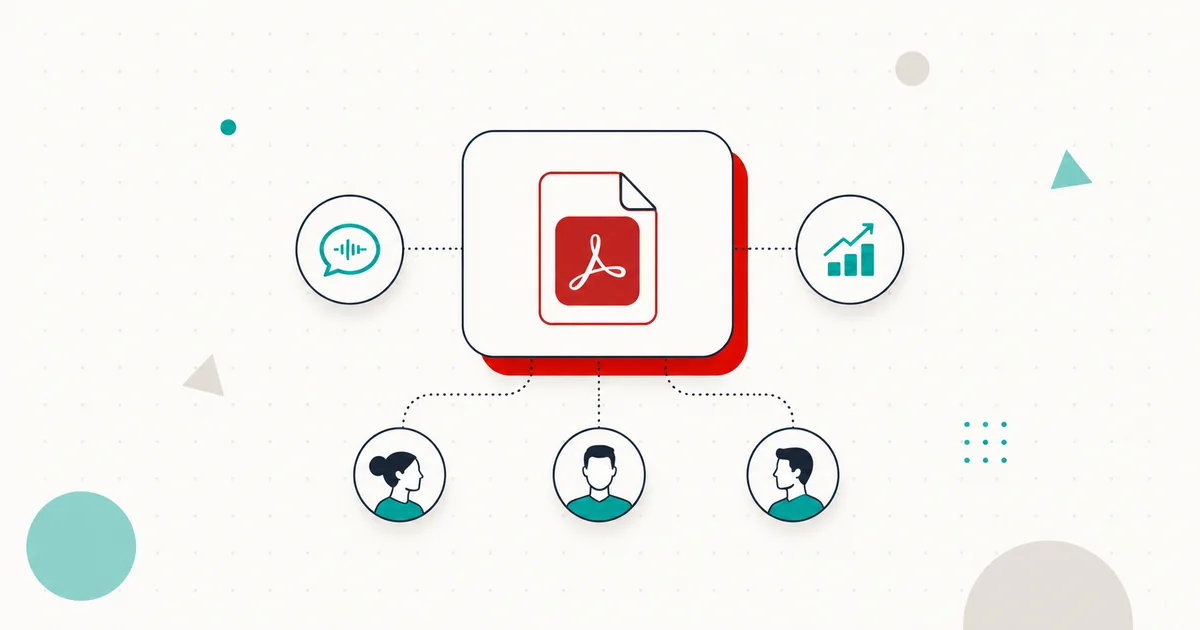
A PDF Space is a container that bundles up to 100 documents — PDFs, Word, PowerPoint, Excel, plain text, RTF, and VTT meeting transcripts — into a single shareable workspace. The contents stay in their original format. On top of the bundle sits a customisable AI Assistant that answers questions across the entire corpus with citations back to the source page, an auto-generated written summary, and an audio overview that narrates the material aloud. The recipient gets a single link.
Spaces first shipped as part of Adobe Acrobat Studio in August 2025. The May 2026 release that prompted this article adds the publishing layer — branded recipient experiences, configurable share modes, the audio overview, and engagement analytics — that turns a private Space into something you can hand to a customer, a class, or a board.
Per-Space limits are 100 files, 100 MB per file, and 600 pages per file. Password-protected files, video, and complex hand-drawn or vector imagery are not supported.
Share for Review vs Share for View
A Space can be shared two ways, and the choice shapes what the recipient can do:
- Share for Review — named recipients receive a private link, sign in with an Adobe account, and can both chat with the AI Assistant and leave comments on individual documents. Use this for client deliverables that need feedback, contract reviews, or any workflow where you want comments tied to identified people.
- Share for View — the Space is published as a public link. Anyone with the URL can open it, read the documents, listen to the audio overview, and chat with the AI Assistant; no Adobe account is required. Recipients can take private notes, but cannot leave comments visible to others. Use this for sales collateral, course materials, public investor packs, or anything you want to publish broadly.
Both modes give the sender the same authoring controls: edit the auto-generated summary, reorder the documents inside the Space, rename them, choose which AI persona greets the recipient, and apply your brand assets to the recipient’s view.
The AI Assistant: three pre-built roles, or your own
The AI Assistant inside a Space is configurable. Adobe ships three pre-built personas:
- Analyst — concise, factual, and bias toward direct quotes and structured answers. Best when the Space holds research, financials, or technical reports.
- Instructor — pedagogical, breaks ideas down, prompts the recipient with follow-up questions. Best for training material, course packs, or onboarding documents.
- Entertainer — conversational and informal. Best for marketing collateral, internal comms, and anything where engagement matters more than precision.
You can also author a custom assistant. The persona affects tone, level of detail, the kinds of follow-ups the assistant suggests, and how it handles ambiguity in the source material. The actual retrieval — what the assistant finds in the documents — is the same across personas; what changes is how the answer is presented.
Audio overview: a narrated tour of your Space
Every Space can generate an audio overview — an AI-narrated walkthrough that summarises what’s in the bundle and ties it together. Adobe’s implementation is single-host, so it sounds like a presenter or host narrating a brief rather than two voices in conversation. That’s a deliberate contrast to the dialogue-style Audio Overviews you may have heard from Google NotebookLM; the editorial tone is closer to a corporate explainer than a podcast.
The sender can edit the audio script before publishing — useful when the auto-generated overview misses an emphasis you wanted, or includes detail you don’t want broadcast. Adobe has not published a hard length limit for audio overviews; in practice, the running time scales with the size and complexity of the Space.
Branded recipient experience
The recipient’s view of a Space is brandable. You can apply a logo, set a colour palette, and edit the title and summary text that appear above the document list. For organisations that share regular packs — sales decks, investor updates, course modules — this is the difference between a recipient seeing a generic Adobe page and seeing one that looks like it came from you.
The branding applies to both share modes. A public Share-for-View link with your branding applied is, in effect, a small microsite for that document set, with the AI Assistant baked in.
Engagement analytics
Every Space tracks recipient activity. The dashboard surfaces:
- Total view count for the Space.
- Named recipients who have opened the Space (Share for Review only).
- Per-recipient view counts — how many times an individual has come back.
- Forwarding details — whether a named recipient has shared the link onward.
- Aggregate views from public links, where recipients are not individually identifiable.
For sales and customer-success teams, the practical value here is the difference between sending a PDF into a black box and sending a Space you can see being read. For internal comms, it’s a way to confirm that an update actually reached people. Adobe has not, at the time of writing, surfaced per-document or per-page time-on-content metrics — tracking is at the Space level.
Pricing and what counts as access
Creation is gated to Adobe’s AI Plans, of which there are two:
- Acrobat Studio — US$24.99/month for individuals, US$29.99/month for Teams. Studio bundles full Acrobat Pro, the AI Assistant, PDF Spaces, and Express Premium together; it’s the canonical "Adobe AI productivity" plan.
- Acrobat Express AI Plan — the Express tier’s AI plan also includes Space creation and the May 2026 sharing capabilities.
Three things worth flagging that aren’t obvious from the marketing:
- The standalone AI Assistant for Acrobat add-on at $4.99/month on Reader, Standard, or Pro enables AI chat on individual PDFs — but is not listed as a qualifying plan for creating PDF Spaces. If Spaces is what you want, Studio (or the Express AI Plan) is the plan to buy.
- Acrobat Pro and Acrobat Standard alone — without an AI plan or the add-on — do not include Space creation either.
- Free Adobe Reader users can view shared Spaces via the public link mode without signing in; they just can’t create one.
There is also a separate, free product called Acrobat Student Spaces (acrobat.adobe.com/studentspaces) that ships a stripped-down Spaces experience aimed at students — document Q&A, quiz generation, and study guides, with podcasts and presentation export gated behind a free Adobe account. It launched in April 2026 as a separate consumer product, not a tier of Acrobat Studio.
Where PDF Spaces fits in the AI-document landscape
PDF Spaces is best understood as Adobe’s answer to Google NotebookLM, with a different centre of gravity. NotebookLM leads on output variety — longer Audio Overviews, Video Overviews, mind maps, briefing documents, and study guides across 80+ languages. PDF Spaces leads on publishing and distribution: branded recipient UIs, configurable AI personas, engagement analytics, and integration with the rest of Acrobat (signatures, redaction, form fields) sitting next to the workspace.
It’s a different proposition again from Microsoft Copilot Pages and Notion AI, both of which target collaborative authoring — pages you build together — rather than turning an existing document corpus into a shareable, AI-narrated experience. Copilot and Notion compete for "where the writing happens"; PDF Spaces competes for "how a finished document set gets handed off."
How it fits with Mapsoft tooling
PDF Spaces happens after the documents are already prepared. The work that determines whether a Space reads well — clean structure, real bookmarks, accurate metadata, a working table of contents — happens before you upload. Two of our plug-ins map directly to that prep step: TOCBuilder generates a proper table of contents from a document’s structure, and Bookmarker creates and manages PDF bookmarks at scale. A Space built from well-structured PDFs gives the AI Assistant cleaner anchors to cite and the audio overview better section breaks to navigate.
The honest take
PDF Spaces solves a real problem: the gap between finishing a document set and delivering it. Email attachments are unreviewable. SharePoint folders have no AI layer. Bespoke microsites are expensive. A branded, AI-augmented workspace at $24.99/month is a credible answer for sales decks, board packs, course materials, and the long tail of internal comms where the document is finished but the conversation around it isn’t.
The honest caveats: the AI Assistant is only as good as the source material; clean, well-structured PDFs in produce sharp answers, scanned image-only PDFs without OCR will produce thin ones. The engagement analytics are Space-level, not page-level, so for a sales team measuring proposal traction the data is useful but not granular. And like every cloud-bound AI feature, an organisation with strict data-residency or no-cloud-AI policies will need to evaluate the privacy and processing-location implications before standardising on it.
For most teams — the ones currently emailing PDF attachments and hoping for the best — the upgrade is unambiguous. The Studio plan is the cheapest way in, and it brings full Acrobat Pro along with it.
Related Articles
Adobe Stock AI Studio
Adobe’s AI Studio puts image and video refinement directly inside the Stock catalogue — refine assets before you license them.
Adobe Products: A Comprehensive Guide
Discover the functionality of Adobe products. Explore the benefits and availability of these tools on Windows and Mac.
PDF Bookmarks: A Complete Guide
How PDF bookmarks work, how Acrobat generates them, and how to automate creation — the prep step that makes a Space read well.
Try Adobe PDF Spaces
Bundle up to 100 documents into a single, branded, AI-augmented workspace and see who actually reads it — included with Acrobat Studio.
Mapsoft is an Adobe affiliate. We may earn a commission on Adobe purchases made through these links, at no extra cost to you.