
PDF Standards Explained: PDF/A, PDF/UA, PDF/X, PDF/E, PDF/VT, and Compliance Checking
A comparative guide to the ISO PDF standards family — what each one is for, how they differ, and three practical ways to verify which standards a PDF claims conformance to.
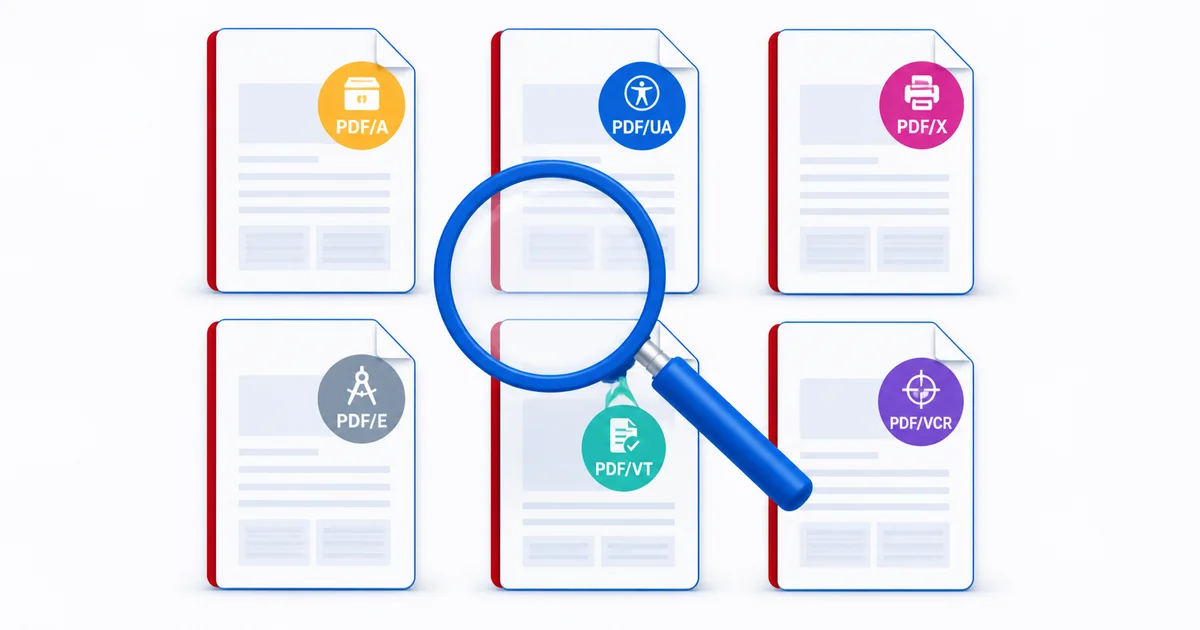
If you would rather check your own files than read about the standards, the free Mapsoft Check PDF Standards plug-in for Adobe Acrobat detects PDF/A, PDF/UA, PDF/X, PDF/E, PDF/VT, and PDF/VCR claims in a single click, including across folders of files. The PDF Hub also offers a browser-based PDF/A validator for archival compliance.
Why PDF Has a Family of Standards
Quick answer: PDF is governed by ISO 32000, but a single base specification cannot serve every use case. ISO publishes a family of conformance subsets — PDF/A for archiving, PDF/UA for accessibility, PDF/X for print, PDF/E for engineering, PDF/VT for variable transactional printing, and PDF/VCR for variable colour rendering — each adding constraints that make PDF predictable for a specific workflow. A single PDF file can conform to several of these at once.
The base PDF specification defines an enormous range of features: encryption, JavaScript, embedded multimedia, transparency, optional content layers, 3D models, dynamic forms, attachments, and arbitrary external references. That richness is what makes PDF such a successful general-purpose format, but it is also what makes the format unsuitable, in its raw form, for workflows that demand predictability. An archive that needs to read a document in fifty years cannot rely on a multimedia plug-in still being available. A commercial printer that needs an accurate colour proof cannot tolerate untagged RGB images bound to an unknown ICC profile. A screen reader cannot recover meaning from an untagged page that exists only as a sequence of glyph positions.
The PDF standards family is the response to that problem. Each standard is a conformance subset of base PDF: it forbids certain features, mandates others, and prescribes the metadata that signals conformance. The result is a PDF file that behaves the same way in every system that respects the standard, because every conformant file plays by the same rules.
All of the standards are published by the International Organization for Standardization (ISO), but most originate elsewhere. The PDF Association, the Ghent PDF Workgroup, the AIIM, and various industry committees have developed and maintained the practical specifications, which ISO then formalises. The base specification — PDF 2.0, ISO 32000-2 — sits beneath all of them, and PDF 2.0 itself was developed jointly by Adobe and the PDF Association before being handed to ISO.
PDF/A — Archival (ISO 19005)
PDF/A is the longest-established and most widely deployed of the PDF subsets. It defines what a PDF file must look like if it is to remain readable, renderable, and self-contained for the long term. Fonts must be embedded. Colour must be unambiguous, either through a specified ICC output intent or fully tagged colour management. Encryption, JavaScript, audio, video, and external references are forbidden. Metadata must be in XMP, including a specific entry that declares the conformance level.
PDF/A has four parts and three conformance levels. PDF/A-1 (2005) is based on PDF 1.4, PDF/A-2 (2011) on PDF 1.7, PDF/A-3 (2012) on PDF 1.7 with the unique allowance of arbitrary file attachments, and PDF/A-4 (2020) on PDF 2.0. Within each part, conformance level B requires visual reproducibility (the file looks the same forever), level U additionally requires Unicode mapping for all text (the file is searchable forever), and level A additionally requires full structural tagging (the file is accessible forever). PDF/A-4 reorganises this into PDF/A-4, PDF/A-4e (engineering), and PDF/A-4f (with embedded files), dropping the A/B/U triple.
For full coverage of PDF/A — conformance levels, prohibited features, validators, and conversion strategy — see the dedicated guide: PDF/A: The Archival PDF Standard. The remainder of this article focuses on the standards that do not yet have a Mapsoft post of their own.
PDF/UA — Universal Accessibility (ISO 14289)
PDF/UA, where UA stands for Universal Accessibility, defines what a PDF must contain if assistive technology is to read it correctly. The first version, PDF/UA-1 (ISO 14289-1, 2014), is built on top of the tagged PDF mechanism that has been in the base specification since PDF 1.4. The second version, PDF/UA-2 (ISO 14289-2, 2024), updates that mechanism to PDF 2.0 and modernises a number of details that PDF/UA-1 left ambiguous.
Three areas dominate the standard. First, every piece of meaningful content must be inside a structure tree, with the correct semantic role: a heading is tagged as a heading, a list is tagged as a list, a table has properly nested table tags. Decorative content must be marked as artifacts so that screen readers ignore it. Second, every non-text element must carry an alternative text description — an image of a chart needs alt text that conveys the chart's information, not "image of chart". Third, the reading order in the structure tree must match the visual reading order of the page, so that a screen reader presents content in the sequence a sighted reader would expect.
PDF/UA-2 tightens several rules and adds support for new tag types, including the Aside, Title, and Sub structure elements that PDF 2.0 introduced. It also clarifies how mathematics, complex tables, and artifacts should be tagged, and brings the requirements into line with the WCAG 2.x web accessibility guidelines wherever possible. For documents that need to satisfy regulatory accessibility requirements — for example, the German government's PDF/UA mandate — PDF/UA-2 is increasingly the target. For background on accessible PDF in general see PDF Accessibility: Creating Accessible Documents and Understanding Tagged PDFs.
PDF/X — Graphic Arts Exchange (ISO 15930)
PDF/X is the oldest and most demanding of the PDF subsets. It defines what a PDF must look like if it is to be handed off to a commercial printer and produce predictable, consistent output across plates, presses, and proofers. The standard exists because the print industry historically suffered from PDFs that rendered correctly on screen but failed on press: missing fonts, undeclared spot colours, RGB images intended to be CMYK, transparency that the prepress workflow could not flatten safely, and so on. PDF/X eliminates all of those failure modes by forbidding what cannot be safely reproduced and mandating what the printer needs to know.
The standard has gone through several variants, each addressing a different combination of colour management, transparency, and external resource handling.
- PDF/X-1a (ISO 15930-1, with revisions in 15930-4) is the strictest. All colour must be CMYK or spot — no RGB, no Lab, no device-independent colour. All fonts must be embedded. No transparency is permitted. No JavaScript, no encryption, no annotations that print. Output intent is required. PDF/X-1a is the safest possible target for a printer with a traditional, non-colour-managed workflow.
- PDF/X-3 (ISO 15930-3, with revisions in 15930-6) loosens X-1a's colour rules: device-independent colour spaces such as CIE Lab and ICC-tagged RGB are allowed, provided the file carries a colour-managed output intent. Transparency is still forbidden. PDF/X-3 suits printers whose RIPs can perform colour conversions accurately.
- PDF/X-4 (ISO 15930-7) is built on PDF 1.6 and is the first variant to permit live transparency, optional content (layers), and JPEG 2000 compression. It is now the default target for most modern colour-managed print workflows. PDF/X-4 still requires embedded fonts, an output intent, and a complete declaration of every resource the page uses.
- PDF/X-5 (ISO 15930-8) extends PDF/X-4 by allowing externally referenced graphics (PDF/X-5g), externally referenced ICC profiles for separations (PDF/X-5pg), and partial document exchange. It is used in workflows where master images live on a managed server and are referenced rather than embedded.
- PDF/X-6 (ISO 15930-9, 2020) updates the standard to PDF 2.0. It mirrors PDF/X-4 (PDF/X-6) and PDF/X-5 (PDF/X-6p, PDF/X-6n) but uses PDF 2.0 syntax, including the new black-point compensation control and the modern output-intent dictionaries. PDF/X-6 is the target for any new press workflow that wants to be aligned with the current base specification.
Across all variants, three rules dominate. First, every resource the page uses — fonts, ICC profiles, images, halftones — must either be embedded in the file or, in the X-5/X-6 case, be unambiguously referenced. The printer cannot be expected to source missing assets. Second, the file must declare an output intent: an ICC profile that describes the printing condition the file was prepared for, such as ISO Coated v2 or GRACoL 2013. Without an output intent the colour numbers in the file have no defined meaning. Third, transparency rules vary by variant — X-1a forbids it outright, X-3 forbids it but tolerates flattened equivalents, X-4 and X-6 permit live transparency provided the rendering rules are unambiguous — and choosing the right variant for the press is a judgement call rather than an automated decision. For pre-flighting a file before it leaves the studio, see How to Flatten PDF Transparencies and How to Convert PDF Colours.
The Ghent PDF Workgroup publishes specifications that build on PDF/X with industry-specific rules — for example, GWG2022 for general commercial print, packaging-specific subsets, and newspaper specifications. These are not ISO standards in their own right, but they are the day-to-day target for many printers, and they presume PDF/X conformance as their starting point.
PDF/E — Engineering (ISO 24517)
PDF/E exists for engineering and technical documentation: CAD drawings, geospatial data, 3D models, and the supporting metadata that engineering workflows need. The original specification, PDF/E-1 (ISO 24517-1, 2008), is based on PDF 1.6 and supports embedded U3D 3D models. The revision, PDF/E-2 (ISO 24517-2, 2024), updates the standard to PDF 2.0 and adds support for PRC (Product Representation Compact), a more compact and feature-rich 3D format that the engineering industry increasingly favours.
The standard targets the same problem PDF/A solves for archives: a CAD drawing that today depends on a particular CAD application and a particular file format may be unreadable in a decade. By embedding the geometry inside a PDF, with full layer control, measurement, and cross-section capability, PDF/E lets recipients view, measure, and annotate engineering data without owning the originating CAD tool. It also defines how 2D drawings, parts lists, and 3D models can coexist in a single document, which is how many manufacturers distribute service manuals and assembly instructions.
Adoption is narrower than PDF/A or PDF/X — partly because the engineering supply chain still relies heavily on native CAD formats, and partly because the ISO 24517-2 update is recent. But where PDF/E is used, it dramatically reduces the friction of distributing 3D engineering data to suppliers, regulators, and customers.
PDF/VT — Variable and Transactional Printing (ISO 16612)
PDF/VT, published as ISO 16612-2 in 2010 (with PDF/VT-2s in ISO 16612-3, 2017, and a PDF 2.0 update under way), targets variable-data printing: bills, statements, direct mail, personalised brochures — jobs where every recipient gets a customised document but the press needs to run efficiently across thousands or millions of copies. The challenge in such workflows is that a naive PDF generator produces one giant file with every recipient's content embedded inline, which a digital press cannot raster efficiently because shared resources (logos, layout templates, address-block backgrounds) appear repeatedly with no signal that they are the same object across pages.
PDF/VT solves this with two innovations. First, it introduces Document Part (DPart) metadata: a structural overlay that groups pages into logical units (one customer's statement is one DPart) and attaches metadata to each unit (account number, mailing class, language). The press can then process recipient-by-recipient, look up which pages belong to which DPart, and apply per-recipient finishing rules without parsing the page content. Second, PDF/VT mandates encapsulated XObjects for the variable layer, so that shared resources are referenced once and re-used across pages, allowing the RIP to cache them efficiently.
The result is a PDF that looks like a normal multi-thousand-page document but renders at full press speed because the RIP can identify cache-able resources reliably. PDF/VT is built on top of PDF/X-4 or PDF/X-5, so a PDF/VT file is also a PDF/X file — the variable-data layer is layered on top of the print-quality constraints. For the underlying mechanics see Variable Data Printing Standards.
PDF/VCR — Variable Colour Rendering (ISO 23504)
PDF/VCR (ISO 23504-1, 2024) is the newest member of the family. It addresses a problem that PDF/X handles for fixed-content jobs but PDF/VT does not: the colour rendering of variable-data jobs. In a press run that mixes hundreds of customer-specific images alongside a corporate identity layout, ensuring that every recipient's pages render with consistent colour — even when the source images come from a wide variety of devices and colour spaces — is a significant challenge. PDF/VCR builds on PDF/VT and adds explicit rules for how variable-content colour transformations are described, how output intents are scoped per DPart, and how rendering intents are propagated to the press.
Because PDF/VCR is so new, mainstream tooling support is still emerging. The standard is expected to be adopted gradually by digital-press vendors over the next few years, particularly in transactional and direct-mail markets where colour accuracy is regulated (for example, brand identity in financial statements). Workflows that produce PDF/VT today are well placed to migrate to PDF/VCR when their press vendor's RIP supports it.
PDF 2.0 — the Base Specification (ISO 32000-2)
PDF 2.0 is sometimes confused with the conformance subsets above, but it is a different kind of standard. PDF 2.0 (ISO 32000-2, first published 2017, updated 2020) is the base specification: it defines what a PDF file is, how its objects are encoded, what features are available, and how they interact. Every PDF/A-4, PDF/UA-2, PDF/X-6, and PDF/E-2 file is also a PDF 2.0 file by definition, because those subsets are built on top of PDF 2.0 syntax.
PDF 2.0 itself does not impose conformance constraints. A perfectly valid PDF 2.0 file can use encryption, JavaScript, multimedia, dynamic forms, and any other base-specification feature — none of which are tolerated by PDF/A or PDF/X. Saying a file is "PDF 2.0 compliant" therefore tells you which features are technically permitted, but it does not tell you whether the file is suitable for archiving, accessibility, or print. For a comparison of PDF 2.0 against the older PDF 1.7, see PDF Version 1.7 vs 2.0: A Comparison.
How to Verify Which Standards a PDF Claims
The practical question for most users is not "what is PDF/X-4?" but "which standards does this file actually claim, and is that claim accurate?". Three methods cover the realistic range of needs.
1. Adobe Acrobat — Document Properties and Preflight
For a single file, Acrobat exposes conformance claims in two places. File > Properties > Description shows the PDF version and, in the lower section, lists any PDF/A, PDF/X, PDF/UA, PDF/E, or PDF/VT claim recorded in the XMP metadata. This is fast but reads only what the file declares about itself — it does not validate.
For verification, Tools > Print Production > Preflight opens the Preflight panel. Under the Profiles tab, Acrobat ships with a Verify Compliance profile for each major standard: Verify compliance with PDF/A-2b, Verify compliance with PDF/X-4, Verify accessibility with PDF/UA-1, and so on. Selecting a profile and clicking Analyze runs every rule of the standard against the file and produces a report listing each violation. This is rigorous, but it has two drawbacks. First, you must know which standard to check — the panel does not auto-detect. Second, you must repeat the operation for every standard you want to verify.
2. Online Validators
For users without Acrobat Pro, several free online tools cover the most common standards. The Mapsoft PDF Hub PDF/A validator checks a single file for ISO 19005 compliance and reports pass or fail without modifying the file. veraPDF is the open-source reference validator for PDF/A and PDF/UA, recommended by archives and digital preservation institutions; it is available as a command-line tool, a desktop application, and a Java library. For PDF/X, the major prepress software vendors (Enfocus PitStop, callas pdfToolbox, Markzware FlightCheck) offer trial versions of their commercial preflight engines, which produce the most authoritative PDF/X reports available outside of Acrobat. Online “PDF/X checkers” that are not backed by one of those engines should be treated with caution; the standard is too detailed to be reliably implemented by a casual web tool.
3. Mapsoft Check PDF Standards
The free Mapsoft Check PDF Standards plug-in for Adobe Acrobat is built specifically for the case where you want to know — quickly — what standards a PDF or a folder of PDFs claims. It auto-detects every claim recorded in the XMP metadata: PDF/A part and conformance level, PDF/UA-1 or PDF/UA-2, every PDF/X variant, PDF/E-1 and PDF/E-2, PDF/VT-1 and PDF/VT-2, and PDF/VCR. A single operation reports every claim present in every selected file, and the plug-in supports batch processing across folders and through the Action Wizard, so a thousand-file inventory is a single run rather than a thousand individual property dialogues. The plug-in is read-only — it does not modify files — and it is free.
Check PDF Standards is best understood as a discovery tool rather than a verifier. It tells you what each file says about itself. For high-stakes verification you still want Acrobat Preflight or veraPDF to confirm that a claim is actually correct. The two approaches are complementary: discovery first to find what a library contains, verification second on the files that matter.
Conformance Claims Versus Verified Conformance
Every PDF that claims a standard records that claim in its XMP metadata. For PDF/A this is the pdfaid:part and pdfaid:conformance properties; for PDF/UA, pdfuaid:part; for PDF/X, the pdfxid:GTS_PDFXVersion entry alongside the older Info-dictionary GTS_PDFXVersion key. Reading these properties is fast and cheap, and it is what every “detect” tool does, including Mapsoft Check PDF Standards.
The catch is that anyone can write a metadata claim. A poorly built converter may write “PDF/X-4” into the XMP and produce a file that violates several PDF/X-4 rules. A PDF that has been edited after conversion may still carry the original “PDF/A-2b” claim even though the edit broke conformance. Trusting a claim alone is therefore safe for sorting and inventorying, but unsafe for compliance gates — for archival ingest, for regulatory submissions, or for press hand-off, you want to verify against the actual rules.
Verification is what Acrobat Preflight and veraPDF do. They re-read the file, run every rule of the standard, and report violations. The cost is execution time (seconds per file rather than milliseconds) and operational complexity (you have to choose which standard to verify against). The benefit is certainty. A practical workflow uses claim detection to triage a library — finding the files that claim the relevant standard — and verification to confirm the claims that matter.
FAQ
Can a PDF conform to more than one ISO standard at the same time?
Yes. The standards address different aspects of a PDF and are largely orthogonal. A document can be both PDF/A-2u (archival, with searchable Unicode) and PDF/UA-1 (accessible) at once, for example, because PDF/A constrains how content is stored while PDF/UA constrains how it is tagged. PDF/X-4 and PDF/A-2 are also commonly combined for press-ready archival masters. Each claim is recorded separately in the XMP metadata, and each must be verified against its own preflight profile.
What happens if my archived PDF claims to be PDF/A but is not really conformant?
An archive that accepts the file on the strength of its XMP claim and discovers years later that it is non-conformant has a problem: missing fonts, transparency, or external dependencies may make the document unreadable on future systems. This is why most archival workflows validate every incoming PDF/A file with a preflight tool such as veraPDF or Acrobat Preflight, rather than trusting the metadata claim. A failed validation triggers either remediation (fixing the file) or rejection (returning it to the depositor).
Which PDF standard does the FDA require for electronic submissions?
The FDA does not currently mandate PDF/A for eCTD submissions, but it does specify a tightly constrained subset of PDF: searchable text, embedded fonts, no encryption, no JavaScript, bookmarks for navigation, and PDF version 1.4 to 1.7. PDF/A-1b or PDF/A-2b documents satisfy almost all of these requirements automatically, which is why many sponsors archive submissions in PDF/A even though it is not strictly required. See Creating FDA-Compliant PDF Submissions for the full checklist.
Is PDF 2.0 a conformance standard like PDF/A?
No. PDF 2.0 (ISO 32000-2) is the base PDF specification — it defines what a PDF file is. Conformance subsets such as PDF/A, PDF/UA, and PDF/X are layered on top of the base spec and add restrictions for a specific use case. A file can be a perfectly valid PDF 2.0 document without conforming to any of the subsets, and the subsets are normally what people mean when they say a PDF is “standards-compliant”.
What is the difference between a conformance claim and a verified conformance?
A conformance claim is a string in the PDF's XMP metadata stating, for example, that the file is PDF/X-4. Anyone can write that string — including software that does not actually produce conformant output. A verified conformance is the result of running the file through a preflight engine that checks the actual content against the rules of the standard. The metadata claim is fast to read but unreliable; verification is slower but authoritative. For high-stakes workflows you want both.
Audit Your PDF Library Against Every Standard
Mapsoft Check PDF Standards is a free Adobe Acrobat plug-in that auto-detects PDF/A, PDF/UA, PDF/X, PDF/E, PDF/VT, and PDF/VCR claims across single files or whole folders — in one operation, with no per-standard reconfiguration.
Learn more about Check PDF Standards →Related Articles
The PDF/A Standard for Long-Term Archiving
A guide to the PDF/A standard for long-term document archiving: conformance levels, validation, creation tools, and best practices for archival PDF documents.
PDF Accessibility: Creating Accessible Documents
Guide to PDF accessibility: tagged PDF, WCAG 2.1, PDF/UA (ISO 14289), logical structure, alt text, table markup, reading order, and remediation.
Creating FDA-Compliant PDF Submissions
Step-by-step guide to creating FDA-compliant PDFs with Acrobat, Mapsoft Bookmarker, and TOCBuilder. Covers fonts, bookmarks, searchability, and TOC.
Detect PDF Standards Compliance in One Click
Use the free Mapsoft Check PDF Standards plug-in to auto-detect PDF/A, PDF/UA, PDF/X, PDF/E, PDF/VT, and PDF/VCR claims across your entire PDF library — or validate archival compliance instantly using the online PDF/A validator on Mapsoft's PDF Hub.