
Nearly 80 percent of American enterprises face major compliance risks when relying on outdated document workflows. For IT managers and document professionals, navigating the increasing complexity of PDF version control is more critical than ever. This guide uncovers practical strategies and advanced tools designed to protect every revision, minimize errors, and meet strict regulatory demands in global enterprise environments.
Table of Contents
- Core Concepts of PDF Version Control
- Major Version Control Methods for PDFs
- Key Features in Enterprise-Scale PDF Workflows
- Compliance, Risks, and Legal Implications
- Comparing Automated and Manual PDF Solutions
Key Takeaways
| Point | Details |
|---|---|
| Effective Version Control | Implement robust version control systems to track modifications, maintain document integrity, and support collaborative efforts. |
| Centralized vs. Distributed | Choose between centralized for strict control, or distributed for flexible collaboration based on organizational needs. |
| Compliance and Legal Risks | Establish systematic version control policies to ensure compliance and protect against potential legal vulnerabilities. |
| Automated Solutions | Leverage automated version control to reduce human error, streamline workflows, and enhance document handling efficiency. |
Core Concepts of PDF Version Control
PDF version control represents a sophisticated process for tracking, managing, and preserving document modifications across organizational workflows. Version control systems enable businesses to systematically record changes, maintain document integrity, and support collaborative document development. These systems go far beyond simple file storage by creating a comprehensive historical record of every document modification.
At its core, PDF version control involves several critical components. First, it tracks individual document revisions, capturing metadata about when changes occurred, who made them, and what specific alterations were implemented. Second, it provides robust mechanisms for comparing different document iterations, highlighting precise differences between versions. Third, it establishes clear audit trails that support regulatory compliance and organizational accountability. Traceability and identifiability become paramount in ensuring document authenticity and preventing unauthorized modifications.
Effective PDF version control requires implementing strategic workflows that address multiple organizational needs. Key strategies include establishing clear naming conventions, creating centralized document repositories, setting access permissions, and utilizing automated tracking mechanisms. These approaches help mitigate risks associated with document confusion, prevent accidental overwrites, and streamline collaborative processes across teams and departments.
Pro tip: Implement a standardized version numbering system that includes date, revision number, and author initials to quickly identify document iterations and maintain clear accountability.
Major Version Control Methods for PDFs
Organizations implement diverse approaches to PDF version control, each designed to address specific workflow requirements. Centralized version control systems represent the traditional method, where a single server repository serves as the authoritative source for all document versions. In this model, administrators maintain strict control over document access, modifications, and version tracking, ensuring a centralized and controlled document management environment.
Distributed version control offers an alternative strategy that provides greater flexibility for teams. Unlike centralized systems, distributed approaches allow each team member to maintain a complete local copy of the document repository. This method supports more collaborative workflows, enabling simultaneous editing, independent branching, and seamless synchronization of document versions. Version control methods emphasize maintaining clear relationships between document iterations, which is critical for maintaining transparency and audit trails.
Key version control techniques for PDFs include advanced tracking mechanisms such as metadata preservation, change logging, and automated version numbering. These strategies help organizations create comprehensive document histories that capture every modification, author, timestamp, and substantive change. Robust version control systems integrate multiple features like document locking, merge conflict resolution, and granular access permissions to support complex collaborative environments and ensure document integrity.
Pro tip: Implement an automated version tracking system that generates unique identifiers for each document revision, incorporating timestamps and author information to create a transparent and traceable document management workflow.
The following table highlights the key differences between centralized and distributed PDF version control methods:
| Aspect | Centralized Version Control | Distributed Version Control |
|---|---|---|
| Repository Location | Single central server | Local copies for each user |
| Collaboration | Sequential, restricted editing | Simultaneous, independent edits |
| Recovery and Redundancy | Limited backup options | Multiple backups per user |
| Audit Trail Reliability | Controlled, central tracking | Decentralized, detailed logs |
Key Features in Enterprise-Scale PDF Workflows
Enterprise-level PDF workflows demand sophisticated technological capabilities that extend far beyond basic document management. PDF standards like ISO 32000 provide a comprehensive framework for creating robust, scalable document processing environments that meet complex organizational requirements. These advanced systems integrate multiple sophisticated features designed to optimize document handling, ensure regulatory compliance, and streamline collaborative processes across large organizations.

Key enterprise-scale PDF workflow features include advanced metadata management, comprehensive security protocols, and intelligent document routing mechanisms. Organizations require systems that can automatically categorize, tag, and track documents through complex approval processes. This includes implementing granular access controls, digital signature verification, and automated compliance checks that ensure every document meets specific regulatory and internal standards. Intelligent workflow systems can now track document lineage, monitor modification histories, and generate comprehensive audit trails that provide complete transparency throughout the document lifecycle.
Technological integration represents another critical aspect of enterprise-scale PDF workflows. Modern solutions must seamlessly connect with existing enterprise content management systems, allowing smooth data exchange between different platforms and departments. This interoperability enables organizations to create comprehensive document ecosystems that support complex business processes, reduce manual intervention, and minimize potential errors associated with traditional document handling methods. Advanced PDF workflow technologies now incorporate machine learning and artificial intelligence to predict document routing, automatically classify content, and optimize processing efficiency.
Pro tip: Implement a centralized PDF workflow platform that provides comprehensive tracking, integrates with existing enterprise systems, and offers granular access controls to maximize document management efficiency.
Here is a summary of essential enterprise-scale PDF workflow features and their organizational benefits:
| Feature | Description | Business Impact |
|---|---|---|
| Advanced Metadata | Automatic tagging and categorization | Improved search and compliance |
| Security Protocols | Granular access and signature checks | Data protection and accountability |
| Document Routing | Automatic workflow and approval cycles | Faster processing, fewer errors |
| Technological Integration | Connectivity with enterprise systems | Streamlined operations, less manual work |
Compliance, Risks, and Legal Implications
Documentary compliance represents a critical challenge for organizations navigating complex regulatory landscapes. Regulated industries require stringent document version control procedures that meticulously track every modification, ensuring comprehensive accountability and preventing potential legal vulnerabilities. These robust systems must capture detailed metadata about document changes, including timestamps, author information, and explicit revision rationales to support potential audit investigations.
Legal risks associated with inadequate document version management can be substantial, potentially resulting in regulatory penalties, compromised institutional credibility, and significant financial liabilities. Organizations must implement systematic version control policies that establish clear protocols for document creation, modification, approval, and archival. These policies should include comprehensive mechanisms for tracking document lineage, maintaining immutable audit trails, and preventing unauthorized alterations that could compromise document integrity.
Effective compliance strategies demand a multifaceted approach that integrates technological solutions with rigorous organizational procedures. This includes implementing granular access controls, developing comprehensive documentation workflows, and creating automated notification systems that alert relevant stakeholders about document modifications. Advanced version control systems must support multiple layers of verification, including digital signatures, timestamping, and automated compliance checks that ensure every document meets specific regulatory requirements across different institutional and industry standards.
Pro tip: Develop a comprehensive version control policy that explicitly defines document modification protocols, assigns clear accountability for changes, and establishes automated tracking mechanisms to maintain regulatory compliance.
Comparing Automated and Manual PDF Solutions
Automated version control systems represent a transformative approach to document management, fundamentally reshaping how organizations track, modify, and maintain critical PDF documents. Unlike manual methods that rely on human precision and organizational discipline, automated solutions provide sophisticated technological frameworks that eliminate human error, ensure consistent version tracking, and streamline complex document workflows across enterprise environments.
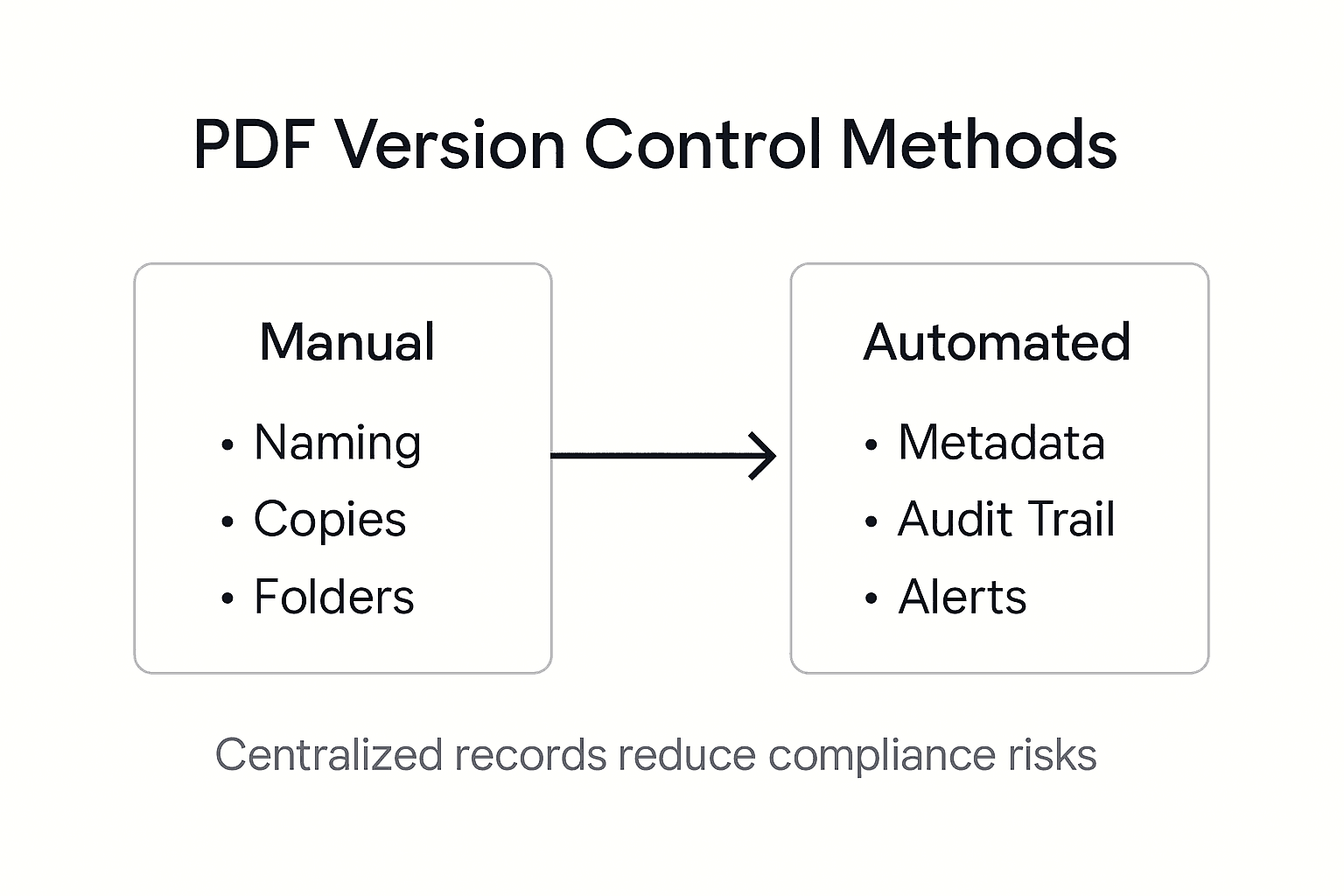
Manual PDF version control typically involves labor-intensive processes such as creating multiple file copies, manually renaming documents, and relying on individual team members to track changes. Version control systems dramatically improve this approach by automatically capturing every modification, creating comprehensive change logs, and providing instant access to document revision histories. Automated solutions offer robust features like simultaneous editing capabilities, conflict resolution mechanisms, and granular access controls that manual methods cannot effectively replicate.
The key differentiators between automated and manual PDF solutions extend beyond basic version tracking. Automated systems integrate advanced metadata management, enabling organizations to embed rich contextual information directly into documents. These systems support complex collaborative workflows, facilitate seamless cross-platform document sharing, and provide advanced security features that protect sensitive information throughout the document lifecycle. By contrast, manual approaches create significant risks of version confusion, accidental overwrites, and potential compliance violations that can compromise organizational efficiency and data integrity.
Pro tip: Conduct a comprehensive workflow audit to identify specific manual processes that can be automated, prioritizing solutions that offer granular version tracking and seamless integration with existing document management systems.
Enhance Your PDF Version Control with Mapsoft Solutions
Struggling to maintain clear audit trails and document integrity across complex workflows can create costly compliance risks and slow down your team. This article highlights the critical need for robust PDF version control systems that track every change with precision. By harnessing Mapsoft’s advanced PDF tools and automated workflows, you can overcome challenges like accidental overwrites, inefficient manual processes, and lack of transparency – all while ensuring regulatory compliance and boosting productivity.

Discover our full range of digital document management services in the Digital Preservation – category and elevate your enterprise PDF workflows today. Visit Mapsoft.com to explore solutions that automate version tracking, secure document revisions, and streamline your entire PDF lifecycle. Don’t let fragmented version control hold your organization back. Act now to implement dependable PDF version management that safeguards your operations and drives efficiency.
Frequently Asked Questions
What is PDF version control, and why is it important?
PDF version control is a process that tracks, manages, and preserves modifications to PDF documents across workflows. It is crucial for maintaining document integrity, supporting compliance, and ensuring accountability within organizations.
What are the main methods of PDF version control?
The two primary methods of PDF version control are centralized version control, where a single server maintains document authority, and distributed version control, which allows each user to have a complete local copy of the document repository for collaborative editing.
How can organizations ensure compliance with document version control?
Organizations can ensure compliance by implementing systematic version control policies that track document lineage, maintain audit trails, and establish clear protocols for document creation, modification, and archival, along with advanced security measures like digital signatures.
What are the benefits of using automated PDF version control systems?
Automated PDF version control systems provide consistent version tracking, eliminate the risks of human error, and streamline complex workflows through features like comprehensive change logs, simultaneous editing capabilities, and advanced metadata management.
Recommended
- Document Version Control for Businesses in 2025: Best Practices and Adobe Solutions –
- Streamline Your Document Approval Workflows for Efficiency –
- How Document Lifecycle Management Boosts Business Efficiency
- Why Use PDF Format for Your Business Success
- Doc to PDF : Top Use Cases and Benefits for developers