

{
“@type”: “Article”,
“image”: “https://csuxjmfbwmkxiegfpljm.supabase.co/storage/v1/object/public/blog-images/organization-3822/1766105727957_image_1766105727750.png”,
“author”: {
“url”: “https://mapsoft.com”,
“name”: “Mapsoft”,
“@type”: “Organization”
},
“@context”: “https://schema.org”,
“headline”: “Adobe Acrobat Metadata: Powering Secure PDF Workflows”,
“imageAlt”: “IT specialist reviewing PDF metadata at desk”,
“publisher”: {
“url”: “https://mapsoft.com”,
“name”: “Mapsoft”,
“@type”: “Organization”
},
“inLanguage”: “en”,
“articleBody”: “Adobe Acrobat metadata explained—types, extraction, editing, security, compliance, and workflow impacts for enterprise PDF processes and IT professionals.”,
“description”: “Adobe Acrobat metadata explained—types, extraction, editing, security, compliance, and workflow impacts for enterprise PDF processes and IT professionals.”,
“datePublished”: “2025-12-19T00:57:51.517Z”
}
More than 90 percent of American businesses rely on digital documents every day, yet many overlook the hidden layers of information embedded within each PDF. Understanding Adobe Acrobat metadata matters because it shapes how organizations track, secure, and share sensitive files. This guide reveals how metadata works behind the scenes, why it impacts privacy and compliance, and which best practices keep your American enterprise protected and organized.
Table of Contents
- Defining Adobe Acrobat Metadata and Its Role
- Primary Metadata Types in PDF Documents
- How Metadata Is Managed and Retrieved
- Risks, Privacy, and Legal Considerations
- Best Practices for Enterprise Metadata Workflows
Key Takeaways
| Point | Details |
|---|---|
| Understanding Metadata | Metadata is essential for effective document management, providing context that enhances searchability and organization of PDFs. |
| Types of Metadata | Key metadata categories include Document Identification, Technical, and Rights Management, each serving distinct business needs. |
| Privacy and Legal Risks | Metadata can expose sensitive information, necessitating regular audits and the use of automated scrubbing tools to mitigate risks. |
| Best Practices | Implement standardized and automated workflows for metadata management to enhance document accessibility while ensuring compliance and security. |
Defining Adobe Acrobat Metadata and Its Role
Metadata represents the underlying information framework that enables efficient document management and searchability in digital environments. In Adobe Acrobat, metadata provides critical context about PDF documents beyond their visible content.
Adobe specifically utilizes the Extensible Metadata Platform (XMP), an XML-based standard that captures essential document details like title, author, creation date, and keywords. Metadata in Adobe systems serves multiple strategic purposes, functioning as a digital fingerprint that helps organizations track, organize, and secure their document workflows.
The core components of Adobe Acrobat metadata typically include:
- Document creation timestamp
- Author identification
- Software used for document generation
- Version history
- Keywords and descriptive tags
- Copyright and usage rights information
Metadata operates silently behind the scenes, enabling advanced search capabilities, version control, and document authentication. By embedding structured information within PDF files, organizations can implement more sophisticated document management strategies that go far beyond simple file storage.
Pro Workflow Tip: Always sanitize metadata before sharing sensitive documents to prevent unintentional information leakage about document origins and internal systems.
Primary Metadata Types in PDF Documents
PDF documents contain multiple layers of metadata types that provide comprehensive information beyond the visible document content. Metadata schemas in document management are structured to capture essential details about file characteristics, creation context, and document properties.
The primary metadata categories in PDF documents can be broadly classified into several key types:
- Document Identification Metadata
- Title of the document
- Author name
- Creation date and time
- Last modified timestamp
- Document version number
- Technical Metadata
- Software used for document generation
- File format specifications
- Color space and resolution details
- Encoding and compression information
- Application-specific properties
- Rights Management Metadata
- Copyright information
- Usage restrictions
- Access control parameters
- Licensing details
- Digital rights management (DRM) specifications
Modern PDF metadata systems leverage the Extensible Metadata Platform (XMP), which allows for flexible and extensible metadata representation. This XML-based framework enables organizations to embed rich, structured information within documents, facilitating advanced search, retrieval, and management capabilities.

Here’s a comparison of the main PDF metadata types and their strategic business value:
| Metadata Type | Main Purpose | Typical Business Use Case |
|---|---|---|
| Document Identification | Uniquely identifies a document | Rapid document retrieval and tracking |
| Technical | Describes technical attributes | Ensuring compatibility and quality control |
| Rights Management | Governs access and usage | Protecting sensitive content and IP |
Pro Security Tip: Regularly audit and sanitize metadata to prevent unintentional disclosure of sensitive organizational information during document sharing.
How Metadata Is Managed and Retrieved
Metadata management in PDF documents represents a sophisticated process of capturing, storing, and accessing critical document information. Advanced metadata retrieval techniques enable organizations to implement robust document tracking and information governance strategies.
The core mechanism for metadata management in Adobe Acrobat is the Extensible Metadata Platform (XMP), an XML-based framework that provides a standardized approach to embedding and extracting document properties. This platform allows for multiple interaction methods:
- Programmatic Retrieval: Using software development kits (SDKs)
- Direct Application Access: Through Adobe Acrobat interface
- Automated Workflow Integration: Connecting metadata extraction to enterprise systems
Metadata retrieval typically involves several key processes:
- Scanning the document’s embedded XMP structure
- Extracting specific metadata properties
- Validating and processing retrieved information
- Integrating metadata into broader document management systems
Organizations can leverage metadata retrieval for multiple strategic purposes, including compliance tracking, document version control, and intellectual property management. The flexibility of XMP allows custom metadata schemas, enabling businesses to create unique tracking mechanisms tailored to their specific operational requirements.
Pro Workflow Tip: Implement automated metadata scrubbing tools to remove sensitive information before external document sharing, protecting organizational confidentiality.
Risks, Privacy, and Legal Considerations
Metadata poses significant privacy risks that organizations must carefully navigate to protect sensitive information. De-identification strategies for document metadata have become increasingly critical in maintaining legal and ethical standards for information sharing.
The primary privacy concerns surrounding PDF metadata include:
- Unintentional exposure of personal and organizational details
- Potential intellectual property disclosure
- Tracking and profiling risks
- Compliance violations with data protection regulations
Legal considerations for metadata management involve multiple complex dimensions:
- Compliance Requirements
- General Data Protection Regulation (GDPR)
- California Consumer Privacy Act (CCPA)
- Health Insurance Portability and Accountability Act (HIPAA)
- Industry-specific data protection standards
- Potential Legal Vulnerabilities
- Unauthorized information disclosure
- Accidental revelation of confidential business information
- Potential breach of contractual confidentiality agreements
- Risks associated with unintended metadata transmission
Organizations must implement comprehensive metadata management strategies that balance information utility with robust privacy protections. This requires developing systematic approaches to metadata sanitization, access control, and proactive risk mitigation.
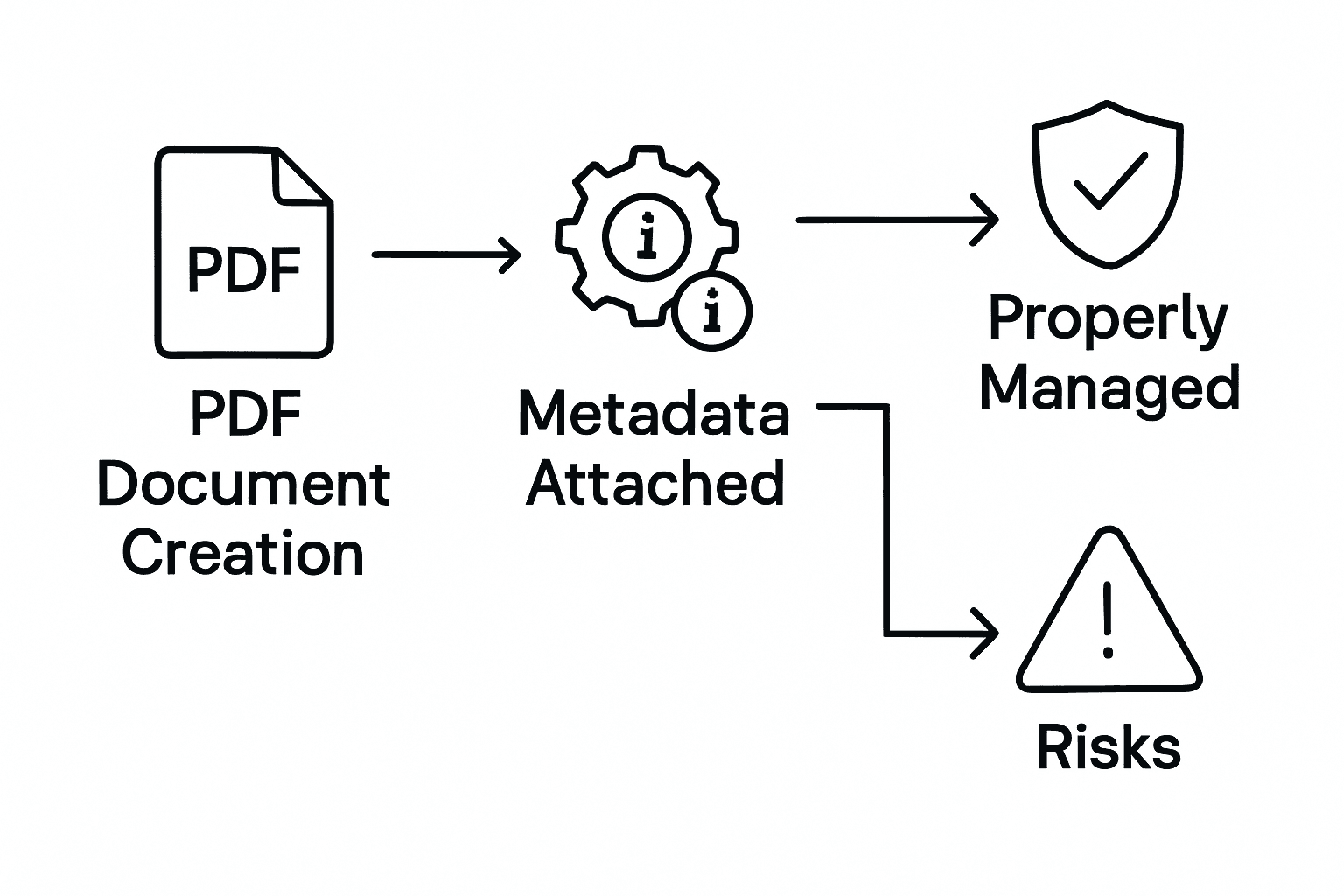
Below is a summary of privacy and legal risks versus protective best practices in managing PDF metadata:
| Risk Area | Example Threat | Mitigation Best Practice |
|---|---|---|
| Privacy Breach | Leaked author or location data | Automated metadata scrubbing tools |
| Legal Violation | Non-compliance with regulations | Regular metadata audits and training |
| IP Disclosure | Embedded proprietary details | Role-based access to metadata |
Pro Privacy Tip: Conduct regular metadata audits and implement automated scrubbing tools to remove potentially sensitive information before document sharing, ensuring maximum protection against unintended information leakage.
Best Practices for Enterprise Metadata Workflows
Enterprise metadata management requires a strategic approach to document information handling. Comprehensive metadata embedding strategies enable organizations to transform document workflows through intelligent information organization and retrieval.
Key best practices for enterprise metadata workflows include:
- Standardization
- Establish consistent metadata schemas
- Define organization-wide tagging conventions
- Create templates for metadata entry
- Implement uniform naming protocols
- Automation
- Develop automated metadata extraction processes
- Integrate metadata workflows with existing enterprise systems
- Use machine learning for intelligent metadata classification
- Implement batch processing for large document collections
Metadata Platform Integration plays a critical role in enterprise workflows. XMP platform capabilities allow organizations to create sophisticated document management ecosystems that transcend traditional file handling limitations.
Successful metadata workflows require continuous monitoring, validation, and refinement. Organizations must develop robust governance frameworks that balance information accessibility with security and compliance requirements, ensuring metadata remains a strategic asset rather than an administrative burden.
Pro Workflow Tip: Create a cross-functional metadata governance committee that includes representatives from IT, legal, and business units to develop comprehensive metadata management strategies.
Enhance Your PDF Security and Metadata Management with Mapsoft Solutions
Managing Adobe Acrobat metadata is critical for protecting sensitive information and ensuring efficient document workflows. This article highlights common challenges such as unintentional data exposure, compliance risks, and the complexity of metadata retrieval and sanitization. If you are seeking to safeguard your PDF files while streamlining metadata handling, Mapsoft offers tailored solutions designed to address these exact pain points through automation and advanced metadata control.

Unlock the full potential of your Adobe Acrobat workflows with Mapsoft’s comprehensive PDF tools and enterprise-grade services. Whether you need to automate metadata scrubbing, manage document versions, or integrate metadata extraction into your existing systems, our offerings are crafted to maximize security and productivity. Visit Mapsoft.com today to discover how you can transform your document processes and protect your organization against metadata risks effectively.
Frequently Asked Questions
What is Adobe Acrobat metadata?
Adobe Acrobat metadata is the structured information embedded in PDF documents that provides critical context about the files, such as the document title, author, creation date, and keywords. It utilizes the Extensible Metadata Platform (XMP) for efficient management and searchability.
How does metadata enhance PDF workflows?
Metadata enhances PDF workflows by enabling advanced search capabilities, version control, and document authentication. It acts as a digital fingerprint that helps organizations efficiently track, organize, and secure their document management processes.
What are the main types of metadata in PDF documents?
The main types of metadata in PDF documents include Document Identification Metadata (like title and author), Technical Metadata (technical attributes of the file), and Rights Management Metadata (governing access and usage rights). These categories provide comprehensive information beyond the visible content.
How can organizations protect sensitive information in PDF metadata?
Organizations can protect sensitive information in PDF metadata by regularly auditing and sanitizing metadata before sharing documents. Implementing automated metadata scrubbing tools and establishing comprehensive governance frameworks help mitigate privacy and legal risks.

