

{
“@type”: “Article”,
“image”: {
“url”: “https://csuxjmfbwmkxiegfpljm.supabase.co/storage/v1/object/public/blog-images/organization-3822/1768808048592_image_1768808048207.png”,
“@type”: “ImageObject”,
“caption”: “Team comparing PDFs across devices”
},
“author”: {
“url”: “https://mapsoft.com”,
“name”: “Mapsoft”,
“@type”: “Organization”
},
“@context”: “https://schema.org”,
“headline”: “Cross-Platform PDF Compatibility: Ensuring Seamless Workflows”,
“publisher”: {
“url”: “https://mapsoft.com”,
“name”: “Mapsoft”,
“@type”: “Organization”
},
“inLanguage”: “en-US”,
“description”: “Cross-platform PDF compatibility for enterprise—explore formats, integration challenges, solutions, and workflow automation for Adobe-centric environments.”,
“datePublished”: “2026-01-19T07:34:40.867Z”
}
Every IT manager knows the frustration when a PDF that looks flawless on Windows suddenly breaks on an iOS or Android device. Cross-platform compatibility is crucial for delivering seamless workflows and consistent results as teams operate across Microsoft, Apple, and Google ecosystems. This article explores cross-platform PDF compatibility, revealing how universal standards, advanced integration strategies, and robust automation power truly connected document management with Adobe technologies.
Table of Contents
- Defining Cross-Platform PDF Compatibility
- Common PDF Standards and Formats Explained
- How Platform Differences Affect PDF Integration
- Key Challenges in Achieving Compatibility
- Enterprise Solutions for Workflow Automation
Key Takeaways
| Point | Details |
|---|---|
| Cross-Platform Compatibility is Essential | Ensure PDF files maintain formatting and functionality across all operating systems and devices by adhering to universal PDF standards. |
| Key PDF Standards | Utilize PDF/A, PDF/X, PDF/E, and PDF/UA formats to meet specific industry needs and enhance document interoperability. |
| Platform Differences Pose Challenges | Address rendering inconsistencies and integration issues across varying operating systems to maintain document fidelity. |
| Leverage Workflow Automation | Implement intelligent automation technologies to streamline PDF processes, ensuring efficiency and reducing manual tasks. |
Defining Cross-Platform PDF Compatibility
Cross-platform PDF compatibility represents a critical technical capability that enables digital documents to function seamlessly across different operating systems, devices, and software environments. Developing cross-platform software applications involves ensuring that PDF files maintain their original formatting, structure, and functionality regardless of the platform used to view or process them.
At its core, cross-platform PDF compatibility means a document created on a Windows computer with Adobe Acrobat can be opened, read, and potentially edited on a macOS device, an Android tablet, or an iOS smartphone without losing visual integrity or functional elements. This requires adherence to universal PDF standards that transcend individual operating system limitations. The goal is to create a document that looks identical and behaves consistently across Windows, macOS, Linux, iOS, and Android platforms.
Key technical requirements for achieving cross-platform PDF compatibility include maintaining consistent font rendering, preserving layout and formatting, ensuring interactive form elements function correctly, and supporting embedded multimedia content across different devices. Standardization plays a crucial role, with PDF/A and PDF/X formats providing baseline compatibility frameworks that help organizations manage document interoperability.
Pro tip: Always validate your PDF files using cross-platform compatibility checking tools to ensure optimal performance across different operating systems and devices.
Common PDF Standards and Formats Explained
Portable Document Format (PDF) standards represent a comprehensive set of technical specifications designed to ensure consistent document rendering and functionality across diverse computing platforms. PDF 2.0 ISO standard provides a robust framework for creating digital documents that maintain visual fidelity and interactive capabilities across multiple devices and operating systems.
The primary PDF standards include PDF/A (archival preservation), PDF/X (print publishing), PDF/E (engineering), and PDF/UA (universal accessibility). Each standard serves specific industry requirements, ensuring documents meet precise technical and functional criteria. PDF/A, for instance, focuses on long-term document preservation by mandating specific formatting rules that prevent potential future compatibility issues, while PDF/X guarantees print-ready documents with color management and font embedding capabilities.
The following table summarizes the primary PDF standards and their targeted use cases for different industries:
| PDF Standard | Main Purpose | Typical Use Case |
|---|---|---|
| PDF/A | Long-term preservation | Archiving legal or financial records |
| PDF/X | Professional printing | Print publishing and color management |
| PDF/E | Engineering workflows | CAD drawings and technical documents |
| PDF/UA | Accessibility | Documents for users with disabilities |
Enterprise organizations typically leverage PDF/A-1 and PDF/A-2 formats for compliance-critical document management, particularly in legal, financial, and governmental sectors. These standards provide permanent file storage solutions that eliminate potential formatting degradation, font substitution risks, and embedded content challenges. Advanced PDF standards now support complex features like digital signatures, form interactivity, multimedia integration, and enhanced security protocols that extend beyond traditional document representation.
Pro tip: Regularly validate your PDF files against current ISO standards to ensure maximum cross-platform compatibility and long-term document integrity.
How Platform Differences Affect PDF Integration
PDF integration across different technological platforms presents complex challenges that demand strategic technical management. Platform integration challenges reveal significant variations in rendering, compatibility, and functional support across operating systems, devices, and software ecosystems. These differences can dramatically impact document fidelity, interactive features, and overall workflow efficiency.
The primary platform differences affecting PDF integration include operating system rendering engines, device screen resolutions, hardware processing capabilities, and software interpretation of PDF standards. Windows, macOS, iOS, and Android systems each handle PDF files differently, creating potential compatibility bottlenecks. Rendering variations can lead to font substitution, layout shifts, interactive form malfunctions, and metadata interpretation discrepancies that compromise document integrity and user experience.

Enterprise organizations must implement comprehensive PDF compatibility strategies that account for these platform-specific nuances. This involves selecting universal PDF standards like PDF/A or PDF/X, using cross-platform PDF libraries, implementing robust validation protocols, and developing adaptive rendering techniques. Advanced PDF management solutions now incorporate machine learning algorithms that can predict and mitigate potential cross-platform integration challenges before they impact critical business workflows.
Pro tip: Conduct systematic cross-platform PDF compatibility testing across multiple devices and operating systems to identify and resolve potential rendering inconsistencies.
Key Challenges in Achieving Compatibility
Achieving seamless PDF compatibility presents multifaceted challenges that extend beyond technical limitations. Collaborative workflow challenges reveal critical obstacles in cross-platform document integration, including communication barriers, technological disparities, and organizational alignment issues that can dramatically impede efficient document management.
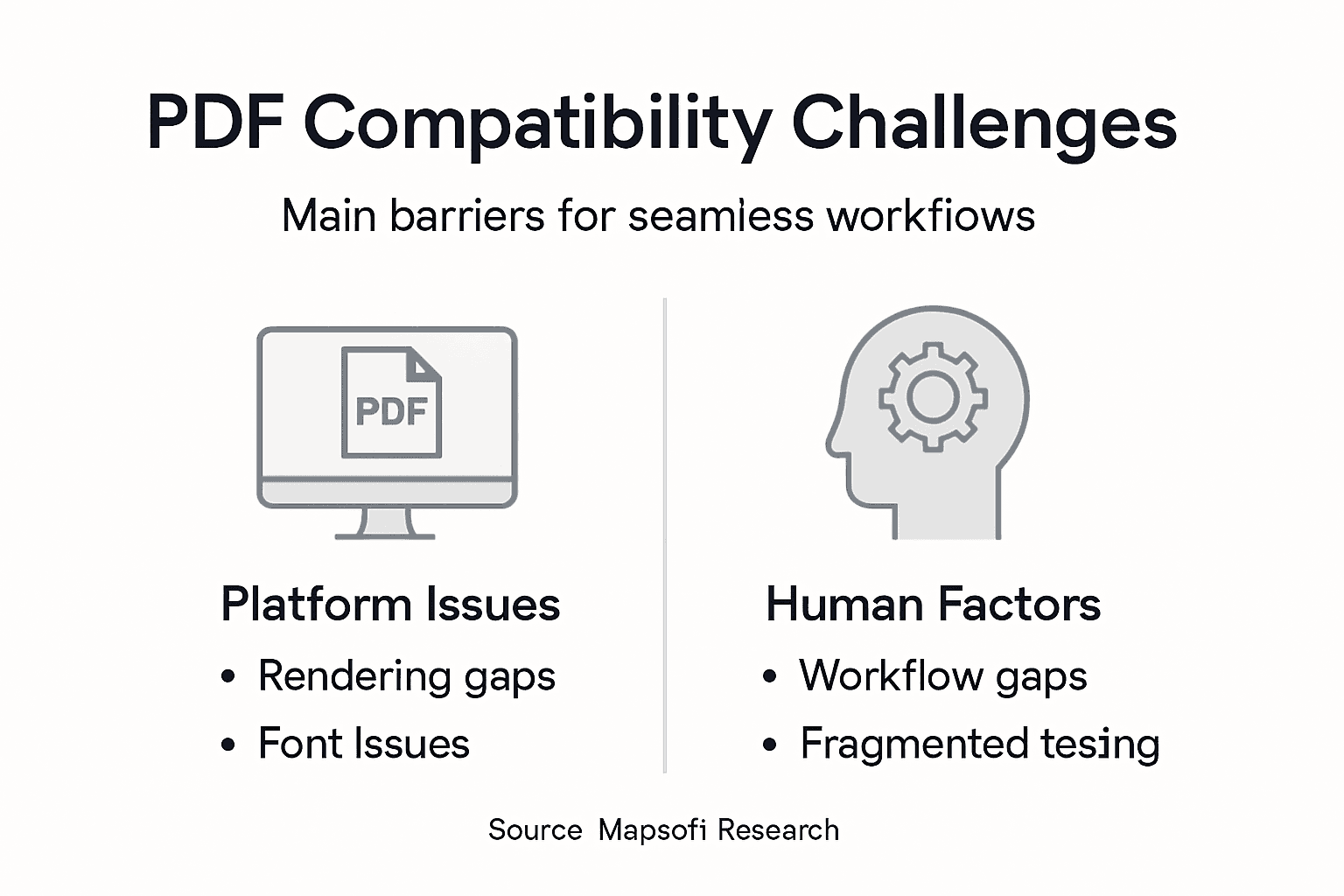
The most significant compatibility challenges stem from fundamental technological differences across platforms. Rendering inconsistencies emerge from variations in operating system font libraries, graphics processing capabilities, and PDF interpretation algorithms. These discrepancies can cause critical issues like text reflow, font substitution, interactive element malfunction, and metadata translation errors. Enterprise environments face particularly complex scenarios where documents must maintain precise formatting across Windows, macOS, iOS, Android, and Linux systems.
Technical complexity is compounded by human and organizational factors that further challenge PDF compatibility. Different departments often use varied software ecosystems, creating siloed document management approaches. Security protocols, access permissions, digital signature standards, and encryption methods introduce additional layers of potential compatibility breakdown. Advanced organizations mitigate these challenges through standardized PDF formats, comprehensive validation protocols, and cross-platform testing frameworks that proactively identify and resolve potential integration issues.
Pro tip: Implement a centralized PDF compatibility testing framework that systematically evaluates document rendering across multiple platforms and device configurations.
Enterprise Solutions for Workflow Automation
Enterprise organizations require sophisticated workflow automation strategies that seamlessly integrate complex document management processes. Enterprise architecture planning provides a critical framework for developing comprehensive PDF compatibility solutions that align technological capabilities with organizational objectives. These strategies enable businesses to transcend traditional technological limitations and create more efficient, interconnected digital ecosystems.
Advanced workflow automation solutions leverage sophisticated technologies like robotic process automation (RPA), artificial intelligence, and machine learning to streamline PDF document handling. Intelligent automation platforms can automatically detect, classify, extract, validate, and route PDF documents across different enterprise systems, dramatically reducing manual intervention. These solutions address critical challenges such as version control, metadata management, security compliance, and cross-platform rendering consistency.
Successful enterprise PDF workflow automation requires a holistic approach that integrates multiple technological components. Organizations must develop robust strategies that include standardized PDF formats, comprehensive validation protocols, adaptive rendering techniques, and centralized document management systems. Key implementation considerations include platform-agnostic PDF libraries, advanced security frameworks, real-time document tracking, and seamless integration with existing enterprise software ecosystems like Enterprise Resource Planning (ERP), Customer Relationship Management (CRM), and document management systems.
This table highlights key automation technologies in enterprise PDF workflows and their business benefits:
| Technology | Main Function | Business Benefit |
|---|---|---|
| RPA | Automate PDF handling tasks | Reduced manual effort |
| AI/OCR | Classify and extract data | Faster document processing |
| Validation Protocols | Ensure format consistency | Fewer compatibility issues |
| Centralized Management | Track documents organization-wide | Enhanced security and compliance |
Pro tip: Develop a comprehensive PDF workflow automation roadmap that includes pilot testing, phased implementation, and continuous performance monitoring to ensure successful digital transformation.
Optimize Your Cross-Platform PDF Workflows with Mapsoft Solutions
Ensuring seamless PDF compatibility across diverse platforms like Windows, macOS, iOS, and Android requires more than just understanding standards such as PDF/A and PDF/X. It demands powerful tools that maintain document integrity while automating complex workflows. If you struggle with inconsistent rendering, font substitution, or interactive form malfunctions, you are not alone. Many organizations face these critical challenges that compromise productivity and document reliability.

Take control over your PDF processes by exploring Mapsoft’s advanced PDF Hub and specialized plug-ins designed to enhance Adobe Acrobat and related workflows. Whether you need to convert, edit, secure, or automate large-scale PDF operations with guaranteed cross-platform compatibility, our solutions empower you to streamline tasks and protect your document investments. Start elevating your digital preservation and enterprise automation today by visiting Digital Preservation and learn more at Mapsoft.com. Unlock your seamless PDF experience now.
Frequently Asked Questions
What is cross-platform PDF compatibility?
Cross-platform PDF compatibility ensures that PDF documents can be opened, read, and edited seamlessly across different operating systems and devices without losing formatting or functionality.
What are the key PDF standards for ensuring compatibility?
The primary PDF standards include PDF/A for archival preservation, PDF/X for print publishing, PDF/E for engineering workflows, and PDF/UA for universal accessibility, each addressing unique requirements to maintain document integrity.
How do platform differences affect PDF document integration?
Platform differences, such as variations in rendering engines and device capabilities, can lead to issues like font substitution and layout shifts, potentially compromising the functionality and visual fidelity of PDF documents across different environments.
What strategies can organizations implement for PDF workflow automation?
Organizations can implement strategies like robotic process automation (RPA), artificial intelligence, and machine learning to automate PDF handling, ensuring efficient document management and reducing manual effort in cross-platform environments.

