
InDesign Server for Automated Publishing Workflows
InDesign Server is the headless InDesign engine for high-volume, unattended publishing — the same composition core as desktop InDesign, designed to run on a server and process documents at volume. Here’s when you need it, the architecture patterns that work in production, the licensing reality, and how it fits with the rest of the publishing stack.
What InDesign Server actually is
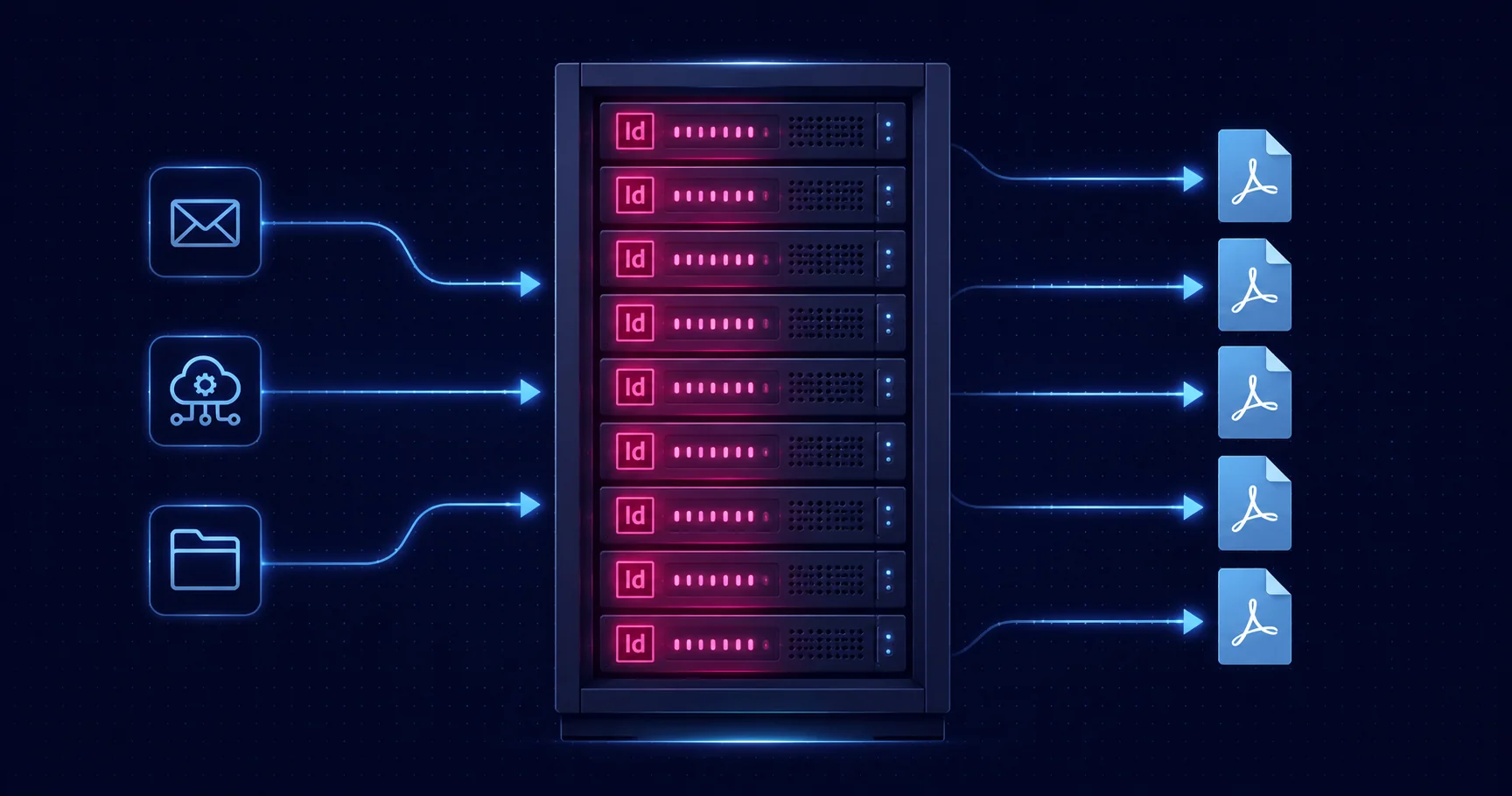
InDesign Server is the headless edition of InDesign — the same composition, layout, and rendering engine as the desktop application, but without a UI, designed to run unattended on a server and process documents at volume. It loads .indd or .idml templates, manipulates them via ExtendScript, and produces PDF, IDML, EPUB, JPEG, and the other formats desktop InDesign can produce. From the document model’s point of view, Server is desktop InDesign — the same scripting DOM, the same paragraph and character styles, the same Data Merge feature, the same export presets.
What’s different is everything around the document model: there’s no main window, no panels, no progress bars, no modal dialogs. Requests come in via SOAP (the native protocol), or via REST through a custom front-end. Multiple instances can run on the same machine. Resources can be pooled. The engine is designed for queue-driven, high-throughput, unattended operation.
This is qualitatively different from running an ExtendScript on desktop InDesign overnight. Desktop InDesign is a workstation application running a script; InDesign Server is a production system designed to be the document-rendering tier of a larger pipeline.
When you need InDesign Server
Three signals that desktop InDesign batch is the wrong host:
1. Volume
The honest threshold is somewhere around "can a workstation complete this overnight?" If you’re running batches of dozens of documents, desktop InDesign is fine. If you’re running batches of thousands per day, you’re past the desktop limit. Common volume drivers:
- Catalogue publishers producing thousands of personalised catalogue variants from a product database
- Transactional document factories generating per-customer monthly statements at scale
- News publishers rendering daily editions across multiple regional editions and languages
- On-demand certificate generation for online courses with hundreds of new graduates per day
2. Unattended operation
Some workflows can’t reasonably tie up a workstation. Hot-folder watching (a designer drops a file in, the system processes it within minutes), queue-driven rendering (web requests trigger document generation), scheduled overnight runs that need to finish before morning — these are server workloads, not desktop workloads. InDesign Server is designed to run as a service.
3. System integration
If the publishing workflow is part of a larger automated system — a CMS, an e-commerce platform, a customer database, a print management system — InDesign Server is the integration tier. It accepts machine-generated requests, produces machine-consumable outputs, and slots into pipelines alongside other server components. Desktop InDesign doesn’t.
Architecture patterns
Production InDesign Server deployments converge on a small number of architectural patterns:
SOAP request/response
The native protocol. The client sends a SOAP message containing the script to run plus its parameters; Server runs the script, produces the output, and returns a SOAP response with the result location. The simplest pattern, and the right one when the front-end is another server-side component (a Java or .NET service, a workflow engine, a batch scheduler).
REST front-end wrapping SOAP
For modern web integration, the SOAP interface is usually wrapped in a REST front-end — a small service (Node.js, Python, .NET) that accepts JSON requests and forwards them to the InDesign Server SOAP endpoint. The wrapping layer also handles authentication, rate limiting, request validation, and response shaping — concerns that don’t belong inside InDesign Server itself.
Hot-folder pattern
For workflows where the inputs are files dropped by humans or systems, the front-end watches a folder for new files, picks them up, and submits them to InDesign Server. Output goes to a sibling folder; logs go to a third folder. The simplest possible integration, often the right answer for editorial handoff or print-production hot folders.
Queue-driven processing
For high-volume async work, a message queue (RabbitMQ, Azure Service Bus, AWS SQS) sits between the request source and InDesign Server. Each queue message describes one document to render. Worker processes pull messages, submit to Server, write outputs to storage, mark messages complete. Survives Server restarts, scales horizontally, handles back-pressure when the request rate exceeds the rendering rate.
Resource pooling
InDesign Server doesn’t multitask within a single instance. To handle parallel requests, the deployment runs multiple instances on the same machine (or across multiple machines), with a pooling layer in front that distributes requests. Common ratios: 4–8 InDesign Server instances per server, depending on document complexity and available memory. The pool manager handles instance health, recycling, and load distribution.
Common production deployments
Catalogue publishing
The classic InDesign Server use case. A product database holds thousands or tens of thousands of products; the catalogue template is an InDesign document with placeholders for product images, titles, prices, and descriptions; InDesign Server renders one PDF page (or multiple) per product or per category, then assembles the pages into print-ready catalogues. The pipeline runs on a schedule (weekly catalogue refresh) or on demand (regional variants for retail partners).
Transactional documents
Per-customer documents at high volume: monthly bank statements, insurance certificates, mobile phone bills, utility bills. The pattern: a back-end system produces a customer record stream; InDesign Server renders one document per customer using a template; the rendered PDFs go to a delivery system (email, web portal, print mail). The volume is genuinely high (millions per month for a mid-sized utility), and the architecture is heavily queue-driven.
News and magazine production
Daily newspaper and weekly magazine production, where multiple regional editions need to be rendered from a shared editorial source plus region-specific overlays (advertising, local news, language variants). InDesign Server renders each edition; print-ready PDFs go to plate-setters or digital presses; web variants go to publishing platforms.
On-demand documents
Web-driven document generation: an online course platform issues completion certificates the moment a student finishes; an HR system generates offer letters when an offer is accepted; a real-estate platform produces property brochures when an agent requests them. The request rate is moderate but bursty; the latency requirement is sub-minute; the workflow can’t tie up a designer’s workstation.
Pairing with the rest of the publishing stack
InDesign Server is rarely the whole publishing stack. It’s the document-rendering tier in a larger system:
InDesign Server + Data Merge
The natural pairing for variable-data work. Designers author the template using Data Merge on desktop InDesign, proofing against representative records. The same template, same data binding, same merge configuration runs on InDesign Server for the production pass. The desktop tooling does design and proofing; Server does volume.
InDesign Server + Mapsoft Engage
For pure PDF VDP workflows, an alternative architecture: design the template in InDesign desktop, export to PDF once, then use Mapsoft Engage for the bulk PDF generation. Engage is purpose-built for PDF VDP and avoids the operational complexity of InDesign Server when the deliverable is just personalised PDFs. The choice between Server and Engage is mostly a question of whether the rendering needs to be InDesign-native (Server) or can happen on the PDF (Engage).
InDesign Server + content management
Most production InDesign Server deployments are integrated with a content management system — an editorial CMS for publishers, a product database for retailers, a customer database for transactional documents. The CMS is the source of truth for what gets published; InDesign Server is the rendering tier that turns CMS content into finished documents. The integration is typically REST: the CMS produces JSON describing what to render; the InDesign Server REST front-end consumes the JSON and produces PDFs.
Operational considerations
Font and asset management
Server-side InDesign needs the same fonts and linked assets that desktop InDesign needs — without those, the rendered output is wrong. Production deployments typically have a central font repository (synchronised across all server instances) and a structured asset folder layout (referenced by relative paths from templates). Missing fonts or broken links produce per-document failures that the operational system needs to detect and surface.
Memory management
InDesign Server instances accumulate state over time — loaded fonts, cached images, plugin state. A long-running instance can degrade in performance. Production deployments recycle instances periodically (every N requests, every X hours, or when memory exceeds a threshold). The pooling layer typically owns this.
Error handling
Per-document failures are inevitable at volume: missing images, broken templates, malformed input data, fonts that didn’t propagate. The operational system needs to log them, surface them for human review, and continue processing the rest of the queue. The script-level error handling patterns from InDesign batch processing apply — suppress dialogs, wrap each document in try/catch, log failures to a central system.
Monitoring and observability
What gets monitored: instance health (each Server instance up and responsive), throughput (documents per minute per instance), latency (time from request to output), failure rate (per-instance and overall), resource usage (memory and CPU per instance). Production deployments emit these as metrics to a monitoring system (Prometheus, CloudWatch, Azure Monitor) and surface them on dashboards.
Licensing reality
InDesign Server is licensed separately from Creative Cloud as an enterprise SKU. Per-instance pricing, annual subscription, sold direct by Adobe or through certified solution providers. The pricing reflects production-tier deployment — it’s not aimed at single-user or small-team use cases, and it’s not part of any Creative Cloud subscription tier.
Adobe makes test and development licences available at lower cost for systems integrators, custom development teams (such as Mapsoft), and pilot deployments. Production licences are the larger commitment.
The ongoing cost is meaningful enough that the decision to adopt InDesign Server should be deliberate: it’s right when the production workflow genuinely needs it, and overkill when desktop scripting plus a workstation-based overnight schedule could do the same job. Most production deployments justify the cost easily — the alternative is hand-tending a desktop overnight, with the operational fragility that implies.
Mapsoft and InDesign Server
Mapsoft has built InDesign Server pipelines for catalogue publishers, transactional document factories, and high-volume personalisation systems for over two decades — from the SOAP era through the modern REST front-end pattern. The architecture decisions, font and asset management, queue integration, and pool management are the kind of operational depth that turns a working InDesign Server deployment into one that runs reliably for years.
If you’re considering InDesign Server for a workflow, the right starting point is honest scoping: what’s the volume, what’s the latency requirement, what does the rest of the system look like? Most projects benefit from a discovery phase that maps the publishing requirement against Server’s strengths before committing to the licensing.
The honest take
InDesign Server is the right tool for one specific job: high-volume, unattended, server-integrated InDesign rendering. For that job there’s no real alternative — the rendering needs to be InDesign-native, the volume needs production-tier infrastructure, and the system needs to be designed for unattended operation. Workstation scripting can’t do this job; PDF-based VDP tools can’t do this job; alternative composition engines (Vivlio, the print-on-demand pipelines) can’t produce InDesign-equivalent typography.
For everything below that volume threshold, desktop InDesign with good batch scripting works fine and is much cheaper to deploy. The right question is whether the workflow genuinely needs Server, not whether Server is technically capable. If the answer is yes, the operational architecture is well understood, the licensing is predictable, and the production deployments are durable.
Related Articles
InDesign Data Merge for Variable Data Printing
The desktop side of variable data — template design and proofing — with the production handoff to InDesign Server or Engage.
Mapsoft Engage
Mail merge and variable data printing for PDFs at scale — an alternative architecture to InDesign Server when the deliverable is personalised PDFs.
InDesign Batch Processing
Desktop batch patterns — folder loops, naming conventions, multi-format export — the foundation that ports to InDesign Server with minor adjustments.
Building an InDesign Server Pipeline?
Mapsoft has built InDesign Server deployments for catalogue publishers, transactional document factories, and high-volume personalisation systems for over twenty years.
Mapsoft is an Adobe affiliate. We may earn a commission on Adobe purchases made through these links, at no extra cost to you.