
Over eighty percent of american businesses handle sensitive PDF documents every day, yet few realize how much hidden data these files actually contain. Metadata in PDFs stores details like author, creation date, and editing history, shaping everything from compliance to security. Understanding this invisible layer gives professionals the power to control information flow, improve document workflows, and protect confidential data behind the scenes.
Table of Contents
- Understanding Metadata In PDF Files
- Types And Structures Of PDF Metadata
- Using And Editing PDF Metadata Effectively
- Legal, Compliance, And Privacy Considerations
- Common Issues And Best Practices
Key Takeaways
| Point | Details |
|---|---|
| Importance of Metadata | Metadata serves as a digital fingerprint for PDF files, capturing essential details that aid in document management and preservation. |
| Types of Metadata | PDF metadata includes descriptive, structural, administrative, and technical types, facilitating comprehensive document information management. |
| Editing Strategies | Effective metadata editing involves identifying fields, verifying information, and preserving document integrity to enhance tracking and search capabilities. |
| Privacy Risks | Organizations must manage PDF metadata carefully to comply with data protection regulations and mitigate risks of unintentional disclosure of sensitive information. |
Understanding Metadata in PDF Files
Metadata represents the hidden information embedded within PDF documents that provides crucial context about the file itself, beyond its visible content. According to research from University of North Texas Digital Library, metadata serves as a comprehensive description mechanism for digital resources, enabling effective management and preservation of electronic documents.
At its core, metadata functions like a digital fingerprint for PDF files, capturing essential details such as author name, creation date, modification history, keywords, and technical specifications. These background details help organizations track document origins, understand document lifecycle, and manage information more efficiently.
 As insights from LTER Metadata Research demonstrate, metadata plays a critical role in resource discovery and organizational management.
PDF metadata typically includes several key categories of information:
- Document Properties: Creation date, last modified timestamp, software used
- Author Information: Original creator, department, contact details
- Content Descriptors: Keywords, title, subject classification
- Technical Metadata: File size, color space, compression details, PDF version
For enterprise users and document workflow professionals, understanding metadata becomes more than just technical knowledge – it represents a strategic approach to managing digital information. By leveraging metadata effectively, organizations can streamline document tracking, enhance search capabilities, and maintain comprehensive audit trails across their digital document ecosystems. Editing PDF Metadata for Unlocking Success Tips provides additional insights into maximizing metadata’s potential in professional environments.
Types and Structures of PDF Metadata
PDF metadata encompasses multiple sophisticated structures that enable comprehensive document information management. As defined by Wikipedia, the Extensible Metadata Platform (XMP) represents an ISO standard developed by Adobe for embedding standardized metadata into digital documents, creating a robust framework for information integration.
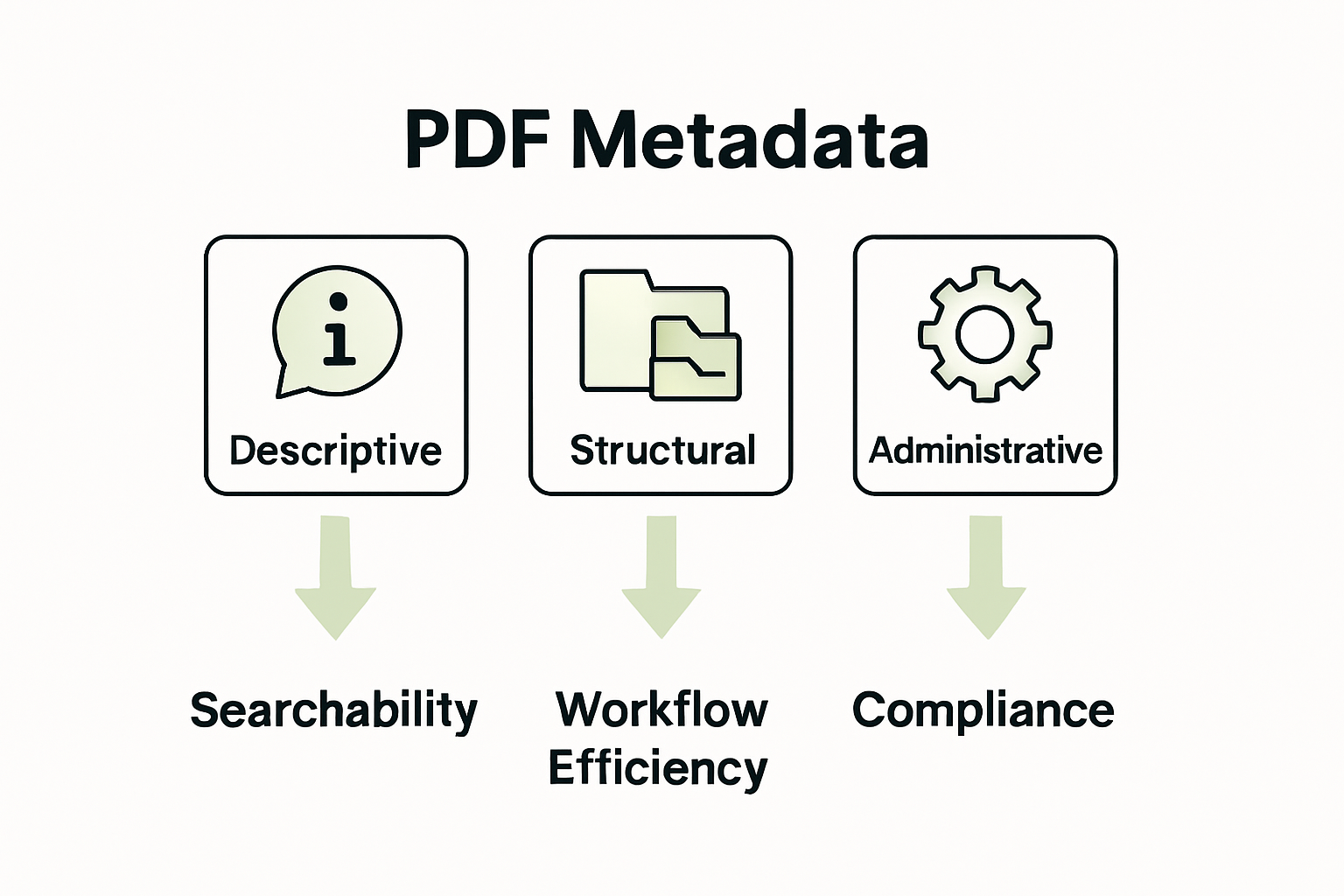
The primary metadata structures in PDF files can be categorized into several key types:
- Descriptive Metadata: Information describing document content
- Structural Metadata: Details about document organization and relationships
- Administrative Metadata: Technical and management information about document creation
- Technical Metadata: Specifications about file properties and technical characteristics
According to Wikipedia’s Metadata Encoding Standard, specialized XML schemas like METS provide advanced frameworks for encoding and transmitting metadata within digital documents. These structures enable precise tracking of document properties, facilitating enhanced document management and information retrieval processes.
Enterprise users and document professionals utilize these metadata structures to streamline workflow efficiency, implement robust document tracking systems, and maintain comprehensive digital asset management strategies. By understanding these metadata types, organizations can transform raw document information into actionable insights.
 PDF File Structure: A Comprehensive Guide offers deeper technical perspectives on navigating these complex metadata ecosystems.
Using and Editing PDF Metadata Effectively
Editing PDF metadata requires strategic approaches and specialized tools that enable precise document information management. According to Wikipedia, ExifTool represents a powerful free and open-source software program specifically designed for reading, writing, and manipulating metadata across various file formats, including PDFs.
Professional metadata editing typically involves several critical steps:
- Identifying Metadata Fields: Locating specific metadata categories
- Verifying Current Metadata: Checking existing document properties
- Making Targeted Modifications: Updating relevant information fields
- Preserving Document Integrity: Ensuring changes do not compromise file structure
For advanced technical users and enterprise environments, programmatic metadata manipulation becomes essential. Wikipedia’s Apache PDFBox resource highlights how open-source Java libraries enable sophisticated, automated metadata extraction and modification processes, allowing developers to create custom workflows for comprehensive document management.
Enterprise professionals can leverage metadata editing to enhance document tracking, improve search capabilities, and maintain rigorous information governance standards. Strategic metadata management transforms documents from static files into dynamic, searchable resources. Master Automated Metadata Management for Efficient Workflows provides additional insights into implementing advanced metadata strategies across organizational document ecosystems.
Legal, Compliance, and Privacy Considerations
PDF metadata represents a critical intersection of technological capability and legal responsibility, with significant implications for organizational privacy and information security. Research from ArXiv reveals the profound risks associated with unintentional metadata disclosure, highlighting how seemingly innocuous document properties can expose sensitive organizational information.
Key legal and privacy considerations for PDF metadata management include:
- Data Protection Compliance: Ensuring metadata meets regulatory standards
- Sensitive Information Sanitization: Removing potentially revealing metadata
- Intellectual Property Protection: Preventing unintended information leakage
- User Privacy Preservation: Restricting metadata tracking capabilities
According to insights from Clevago, organizations face six primary security risks related to unprotected PDF metadata, including potential tracking of user activity and unintentional disclosure of confidential details. Proactive metadata management becomes essential for maintaining robust information governance and preventing potential legal vulnerabilities.
Enterprise professionals must develop comprehensive strategies for metadata handling that balance operational transparency with rigorous privacy protection. By implementing systematic metadata review and sanitization processes, organizations can mitigate risks while maintaining document utility. The Essential Guide to Handling Confidential Information provides additional perspectives on navigating these complex information security challenges.
Common Issues and Best Practices
Navigating the complex landscape of PDF metadata management requires a strategic approach to address potential challenges and implement robust data handling techniques. Research from ArXiv highlights the critical importance of cleaning noisy and heterogeneous metadata, particularly when managing extensive document collections across scholarly and enterprise environments.
Common metadata issues that organizations frequently encounter include:
- Inconsistent Data Formats: Variations in metadata entry styles
- Incomplete Metadata Fields: Missing or partially populated information
- Duplicate Entries: Redundant or conflicting metadata records
- Outdated Information: Metadata that no longer reflects current document status
According to ArXiv’s metadata extraction research, developing a rule-based framework becomes essential for addressing metadata challenges. The most effective approaches involve implementing systematic validation processes, establishing clear metadata standards, and creating automated cleaning mechanisms that can reliably extract and standardize information across diverse document collections.
For enterprise professionals seeking to optimize their metadata management, the key lies in developing a proactive, comprehensive strategy that combines technological solutions with rigorous organizational protocols. By creating standardized metadata entry guidelines, investing in advanced metadata management tools, and regularly auditing document information, organizations can transform potential metadata challenges into opportunities for enhanced information governance. Metadata in PDF Documents: Unlocking Priceless Benefits offers additional insights into implementing robust metadata management practices.
Take Control of Your PDF Metadata and Transform Your Document Workflows
Managing complex PDF metadata can be overwhelming when dealing with inconsistent data, sensitive information, and the need for compliance. This guide highlights the importance of mastering metadata types, editing techniques, and privacy concerns to streamline document processes and safeguard your information. If you want to eliminate tedious manual metadata handling while improving document searchability and security, professional solutions are essential.

Unlock the full potential of your PDFs with Mapsoft’s advanced tools designed specifically for businesses facing metadata challenges. Explore powerful features such as metadata editing, batch workflow automation, and robust compliance safeguards on our Digital Preservation page. Start optimizing your PDF management today and gain peace of mind by visiting Mapsoft.com. Discover how our specialized Adobe Acrobat plugins and custom software development can revolutionize your document workflows now.
Frequently Asked Questions
What is metadata in PDF files?
Metadata in PDF files refers to the hidden information embedded within the document that provides essential details about the file, such as author name, creation date, keywords, and software used to create it.
Why is metadata important for PDF documents?
Metadata is crucial for effective document management as it helps organizations track document origins, enhance search capabilities, improve resource discovery, and maintain comprehensive audit trails.
How can I edit metadata in PDF files?
To edit metadata in PDF files, you can use specialized tools like ExifTool or open-source libraries like Apache PDFBox that allow you to read, write, and manipulate metadata fields effectively.
What are the risks associated with unprotected PDF metadata?
Unprotected PDF metadata can expose sensitive information about organizations, including user activity tracking, intellectual property, and confidential details, making it essential to sanitize or manage metadata carefully.