
{
“@type”: “Article”,
“image”: {
“url”: “https://csuxjmfbwmkxiegfpljm.supabase.co/storage/v1/object/public/blog-images/organization-3822/1765240267245_image_1765240267151.png”,
“@type”: “ImageObject”,
“alternateName”: “User reviewing PDF on office computer”
},
“author”: {
“url”: “https://mapsoft.com”,
“name”: “Mapsoft”,
“@type”: “Organization”
},
“@context”: “https://schema.org”,
“headline”: “Adobe Acrobat Version Comparison: Choosing The Right Fit”,
“publisher”: {
“url”: “https://mapsoft.com”,
“name”: “Mapsoft”,
“@type”: “Organization”
},
“inLanguage”: “en”,
“articleBody”: “Adobe Acrobat version comparison for business—compare features, PDF workflow impacts, licensing, security updates, and integration with enterprise solutions.”,
“description”: “Adobe Acrobat version comparison for business—compare features, PDF workflow impacts, licensing, security updates, and integration with enterprise solutions.”,
“datePublished”: “2025-12-09T00:31:42.066Z”
}
Nearly every American business depends on seamless digital document management to stay competitive in a rapidly changing world. Since its debut over thirty years ago, Adobe Acrobat has shaped how professionals across the United States and beyond create, edit, and share information. With different versions now tailored to everything from small teams to complex enterprise needs, understanding Acrobat’s capabilities helps organizations choose the right tools for secure, efficient document workflows.
Table of Contents
- Defining Adobe Acrobat And Its Evolution
- Comparing Standard, Pro, And Enterprise Versions
- Key Features And Pdf Workflow Capabilities
- Licensing, Support, And Update Considerations
- Security, Compatibility, And Integration Factors
- Evaluating Costs Versus Business Value
Key Takeaways
| Point | Details |
|---|---|
| Adobe Acrobat’s Evolution | Adobe Acrobat has transformed digital document management since its introduction in 1993, evolving from basic PDF creation to a comprehensive suite of tools for editing, signing, and sharing documents. |
| Version Comparison | Different versions of Adobe Acrobat—Standard, Pro, and Enterprise—cater to varying user needs, from basic functions to advanced security and collaboration features for large organizations. |
| Core Features and Workflow | Key features such as electronic signatures, AI-powered innovations, and advanced editing capabilities enhance document workflows and facilitate seamless collaboration across platforms. |
| Licensing and Support | Adobe provides flexible licensing options and multiple update tracks catering to diverse organizational needs, allowing businesses to choose plans that suit their operational requirements. |
Defining Adobe Acrobat And Its Evolution
Adobe Acrobat represents a groundbreaking digital document platform that has fundamentally transformed how professionals manage, share, and interact with electronic files. First introduced in 1993, the software revolutionized digital document sharing by enabling the creation and viewing of Portable Document Format (PDF) files that preserve original formatting across different computer systems and platforms.
The platform’s journey began with a simple yet powerful mission: standardize document exchange in an era of fragmented digital communication. Adobe Acrobat initially emerged as a suite of applications designed to view, create, and manage PDF files, quickly becoming an essential tool for businesses and individuals alike. Over the past three decades, the software has undergone significant transformations, expanding from basic PDF creation to a comprehensive digital document ecosystem.
Key milestones in Adobe Acrobat’s evolution include:
- Introduction of Acrobat Reader for universal PDF viewing
- Development of Acrobat Exchange for advanced document interactions
- Implementation of Acrobat Distiller for professional document conversion
- Integration of advanced features like electronic signatures
- AI-powered innovations for document analysis and management
Today, Adobe Acrobat stands as a sophisticated platform that goes far beyond simple document viewing. It now offers intelligent features such as automated form recognition, seamless cloud integration, collaborative editing tools, and robust security protocols. The software continues to adapt, meeting the complex digital communication needs of modern organizations by providing a comprehensive solution for document creation, editing, signing, and sharing.
Comparing Standard, Pro, And Enterprise Versions
Adobe Acrobat offers a strategic lineup of versions designed to meet diverse document management needs across individual users and organizational environments. Different versions provide tailored functionality to address specific professional requirements, ranging from basic PDF interactions to complex enterprise-level document workflows.

The Acrobat Standard version represents an entry-level solution ideal for users seeking fundamental PDF creation, editing, and signing capabilities. It delivers essential tools for individuals and small teams who require straightforward document management without advanced technical complexity. Standard users can create PDFs, convert files, add annotations, and perform basic editing tasks with remarkable efficiency.
Adobe Acrobat Pro elevates document management with sophisticated features designed for professionals who demand more robust functionality. Key enhancements include:
- Optical Character Recognition (OCR) for scanning and converting image-based documents
- Advanced form creation and editing capabilities
- Enhanced security protocols and permissions management
- Comprehensive editing tools beyond basic document manipulation
- Integration with cloud storage platforms
The Enterprise version represents the pinnacle of Adobe Acrobat’s capabilities, specifically engineered for large organizations with complex document workflows. This tier provides enterprise-specific features like seamless integration with Microsoft 365, SharePoint, and advanced compliance tools. Enterprise clients benefit from centralized administration, comprehensive security controls, and scalable deployment options that support organization-wide digital transformation strategies.
Key Features And PDF Workflow Capabilities
Advanced PDF workflow capabilities have transformed how professionals manage, create, and interact with digital documents. Adobe Acrobat provides a comprehensive suite of tools designed to streamline document processes, enhance collaboration, and simplify complex digital interactions across various platforms and devices.
The core features of Adobe Acrobat encompass a wide range of document management functionalities. Users can view, create, manipulate, print, and securely handle PDF files with unprecedented ease. The software supports multiple platforms and includes robust tools for:
- Detailed document annotation
- Interactive form creation
- Advanced security protocols
- Comprehensive editing capabilities
- Cross-platform document compatibility
Professional workflow enhancements set Adobe Acrobat apart from basic PDF tools. Electronic signature capabilities allow seamless document authentication, while AI-powered innovations enable intelligent document analysis and processing. The platform supports intricate tasks like optical character recognition (OCR), automated form recognition, and sophisticated document routing, transforming how organizations manage their digital information ecosystems. These intelligent features ensure that documents remain secure, easily accessible, and dynamically adaptable to changing business requirements.
Licensing, Support, And Update Considerations
Adobe Acrobat’s licensing models have undergone significant transformation, reflecting the evolving needs of modern digital workplaces. Licensing strategies have shifted from traditional perpetual licenses to more flexible subscription-based approaches, providing organizations with greater adaptability and cost management options.
The licensing landscape for Adobe Acrobat now encompasses multiple tiers designed to accommodate diverse business requirements. Users can choose between different models:
- Annual subscription plans
- Monthly flexible licensing
- Volume licensing for enterprise environments
- Academic and nonprofit special pricing
- Tier-based enterprise agreements
Support and update mechanisms represent another critical consideration for potential users. Adobe offers two primary update tracks: the Continuous and Classic release channels. The Continuous track provides frequent feature updates and security patches, ideal for organizations seeking cutting-edge functionality. Conversely, the Classic track offers more stable, less frequent updates, appealing to enterprises prioritizing system consistency and minimal disruption. These flexible update strategies ensure that businesses can select an approach that aligns precisely with their technological infrastructure and risk management protocols.
Security, Compatibility, And Integration Factors
Advanced security and compatibility features have become cornerstone requirements for modern document management solutions. Adobe Acrobat addresses these critical needs through comprehensive protection mechanisms and seamless cross-platform integration strategies that safeguard sensitive information while ensuring maximum accessibility.
The security architecture of Adobe Acrobat encompasses multiple layers of protection designed to meet rigorous enterprise standards. Key security capabilities include:
- Password-protected document access
- Advanced digital signature verification
- Granular permission controls
- Encryption for sensitive content
- Compliance with industry security regulations
- Redaction tools for confidential information
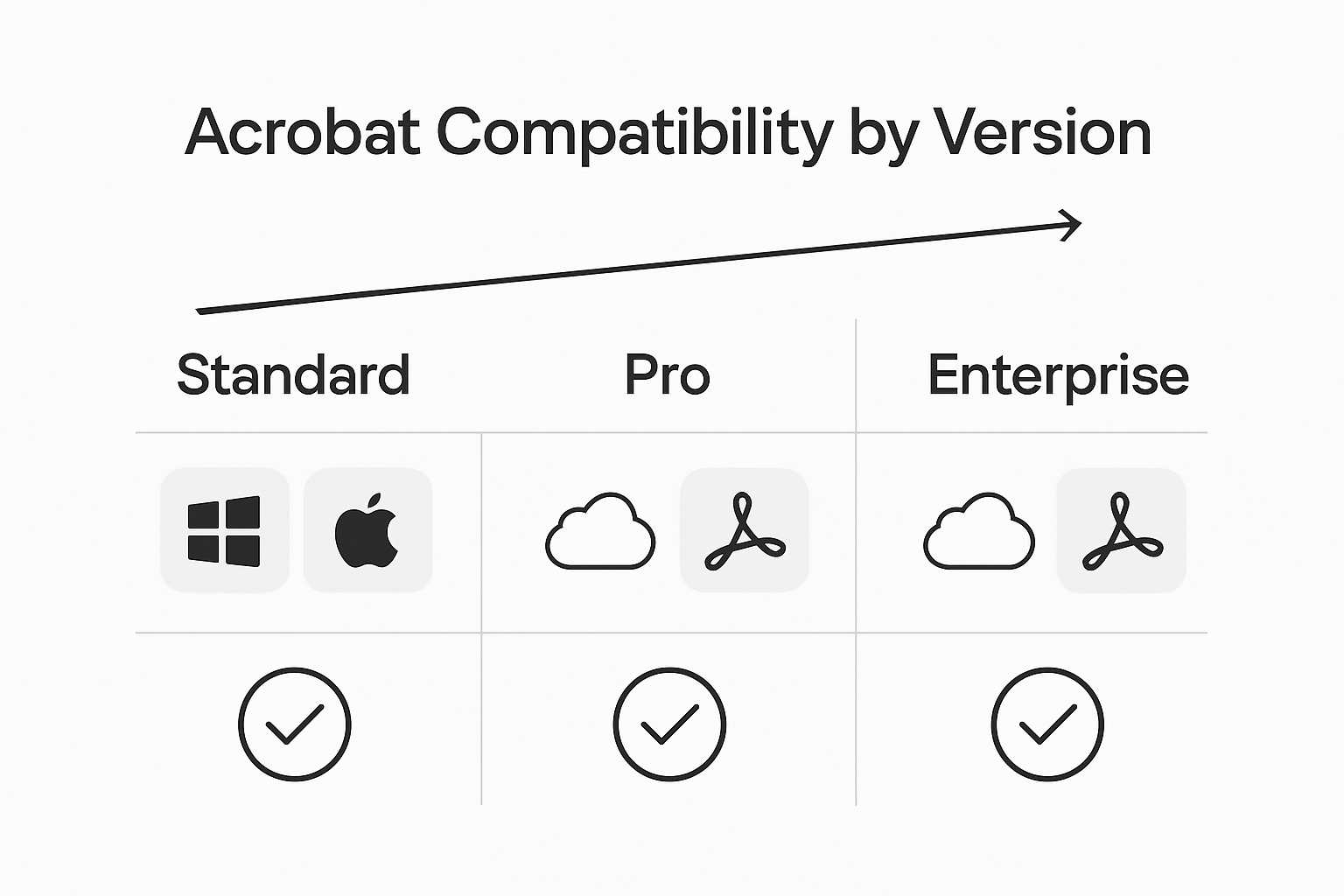
Compatibility represents another fundamental strength of the Adobe Acrobat ecosystem. The platform supports multiple operating systems and seamlessly integrates with leading business productivity tools like Microsoft 365, SharePoint, and Google Workspace. This extensive interoperability enables organizations to maintain workflow continuity across diverse technological environments, reducing friction and enhancing overall operational efficiency. By prioritizing both robust security protocols and widespread compatibility, Adobe Acrobat empowers businesses to manage documents with confidence and flexibility.
Evaluating Costs Versus Business Value
Pricing considerations for Adobe Acrobat versions extend far beyond simple dollar amounts, requiring a sophisticated analysis of potential productivity gains and operational efficiency. Businesses must conduct a comprehensive cost-benefit evaluation that considers not just immediate software expenses, but the long-term value derived from enhanced document management capabilities.
The cost structure of Adobe Acrobat varies significantly across different versions, creating a nuanced decision-making landscape for organizations. Key financial factors to consider include:
- Initial software acquisition costs
- Potential productivity improvements
- Reduced manual document processing time
- Enhanced workflow automation capabilities
- Compliance and security risk mitigation
- Training and implementation expenses
Strategic value assessment goes beyond traditional pricing metrics. Enterprise decision makers must analyze how specific Acrobat features translate into tangible business outcomes. The Pro version, while more expensive, can deliver substantial returns through advanced features like optical character recognition, complex form creation, and robust security protocols. Small to medium businesses might find the Standard version sufficient, whereas large organizations with complex document workflows will likely require the more comprehensive Pro or Enterprise editions to maximize operational efficiency and information management capabilities.
Streamline Your PDF Workflow With Tailored Adobe Acrobat Solutions
Choosing the right Adobe Acrobat version can feel overwhelming when balancing features like OCR, security, and workflow automation. If your goal is to enhance productivity while minimizing manual effort and licensing confusion, understanding these challenges is key. Many businesses face hurdles managing complex document workflows or securing sensitive information effectively. That is where specialized enhancements come into play.
Explore how Mapsoft’s expertise and custom solutions in the Digital Preservation space can transform your Adobe Acrobat experience. 
Empower your team today by integrating powerful PDF tools and workflow automation tailored to your Acrobat version. Visit Mapsoft.com to discover advanced plugins, bespoke software development, and API platforms that optimize document handling, reduce errors, and maximize your investment in Adobe technology. Don’t wait to elevate your document management strategy with trusted solutions from Mapsoft.
Frequently Asked Questions
What are the main differences between Adobe Acrobat Standard and Pro versions?
Adobe Acrobat Standard offers basic PDF creation, editing, and signing features suitable for individual users and small teams. In contrast, the Pro version includes advanced functionalities like Optical Character Recognition (OCR), enhanced security protocols, and sophisticated form creation tools, making it ideal for professionals needing more robust document management capabilities.
How does Adobe Acrobat’s Enterprise version differ from the Standard and Pro versions?
The Enterprise version is designed for large organizations with complex document workflows. It provides advanced features like integration with Microsoft 365 and SharePoint, centralized administration, and comprehensive security controls, which are not available in the Standard or Pro versions.
What key security features does Adobe Acrobat provide?
Adobe Acrobat includes multiple layers of security, such as password protection, advanced digital signature verification, granular permission controls, encryption for sensitive content, and compliance with industry security regulations. These features ensure that documents are secure and confidential.
How do the licensing options for Adobe Acrobat affect cost and usability?
Adobe Acrobat offers various licensing models, including annual and monthly subscriptions, volume licensing, and special pricing for academic and nonprofit organizations. These flexible licensing options allow businesses to choose the model that best fits their needs and budget, ensuring better adaptability and cost management.
Recommended
- Adobe Acrobat vs. Free PDF Editors: A Detailed Comparison
- Comparative Analysis: Adobe Acrobat Document Cloud vs. Other Cloud Services
- Best Adobe Acrobat Alternatives – Expert Comparison 2025 –
- Adobe Acrobat Versions: Best Features to Explore
- Skypher vs Vanta: Security Questionnaire Automation Tools Comparison
- Claude Code vs OpenAI Codex Mastery-Driven CLI Comparison