

{
“@type”: “Article”,
“image”: {
“url”: “https://csuxjmfbwmkxiegfpljm.supabase.co/storage/v1/object/public/blog-images/organization-3822/1769491086979_image.png”,
“@type”: “ImageObject”,
“caption”: “Office workers reviewing PDFs in corner office”
},
“author”: {
“url”: “https://mapsoft.com”,
“name”: “Mapsoft”,
“@type”: “Organization”
},
“@context”: “https://schema.org”,
“headline”: “Why PDFs Are Universal: Impact on Enterprise Workflows”,
“publisher”: {
“url”: “https://mapsoft.com”,
“name”: “Mapsoft”,
“@type”: “Organization”
},
“inLanguage”: “en-US”,
“articleBody”: “”,
“description”: “Why PDFs are universal—explore their cross-platform compatibility, security, and compliance advantages. Learn key features that power automated enterprise workflows.”,
“datePublished”: “2026-01-27T05:18:50.563Z”
}
Every IT manager knows the frustration when a critical document displays perfectly on one device but falls apart on another. This everyday challenge is why PDF’s consistent visual representation across any operating system is more than a technical perk—it is mission critical for enterprises handling thousands of contracts, reports, and compliance files. Discover how the universal PDF format, born from Adobe innovation and now governed by global standards, streamlines document workflows while keeping your data secure and reliable from end to end.
Table of Contents
- What Makes PDFs a Universal Format
- How PDFs Ensure Layout and Compatibility
- Security, Integrity, and Compliance Benefits
- Variations and Specialized PDF Standards
- Enterprise Use Cases and Workflow Integration
- Alternatives to PDF and Key Distinctions
Key Takeaways
| Point | Details |
|---|---|
| PDF Format Ensures Consistency | PDFs maintain a document’s layout across different devices and operating systems, preventing formatting issues and preserving visual integrity. |
| Universal Adoption Through Open Standards | The shift from proprietary software to an open standard has led to widespread use of PDFs across various industries, simplifying document management. |
| Security and Compliance Features | PDFs offer advanced encryption and digital signatures, essential for protecting sensitive information and ensuring compliance with regulatory requirements. |
| Specialized Formats for Specific Needs | Variants like PDF/A, PDF/X, and PDF/UA cater to long-term archiving, printing, and accessibility needs, respectively, optimizing document management processes. |
What Makes PDFs a Universal Format
When Adobe created the PDF format in 1993, they solved a problem that plagued document management across enterprises. Before PDFs, sharing documents meant hoping your colleague’s computer could read your file. Different operating systems, missing fonts, altered layouts. Chaos. The PDF format was specifically designed to eliminate this inconsistency by embedding fonts, images, and layout information directly into the document itself.
This embedded approach means your document looks identical whether it opens on Windows, Mac, Linux, or a mobile device. The consistent visual representation across platforms became the format’s defining strength. No more surprises. No more reformatted tables or missing graphics. For IT managers overseeing enterprise workflows, this reliability translates directly into reduced support tickets and fewer document accuracy issues.
What really drives PDF’s universal adoption is its evolution from proprietary software to an open standard. This shift removed vendor lock-in concerns and allowed industries like finance, healthcare, government, and education to standardize on a single format. The format’s portability across different devices ensures that documents maintain their integrity throughout your entire workflow pipeline.
Your enterprise likely processes thousands of PDFs daily. Contracts, invoices, reports, compliance documentation. Each one needs to maintain its formatting, security properties, and metadata across every system it touches. PDFs handle this burden because they’re designed specifically for document preservation, not editing or modification. When a PDF reaches your archive, you know exactly what you’re storing.
The format’s universality also stems from its reading capabilities. Virtually every device ships with a PDF reader built in or easily installed. Your stakeholders don’t need special software. Your international teams don’t need different versions. One format works everywhere, reducing complexity in your technology stack and making document distribution faster and more reliable across departments.
Pro tip: Leverage PDF’s universality by standardizing on PDF as your final archive format for compliance documents, contracts, and regulatory filings—this ensures long-term readability and eliminates format degradation across system migrations.
How PDFs Ensure Layout and Compatibility
When you send a PDF to a colleague across the country, it arrives looking exactly as you designed it. No reformatted text. No shifted images. No missing fonts. This consistency happens because PDFs embed all the components needed to display your document correctly, regardless of what software or device opens it.

The secret lies in how PDFs handle fonts and visual elements. When you create a PDF, fonts get embedded directly into the file rather than relying on the recipient’s system to have them installed. Images are included with specific color profiles and compression settings. Layout information stays locked in place. This approach guarantees that your document maintains its appearance across Windows machines, Macs, tablets, and smartphones.
PDF compatibility standards like PDF/A for archiving and PDF/X for printing enforce these consistency rules at a deeper level. These ISO standards ensure that documents render predictably across diverse devices and systems. They also require structured tagging for accessibility, meaning your PDFs work reliably with assistive technologies while preserving layout integrity.
Your enterprise benefits from this predictability in multiple ways. A financial report maintains its tables and formatting when printed, emailed, or stored in your document management system. Contracts preserve their exact appearance for legal compliance. Invoices reach clients without layout surprises. No IT team wants to spend time troubleshooting formatting issues that could have been avoided with the right format choice.
PDF conversion settings give you control over how your documents render across different environments. You can adjust compatibility levels to work with specific Acrobat versions, control image compression to balance quality and file size, and manage auto-rotation for optimal text alignment. These controls ensure your PDFs perform exactly as intended, whether they’re destined for print, web distribution, or long-term archiving.
This combination of embedded resources, international standards, and granular conversion controls transforms PDFs into the most reliable format for maintaining document integrity across your entire enterprise workflow.
Pro tip: When creating PDFs for archiving or legal purposes, use PDF/A settings with embedded fonts and color profiles to guarantee 20+ year readability and eliminate compatibility issues during future system migrations.
Security, Integrity, and Compliance Benefits
PDFs aren’t just about consistent appearance. They’re your frontline defense against document tampering and unauthorized access. When you lock a contract or financial report into PDF format, you’re applying multiple layers of protection that keep sensitive information exactly where it belongs.
Enterprise-grade PDFs support advanced encryption that goes far beyond basic password protection. AES-256 encryption scrambles your document’s contents so thoroughly that unauthorized viewers see only gibberish. Digital signatures verify that no one altered your document after you sent it. Role-based access controls determine who can view, print, or edit specific sections. These aren’t optional features—they’re critical safeguards for any organization handling confidential data.
AES-256 encryption and digital rights management capabilities protect sensitive files like HR records, contracts, and financial statements from cyber threats. Your IT team can enforce multi-factor authentication, single sign-on integration, and real-time monitoring to track every access attempt. These features give you visibility and control that spreadsheets or unencrypted documents simply cannot provide.
Compliance becomes dramatically simpler with PDFs. GDPR, HIPAA, SOX, and industry-specific regulations often require immutable audit trails and document integrity verification. PDFs deliver both. When you apply a digital signature to a PDF, the timestamp and signer information become permanently embedded. No one can claim later that they didn’t receive the document or that it was altered without detection. Your legal team sleeps better knowing compliance documentation is ironclad.
The integrity benefit runs deeper than security alone. PDFs maintain their structure through migrations, system upgrades, and format conversions. A contract archived as PDF/A stays readable and unaltered for decades. Compare that to a Word document that might break across software versions or a spreadsheet that could accidentally get recalculated. PDFs don’t change themselves.
For your enterprise, this means reduced legal risk, simplified audits, and confidence that critical documents remain trustworthy throughout their entire lifecycle.
Pro tip: Enable digital signatures and time-stamping on all contracts and compliance documents—this creates legally defensible proof of when documents were finalized and ensures they meet regulatory requirements without additional verification steps.
Variations and Specialized PDF Standards
Not all PDFs are created equal. While the standard PDF format works beautifully for most documents, specialized variants address specific enterprise needs. Your organization likely needs different PDF types depending on whether you’re archiving contracts, printing marketing materials, or ensuring accessibility for all employees.
PDF/A exists specifically for long-term archival. Unlike regular PDFs that might rely on external fonts or embedded files that become obsolete, PDF/A strips away everything unnecessary and embeds all required components. This format guarantees that your document remains readable 20, 50, even 100 years from now. Banks and government agencies rely on PDF/A because regulations demand it, but any organization managing important historical records should consider it.
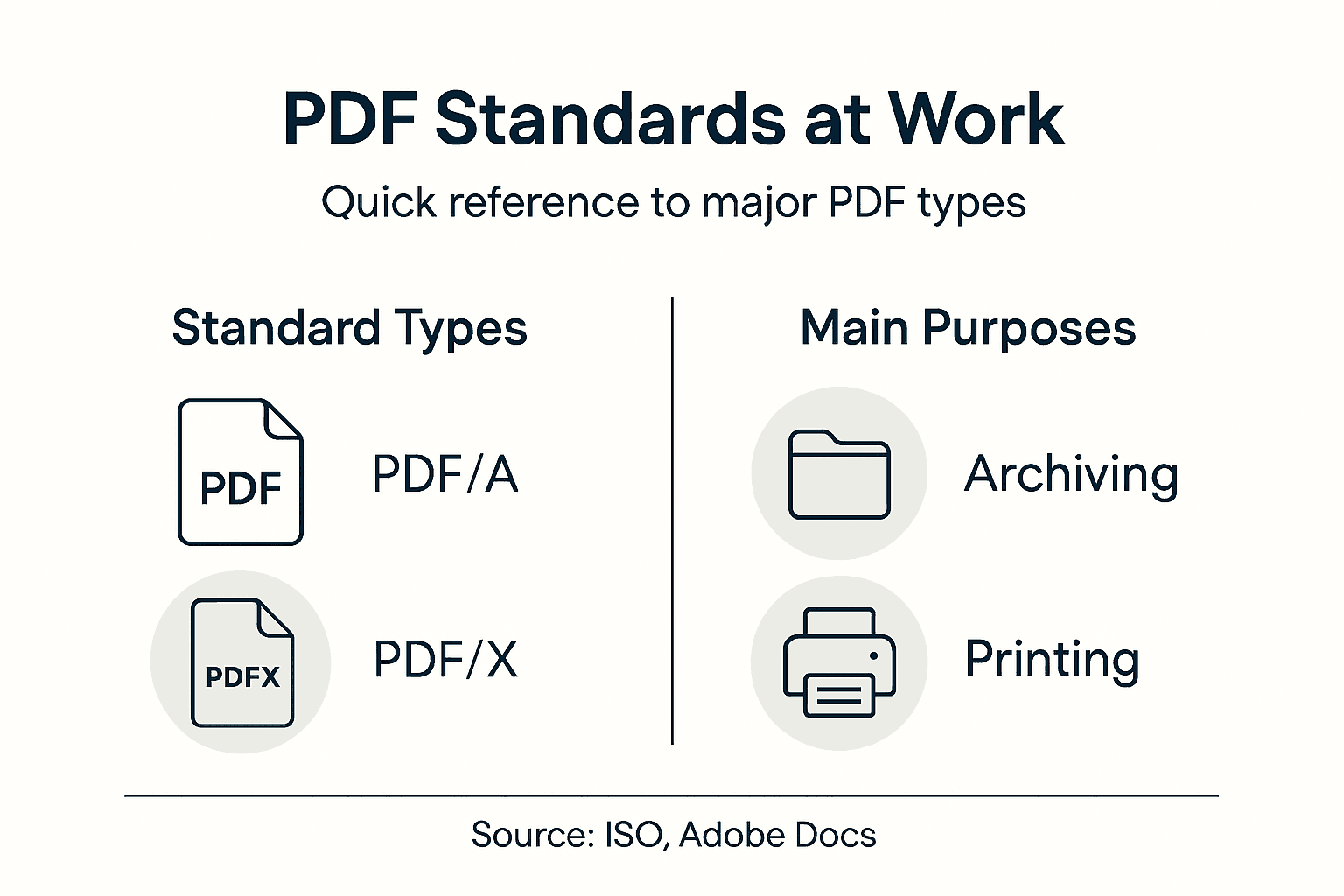
PDF/X specializes in print production. Designers and print shops use PDF/X because it standardizes color spaces, fonts, and image resolution for predictable printing results. Send a PDF/X file to any print facility worldwide and they’ll produce identical output. Your marketing team needs PDF/X when sending brochures to the printer. Your IT team appreciates it because there’s no back and forth over formatting issues.
PDF/UA prioritizes accessibility. This standard ensures your documents work flawlessly with screen readers and assistive technologies. Tagged content structure, proper heading hierarchy, and alt text for images become requirements rather than nice to haves. As organizations embrace inclusive design, PDF/UA becomes increasingly important for reaching all stakeholders.
Understanding PDF version differences and their enterprise impact helps you select the right variant for each workflow stage. Older PDF versions might lack advanced security features your legal team requires. Newer versions support enhanced compression and faster processing for high-volume document operations.
Your document management strategy should account for these variations. Archive critical contracts as PDF/A. Send print jobs as PDF/X. Publish employee communications as PDF/UA. This deliberate approach transforms PDFs from a one size fits all format into a precisely tailored solution for every workflow challenge.
Pro tip: Standardize on PDF/A for all compliance and archival documents—this eliminates future migration problems and ensures regulatory acceptance without additional format conversions.
Here’s how common PDF standards address unique enterprise needs:
| PDF Standard | Primary Purpose | Key Benefits | Typical Use Case |
|---|---|---|---|
| PDF/A | Long-term archival | Guarantees document readability for decades | Legal contracts, compliance archives |
| PDF/X | Professional printing | Ensures color accuracy and print reliability | Marketing materials, design proofs |
| PDF/UA | Accessibility compliance | Optimized for screen readers and assistive tech | Employee handbooks, public reports |
Enterprise Use Cases and Workflow Integration
PDFs shine brightest when integrated into your actual business processes. They’re not just files to send around. They’re the glue that holds enterprise workflows together, automating repetitive tasks and eliminating manual handoffs that slow everything down.
Consider your accounts payable department. Invoices arrive from hundreds of vendors in different formats. PDFs normalize this chaos. Your team can apply digital signatures, add approval annotations, and route documents through your approval hierarchy without printing a single page. Compliance audits become trivial because every signature, every comment, every routing decision is permanently recorded in the PDF itself.
Human resources workflows benefit tremendously from PDF automation. Employee onboarding typically involves dozens of documents: offer letters, tax forms, benefits enrollment, policy acknowledgments. PDF document workflows can automate creation, processing, and secure storage of these materials. New employees complete digital forms that automatically populate PDF templates. Electronic signatures capture consent instantly. Everything routes to the right department without lost paperwork or forgotten steps.
Legal and contracts teams operate entirely within PDF-based systems now. Contract templates generate PDFs dynamically. Digital signature integrations capture execution instantly. Version control remains perfect because PDFs don’t accidentally get edited like Word documents might. Your contracts are trackable, auditable, and ready for litigation if needed.
Cloud services amplify PDF workflow power. Your teams collaborate on documents from anywhere without compatibility issues. Approval chains move faster. Security remains tight. Whether your finance team works from headquarters, branch offices, or entirely remote, PDF workflows function identically everywhere.
The real magic happens when PDFs integrate with your existing systems. Your document management platform, your ERP system, your email infrastructure. PDFs work seamlessly with all of it because they’re universal. No special connectors needed. No format conversion headaches.
This integration capability is why IT managers consistently recommend standardizing on PDFs. They reduce technical debt and simplify your entire technology stack.
Pro tip: Map your top 10 manual document processes and prioritize converting three to PDF workflows this quarter—measure time savings and you’ll have compelling ROI data to justify broader automation investments.
Alternatives to PDF and Key Distinctions
PDFs dominate enterprise document management, but they’re not the only option. Understanding when alternatives make sense helps you choose the right tool for each situation. Your organization probably uses a mix of formats, and that’s actually the smart approach.
Word documents excel at collaborative editing. Your marketing team can pass a proposal around, each person adding comments and suggestions, with version tracking capturing every change. Try that with a PDF and you’ll quickly discover why Word remains popular. Editable formats support real-time teamwork across distributed teams, making them ideal for internal drafts and documents under active development.
PowerPoint presentations serve purposes PDFs simply cannot. Your sales team needs slides with animations, speaker notes, and the ability to customize content for different audiences. Presentations require interactivity and flexibility that static PDFs don’t provide. However, once that presentation needs to be finalized for archiving or distribution, converting to PDF becomes the logical final step.
EPUB and HTML formats optimize for digital reading and mobile devices. EPUB reflowable content adapts to any screen size, perfect for e-readers and mobile apps. HTML documents support multimedia embedding and dynamic content updates. These formats shine when you’re publishing content meant to be consumed digitally rather than printed or archived.
The critical distinction: PDF alternatives typically support collaborative editing and interactivity that PDFs sacrifice for consistency and security. This is a deliberate tradeoff, not a limitation.
Your enterprise workflow probably needs all of these. Draft proposals in Word. Present with PowerPoint. Archive final versions as PDF. Distribute e-books as EPUB. This isn’t format confusion; it’s strategic format selection. PDFs fill the specific role of immutable, universally compatible, security-focused documents. They’re not meant to replace collaboration tools.
The real question isn’t whether to use PDFs exclusively. It’s understanding what each format does best and building workflows that leverage those strengths.
Below is a comparison of popular document formats and their best-fit scenarios:
| Format | Strength | Main Weakness | Best for |
|---|---|---|---|
| Preserves layout, strong security | Limited editability | Final, signed, or archived documents | |
| Word | Easy collaboration and editing | Formatting can shift; lower security | Drafts, active editing cycles |
| PowerPoint | Visual storytelling, animations | Not ideal for printing; poor archiving | Presentations, training sessions |
| EPUB/HTML | Adaptable for digital/media | Weak long-term preservation | E-books, interactive web content |
Pro tip: Establish a document lifecycle strategy where drafts live in editable formats, final approved versions convert to PDF, and archived documents use PDF/A—this balances collaboration needs with long-term accessibility.
Streamline Your Enterprise PDF Workflows with Mapsoft Solutions
Managing PDFs across diverse systems and ensuring consistent document integrity can be a complex challenge for enterprises. This article highlights key pain points such as maintaining layout consistency, embedding fonts, enforcing security with AES-256 encryption, and guaranteeing long-term accessibility with PDF/A standards. These challenges demand reliable tools that not only preserve document fidelity but also automate workflows and enhance security throughout the document lifecycle.

Discover how Mapsoft specializes in solving these exact issues with advanced PDF handling products and services designed to optimize enterprise workflows. From creating compliant PDF/A archives to automating batch processing and securing sensitive files with digital signature integrations, Mapsoft empowers your teams to reduce manual tasks and minimize compliance risks. Visit Digital Preservation to learn about our archival solutions or explore custom workflow automation directly at Mapsoft.com. Take control of your PDF workflows now and experience the benefits of seamless document management tailored to your enterprise needs.
Frequently Asked Questions
What are the advantages of using PDFs in enterprise workflows?
Using PDFs ensures consistent document appearance across devices, reduces formatting issues, and enhances security through features like encryption and digital signatures.
How do PDFs maintain document integrity when shared across different platforms?
PDFs embed fonts, images, and layout information, ensuring the document looks the same regardless of the operating system or device used to open it.
What are some specialized PDF standards and their purposes?
PDF/A is used for long-term archival, PDF/X is meant for print production, and PDF/UA focuses on accessibility for users with disabilities. Each format serves specific needs depending on the use case.
How can automation with PDFs improve efficiency in business processes?
Automated PDF workflows streamline tasks like invoice approvals and employee onboarding, reducing manual handoffs and improving accuracy, ultimately saving time and resources.

