

{
“@type”: “Article”,
“image”: {
“url”: “https://csuxjmfbwmkxiegfpljm.supabase.co/storage/v1/object/public/blog-images/organization-3822/1769062610652_image.png”,
“@type”: “ImageObject”,
“caption”: “Office manager with paper and digital records”
},
“author”: {
“url”: “https://mapsoft.com”,
“name”: “Mapsoft”,
“@type”: “Organization”
},
“@context”: “https://schema.org”,
“headline”: “PDF Versus Paper Records: Impact On Enterprise Workflows”,
“publisher”: {
“url”: “https://mapsoft.com”,
“name”: “Mapsoft”,
“@type”: “Organization”
},
“inLanguage”: “en-US”,
“articleBody”: “PDF versus paper records analyzed for enterprises—explore security, legal compliance, productivity, automation advantages, and digital transition risks.”,
“description”: “PDF versus paper records analyzed for enterprises—explore security, legal compliance, productivity, automation advantages, and digital transition risks.”,
“datePublished”: “2026-01-22T06:17:23.315Z”
}
Managing documents in a large enterprise often means juggling thousands of files in both physical and digital formats, each with its distinct advantages and limitations. For IT managers and workflow specialists, the choice between paper and PDF records goes far beyond convenience, impacting security, accessibility, compliance, and overall productivity. Electronic recordkeeping systems incorporate PDFs, giving organizations the ability to automate searches, apply metadata, and enable remote access for global teams. Understanding these differences is key to designing efficient document management workflows and meeting regulatory demands with confidence.
Table of Contents
- PDF Versus Paper Records Defined
- Key Differences In Security And Accessibility
- Compliance Requirements And Legal Standing
- Productivity Gains And Workflow Automation
- Risks, Costs, And Transition Challenges
Key Takeaways
| Point | Details |
|---|---|
| Digital Records Enhance Efficiency | Transitioning to PDF records streamlines workflows, allowing for concurrent access and faster processing times compared to paper. |
| Improved Security and Compliance | PDFs offer advanced security features, such as encryption and access logs, which enhance compliance capabilities in regulated industries. |
| Upfront Investment is Critical | The shift from paper to digital requires significant initial investment in infrastructure and training; careful budget planning is essential. |
| Address Employee Resistance | Successfully transitioning requires managing change and providing training to alleviate discomfort and build trust in new digital processes. |
PDF Versus Paper Records Defined
Understanding the distinction between PDF and paper records is fundamental to making informed decisions about your enterprise document management strategy. These two formats represent vastly different approaches to storing, accessing, and managing critical business information. Paper records are physical documents stored in file cabinets, filing rooms, or off-site storage facilities. They require manual handling, physical retrieval, and in-person access. PDFs, by contrast, are digital files that exist in electronic systems and can be accessed from anywhere with appropriate permissions and connectivity.
The differences extend far beyond the obvious physical versus digital distinction. Electronic recordkeeping systems incorporate PDFs as part of their infrastructure, enabling standardized information management practices that paper cannot match. Paper records demand consistent physical organization, manual indexing, and human intervention at every step of retrieval and processing. With PDFs, you gain automated searchability, version control, and the ability to apply metadata that makes documents discoverable without manual inspection. This is particularly critical in enterprises handling thousands or millions of documents annually. A single misfiled paper record can take hours to locate. A PDF with proper indexing can be found in seconds through keyword search. The structural advantages of digital PDF systems also provide audit trails, access logs, and encryption capabilities that paper inherently lacks.
The workflow implications of these definitions deserve attention. Paper records introduce physical bottlenecks in your processes. Multiple team members cannot simultaneously access the same document without creating copies or queuing. Documents move slowly through approval chains, requiring physical routing from desk to desk. PDFs eliminate this friction entirely. Workflows become concurrent rather than sequential. Approvers can review and sign electronically. Compliance teams can audit access patterns. The entire enterprise can simultaneously work with updated versions without confusion about which version represents the current state. Storage costs tell another story. Paper records demand physical space, climate control, and security infrastructure. They degrade over time, requiring periodic recopying or restoration. PDFs require only server storage and backup systems, which cost a fraction of what dedicated document storage facilities demand. For a 500-person enterprise managing ten years of operational records, paper storage can easily consume thousands of square feet and cost substantially more than digital alternatives.
Yet paper records retain certain characteristics that make them relevant in specific contexts. They create no dependency on technology infrastructure. A paper record survives hardware failures and software obsolescence without intervention. They require no password management or cybersecurity protocols. Some regulated industries maintain paper record requirements for historical or legal reasons. The definition matters because it shapes how you design workflows, allocate budget, and manage risk. Many successful enterprises use hybrid approaches, maintaining paper records where regulations demand them while converting everything else to PDF-based systems. Understanding what each format truly is helps you identify where each belongs in your specific operational context.
Pro tip: When categorizing your existing documents for potential digitization, separate records by regulatory retention requirements first, then audit the frequency of access for remaining documents; records accessed fewer than three times yearly are typically excellent candidates for PDF conversion, saving significant annual storage costs.
Key Differences In Security And Accessibility
Security and accessibility represent two of the most critical operational considerations when comparing PDFs and paper records, yet they operate in fundamentally different ways. Paper records face threats from physical intrusion, environmental damage, and unauthorized in-person access. They offer no digital encryption, no access logs showing who reviewed them, and no ability to track changes over time. A person with physical access to your filing room can photograph sensitive documents, remove them entirely, or alter them without detection. PDFs, by contrast, introduce entirely different security vectors. They require cybersecurity infrastructure, network protection, and encryption protocols. However, PDFs provide capabilities paper simply cannot match: you can encrypt documents, restrict printing, track every access attempt, and even revoke access retroactively. The security calculus depends entirely on your threat model.
Accessibility tells a similar story of different strengths and weaknesses. Paper records are tactilely accessible to anyone with physical proximity. Someone can pick up a paper document and read it without passwords, authentication apps, or internet connectivity. For users with certain disabilities, however, paper presents barriers. PDF accessibility features like metadata tags and proper document structure can make digital documents readable by screen readers, allowing blind and low-vision employees to access information independently. Yet the reality is that most PDFs lack these accessibility features entirely, creating a compliance problem for enterprises. Paper records, meanwhile, remain inaccessible to remote workers entirely. An employee working from home cannot access a paper document without physical retrieval. PDFs solve this instantly. The tension here is real: paper offers local physical accessibility but excludes remote access and assistive technology users, while PDFs enable remote work and potential accessibility compliance but require proper implementation to serve users with disabilities effectively.
The security architecture differs dramatically between these formats. Paper records depend on physical security controls like locked cabinets, restricted room access, and surveillance cameras. They face no cyber attacks, ransomware threats, or data breaches from network intrusion. However, they remain vulnerable to theft, fire, flooding, and human error in handling. A single spilled coffee can destroy years of records. PDFs require cybersecurity investment but provide defense in depth. You control who sees what through role-based access controls. You know exactly when someone accessed a sensitive document. You can revoke access instantly if an employee leaves. You can back up critical documents across redundant systems. You can encrypt them so that even if someone copies the file, they cannot read it without the encryption key. This creates a paradox: PDFs require more active security management, but they offer more granular, auditable, and recoverable security posture.

Accessibility also intersects with remote work requirements in ways that have become non-negotiable for modern enterprises. A hybrid workforce cannot function if critical documents exist only in paper form in a central office. PDFs work everywhere. An employee in Tokyo, Toronto, or Tulsa can access the same document simultaneously. Version control becomes transparent because everyone sees the same digital file. With paper, you face choices: digitize documents for remote access (converting to PDF anyway), maintain duplicate copies in multiple locations (expensive and error-prone), or restrict certain employees to on-site work. Most enterprises facing this challenge convert to PDFs because remote accessibility has become a business requirement, not a luxury. The compliance angle matters too. Regulations in healthcare, finance, and legal sectors increasingly require audit trails showing who accessed confidential information and when. Paper cannot provide this. PDFs, when properly configured, create permanent records of access patterns that satisfy regulatory requirements and support legal discovery processes.
| Aspect | Paper Records | PDF Records |
|---|---|---|
| Physical Security | Locked cabinets, room access | Not applicable |
| Cyber Security | No cyber threats | Requires encryption and access controls |
| Remote Access | Impossible without retrieval | Instant from anywhere |
| Screen Reader Support | Not compatible | Possible with proper tagging |
| Access Audit Trail | Manual sign-in sheets only | Automatic digital logs |
| Disaster Recovery | Physical backups needed | Digital redundancy simple |
| Regulatory Compliance | Limited documentation | Comprehensive audit capability |
Pro tip: Audit your current PDF documents for accessibility compliance by checking for proper metadata and logical reading order; most enterprise PDFs require remediation, but prioritizing frequently accessed documents first delivers immediate value to employees using assistive technology.
Compliance Requirements And Legal Standing
Compliance and legal standing represent areas where many IT managers and document workflow specialists discover surprising similarities between PDFs and paper records. A common misconception exists that converting to digital formats creates compliance risk or removes legal validity. The truth is more nuanced. GDPR applies equally to paper and digital records, including PDFs containing personal data. Whether your organization stores customer information in filing cabinets or encrypted PDF databases, the same data protection obligations apply. You must implement secure storage, control access appropriately, and destroy data when retention periods expire. The medium does not matter from a legal perspective. What matters is whether you can demonstrate that personal data received proper protection throughout its lifecycle. For enterprises operating across European jurisdictions or serving European customers, this means your PDF management processes must satisfy the same audit requirements as your paper record protocols.
The legal validity of electronic records has evolved dramatically over the past two decades, removing most historical concerns about PDF authenticity. Electronic records carry legal standing equivalent to paper documents when they meet criteria of authenticity, integrity, and consent in transactions. In the United States, the Uniform Electronic Transactions Act (UETA) and the E-SIGN Act ensure that electronic records cannot be denied legal effect solely because they exist in digital form. A PDF contract signed electronically holds the same legal weight as a paper contract signed with ink. A digitally archived invoice qualifies as a valid business record. A PDF containing an electronic signature satisfies statutory requirements for many transaction types. This legal framework applies across industries, though certain sectors maintain specific requirements. Healthcare organizations must comply with HIPAA regulations regardless of whether records exist as paper or PDF. Financial institutions answer to regulators who care about record integrity and accessibility, not storage format. The key requirement across all sectors involves maintaining proper records management policies that document how you create, store, access, and destroy records in compliance with applicable regulations.
Where compliance diverges between formats involves practical implementation and auditability. Paper records present compliance challenges because proving that appropriate access controls existed becomes difficult. You might say you restrict access to confidential files, but demonstrating this to regulators requires manual documentation like sign-in sheets and room access logs. These leave gaps and invite questions about accuracy. PDFs, when properly managed, create automatically generated audit trails that regulators appreciate. You can demonstrate exactly who accessed a document, when they accessed it, and whether they downloaded or printed it. You can prove that encryption protected sensitive information during storage and transmission. You can show that role-based access controls limited visibility based on job function. This auditability does not create compliance, but it creates evidence of compliance. For regulatory inspections, this evidence matters tremendously. A regulator sees PDF audit logs and quickly concludes your organization takes data protection seriously. Manual paper-based logs raise questions and create suspicion that procedures might not be followed consistently.
Retention requirements reveal another practical difference. Regulations typically specify how long you must retain records. Compliance means destroying them when that period expires. With paper, destruction means physical shredding or incineration. You must verify destruction occurred, manage the logistics of document retrieval and destruction scheduling, and trust that vendors properly disposed of sensitive materials. With PDFs, deletion can be automated. You can configure your document management system to automatically delete files when retention periods expire. You can retain encrypted backups that verify destruction occurred. You can generate reports proving deletion. This automation reduces compliance risk because human error becomes less likely. No one forgets to destroy files when the system handles it automatically. Electronic records also enable faster, more comprehensive regulatory responses. If regulators request records from a specific time period, retrieving paper records from multiple locations takes weeks. Extracting PDFs based on metadata, date ranges, or other criteria takes hours. This responsiveness demonstrates good faith compliance and reduces friction during inspections.
One critical compliance consideration involves the intersection of retention requirements with disaster recovery. Regulations often require that you retain records for specific periods, which means you cannot delete them before that deadline expires. However, you must also ensure records remain accessible and recoverable if your systems fail. Paper records require physical redundancy, which means storing copies in multiple locations. This creates compliance complexity because you must ensure all copies get destroyed when retention expires. PDFs enable more sophisticated approaches. You can maintain encrypted backups in geographically redundant data centers. You can implement versioning systems that prove record integrity has not changed. You can automate deletion across all copies simultaneously. This reduces compliance friction because you control the entire record lifecycle through documented procedures rather than relying on manual coordination across multiple storage locations.
Pro tip: Create a compliance matrix documenting all applicable regulations affecting your records, the retention periods each requires, and whether you currently maintain those records as paper or PDF; this inventory becomes invaluable during regulatory inspections and reveals which record types create the highest compliance risk if not properly managed.
Productivity Gains And Workflow Automation
The productivity differential between paper-based and PDF-driven workflows represents one of the most measurable impacts on enterprise operations. Paper workflows require physical movement of documents through sequential approval chains. A purchase order must travel from the requester to the department manager, then to the finance director, then to accounts payable. Each step involves printing, walking documents to someone’s desk, waiting for availability, and managing handoff logistics. This process takes days, sometimes weeks. Meanwhile, the document sits in someone’s inbox gathering dust while they attend meetings or handle urgent issues. Document workflow automation replaces this manual routing with AI-powered software solutions that route approvals instantly and parallel-process multiple decisions simultaneously. A PDF approval workflow can send the same purchase order to five different stakeholders at once, collecting signatures electronically as each approves. What took three weeks now takes three days. What required physical presence now works across time zones and remote offices without coordination friction.
The error reduction enabled by automated PDF workflows delivers hard financial benefits. Paper-based approval chains generate errors through manual data entry, misfiled documents, and lost approvals. Someone receives a document in the paper queue and misses it because it got covered by other paperwork. An approval happens verbally but never gets documented. A requester hand-writes information that the finance system cannot parse. Automated PDF workflows eliminate these failure modes. Documents move through defined, auditable paths. Every step gets logged. Required fields cannot be left blank. Signatures are captured digitally and cryptographically verified. System-to-system integration means data flows once, from source to destination, without human transcription introducing errors. A finance department managing expense reports experiences this shift immediately. Paper-based expense processes involve collecting receipts, matching them to claim forms, manually checking math, and asking for corrections when something does not add up. Automated PDF workflows scan receipts, extract line items using optical character recognition, validate totals automatically, and flag exceptions for human review only when something genuinely requires judgment. Employees submit expenses faster. Finance teams process them faster. Errors drop by 80 percent because logic, not humans, validates calculations.
The workflow automation advantage extends to compliance and risk management in ways that compound over time. Automated PDF systems create permanent, tamper-evident records of every approval decision. Who approved what, when they approved it, and what the document contained at that moment gets recorded automatically. This audit trail becomes invaluable during regulatory inspections or legal disputes. Paper workflows struggle to provide equivalent evidence. You have sign-off sheets, but proving what version of a document someone actually approved becomes complicated. With PDFs, the system proves it automatically. This compliance capability reduces legal risk and speeds regulatory responses substantially. When auditors request records from a specific period, you extract them in hours instead of weeks. When regulators ask whether certain individuals approved a document, you produce digital timestamps and signatures proving it. This efficiency translates to reduced compliance costs and fewer friction points during inspections.
The productivity gains compound when you consider the organizational impact of concurrent work. Paper workflows force sequential processing because only one person can physically hold a document at a time. PDFs enable hundreds of people to review the same document simultaneously. Imagine a new policy document requiring feedback from ten different department heads. The paper approach means routing it sequentially, waiting two weeks for each person to review. The PDF approach distributes it to all ten simultaneously, collecting feedback in parallel, and completing the process in two days. Multiply this efficiency gain across thousands of documents flowing through your organization annually, and the aggregate productivity impact becomes staggering. Time to decision accelerates. Process variability decreases. Bottlenecks disappear. Employees spend less time hunting for documents and more time on work that actually matters.
One practical consideration involves the implementation timeline for workflow automation. You cannot flip a switch and convert all paper processes to automated PDFs overnight. Success requires identifying high-volume, repetitive processes first. Order-to-pay workflows, expense management, contract approval, and hiring processes represent ideal automation candidates because they repeat constantly with predictable steps. Automating these processes first delivers quick wins and builds organizational confidence in digital workflows. You then expand to more complex processes as teams gain comfort with the automation platform. This staged approach prevents the chaos that occurs when you try to automate everything simultaneously.
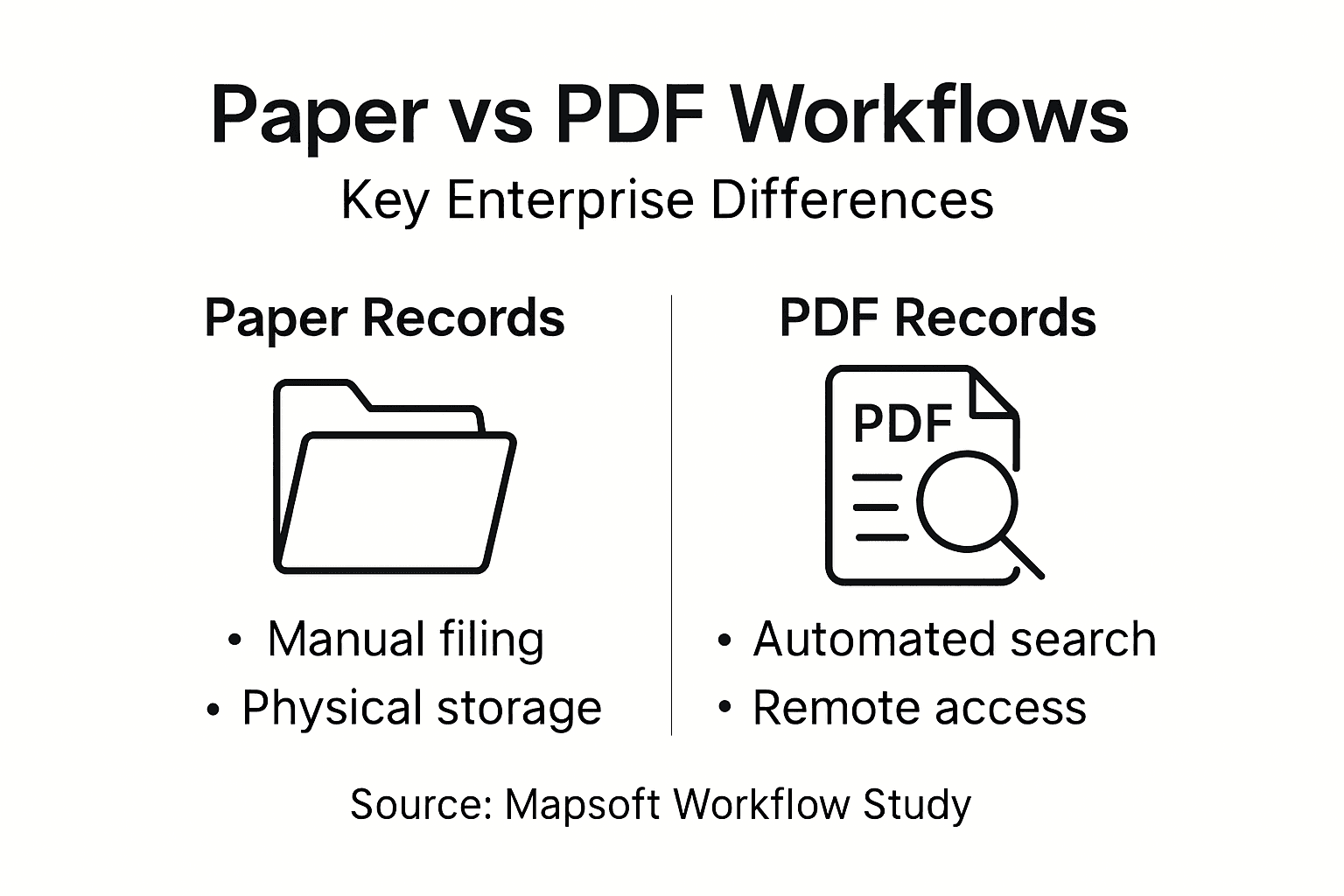
Here’s a summary of the main workflow impacts when shifting from paper to PDF records:
| Workflow Area | Paper Records | PDF Records |
|---|---|---|
| Approval Speed | Days or weeks | Minutes or hours |
| Error Risk | Frequent due to manual entry | Reduced with automation |
| Collaboration | Sequential, one user at a time | Parallel, multiple users at once |
| Audit Evidence | Manual, hard to track | Automatic, time-stamped logs |
| Process Flexibility | Rigid, hard to adapt | Adaptable, easy re-routing |
Pro tip: Audit your current approval workflows to identify which processes require the most manual routing steps and cause the longest delays; prioritize automating the three processes that move slowest, as these typically deliver the highest productivity gains and require the least complex automation logic to implement.
Risks, Costs, And Transition Challenges
Transitioning from paper-based workflows to PDF-driven systems introduces real financial, operational, and organizational costs that deserve honest assessment before committing to digital transformation. The initial capital investment required can be substantial. You need servers or cloud infrastructure to store PDFs securely. You need to purchase document management software, workflow automation platforms, and integration tools. You need to implement encryption, backup systems, and disaster recovery capabilities. You need to upgrade network infrastructure to handle increased data traffic. For a 500-person enterprise managing millions of documents, total first-year implementation costs easily exceed several hundred thousand dollars. This upfront expense creates budget pressure that can derail transformation efforts before they begin. Many organizations underestimate these costs or fail to secure executive approval when presented with realistic numbers. The financial challenge becomes more acute for mid-market companies operating with constrained IT budgets. Large enterprises typically absorb transformation costs more easily because they spread expenses across their entire organization. Smaller organizations struggle to justify the investment when other operational needs compete for funding.
Beyond capital costs, the transition introduces significant operational disruption that most organizations underestimate. Transition from paper to electronic records requires staff retraining, process redesign, and behavioral change across your entire organization. Employees accustomed to working with physical documents must adapt to new digital workflows. They must learn new software systems. They must change their daily routines. This change creates friction and resistance. Some staff members embrace new technology enthusiastically. Others resist it fiercely. The productivity dip during transition can last months as people struggle with unfamiliar systems. Errors increase initially because employees make mistakes while learning. Processing times slow as people navigate new workflows. You cannot simply flip a switch and expect everyone to work efficiently on day one. The learning curve is real and measurable.
The human factors deserve particular attention because they often prove more challenging than the technical aspects. Barriers to replacing paper records include organizational resistance to change, concerns about data security and privacy, lack of technical skills among staff, and psychological comfort with familiar paper-based processes. Some employees genuinely fear that technology will replace them. Others distrust the security of digital systems. Some simply prefer working with paper because it feels tangible and controllable. These psychological factors influence adoption success more than technical quality does. You can deploy the best document management platform available, but if your workforce does not trust it or see value in it, adoption will falter. Overcoming this requires change management expertise, persistent communication about benefits, and often painful process redesign that disrupts established workflows.
Data migration introduces technical and operational complexity that catches many organizations off guard. Converting decades of paper records into digital format requires either scanning and optical character recognition or manual data entry. The volume involved is staggering. Consider a law firm with 50 years of client files. Scanning and indexing those files takes months and costs substantially. Optical character recognition accuracy depends on document quality. Poor quality scans produce indexing errors that undermine searchability. You cannot simply dump scanned PDFs into your new system and expect them to integrate seamlessly. Legacy data often exists in inconsistent formats. Some records are incomplete. Some contain information formatted in ways your new system does not recognize. Data cleaning and transformation consume enormous resources. You discover during implementation that historical data quality is far worse than you anticipated. Missing records become apparent. Inconsistent naming conventions complicate searching. You must choose between investing additional time and money to clean historical data or accepting imperfect records in your new system.
Risk management during transition requires careful planning. Running dual systems temporarily costs money but reduces operational risk. Maintaining paper workflows alongside new digital workflows until the system stabilizes provides a safety net. Employees can fall back on familiar processes if the new system fails. However, maintaining dual systems creates its own problems. People gravitate toward whichever system feels most comfortable, which is often the paper system they know. This undermines digital adoption. You must eventually force the transition, but doing so before your team feels confident creates anxiety and resistance. Finding the right moment to sunset paper processes requires judgment and organizational nerve.
The regulatory and compliance aspects of transition introduce another layer of complexity. You cannot simply stop maintaining paper records if regulations require you to retain them for specific periods. You must maintain both systems in parallel until retention periods expire. This creates storage costs and compliance complexity. You must ensure that your new PDF system meets all regulatory requirements from day one. A compliance audit that reveals your digital records do not meet data protection standards creates significant liability. You cannot retroactively fix compliance failures. This means investing in compliance validation before full transition rather than discovering problems afterward.
Below is a quick reference for common transition challenges and strategies to address them:
| Challenge | Typical Cause | Mitigation Strategy |
|---|---|---|
| Employee Resistance | Comfort with paper workflows | Provide hands-on training |
| Upfront Cost | Software and hardware needs | Stagger investments in phases |
| Data Migration Issues | Poor-quality legacy documents | Pilot test and verify data quality |
| Dual System Overlap | Compliance retention periods | Set clear timeline to retire paper |
Pro tip: Create a detailed transition roadmap that identifies which workflows to convert first based on complexity and risk tolerance, starting with lower-risk, high-volume processes to build team confidence before tackling mission-critical workflows; run parallel systems for at least 90 days to allow staff adjustment and catch integration problems before you fully retire paper processes.
Transform Your Enterprise Document Workflows with Advanced PDF Solutions
Transitioning from paper to digital records presents real challenges in security, compliance, and productivity, as outlined in the article. Frequent pain points such as workflow bottlenecks, manual approvals, and compliance audit complexity hinder your team’s ability to operate efficiently and securely. You need a solution that addresses workflow automation, document security, and auditability while enabling enterprise-wide simultaneous access to critical content. This is where specialized PDF technologies can make a measurable difference.

At Mapsoft, we understand these enterprise hurdles and offer powerful tools to help you automate, secure, and optimize your PDF workflows. Explore our Digital Preservation solutions created for long-term secure document management and compliance support. Whether you want to automate approval chains, encrypt sensitive files, or create searchable PDFs that speed retrieval — our custom software and Acrobat plug-ins can transform your paper-heavy process into a seamless digital operation. Visit mapsoft.com now to discover how our expert Adobe-based services and PDF workflow enhancements can accelerate your transition, reduce risk, and unleash new productivity across your organization.
Frequently Asked Questions
What are the main differences between PDF and paper records?
PDFs are digital documents that offer automated searchability, version control, and better compliance monitoring compared to paper records, which are physical documents requiring manual handling.
How do PDFs improve enterprise workflows compared to paper records?
PDFs facilitate faster approval processes, reduce errors through automation, and allow multiple users to access documents simultaneously, greatly enhancing productivity compared to the sequential processing of paper records.
What are the security advantages of using PDFs over paper records?
PDFs can be encrypted, access can be tracked through audit logs, and changes can be monitored, whereas paper records face risks from physical theft and lack digital security measures.
How do compliance requirements differ between PDF and paper records?
Both formats must meet similar legal standards, but PDFs provide better audit trails and easier mechanisms for demonstrating compliance, while paper records can be cumbersome to manage and prove access controls.
Recommended
- Going Paperless for Business: Boosting Enterprise Workflow –
- 7 Effective Tips for Reducing Paper Usage in Your Business –
- Why Automate File Handling in Enterprise Workflows –
- 7 Critical Sustainable Office Solutions for Modern Businesses
- Prisoner Legal Aid – Professional Legal Document Preparation Services

