

{
“@type”: “Article”,
“image”: {
“url”: “https://csuxjmfbwmkxiegfpljm.supabase.co/storage/v1/object/public/blog-images/organization-3822/1769316618141_image.png”,
“@type”: “ImageObject”,
“caption”: “IT manager reviews cloud workflow in office”
},
“author”: {
“url”: “https://mapsoft.com”,
“name”: “Mapsoft”,
“@type”: “Organization”
},
“@context”: “https://schema.org”,
“headline”: “Benefits of Cloud Document Management for Enterprises”,
“publisher”: {
“url”: “https://mapsoft.com”,
“name”: “Mapsoft”,
“@type”: “Organization”
},
“inLanguage”: “en-US”,
“articleBody”: “Benefits of cloud document management: workflow automation, security, seamless collaboration, compliance, and scalability for global enterprises.”,
“description”: “Benefits of cloud document management: workflow automation, security, seamless collaboration, compliance, and scalability for global enterprises.”,
“datePublished”: “2026-01-25T04:51:49.377Z”
}
Managing large volumes of business documents across global teams often stretches IT resources and complicates compliance. For enterprises seeking both efficiency and security, cloud document management offers on-demand access, automated scaling, and centralized control that traditional systems struggle to match. As you explore modern solutions, you will discover how features like audit trails, role-based access, and workflow automation can transform productivity and compliance for distributed organizations, making day-to-day operations far more agile.
Table of Contents
- Cloud Document Management Explained Clearly
- Types And Key Features For Large Enterprises
- Automating Workflows And Boosting Productivity
- Enhanced Security, Governance, And Compliance
- Comparing Cloud Vs On-Premise Management
- Cost, Risks, And Common Adoption Mistakes
Key Takeaways
| Point | Details |
|---|---|
| Cloud Document Management Benefits | Enables secure, scalable access to documents from anywhere, enhancing productivity and streamlined workflows. |
| Operational Efficiency | Reduces the burden on IT teams by automating tasks like version control and backup, allowing focus on strategic initiatives. |
| Deployment Models | Public, private, and hybrid cloud models offer flexibility tailored to security needs and organizational requirements. |
| Cost Considerations | Total costs can exceed initial estimates; thorough planning for migration, integration, and training is essential to prevent budget overruns. |
Cloud document management explained clearly
Cloud document management is the practice of storing, organizing, and accessing business documents through internet-based platforms rather than maintaining them on local servers or physical filing systems. At its core, this approach delivers the core characteristics that define modern cloud computing: on-demand access to resources, automatic scaling based on your needs, and a shared service model where your IT team doesn’t need to maintain the underlying infrastructure. Think of it as replacing your company’s filing cabinets and server rooms with a virtual workspace accessible from anywhere.
When enterprises move documents to the cloud, they gain access to cloud-based PDF handling and storage that operates on principles fundamentally different from traditional document systems. Rather than managing physical papers or maintaining expensive servers in-house, your team accesses documents through secure web interfaces or APIs. The system automatically handles tasks like version control, permission management, and backup without requiring constant manual intervention. This shift represents a significant departure from legacy approaches where document lifecycle management demanded substantial IT resources and manual oversight.
The technical foundation rests on three key capabilities. First, storage and retrieval work instantly across your organization, eliminating delays caused by physical transportation or server access bottlenecks. Second, electronic document management systems create audit trails that track every access, edit, and download, providing compliance records automatically. Third, security operates through encryption both in transit and at rest, with access controls that function far more granularly than traditional file permissions. For enterprises processing high volumes of PDFs or complex document workflows, this means integrating tools that handle conversion, redaction, and optimization directly within your cloud infrastructure.
What makes cloud document management practical for IT managers is the operational shift it enables. Instead of troubleshooting server issues or managing storage expansion, your team focuses on configuring access policies and optimizing document workflows. The provider handles software updates, security patches, and redundancy automatically. This model particularly benefits organizations with distributed teams, since employees in different time zones and locations access the identical current version without synchronization headaches. Your enterprise gains the scalability to add users without provisioning new hardware, and the flexibility to adjust storage based on actual usage rather than predicting needs years in advance.
Pro tip: Start your cloud document management transition by auditing your current PDF workflow bottlenecks and compliance requirements, then select a platform that handles both automated batch processing and secure access control to maximize your team’s productivity gains from day one.
Types and key features for large enterprises
Cloud document management systems for large enterprises come in three primary deployment models, each suited to different operational needs and regulatory environments. Public cloud solutions offer maximum scalability and cost efficiency, making them ideal for organizations that prioritize accessibility across global teams. Private cloud deployments provide enhanced security and control, critical for enterprises handling sensitive intellectual property or operating under strict regulatory requirements. Hybrid cloud approaches blend both models, allowing your organization to keep proprietary documents in private infrastructure while using public cloud for collaborative projects and general file sharing. This flexibility means you can design your document environment to match your specific risk tolerance and operational requirements without forcing a one-size-fits-all approach.
Here’s a side-by-side summary of public, private, and hybrid cloud document management:
| Deployment Model | Best For | Security Level | Typical Enterprise Use Cases |
|---|---|---|---|
| Public Cloud | Global accessibility, low cost | Standard (provider managed) | Rapid scaling, collaboration |
| Private Cloud | Sensitive data, strict control | Highest (custom policies) | Regulated industries, IP protection |
| Hybrid Cloud | Balancing flexibility & risk | Variable (mixed) | Compliance with collaboration |
Regardless of deployment type, enterprise-grade cloud document management includes core capabilities that address real workflow challenges. Document management systems incorporate essential features like version control that prevents teams from accidentally working on outdated files, automatic audit trails that record who accessed what and when, and metadata management that enables intelligent search across millions of files. Check-in and check-out functionality prevents simultaneous editing conflicts, while robust security controls enforce granular permissions at the user, group, and document level. For organizations processing high-volume PDF workflows, integration with tools that handle conversion, redaction, compression, and optical character recognition becomes crucial to your operational efficiency. These systems also support workflow automation, allowing your team to define document approval chains and notifications without manual intervention.
Enterprise implementations must address compliance and collaboration simultaneously. Your cloud document management platform needs to track the complete lifecycle of each document, from creation through storage, modification, and eventual retention or deletion. This creates the audit trail required for regulatory compliance in industries like healthcare, finance, and legal services. Simultaneously, teams distributed across time zones require real-time collaborative editing, version reconciliation, and conflict resolution. Document imaging and capture capabilities enable your organization to digitize paper records and integrate them seamlessly into your digital workflows. Integration with your existing enterprise systems means documents flow automatically between your cloud storage, enterprise content management platforms, and business applications, eliminating manual data entry and reducing handoff delays.
What distinguishes enterprise solutions from consumer options is their ability to scale without degradation. You need a platform that handles thousands of concurrent users, manages terabytes of data, and maintains performance during peak usage windows. This scalability extends to your storage needs, which should expand automatically as your organization grows rather than requiring expensive infrastructure provisioning cycles. Your IT team should be able to configure retention policies automatically, so old documents get archived or deleted according to your business rules without manual oversight. Role based access controls let you define permissions based on job function, department, or project, ensuring new hires automatically receive appropriate access without individual configuration.
Pro tip: Audit your current document workflows to identify which processes consume the most manual time and which face the strictest compliance requirements, then prioritize cloud features like workflow automation and audit trails accordingly to maximize your return on investment.
Automating workflows and boosting productivity
Workflow automation transforms document management from a time-consuming manual process into an intelligent system that handles repetitive tasks automatically. Instead of having team members manually move documents between folders, request approvals, or reformat files for different systems, cloud document management platforms execute these actions on predefined triggers. When a contract arrives in your inbox, the system automatically extracts key metadata, routes it to the appropriate legal reviewer, notifies stakeholders when action is needed, and archives it once approved. This shift eliminates the delays that accumulate when humans manually shepherd documents through approval chains and reduces the errors that occur during repetitive tasks like file format conversion or data entry.

The productivity gains emerge from redirecting human effort toward work that matters. Your team members spend their time analyzing document content, making strategic decisions, and solving problems rather than performing mechanical tasks. AI-assisted document workflow systems orchestrate multiple editing and processing tools simultaneously, understanding the intent behind user requests and executing complex sequences without manual intervention. This means a single click can trigger dozens of steps: extracting text from a scanned invoice, validating data against your databases, generating exceptions for unusual amounts, and routing everything to the accounting system. The time savings compound across thousands of documents processed monthly, translating to measurable productivity improvements that your budget can quantify and justify.
Enterprises implementing cloud document automation typically see workflow execution times drop by 60% to 80%. Documents that previously required three days and four handoffs now complete in hours with minimal human involvement. Your team can process higher volumes without hiring additional staff, or redirect existing staff to higher-value work. For organizations handling large PDF volumes, this includes automatic operations like batch conversion between formats, compression to reduce storage costs, redaction of sensitive information, and optical character recognition to make scanned documents searchable. The best platforms allow your IT team to design these workflows using visual interfaces rather than requiring programming knowledge, meaning you can iterate and optimize continuously as your business processes evolve.
What makes automation sustainable is reducing the friction of workflow design itself. Natural language workflow generation allows business process owners to describe what they want accomplished in plain English, and the system converts that description into executable workflow steps. Your contract manager can say “route all vendor agreements over 100,000 dollars to the CFO for approval before filing” without writing code or learning a technical platform. This democratizes automation, enabling your subject matter experts to continuously improve processes without depending on IT resources for every modification. The result is workflows that actually reflect how your business operates, rather than compromises forced by technical limitations.
Pro tip: Start by mapping your three highest-volume, most time-consuming document processes, then implement automation for those first to demonstrate quick wins and justify expanding automation across your entire document ecosystem.
Enhanced security, governance, and compliance
Security in cloud document management operates on multiple layers that work together to protect your intellectual property, customer data, and operational secrets. Cloud platforms encrypt documents both in transit across the internet and at rest in their data centers, making interception or theft substantially harder than with documents sitting on local servers. But encryption alone doesn’t create comprehensive security. Your system needs identity and access controls that determine which specific employees can view, edit, download, or delete particular documents. An accounting clerk shouldn’t access engineering specifications. A sales representative shouldn’t read your merger and acquisition strategy. Cloud document management enforces these boundaries automatically through role-based permissions, preventing accidental exposure and limiting damage if an employee account gets compromised.
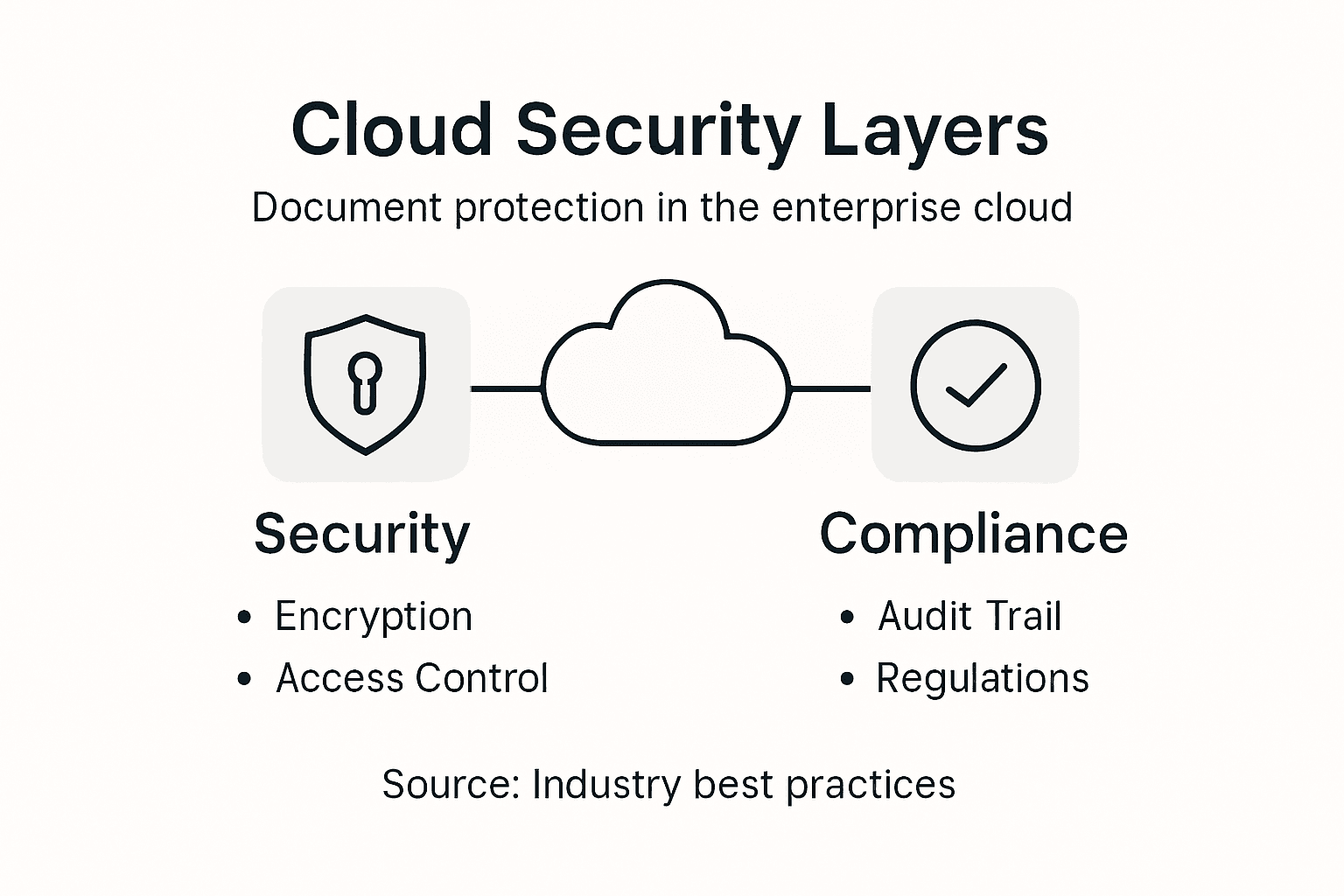
Governance addresses the decision-making structure around how documents flow through your organization. When you implement cloud security best practices within your document management system, you establish clear policies about data classification, retention timelines, and destruction procedures. This matters because regulations increasingly require demonstrating that you know where sensitive data lives and how you protect it. Your system should automatically apply security controls based on document classification, so highly confidential documents get stronger encryption, more restrictive access permissions, and shorter retention periods than public information. Audit trails create a complete record of who accessed what and when, providing evidence of compliance during regulatory inspections or litigation discovery. This documentation becomes invaluable when you need to prove that you followed proper procedures and controlled access appropriately.
Compliance translates regulatory requirements into operational reality. Different industries face different mandates: healthcare organizations must comply with HIPAA, financial institutions with SOX and GLBA, government contractors with NIST standards. Cloud document management platforms designed for enterprises typically include compliance modules that automatically enforce requirements specific to your industry and jurisdiction. For instance, certain regulations require destroying data after specific retention periods. Your system can execute these destructions automatically according to schedules you configure, creating records proving deletion occurred. Software security governance frameworks increasingly emphasize monitoring and maintaining secure development practices throughout your supply chain, which cloud providers must demonstrate through certifications and audit reports they share with you.
The integration of security, governance, and compliance reduces your IT team’s burden substantially. Rather than manually checking access permissions quarterly or enforcing document retention through tedious spreadsheet tracking, your cloud system executes these controls continuously and produces the compliance evidence automatically. Your team shifts from reactive firefighting to proactive policy design, configuring the rules once and letting the system enforce them at scale across thousands of documents and hundreds of users. This consistency also improves your actual security posture, because automated controls don’t suffer from human fatigue or oversight.
Pro tip: Map your organization’s specific compliance requirements by regulation and industry, then configure your cloud document management system’s governance policies to address each requirement automatically, turning regulatory obligations into routine automated operations rather than manual compliance work.
Comparing cloud vs on-premise management
The choice between cloud and on-premise document management fundamentally shapes how your IT team allocates resources, how quickly your organization scales, and what happens when technology fails. On-premise solutions mean your company owns and operates the servers, manages all software updates, handles security patches, and maintains backup systems physically located in your data centers. You control the hardware, the network, and the data. Cloud solutions transfer these operational responsibilities to a provider who manages the infrastructure for multiple clients simultaneously. Understanding the genuine trade-offs between these approaches requires looking beyond marketing claims to actual operational impact on your business.
On-premise document management offers maximum control but demands significant capital investment and ongoing operational overhead. Your organization purchases servers, networking equipment, and storage systems upfront, paying substantial amounts before deploying a single document. You maintain dedicated IT staff to manage servers, apply security patches, monitor performance, and respond to hardware failures. When your business grows and you need more storage or processing capacity, you purchase additional hardware, install it, test it, and integrate it into your systems, a process taking weeks or months. Conversely, cloud solutions operate on a pay-as-you-go model where you pay monthly fees based on actual usage. Adding storage or users requires configuration changes, not capital expenditure. Cloud computing’s resource pooling and rapid elasticity mean your infrastructure scales instantly alongside your business needs without requiring your IT team to provision new hardware.
The security and compliance picture differs more subtly than many assume. On-premise solutions grant you complete visibility into where your data resides and who accesses it, but you bear full responsibility for protecting that data against modern threats. Your IT team must implement sophisticated monitoring, maintain updated security patches across all systems, and respond to breaches they detect. Cloud providers employ security teams dedicated exclusively to protecting customer data, implement security measures across thousands of organizations, and meet rigorous compliance certifications that individual companies rarely achieve. However, you depend on their security decisions and their operational discipline. Comparing cloud and on-premise approaches requires analyzing your specific security posture, technical capabilities, and compliance obligations rather than assuming one model is universally more secure than the other.
The practical decision comes down to your organization’s size, technical capabilities, and strategic priorities. Enterprises with small IT teams and limited capital budgets typically benefit from cloud solutions that eliminate infrastructure management overhead and provide automatic scaling. Organizations with substantial IT resources, highly specialized security requirements, and regulatory mandates for complete data control may justify on-premise investments. Many large enterprises choose hybrid approaches, keeping highly sensitive documents on-premise while using cloud for collaborative projects and general document sharing. Your decision should weigh the total cost of ownership across five to seven years, including hardware replacement, staff salaries, software licensing, and opportunity costs of IT resources spent managing infrastructure rather than optimizing business processes.
Pro tip: Calculate your true total cost of ownership for both approaches, including hidden costs like staff time for security updates and hardware refreshes, then model how each option scales as your document volume grows by 200 percent over the next three years.
Cost, risks, and common adoption mistakes
Cloud document management costs extend far beyond the monthly subscription fee that providers advertise. Organizations frequently encounter unexpected expenses during and after implementation that consume budgets faster than anticipated. Migration costs represent the first shock: extracting documents from legacy systems, cleaning up duplicates and corrupted files, converting formats, and uploading everything to the cloud requires substantial labor. Your IT team spends weeks or months on migration work that produces no immediate business value. Training expenses follow, as employees need to learn new interfaces and workflows. Then comes the ongoing cost of integrating your cloud system with existing enterprise applications, which rarely work seamlessly together without custom development. By the time you reach full deployment, the actual total cost of ownership often runs 40 to 60 percent higher than the initial vendor quote suggested.
This table highlights main cost factors and risks to plan for during cloud document management adoption:
| Challenge | Description | Potential Impact |
|---|---|---|
| Migration Complexity | Data cleanup and conversion required before launch | Delays, extra labor |
| Integration Expenses | Connecting with existing enterprise systems | Higher IT costs |
| Training & Change | Employees learning new workflows | Productivity dips |
| Security Misconfig | Improperly set permissions or encryption | Data breaches |
| Compliance Oversight | Unmapped regulatory gaps across regions | Fines, legal exposure |
Beyond direct costs, adoption risks threaten both security and business continuity. Common cloud adoption vulnerabilities include misconfigured access controls that accidentally expose sensitive documents, inadequate backup strategies that leave you unable to recover from provider failures, and insufficient testing that pushes problems into production. Organizations migrating to cloud document management sometimes assume the provider handles all security, then discover they remain responsible for configuring access controls, managing encryption keys, and monitoring for unauthorized access. Data compliance issues emerge when organizations move regulated information to cloud infrastructure that doesn’t meet their specific regulatory requirements. You might store healthcare records in a data center located in a jurisdiction that violates HIPAA rules, or financial data in a region that conflicts with your data residency obligations. These mistakes cause breaches, regulatory fines, and damage to customer trust.
Common adoption mistakes cluster around poor planning and insufficient change management. Organizations skip thorough pilot projects, instead attempting full deployment across thousands of users simultaneously, which guarantees overwhelming support requests and process disruptions. They fail to clean legacy documents before migration, importing millions of outdated files that clutter the new system and confuse users searching for current information. They implement the cloud platform without redesigning actual document workflows, essentially replicating broken processes in a new environment rather than improving them. Strategic risk management requires vendor due diligence, continuous monitoring, and organizational education before and during cloud adoption. Your organization needs clear governance policies defining who can access what, explicit data classification standards specifying how to treat different document types, and ongoing training ensuring employees understand both system features and information security responsibilities.
The financial and operational risks diminish substantially when you approach cloud adoption methodically. Start with a pilot program using one department and real workflows rather than test scenarios. Conduct thorough data cleanup before migration, eliminating outdated documents and consolidating duplicates. Redesign your document processes to leverage cloud capabilities like workflow automation and real-time collaboration rather than simply moving existing processes to new technology. Plan for integration costs with your other enterprise systems rather than assuming seamless connectivity. Budget for training, change management, and ongoing governance. Most importantly, perform comprehensive security assessments and compliance reviews before migrating any sensitive information.
Pro tip: Establish a cloud adoption governance committee three months before implementation, conduct a detailed risk assessment specific to your industry and regulations, and allocate 25 to 35 percent of your project budget to change management and training rather than technology itself.
Unlock Enterprise Efficiency with Advanced Cloud Document Management
Enterprises face critical challenges such as managing high-volume PDF workflows, ensuring regulatory compliance, and automating document processes across global teams. This article highlights the importance of scalable, secure cloud document management systems with features like workflow automation, version control, and granular access permissions. If your organization is striving to reduce manual bottlenecks while protecting sensitive information, embracing a robust PDF and document management solution is essential.

Experience how Mapsoft specializes in maximizing enterprise productivity through tailored Adobe® technology integrations. Our Digital Preservation solutions safeguard your critical documents while enabling effortless PDF conversion, editing, redaction, and automated batch workflows with Mapsoft PDF Hub. Ready to transform your document management and compliance strategy? Visit Mapsoft.com to explore how our advanced tools and custom services empower your team to work smarter and stay secure.
Frequently Asked Questions
What are the main benefits of cloud document management for enterprises?
Cloud document management offers real-time accessibility, automatic version control, enhanced security features, and streamlined collaboration, enabling teams to work more efficiently and securely across various locations.
How does cloud document management improve collaboration among distributed teams?
Cloud document management systems provide a centralized platform where all users can access the same documents simultaneously, facilitating real-time edits, reducing version conflicts, and ensuring everyone is working with the latest information.
What security features should I look for in a cloud document management system?
Look for features such as encryption of data in transit and at rest, role-based access controls, automatic audit trails, and compliance with industry-specific regulations to ensure your documents are secure.
How can workflow automation in cloud document management boost productivity?
Workflow automation minimizes manual tasks by automatically routing documents, extracting key data, and notifying relevant stakeholders, which allows team members to focus on strategic work rather than repetitive processes.
Recommended
- Benefits of Cloud-Based PDFs: Transforming Enterprise Workflows –
- Unlocking Success with Mobile Document Management
- Trends in Enterprise Mobility: Complete Guide for 2025 –
- Why Automate File Handling in Enterprise Workflows –
- Master Secure Document Transportation for Effortless Relocation – Onyx Removals

