

Over 60 percent of American organizations now rely on cloud solutions to handle essential documents. This shift reflects a growing need for flexibility, security, and easy access in a world where traditional file storage often holds businesses back. Discover what sets cloud-based PDFs apart and see how these innovative tools are transforming the way American enterprises organize, collaborate, and protect their critical information.
Table of Contents
- Defining Cloud-Based PDFs And Key Principles
- Main Types And Deployment Models For Businesses
- Key Features That Enhance Document Workflows
- Security, Compliance, And Data Governance Concerns
- Comparing Cloud-Based And On-Premise PDF Solutions
Key Takeaways
| Point | Details |
|---|---|
| Cloud-based PDFs enhance accessibility | Organizations can access and collaborate on documents from any location, streamlining workflows and reducing communication barriers. |
| Deployment models cater to various needs | Public, private, and hybrid cloud options allow businesses to choose solutions based on their size, security requirements, and budget. |
| Robust security frameworks are essential | Advanced encryption, access management, and compliance measures protect sensitive information during transmission and storage. |
| Cost-effective solution with scalability | Cloud-based systems typically offer lower upfront costs and greater scalability than on-premise systems, reducing IT overhead. |
Defining Cloud-Based PDFs and Key Principles
Cloud-based PDFs represent a significant evolution in document management, enabling organizations to transform traditional workflow processes through advanced digital infrastructure. Unlike traditional locally stored documents, these digital files leverage cloud computing technologies to provide enhanced accessibility, collaboration, and security features. Cloud-based PDF solutions fundamentally reimagine how businesses handle, store, and interact with documents by moving beyond physical storage limitations.
At its core, cloud-based PDF technology operates on the Software as a Service (SaaS) model, which allows users to access application software directly through internet connections. This approach eliminates the need for complex local installations and provides seamless document management across multiple devices and geographic locations. Enterprises can now share, edit, and track PDF documents with unprecedented efficiency, breaking down traditional communication barriers.
The key principles underlying cloud-based PDFs include universal accessibility, real-time collaboration, enhanced security protocols, and intelligent version control. These systems enable multiple team members to simultaneously view, annotate, and modify documents without creating conflicting file versions. Advanced encryption technologies ensure that sensitive information remains protected throughout transmission and storage, addressing critical enterprise security requirements.
Pro Tip: Audit Your Current PDF Workflow: Conduct a comprehensive review of your existing document management processes to identify specific areas where cloud-based PDF solutions can streamline operations and reduce manual administrative overhead.
Main Types and Deployment Models for Businesses
Cloud-based PDF solutions offer multiple deployment models, each designed to meet the unique needs of different enterprise environments. Public cloud models provide a shared infrastructure where organizations can access PDF management services through third-party providers, offering maximum scalability and minimal upfront investment. These solutions are particularly attractive for small to medium-sized businesses seeking cost-effective document management strategies.
Private cloud deployments represent a more controlled approach, enabling organizations to maintain dedicated PDF infrastructure within their own secure network environment. Platform as a Service (PaaS) models support these advanced deployment options, allowing businesses to customize their document management platforms while retaining complete control over data security and access protocols. Enterprises with stringent compliance requirements often prefer this deployment strategy to ensure maximum data protection.
Hybrid cloud solutions emerge as a sophisticated compromise, combining the flexibility of public cloud services with the security of private infrastructure. This approach allows businesses to distribute PDF workflows across multiple environments, optimizing performance and maintaining granular control over sensitive documents. Organizations can strategically allocate different document types and workflow segments between public and private cloud resources, creating a flexible and adaptive document management ecosystem.
Here’s a summary of the main cloud PDF deployment models and their typical business use cases:
| Deployment Model | Key Characteristics | Ideal Use Case |
|---|---|---|
| Public Cloud | Shared infrastructure, scalable | Cost-effective for small businesses |
| Private Cloud | Dedicated environment, secure | Best for high compliance industries |
| Hybrid Cloud | Mix of public and private | Balancing flexibility and security |
Pro Tip: Strategic Cloud Mapping: Conduct a comprehensive assessment of your organization’s document sensitivity levels, compliance requirements, and performance needs before selecting a cloud PDF deployment model to ensure optimal alignment with your business objectives.
Key Features That Enhance Document Workflows
Cloud-based PDF solutions introduce transformative features that dramatically improve enterprise document management capabilities. Automated version control stands as a critical innovation, enabling organizations to track document modifications, maintain precise editing histories, and prevent conflicting file versions. Teams can now collaborate seamlessly, with real-time updates and transparent change tracking that eliminates traditional communication barriers and reduces potential errors.

SaaS applications offer remarkable features like automatic updates, cross-device accessibility, and unparalleled scalability. These capabilities allow businesses to streamline document approval workflows with unprecedented efficiency. Intelligent permissions management ensures that sensitive documents remain protected, with granular access controls enabling precise user authentication and document-level security protocols.
Advanced workflow automation represents another revolutionary feature of cloud-based PDF systems. Organizations can now design custom document routing processes, create intelligent approval chains, and implement sophisticated notification systems that trigger specific actions based on predefined conditions. These intelligent workflows eliminate manual intervention, reduce processing times, and create predictable, consistent document management strategies that adapt to complex business requirements.
Pro Tip: Workflow Optimization: Conduct a comprehensive audit of your current document management processes and identify repetitive tasks that can be automated, focusing on creating standardized workflows that minimize human error and maximize operational efficiency.
Security, Compliance, and Data Governance Concerns
Cloud-based PDF solutions introduce robust security frameworks that address the complex data protection challenges faced by modern enterprises. Advanced encryption technologies form the cornerstone of these security strategies, ensuring that sensitive documents remain protected throughout transmission and storage. Organizations can implement multi-layered security protocols that include end-to-end encryption, granular access controls, and comprehensive audit trails tracking every document interaction.
SaaS providers manage critical security and compliance aspects through centralized security infrastructures that consistently implement rigorous data protection measures. Enterprise data privacy frameworks enable businesses to establish precise document governance policies, including automated compliance monitoring, real-time risk assessment, and intelligent threat detection mechanisms. These systems provide comprehensive visibility into document lifecycles, allowing organizations to maintain strict regulatory adherence across complex operational environments.
Intelligent access management represents another crucial dimension of cloud-based PDF security. Enterprises can now implement role-based permissions that dynamically adjust document visibility based on user credentials, organizational hierarchies, and specific project requirements. Sophisticated authentication mechanisms, including multi-factor verification and biometric access controls, further enhance the security ecosystem, dramatically reducing unauthorized document access risks and potential data breaches.
Pro Tip: Security Baseline Assessment: Conduct a comprehensive security audit of your current document management practices, identifying potential vulnerabilities and establishing a baseline security framework before implementing cloud-based PDF solutions.
Comparing Cloud-Based and On-Premise PDF Solutions
The landscape of PDF management has dramatically transformed, presenting organizations with critical choices between cloud-based and on-premise solutions. Cloud-based PDF systems offer unprecedented flexibility, enabling businesses to access, edit, and collaborate on documents from anywhere with internet connectivity. These solutions eliminate the need for complex local infrastructure, reducing both technological complexity and upfront capital investments.
SaaS solutions fundamentally revolutionize document management by eliminating local installation requirements and providing seamless accessibility. While on-premise solutions offer granular control over data infrastructure, cloud-based platforms deliver superior scalability, automatic updates, and built-in disaster recovery mechanisms. Comparative analyses of PDF management solutions reveal that cloud systems consistently outperform traditional models in terms of operational efficiency and technological adaptability.
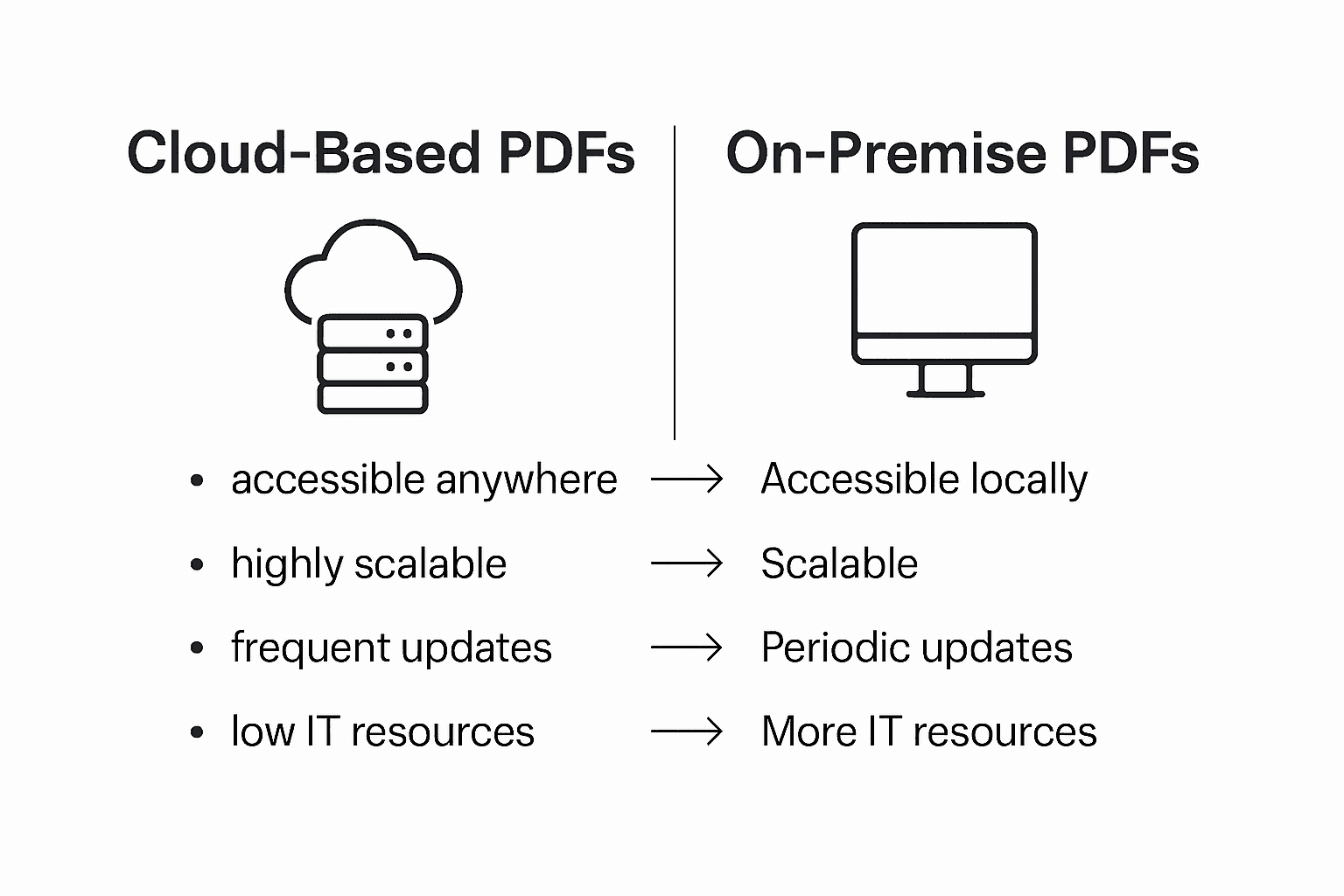
On-premise PDF solutions typically require significant internal IT resources, demanding continuous maintenance, hardware investments, and specialized personnel to manage complex document ecosystems. Conversely, cloud-based platforms provide a more dynamic approach, with intelligent scaling capabilities that automatically adjust to organizational growth. These systems offer real-time synchronization, comprehensive security protocols, and advanced collaboration features that transform how enterprises manage, share, and protect critical document assets.
This comparison highlights key differences between cloud-based and on-premise PDF solutions:
| Aspect | Cloud-Based PDFs | On-Premise PDFs |
|---|---|---|
| Accessibility | Available from any location | Limited to local access |
| Scalability | Automatically adjusts to needs | Requires manual upgrades |
| Maintenance | Managed by provider | Internal IT manages upkeep |
| Initial Investment | Low upfront cost | High hardware/software costs |
Pro Tip: Strategic Solution Assessment: Conduct a comprehensive audit of your organization’s document workflow requirements, considering factors like collaboration needs, security protocols, budget constraints, and technological infrastructure before selecting between cloud-based and on-premise PDF solutions.
Unlock the Full Potential of Cloud-Based PDFs with Mapsoft Solutions
The article highlights the challenges enterprises face in managing secure, scalable, and collaborative PDF workflows in the cloud environment. If you are struggling with workflow automation, version control, or maintaining compliance and security across distributed teams, Mapsoft offers tailored solutions designed to transform your document processes. By integrating with Adobe Acrobat® and leveraging cloud technologies, we empower you to streamline editing, secure sensitive data, and automate batch PDF workflows effortlessly.

Discover how Mapsoft can help your business overcome these hurdles by visiting our Digital Preservation category and exploring advanced tools like the Mapsoft PDF Hub for PDF conversions, edits, and security enhancements. Take control of your enterprise document management today by visiting Mapsoft.com, where expert consultancy and custom software development are available to align your PDF workflows with your business goals.
Frequently Asked Questions
What are cloud-based PDFs?
Cloud-based PDFs are digital documents that leverage cloud computing technologies for enhanced accessibility, collaboration, and security. They allow users to access and manage PDFs online, eliminating the need for local installations.
How do cloud-based PDFs improve collaboration among teams?
Cloud-based PDFs enable real-time collaboration, allowing multiple team members to view, annotate, and modify documents simultaneously. This eliminates conflicting file versions and enhances communication.
What security features do cloud-based PDFs offer?
Cloud-based PDFs incorporate advanced encryption technologies, granular access controls, and multi-layered security protocols to protect sensitive information throughout transmission and storage.
How do cloud-based PDFs compare to on-premise solutions?
Unlike on-premise solutions that require local access and significant IT resources, cloud-based PDFs provide remote accessibility, automatic scaling, and managed maintenance, making them more dynamic and efficient for enterprises.

