

{
“@type”: “Article”,
“image”: {
“url”: “https://csuxjmfbwmkxiegfpljm.supabase.co/storage/v1/object/public/blog-images/organization-3822/1769411968069_image.png”,
“@type”: “ImageObject”,
“caption”: “Team collaborating on cloud PDF workflow”
},
“author”: {
“url”: “https://mapsoft.com”,
“name”: “Mapsoft”,
“@type”: “Organization”
},
“@context”: “https://schema.org”,
“headline”: “Cloud Workflow for PDFs: Boosting Enterprise Efficiency”,
“publisher”: {
“url”: “https://mapsoft.com”,
“name”: “Mapsoft”,
“@type”: “Organization”
},
“inLanguage”: “en-US”,
“articleBody”: “Cloud workflow for PDFs streamlines document automation, security, and integration. Discover benefits, real-world uses, and how to minimize risks.”,
“description”: “Cloud workflow for PDFs streamlines document automation, security, and integration. Discover benefits, real-world uses, and how to minimize risks.”,
“datePublished”: “2026-01-26T07:20:07.959Z”
}
Traditional document workflows leave IT teams battling delays and manual errors as PDF files travel slowly from person to person. For large enterprises, this inefficiency carries real business risks and stifles productivity. Shifting to a cloud workflow for PDFs offers a smarter path, letting modern systems like Microsoft Azure and Adobe Document Cloud automate every step from intake and AI-powered extraction to secure storage and analytics, so your team gains consistent performance and real-time data insights.
Table of Contents
- Defining Cloud Workflow For PDFs
- Types Of Cloud-Based PDF Automation
- Core Features And Integrations Explained
- Real-World Enterprise Applications
- Managing Security And Compliance Risks
- Common Implementation Pitfalls To Avoid
Key Takeaways
| Point | Details |
|---|---|
| Cloud Workflow Benefits | Cloud workflows automate PDF processing, enhancing efficiency and reducing manual intervention, leading to quicker results and lower error rates. |
| Types of Automation | Choose between manual, semi-automated, and fully automated workflows based on document complexity and volume for optimal efficiency. |
| Security and Compliance | Ensure robust security and compliance measures are in place, including data encryption and audit logging, to protect sensitive information in cloud workflows. |
| Implementation Success | Proper planning, user involvement, and thorough integration with existing systems are crucial for successful cloud PDF workflow adoption. |
Defining Cloud Workflow for PDFs
A cloud workflow for PDFs is fundamentally different from traditional document handling. Rather than managing PDFs as static files passed between team members, a cloud workflow automates the entire journey of a PDF from intake through processing and output. Think of it as a coordinated system where cloud services orchestrate multiple tasks automatically, eliminating the stop-start nature of manual document management. When you implement a cloud workflow, PDFs trigger a series of programmed actions that execute without human intervention, whether that’s extracting data, converting formats, applying security measures, or populating downstream systems.
At its core, a cloud workflow leverages serverless automation and AI-powered document intelligence to handle what would otherwise require dozens of manual steps. Using cloud platforms like Azure Logic Apps or comparable services, organizations can build workflows that receive PDFs, process individual pages with intelligent extraction capabilities, convert data into structured formats like JSON, store results securely, and generate analytics for compliance tracking. The real power here is flexibility combined with scale. Your workflow adapts to document variations without reprogramming, handles spikes of thousands of documents without infrastructure investment, and produces consistent results every single time. Unlike legacy systems where a PDF format change breaks your entire process, cloud workflows adjust dynamically to document variations.
For enterprise teams, cloud workflow automation for PDFs represents a shift from reactive to proactive document management. Instead of employees hunting down missing documents or manually entering invoice data, your systems work around the clock to process, validate, and route documents with zero human touch. Integration capabilities mean these workflows connect to your existing enterprise systems, enterprise resource planning platforms, and business applications. When your invoicing workflow processes a PDF automatically and posts the data directly into your accounting system, you’ve eliminated days of processing time and removed sources of human error.
Pro tip: Start by mapping your highest-volume PDF process first, identify the manual steps that consume the most time, and build your initial cloud workflow around those bottlenecks to demonstrate quick ROI and build internal support for broader automation.
Types of Cloud-Based PDF Automation
Cloud-based PDF automation comes in three distinct flavors, each serving different operational needs and complexity levels. Manual automation puts control in your hands through tools like action wizards that let users batch-process documents on demand. You define the steps once, then trigger them whenever needed, perfect for tasks your team performs regularly but not continuously. Semi-automated workflows run triggered events automatically but require human intervention at key points, like approval gates or manual quality checks before documents move downstream. Then there’s fully automated processing, where PDFs flow through your entire system without any human touch from intake through archival, suitable for high-volume, predictable document types like invoices or claims forms.
The choice depends on your document complexity and volume. Simple, repetitive tasks like format conversion or file compression work well with manual or semi-automated PDF workflows, while high-volume operations benefit from full automation. For more sophisticated document intelligence, machine learning powered approaches extract meaning from your PDFs automatically. Systems analyze document content, classify documents by type, and extract structured data without predefined templates, adapting as your document formats evolve. This matters because real world PDFs vary wildly. An invoice from one vendor looks completely different from another, yet your automation must extract the same fields accurately every time.
Enterprise teams often layer these approaches together. You might use fully automated extraction for standard invoices, semi-automated workflows for edge cases that need human judgment, and manual batch processing for one-off bulk operations. The cloud infrastructure handles the orchestration, routing documents to the right automation type based on document characteristics or submission source. When a vendor invoice arrives, your system automatically classifies it, extracts line items and totals, flags discrepancies for human review, and posts approved data directly into your accounting system. This hybrid approach maximizes efficiency while maintaining control over critical decisions.
Pro tip: Begin by automating your highest-volume, most standardized document types using full automation, then progressively add semi-automated workflows for edge cases as you gather data on document variation patterns.
Here’s a quick comparison of the three main types of cloud-based PDF automation:
| Automation Type | Human Involvement | Ideal Use Case | Main Advantage |
|---|---|---|---|
| Manual | User-triggered batch tools | Ad hoc or one-time jobs | Full user control |
| Semi-automated | Partial intervention needed | Approvals or quality checkpoints | Balances speed and oversight |
| Fully automated | No manual steps | High-volume, routine documents | Maximum efficiency and scale |
Core Features and Integrations Explained
The real power of cloud PDF workflows emerges when you understand the core features working behind the scenes. Document orchestration acts as the nervous system, coordinating how PDFs move through your workflow based on conditions you define. A document arrives, your system evaluates its characteristics, and automatically routes it to the appropriate processing step. Data extraction pulls meaningful information from your PDFs whether that’s invoice numbers, customer names, or line item amounts and converts unstructured text into structured, usable data. Approval workflows create built-in checkpoints where stakeholders review documents before they proceed, complete with automated notifications alerting the right people at the right time. These features transform static PDFs from passive documents into active participants in your business processes.

Integrations separate basic PDF tools from enterprise workflow solutions. Your cloud PDF system must connect seamlessly with the applications your team already uses daily. When your workflow automates document approvals and stakeholder notifications, those approvals need to reach people in Slack, email, or your project management platform. Integration with your accounting system means extracted invoice data flows directly into your general ledger without manual entry. Many organizations leverage Robotic Process Automation (RPA) tools that watch your workflows and handle repetitive tasks like copying data between systems or triggering actions in downstream applications. API connections allow your custom applications to submit PDFs for processing and retrieve results programmatically.
The architecture matters because siloed systems create friction. Consider a typical enterprise scenario: a vendor submits an invoice through your web portal, your cloud workflow extracts the data, applies business logic to validate amounts against purchase orders, routes exceptions to procurement for review, and posts approved invoices to your ERP system while simultaneously updating your accounts payable aging report. Without proper integrations, each step would require manual handoff. With them integrated, the entire process runs autonomously. Your team focuses on exceptions and strategy rather than data entry and status tracking. Email notifications keep stakeholders informed of progress without them logging into multiple systems to check status.
Pro tip: Map your critical business processes before selecting tools, identify which systems absolutely must connect, and prioritize integrations that eliminate manual handoffs between teams.
Real-World Enterprise Applications
Cloud PDF workflows have moved beyond theory into critical operations at major enterprises across multiple industries. In healthcare, clinical teams access patient records from remote locations securely while maintaining HIPAA compliance. Medical records arrive as scanned PDFs, your workflow automatically extracts patient demographics and clinical data, flags documents missing required signatures, routes them to appropriate departments, and archives the originals with immutable timestamps for audit purposes. Radiologists can review imaging reports from anywhere, pharmacists validate medication orders against contraindication databases, and billing teams process claim documentation without printing a single page. The distributed workforce that healthcare demands becomes manageable when documents flow automatically to the right person with proper security controls.
Financial services organizations process enormous document volumes daily. Banks receiving mortgage applications scan hundreds of pages, extract income verification data, cross reference it against tax returns and employment letters, and route complete packages to underwriters within hours instead of days. Insurance companies handling claims use cloud-based PDF solutions for scalable, secure automated document management to classify claim types, extract coverage information, validate supporting documentation against policy terms, and automatically approve routine claims while flagging complex cases for adjuster review. Trading firms maintain regulatory compliance by automatically processing trade confirmations, extracting settlement instructions, and archiving documents with searchable metadata for regulatory audits. Legal departments manage contracts similarly, using workflows to identify expiration dates, flag renewal requirements, and consolidate signature pages from multiple parties.
Manufacturing and logistics companies benefit from automating purchase order processing and shipping documentation. Suppliers submit invoices in varying formats through email, portals, and EDI connections. Your workflow normalizes all incoming documents, extracts line items and amounts, validates against received goods, matches three-way reconciliation requirements, and posts approved invoices to accounts payable. Customs documentation for international shipments follows similar patterns, automatically extracting harmonized tariff codes, validating country of origin certifications, and preparing shipments for clearance. These organizations report reducing invoice processing time by 60-80 percent while catching discrepancies that would have slipped through manual reviews.
Pro tip: Start by analyzing your highest-cost manual document process in terms of employee time and error rates, then pilot cloud PDF automation on that specific workflow to demonstrate clear ROI before expanding to other processes.
Managing Security and Compliance Risks
Moving PDF workflows to the cloud introduces security considerations that demand your attention upfront. Unlike on-premises systems where you control the physical infrastructure, cloud environments require understanding shared responsibility models where your vendor handles infrastructure security while you manage access controls, data classification, and usage policies. The stakes are high because PDFs often contain sensitive information: financial records, healthcare data, legal documents, personally identifiable information. A breach exposes not just embarrassment but regulatory penalties, customer notification costs, and damaged reputation. The good news is that modern cloud PDF platforms provide comprehensive security features including encryption, access controls, and regular updates that exceed what most organizations could implement alone.
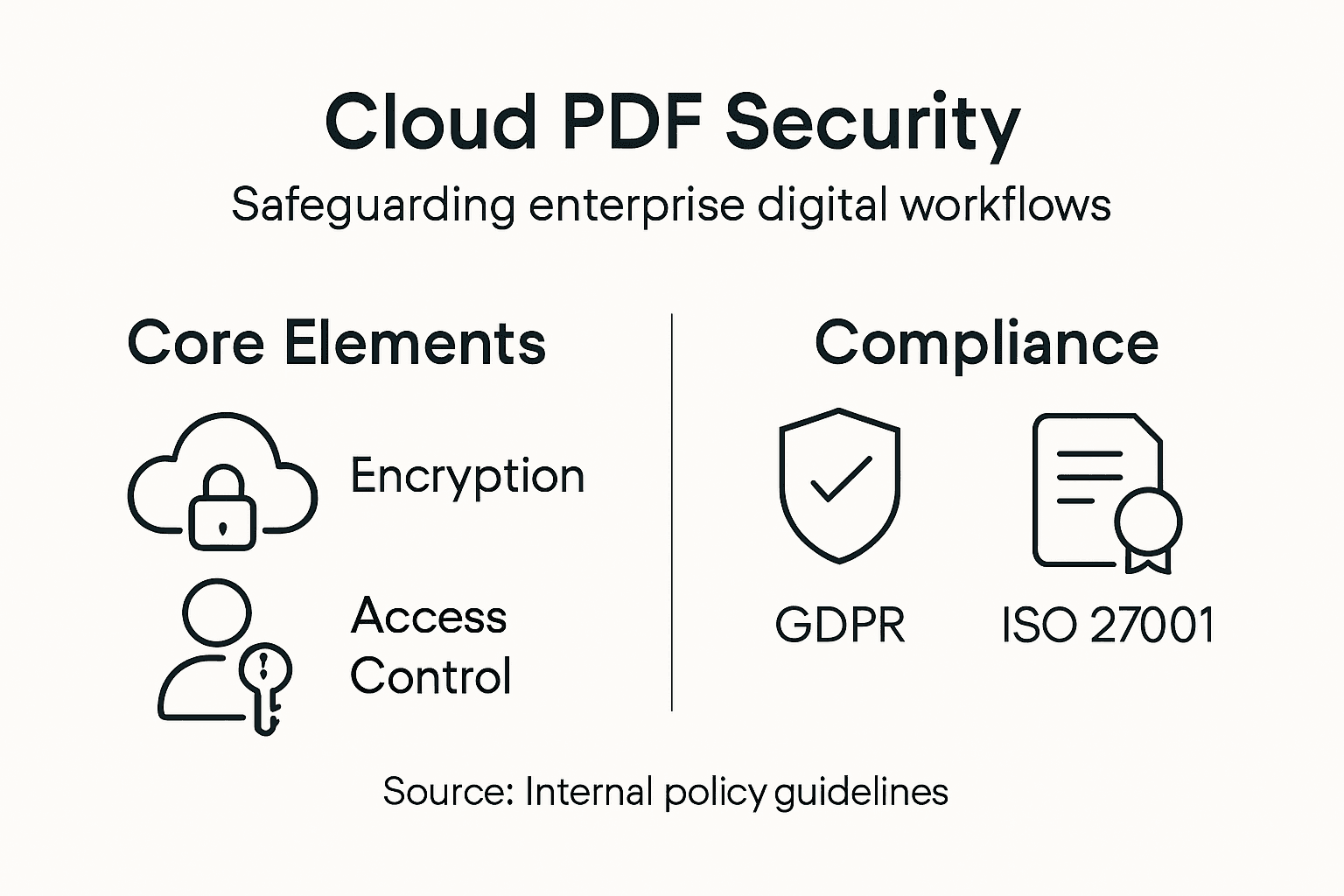
Data encryption forms the foundation of cloud PDF security. Your documents should be encrypted both in transit to cloud servers and at rest while stored, using industry standard encryption protocols like AES-256. Access controls determine who can view, edit, download, or print specific documents based on their role and need. A finance manager reviewing invoices needs different permissions than a junior accountant entering data. Audit logging tracks every action on every document, creating an immutable record of who accessed what and when. This becomes critical during compliance audits when regulators ask to prove documents weren’t tampered with and proper authorization occurred before sensitive information was released. Consider also that documents may need different retention schedules based on regulatory requirements. Contracts require seven-year retention for tax purposes, but employee onboarding documents might be deleted after two years.
Compliance frameworks overlap and sometimes conflict, making cloud PDF workflows strategically important for managing risk. Healthcare organizations must comply with HIPAA, financial institutions with SOX and GLBA, government contractors with NIST standards. Security and privacy concerns in cloud workflows require ongoing attention to address emerging threats and maintain regulatory alignment. Your cloud platform should provide compliance certifications like SOC 2, ISO 27001, or HIPAA BAA proof. Built-in workflows can enforce compliance automatically, requiring dual approval before sensitive documents are shared externally or preventing downloads in certain regulatory contexts. Version control with audit trails proves document integrity for regulated industries where demonstrating “document did not change” is legally required. When your workflow logs show that invoice PDF version 3 was reviewed, approved by two managers, and remains unchanged since approval, you have defensible evidence for auditors.
Pro tip: Before adopting any cloud PDF platform, request their security certification documentation and confirm your industry’s specific compliance requirements are explicitly covered, then test their audit logging capabilities to verify you can prove compliance during actual audits.
Below is a summary of top security and compliance features essential for managing PDF workflows in the cloud:
| Security Feature | What It Does | Why It Matters |
|---|---|---|
| Data encryption | Secures PDFs in transit and at rest | Prevents unauthorized data exposure |
| Access controls | Manages user permissions by role | Limits data access by need |
| Audit logging | Tracks all document actions | Enables compliance and traceability |
| Compliance support | Provides certifications (SOC 2, HIPAA BAA) | Satisfies industry regulations |
Common Implementation Pitfalls to Avoid
Cloud PDF workflow implementations fail more often from poor planning than from technology limitations. The most common mistake is treating automation as a technology project rather than a business process project. Your IT team installs the platform, configures some basic workflows, and declares success. But if you haven’t actually mapped how documents flow through your organization today, you’re automating chaos. Before touching any software, sit down with the people who actually handle documents daily: the accounts payable clerk, the claims adjuster, the contracts manager. Ask them what documents arrive, in what order they process them, who approves what, where they get stuck waiting. This discovery phase typically reveals that your assumed process differs dramatically from reality. One organization assumed invoices followed a standard path, but discovered accounts payable was handling rush invoices separately, rerouting them through email, and manually overriding approval limits for preferred vendors.
A second major pitfall is underestimating integration complexity with legacy systems. Your cloud PDF workflow can extract data beautifully, but if that data can’t flow into your enterprise resource planning system automatically, someone still manually enters it. Overlooking integration needs with existing systems causes implementation failures and negates much of the automation benefit. Before selecting a platform, audit your critical systems: enterprise resource planning, accounting software, document management platforms, email systems. Verify the cloud PDF solution actually connects to these systems through APIs or native connectors, not through unreliable workarounds. Test the integration in a pilot environment. Real world data often contains edge cases that break integrations designed against sanitized test data.
Another critical failure point is insufficient user training and change management. New workflows require people to work differently. The accounts payable clerk who spent years manually routing invoices might resist a system that removes their control. Procurement teams accustomed to email approvals need to understand dashboard interfaces. Failing to secure workflows properly and neglecting stakeholder collaboration during deployment creates resistance and reduces adoption rates. Involve users in workflow design, not just rollout. When they understand why the workflow routes documents that way and how it benefits them personally, adoption accelerates dramatically. Plan for 8 to 12 weeks of training and support after deployment, not the single day most organizations allocate. The first month after go-live, expect users to find issues your testing missed because they’re processing real documents at scale for the first time.
Pro tip: Document your current state processes in writing before evaluating platforms, prioritize integrations with systems where users currently spend the most manual effort, and plan for 3 to 4 weeks of pilot testing with real users and real documents before broader rollout.
Elevate Your PDF Workflows with Mapsoft’s Expert Solutions
The challenge of managing complex cloud workflows for PDFs calls for powerful, flexible tools that automate processing while ensuring security and compliance. Whether you’re striving to reduce manual bottlenecks or need seamless integration with enterprise systems, Mapsoft.com offers specialized PDF workflow automation solutions designed to tackle exactly those pain points. From intelligent document orchestration to batch workflow automation and secure PDF handling, our Adobe Acrobat® platform enhancements help turn your PDFs into active business assets.

Unlock efficiency and control today by exploring how our range of products and custom services can simplify your document processes. Start optimizing your cloud PDF workflows by visiting Digital Preservation – to see how we keep your files accessible and secure over time. For a comprehensive overview of our offerings tailored to enterprise needs, visit Mapsoft.com and discover practical ways to automate, secure, and analyze your PDF workflows with industry-leading tools.
Frequently Asked Questions
What is a cloud workflow for PDFs?
A cloud workflow for PDFs is an automated system that manages the journey of a PDF from intake to processing and output without requiring human intervention, utilizing cloud services to eliminate manual document management.
What are the types of cloud-based PDF automation?
Cloud-based PDF automation includes three types: manual automation, which allows user control through batch processing; semi-automated workflows that require human intervention at key points; and fully automated processing for high-volume documents that require no manual steps.
How can a cloud workflow improve enterprise efficiency?
A cloud workflow improves efficiency by automating document handling processes, reducing processing time, minimizing human error, and integrating seamlessly with existing enterprise systems, thereby enabling employees to focus on higher value tasks.
What security measures should be considered for cloud PDF workflows?
Important security measures include data encryption both in transit and at rest, access controls to manage user permissions, audit logging for tracking document actions, and compliance with industry regulations to protect sensitive information.
Recommended
- Business Automation Workflow: Maximizing PDF Efficiency –
- Why Automate File Handling in Enterprise Workflows –
- Workflow Automation Services for Streamlined PDF Operations –
- Enhancing Business Productivity with PDFs: Automated Workflows That Drive Results –
- The Busy Administrator’s Guide to Streamlining Referral Processes in Under an Hour – Smart Admissions
- How to Automate Email Marketing for E-commerce Success

