

{
“@type”: “Article”,
“image”: {
“url”: “https://csuxjmfbwmkxiegfpljm.supabase.co/storage/v1/object/public/blog-images/organization-3822/1769147120423_image.png”,
“@type”: “ImageObject”,
“caption”: “IT manager reviewing PDF workflow diagram”
},
“author”: {
“url”: “https://mapsoft.com”,
“name”: “Mapsoft”,
“@type”: “Organization”
},
“@context”: “https://schema.org”,
“headline”: “Scaling PDF Processing: Boosting Enterprise Efficiency”,
“publisher”: {
“url”: “https://mapsoft.com”,
“name”: “Mapsoft”,
“@type”: “Organization”
},
“inLanguage”: “en-US”,
“articleBody”: “Scaling PDF processing for enterprises—types of solutions, workflow automation, performance optimization, and integration with Adobe technologies explained.”,
“description”: “Scaling PDF processing for enterprises—types of solutions, workflow automation, performance optimization, and integration with Adobe technologies explained.”,
“datePublished”: “2026-01-23T05:46:05.562Z”
}
Too many IT managers in large enterprises find that ‘scaling PDF processing’ means something different to every stakeholder. For some, it’s about handling higher volumes. For others, it’s cost or compliance that matters most. Without a clear map of volume scaling, organizational scaling, financial scaling, and market scaling, teams risk fixing one problem while breaking another. Understanding these dimensions gives you an edge when choosing the right PDF processing and workflow automation strategies, especially with Adobe at the core of your enterprise solution.
Table of Contents
- Scaling PDF Processing Defined and Debunked
- PDF Processing Solutions and Architectures Explained
- Key Workflow Automation Strategies for Enterprises
- Performance Optimization and Resource Management
- Integration with Adobe and Compliance Challenges
Key Takeaways
| Point | Details |
|---|---|
| Understand the Four Dimensions of Scaling | Scaling PDF processing involves volume, organizational, financial, and market dimensions; each requires distinct strategies. |
| Choose the Right Architecture | Selecting the appropriate architecture (centralized, distributed, or hybrid) is crucial for scalability and compliance effectiveness. |
| Adopt Iterative Automation Strategies | Use agile methodologies to implement automation in phases, allowing for adaptation and optimization based on performance feedback. |
| Integrate Compliance from the Start | Treat compliance as a fundamental part of your PDF processing architecture rather than an afterthought to avoid costly adjustments later. |
Scaling PDF Processing Defined and Debunked
When you hear “scaling PDF processing” in enterprise contexts, people often use the term loosely without understanding what it actually means. Some assume it simply means handling more files. Others think it’s about buying bigger servers. The reality is more nuanced and directly connected to your business goals. Scaling, when applied to PDF operations, encompasses four interconnected dimensions: volume scaling (processing more documents), organizational scaling (adapting teams and workflows), financial scaling (optimizing costs per document), and market scaling (expanding capabilities across departments or geographies). Understanding these dimensions of business scaling helps you identify which type of scaling your enterprise actually needs right now.
Volume scaling is what most IT managers think about first. Your current system processes 500 PDFs per day. Next quarter, you’ll need to handle 5,000. This is straightforward growth, but it exposes infrastructure assumptions quickly. Many enterprises discover their batch processing workflows fail not because of insufficient hardware, but because their automation logic wasn’t designed to handle concurrent operations. A workflow that works fine for sequential document processing often breaks down when you introduce parallel processing at scale. Organizational scaling addresses a different challenge entirely. As PDF processing responsibilities spread across multiple departments, you need standardized processes, consistent naming conventions, and audit trails that actually work. Financial scaling means achieving the same results with lower cost per document. You might process 10,000 PDFs monthly at $0.50 each. Scaling efficiently means processing 100,000 at $0.10 each through automation, reduced manual review, and intelligent batch optimization. Market scaling involves expanding your PDF capabilities beyond your initial use case. What started as invoice processing might extend to contract management, compliance documentation, and archive conversion.
Here’s what trips up most enterprises: they optimize for one type of scaling and accidentally break another. Your team automates everything for volume scaling, but the automation creates compliance blind spots, breaking organizational scaling. You implement rigid processes for organizational consistency, but they’re so inflexible that cost per document climbs, breaking financial scaling. The debunked myth here is that scaling is a single lever you pull. It’s not. Effective scaling requires simultaneous attention to capacity, process standardization, cost efficiency, and operational flexibility. When you evaluate solutions for PDF batch processing workflows, look beyond raw throughput numbers. Ask how the solution handles concurrent operations, whether it provides audit logging that satisfies compliance teams, how easy it is to adjust processing logic without rebuilding infrastructure, and whether costs actually decrease as volume increases. The enterprises that scale successfully treat PDF processing as a business process with measurable outcomes across all four dimensions, not just a technical problem requiring more computing power.
Pro tip: Map your current state across all four scaling dimensions before selecting any automation solution. Document your peak daily volume, team structure, current cost per document, and planned expansion areas. This snapshot becomes your scaling baseline and helps you identify which dimension will be your constraint first.
Here’s a structured look at the four dimensions of PDF processing scaling and their business implications:
| Scaling Dimension | Core Objective | Common Pitfall | Key Success Factor |
|---|---|---|---|
| Volume Scaling | Increase document throughput | Overloaded workflows | Automation supporting concurrency |
| Organizational Scaling | Standardize teams and processes | Loss of compliance control | Strong audit trails |
| Financial Scaling | Lower cost per processed file | Inflexible or costly designs | Batch and automation optimization |
| Market Scaling | Expand use cases and locations | One-size-fits-all limitations | Modular, adaptable workflows |
PDF Processing Solutions and Architectures Explained
When you start scaling PDF processing, the architecture you choose determines whether you’ll succeed or hit a wall at 10,000 documents per day. Most enterprises think architecture is a technical detail for engineers. Wrong. Your architecture choice directly impacts how easily you can adjust workflows, whether you can meet compliance requirements, and ultimately what scaling looks like for your team. Modern PDF processing solutions fall into three broad architectural categories, each with tradeoffs that matter. Centralized architectures run all processing through a single server or cluster, making auditing straightforward but creating bottlenecks. Distributed architectures spread work across multiple independent processors, offering scalability but requiring careful synchronization. Hybrid architectures combine both approaches, using distributed processing for volume but maintaining centralized oversight. Understanding distributed processing systems helps you recognize which model fits your actual constraints and growth plans.

The architecture question becomes concrete when you examine how solutions handle real workflows. Say your enterprise processes invoices, contracts, and compliance documents simultaneously. A centralized solution processes them sequentially, which seems simple until you realize one stuck contract blocks all invoices behind it. Distributed solutions process everything in parallel, completing invoices while contracts are analyzed separately. But now you need to synchronize results, track which documents succeeded or failed, and ensure that a failed document doesn’t disappear into a processing void. Most scalable PDF solutions use what we might call template-based automation, where document assembly systems apply consistent rules to incoming documents. Your system receives a PDF, identifies what type it is, applies the appropriate processing rules (extraction, conversion, validation), and outputs a standardized result. This template approach sounds rigid, but modern solutions actually let you adjust templates without rebuilding infrastructure. You change extraction rules on Tuesday, and Wednesday’s batch uses the new rules automatically.
Here’s where most architecture decisions go sideways. Enterprises evaluate solutions by asking how many documents per minute they can process. That’s like buying a truck based only on engine horsepower without checking if it has a bed or cargo space. The real question is whether the architecture lets you add new document types without rewriting everything. Can you redirect processing results to different destinations (cloud storage, databases, email systems) without changing core logic? Does the system maintain an audit trail that satisfies compliance teams? When you need to pause processing to fix a rule, can you resume without reprocessing everything? Can you set up parallel processing for high-volume documents while keeping complex documents on a slower, more careful pipeline? These architectural capabilities determine your actual scaling ceiling far more than raw throughput numbers. When you evaluate solutions for PDF batch processing capabilities, look beyond marketing claims about speed. Ask about architecture. Request a technical conversation about how the system scales from 1,000 to 100,000 documents daily without requiring reengineering. Watch a demonstration where they modify a processing rule and show you that it takes minutes, not weeks.
Pro tip: Before adopting any PDF processing solution, create a test scenario with your three most complex document types running simultaneously. This reveals real architectural limitations that benchmark tests hide. You’ll see whether the system genuinely scales or just processes things faster until it breaks.
Below is a comparison of central, distributed, and hybrid PDF processing architectures:
| Architecture Type | Strengths | Weaknesses | Best Fit Scenario |
|---|---|---|---|
| Centralized | Easy to audit, simple control | Bottlenecks, limited scalability | Low volume, strict compliance |
| Distributed | High scalability, flexible | Complex synchronization required | High volume, diverse workflows |
| Hybrid | Scalable yet manageable | Added integration complexity | Large orgs needing oversight |
Key Workflow Automation Strategies for Enterprises
Workflow automation sounds like a destination, but it’s actually a series of strategic decisions you make before implementing technology. Most enterprises treat it as a one-time project: deploy software, train users, declare success. Then reality hits. Documents arrive in unexpected formats. Rules change quarterly. New departments want to adopt the system but with their own requirements. The enterprises that actually win at PDF workflow automation approach it differently. They use iterative, agile strategies rather than big-bang implementations. This means starting small with your highest-volume, lowest-complexity document type, measuring what works, and expanding carefully. You might automate invoice processing in month one, adding contract processing in month three after learning what works and what breaks. This phased approach lets you adjust without causing enterprise-wide disruption. Agile automation methodologies provide frameworks for this incremental approach, allowing teams to iterate on workflows with continuous feedback rather than hoping everything works perfectly on day one.
The second strategic pillar is defining what “success” actually means before you start. Success is not “processing faster.” Faster is meaningless if compliance teams can’t audit what happened. Success might be reducing manual review time by 40 percent, or ensuring that rejected documents reach the right person within one hour, or cutting document processing costs from $0.75 to $0.25 per file. Pick two or three metrics that matter to your business, not vanity metrics. Then measure them obsessively during your pilot phase. You’ll discover that some documents require human review regardless of automation. Some require verification calls to departments. Your strategy must account for these hybrid workflows where automation handles 70 percent of work but the remaining 30 percent needs careful human judgment. The third strategy addresses a reality most automation projects ignore: your team needs to understand why rules exist. If someone automated invoice processing because invoices arrive with PO numbers in the top right corner, and next quarter invoices arrive in the top left corner, someone needs to know that this rule exists and why it matters. Document your automation logic. Make templates readable. When you implement AI-driven workflow generation systems, ensure that humans can still understand what the system is doing, not just trust that it works.
Here’s what separates mature automation from amateur automation: governance. You need clear authority over who can change processing rules, how requests get prioritized, and what testing happens before rules go live. A single IT person should not be able to change document processing rules for invoices without finance department approval. A department manager should not be able to request complex new processing logic that breaks existing workflows. Create a lightweight governance structure: a monthly meeting where business units request changes, a technical team evaluates feasibility and risk, and changes roll out in batches rather than continuously. This prevents chaos while staying agile. You also need to plan for the moment when automation reaches its natural limit. If you’re processing 50,000 documents monthly and automate 80 percent of them, you still have 10,000 documents requiring human attention. Your strategy must include staffing plans for that 20 percent. Some enterprises discover too late that they automated all the easy work but created a team dealing with the hardest cases, leading to burnout and quality problems. Build your automation strategy to optimize the entire workflow, not just the parts that are easiest to automate.
Pro tip: Start your automation strategy with a detailed process map of your current workflow, showing where documents get stuck, where errors occur, and which steps actually add value versus which ones exist out of habit. This clarity reveals where automation creates real business value instead of just moving work around.
Performance Optimization and Resource Management
You can have the best PDF processing architecture in the world, but if you’re wasting resources, you’re losing money and leaving performance on the table. Performance optimization and resource management are not separate concerns. They’re interconnected. When you optimize performance, you often use fewer resources. When you manage resources intelligently, your system performs better. Most enterprises approach this backward, throwing hardware at performance problems instead of asking why the problems exist. Your PDF processing system needs deliberate attention to both dimensions. Start with a simple principle: measure what matters. You need visibility into how your system actually behaves under real conditions. How long does document processing take from arrival to completion? Where do bottlenecks occur? Which document types consume disproportionate resources? Are your servers sitting idle 70 percent of the time while documents wait in queues? Are you processing thousands of documents daily but structured for batches of hundreds? The metrics you choose reveal whether you have a performance problem or a resource allocation problem. Sometimes they’re the same thing. Often they’re not. Understanding algorithmic approaches to resource allocation helps you make informed decisions about how to distribute processing work across available infrastructure based on actual demand and document complexity rather than guessing.
Resource management requires matching workload to infrastructure intelligently. Say your enterprise processes 15,000 documents daily, but 80 percent arrive between 8 AM and 12 PM. A naive approach allocates resources for 15,000 daily documents distributed evenly. You end up with excess capacity most of the day and overwhelming bottlenecks during peak hours. A smarter approach recognizes the peak pattern and allocates variable resources. You might use cloud infrastructure that scales up during morning hours and scales down by afternoon, paying only for what you actually use. Or you implement priority queues, processing simple documents immediately and batching complex documents for off-peak processing. Another approach adjusts how documents move through the pipeline. Instead of a single processing queue where all documents compete, you might implement separate pipelines. Invoices take the fast track, processing immediately. Contracts take the careful track with additional validation steps. Compliance documents take the secure track with extra logging and approval gates. This doesn’t require more total resources, but it allocates them to match actual business priorities. The third lever is optimization of the processing logic itself. If your system extracts data from every PDF page sequentially, but 90 percent of documents have data only on pages one and three, you’re wasting processing time. Implement intelligence that identifies document structure first, then applies focused extraction. This sounds simple, but many enterprises never examine whether their processing logic reflects actual document patterns. They build logic once and never question it. Performance optimization also means watching for resource leaks. A process that handles one thousand documents should use similar memory and CPU resources as a process handling five thousand documents divided across five workers. If resource consumption grows faster than document volume, something is accumulating that shouldn’t be. Tools that provide comprehensive IT performance analysis can help you identify these subtle degradations before they become crises.
Here’s a reality most enterprises learn the hard way: optimization requires iteration. You won’t get the perfect configuration on day one. You measure performance, identify bottlenecks, implement changes, measure again. This cycle repeats continuously as document volumes change, new document types arrive, and business requirements evolve. Create a monitoring dashboard that shows real-time metrics: documents processed per hour, average processing time, resources consumed, error rates. This dashboard should be visible to both technical teams and business stakeholders. When performance degrades, you’ll see it immediately and can investigate before it impacts thousands of documents. The most mature enterprises treat performance optimization as a quarterly exercise. Every three months, they review metrics, identify the next constraint to address, and allocate resources to fix it. In quarter one, they optimize for speed. In quarter two, they optimize for cost. In quarter three, they optimize for reliability. By rotating focus, they continuously improve across all dimensions without overwhelming the team.
Pro tip: Profile your actual document processing before optimizing anything. Run a representative sample of your most common documents through your system while monitoring CPU, memory, and time consumption. This baseline reveals whether your biggest constraint is processing logic, infrastructure allocation, or something unexpected like poorly optimized database queries.
Integration with Adobe and Compliance Challenges
Adobe technologies sit at the center of enterprise PDF workflows for good reason. Adobe Acrobat handles complex PDF operations that generic tools simply cannot manage. Digital signatures, form field mapping, PDF optimization, metadata control. These capabilities make Adobe essential for serious document processing. But integration introduces complexity that many enterprises underestimate. You cannot simply drop Adobe tools into your PDF processing pipeline and expect everything to work seamlessly. Your existing systems need to communicate with Adobe, your workflows need to account for Adobe’s specific behaviors, and your compliance requirements must align with how Adobe handles data. The integration challenge is real, but it’s manageable if you understand what you’re dealing with. Adobe provides APIs and integration points, but they require careful implementation. Your document management system needs connectors or custom code to push documents to Adobe, wait for processing, and retrieve results. If you’re processing thousands of documents daily, this integration needs to be robust enough to handle failures, retries, and edge cases. The productivity gains from Adobe’s AI capabilities are substantial, reducing time spent on manual document review and analysis, but only if the integration actually works when it matters.
Compliance challenges emerge immediately when you integrate Adobe into scaled PDF processing. Compliance is not a feature you turn on. It’s a set of requirements that touches every part of your system. If you’re in financial services, healthcare, or legal industries, you’re subject to regulations about data handling, retention, audit trails, and access controls. Adobe’s cloud services, for instance, process your documents on Adobe’s infrastructure. Where is that infrastructure? Who can access it? What happens to your data after processing? These questions become critical in regulated industries. HIPAA requires specific data handling procedures. GDPR requires consent management and data deletion capabilities. SOX requires audit trails showing who accessed what documents and when. Your Adobe integration must support all of these requirements. Some enterprises discover too late that they cannot use certain Adobe cloud features because those features do not meet their compliance obligations. The data privacy and transparency requirements become especially complex when you layer AI-driven processing on top of traditional PDF handling. Understanding regulatory requirements for data and AI integration helps you identify potential compliance risks before they become audit findings.
Here is where integration and compliance intersect in ways that catch many enterprises off guard. You implement Adobe tools to speed up document processing. Great. But now your audit team needs to track which documents went through which processing steps, whether they were modified, and whether they meet regulatory requirements. Adobe needs to log everything. Your system needs to capture those logs. Your compliance team needs to be able to query those logs months or years later. This audit trail requirement often means you cannot use fully automated processing for certain document types. Some documents may require human verification at specific points, creating hybrid workflows where automation and human review alternate. Your compliance obligations might also require that processed documents be stored in specific formats or locations. Some regulations require immutable storage where documents cannot be changed after processing. This means your PDF processing cannot modify the original documents in ways that violate immutability requirements. You might need to create audit-trail versions showing before and after states. The integration architecture must support these parallel storage and workflow requirements without breaking performance.
Here’s a practical reality: compliance does not reduce scaling challenges, it multiplies them. A non-compliant system might process 50,000 documents daily. A compliant system processing the same 50,000 documents daily now includes logging, verification, audit trails, and regulatory checks. Your infrastructure might need to double to support the same volume while meeting compliance requirements. Budget for this. Plan for this. Do not assume that compliance requirements are free. The enterprises that succeed at scaled, compliant PDF processing treat compliance not as something bolted on at the end, but as a core requirement shaping architecture from the beginning. Work with your legal and compliance teams during design, not during implementation.
Pro tip: Before integrating Adobe into your PDF processing pipeline, map your specific compliance requirements against Adobe’s capabilities and limitations. Create a compliance requirements matrix showing what regulations apply, what each regulation requires, and whether Adobe tools support those requirements. This exercise often reveals that you need hybrid approaches combining Adobe tools with custom compliance logic rather than relying entirely on Adobe features.
Unlock Scalable PDF Processing with Tailored Solutions
Enterprises striving to master the complex challenge of scaling PDF processing need more than just raw power. As highlighted in the article, overcoming bottlenecks in volume, maintaining strict compliance, and automating workflows without breaking organizational and financial scaling demands requires intelligent, adaptable solutions. If you are facing issues like rigid workflows, costly manual processes, or compliance headaches when expanding your PDF operations, you are not alone. Your business deserves a platform designed to support concurrency, enforce audit trails, and optimize costs simultaneously.

Discover how Mapsoft.com empowers businesses like yours to transform PDF batch processing with sophisticated yet flexible tools. Our offerings include powerful Digital Preservation technologies and scalable automation that help you process high volumes of documents efficiently while keeping compliance and governance front and center. Do not let outdated architectures or fragmented workflows hold back your growth. Visit Mapsoft.com today to start building an agile, future-proof PDF processing infrastructure that scales with your enterprise needs.
Frequently Asked Questions
What does scaling PDF processing mean for enterprises?
Scaling PDF processing refers to the ability of an organization to efficiently increase document handling capabilities across four dimensions: volume scaling (processing more documents), organizational scaling (standardizing workflows), financial scaling (reducing cost per document), and market scaling (expanding use cases).
How can enterprises avoid pitfalls when scaling PDF processing?
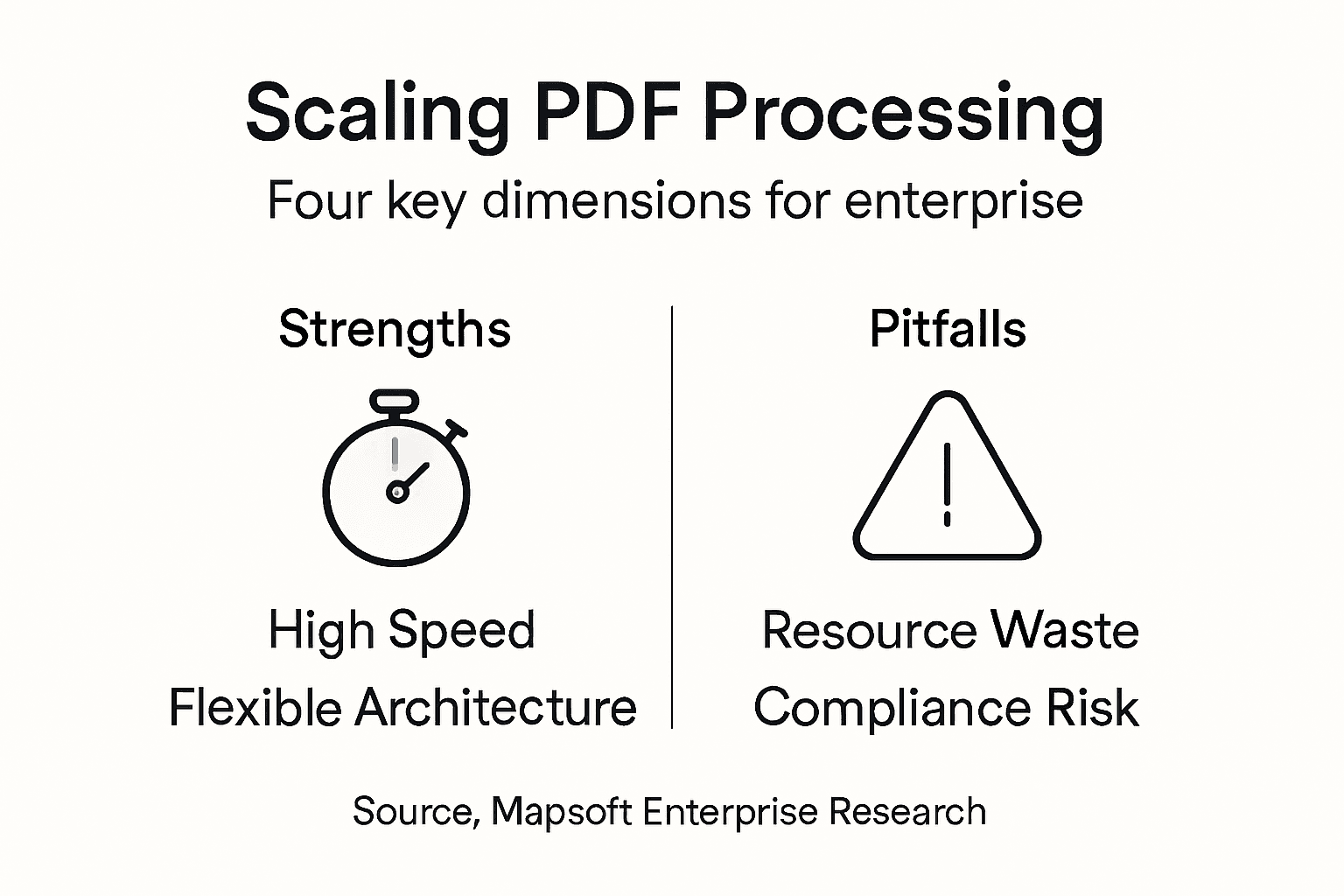
Enterprises can avoid pitfalls by not optimizing for only one type of scaling at a time. They should ensure that processes support automation while maintaining compliance, flexibility, and cost efficiency across all four dimensions of scaling.
What architectural choice impacts PDF processing scalability?
The choice of architecture—centralized, distributed, or hybrid—directly affects scalability. Centralized architectures offer ease of auditing but may create bottlenecks, while distributed architectures provide flexibility and scalability but require careful synchronization. Hybrid architectures aim to combine the benefits of both.
Why is compliance important during PDF processing integration?
Compliance is crucial as it encompasses regulatory requirements related to data handling, access controls, and audit trails. A compliant PDF processing system must ensure that documents are processed in a way that meets these regulations, which can add complexity to workflows and infrastructure needs.

