Benefits of PDF Automation: Transforming Enterprise Workflows

Office worker reviewing automated PDF workflows
Discover the benefits of PDF automation for enterprises, including workflow acceleration, error reduction, compliance, and cost savings with Adobe-integrated solutions.

Every large organization faces the challenge of managing complex document workflows while trying to minimize manual effort and errors. For IT managers, finding the right balance between improving efficiency and meeting strict compliance rules is a top priority. By embracing PDF automation through trusted Adobe solutions, enterprises can simplify repetitive processes, empower teams to focus on valuable tasks, and reduce costly operational delays across global operations.

Table of Contents

Key Takeaways

Point Details
PDF Automation Enhances Productivity It streamlines document management by automating repetitive tasks, allowing employees to focus on strategic initiatives.
Collaboration Between Humans and Automation Effective PDF automation complements human capabilities rather than replacing them, ensuring ongoing oversight and decision-making.
Diverse Solutions for Document Management PDF automation includes various technologies for document creation, processing, and workflow routing that address specific organizational needs.
Cost Savings and Efficiency Gains Implementing PDF automation can lead to significant labor and operational cost reductions, enhancing overall organizational efficiency.

PDF Automation Defined and Common Myths

PDF automation represents a strategic technological approach that transforms document processing by replacing manual, repetitive tasks with intelligent, rule-based digital workflows. At its core, PDF automation leverages software technologies to automatically capture, process, route, and manage PDF documents without human intervention.

Contrary to widespread misconceptions, PDF automation is not about eliminating human workers but rather enhancing workplace productivity. The technology strategically redistributes human capital toward more complex, creative tasks by handling routine documentation processes. Modern automation solutions integrate sophisticated algorithms that can:

  • Automatically extract and categorize document information
  • Validate document content against predefined business rules
  • Route documents through complex organizational approval workflows
  • Reduce manual data entry errors
  • Accelerate document processing times

Many enterprise IT managers mistakenly believe automation is a one-size-fits-all solution or will completely replace human workers. However, automation research demonstrates that these technologies are collaborative tools designed to augment human capabilities, not substitute them entirely.

The most effective PDF automation strategies recognize that human oversight remains critical. Automated systems work best when they complement human decision-making, handling repetitive tasks while allowing employees to focus on strategic, nuanced work requiring emotional intelligence and complex reasoning.

Pro tip: Start your PDF automation journey by mapping existing document workflows and identifying repetitive, rules-based processes that consume significant employee time.

Key Types of PDF Automation Solutions

PDF automation encompasses a diverse range of technological solutions designed to streamline document management across enterprise environments. PDF software solutions have evolved to address complex organizational needs, offering specialized tools that transform how businesses handle digital documentation.

The primary categories of PDF automation solutions include:

  • Document Creation Automation

    • Batch PDF generation from multiple source files
    • Automatic template-based document generation
    • Conversion of files from various formats (Word, Excel, Images)
  • Document Processing Automation

    • Intelligent data extraction and indexing
    • Automatic content validation and verification
    • Metadata tagging and classification
  • Workflow Routing Automation

    • Automatic document routing based on predefined rules
    • Approval workflow management
    • Digital signature and compliance tracking

Enterprise-grade PDF automation solutions go beyond simple file manipulation, integrating advanced capabilities like machine learning algorithms that can understand document context, automatically detect anomalies, and make intelligent routing decisions.

Advanced PDF automation technologies are specifically designed to meet stringent enterprise requirements, including compliance with international document standards, security protocols, and industry-specific regulations. These solutions provide robust frameworks that enable organizations to transform traditional paper-based processes into efficient, digital workflows.

Compliance officer with secure PDF automation system

Pro tip: Evaluate PDF automation solutions by mapping your current document workflows and identifying specific pain points where automation can deliver measurable efficiency gains.

How Automated PDF Workflows Operate

Automated PDF workflows represent a sophisticated orchestration of digital processes that transform document management from manual intervention to intelligent, rule-based systems. Advanced workflow generation techniques leverage artificial intelligence to convert complex business requirements into seamless, executable document processing strategies.

The core operational mechanism of automated PDF workflows involves several critical stages:

  • Trigger Identification

    • Detect document arrival or specific event
    • Validate document against predefined criteria
    • Initiate appropriate processing sequence
  • Intelligent Processing

    • Extract relevant data using optical character recognition
    • Apply machine learning algorithms for content analysis
    • Automatically classify and categorize documents
  • Decision and Routing

    • Apply business logic and predefined rules
    • Route documents to appropriate departments or stakeholders
    • Manage approval and verification processes

Workflow Automation Architecture integrates multiple technological components, creating a seamless ecosystem where documents move through complex organizational processes with minimal human intervention. These systems employ advanced decision trees and machine learning models that can adapt to changing business requirements and handle increasingly nuanced document processing challenges.

Enterprise-level PDF workflow automation goes beyond simple document transfer, incorporating robust security protocols, compliance tracking, and real-time analytics. By transforming linear, manual processes into dynamic, intelligent workflows, organizations can significantly reduce processing time, minimize errors, and enhance overall operational efficiency.

Pro tip: Implement a pilot automated workflow in a controlled environment to validate its effectiveness and identify potential optimization opportunities before full-scale deployment.

Business Use Cases: Streamlining Document Processing

PDF automation transforms document processing across multiple industries, delivering strategic advantages that extend far beyond simple digitization. Automation technology fundamentally reshapes workforce productivity, enabling organizations to redirect human resources toward high-value strategic initiatives while reducing operational inefficiencies.

Critical business use cases for PDF workflow automation include:

  • Financial Services

    • Automated loan application processing
    • Rapid contract validation and verification
    • Compliance documentation management
    • Risk assessment document analysis
  • Healthcare Administration

    • Patient record digitization
    • Insurance claim processing
    • Medical billing documentation
    • Regulatory compliance tracking
  • Legal Departments

    • Contract lifecycle management
    • Legal document indexing
    • Automated discovery and evidence management
    • Compliance and audit trail generation

Enterprise Implementation Strategies leverage sophisticated PDF automation to create intelligent, adaptive workflows that can handle complex document processing requirements. These systems integrate machine learning algorithms that continuously improve document routing, classification, and processing efficiency.

Robotic process automation dramatically transforms traditional document management by reducing human error, accelerating processing times, and providing unprecedented levels of accuracy and consistency across organizational document workflows. By eliminating manual data entry and implementing intelligent routing mechanisms, businesses can achieve substantial operational improvements.

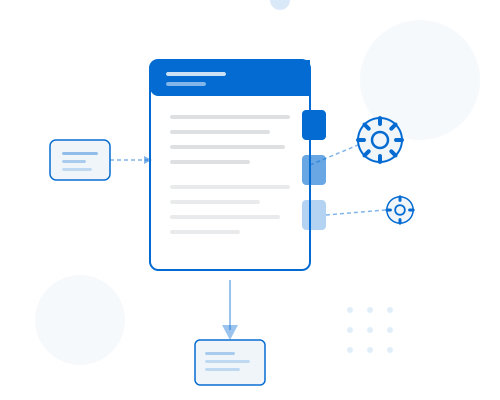
Infographic showing PDF automation workflow benefits

To better understand how PDF automation compares to traditional manual processing, review the differences below:

Aspect Manual Processing PDF Automation
Speed Slow, time-intensive Fast, streamlined workflows
Accuracy Prone to human error High precision, fewer mistakes
Scalability Limited by staff capacity Easily scales with demand
Cost High labor expenses Reduced operational costs
Compliance Risk of oversights Automated regulatory adherence

Explore the major business advantages PDF automation delivers across industries:

Industry Key Benefit Unique Automation Impact
Financial Services Faster compliance Reduces audit risk, speeds loan decisions
Healthcare Secure records Protects patient data, increases claim efficiency
Legal Streamlined contracts Enhances document traceability and search

Pro tip: Conduct a comprehensive audit of your current document processing workflows to identify repetitive tasks most suitable for initial PDF automation implementation.

Risk Reduction, Security, and Compliance Factors

PDF automation transforms document security from a manual, error-prone process to a systematized, intelligent approach that proactively mitigates organizational risks. Compliance automation revolutionizes traditional security frameworks, enabling enterprises to embed robust protection mechanisms directly into their document management workflows.

Key security and compliance dimensions of PDF automation include:

  • Document Authentication

    • Digital signature verification
    • Tamper-evident document tracking
    • Cryptographic validation of document integrity
    • Automated access control management
  • Regulatory Compliance

    • Automatic standards adherence checking
    • Real-time regulatory requirement mapping
    • Comprehensive audit trail generation
    • Persistent metadata preservation
  • Risk Mitigation Strategies

    • Automated sensitive information redaction
    • Persistent access logging
    • Granular permission management
    • Automatic version control

Advanced Security Protocols integrate machine learning algorithms that can detect potential compliance violations, unauthorized access attempts, and suspicious document modification patterns. These intelligent systems continuously monitor document lifecycles, providing real-time insights and proactive risk management capabilities.

Enterprise-grade PDF automation solutions go beyond traditional security measures by creating comprehensive, adaptive frameworks that dynamically respond to emerging regulatory requirements. By transforming compliance from a reactive to a predictive discipline, organizations can significantly reduce legal and operational risks associated with document management.

Pro tip: Conduct periodic security audits of your PDF automation system to ensure continuous alignment with evolving regulatory standards and organizational security protocols.

Cost Savings Compared to Manual Processes

PDF automation represents a transformative approach to reducing operational expenses by systematically eliminating inefficiencies inherent in manual document processing. Automation generates substantial cost reductions by replacing labor-intensive tasks with intelligent, scalable technological solutions that dramatically lower organizational spending.

Key cost-saving dimensions of PDF automation include:

  • Labor Cost Reduction

    • Eliminate manual data entry expenses
    • Reduce employee hours spent on repetitive tasks
    • Minimize overtime and processing time
    • Redirect human resources to strategic initiatives
  • Error Mitigation Expenses

    • Decrease costs associated with manual mistakes
    • Reduce compliance penalty risks
    • Eliminate rework and document reprocessing
    • Minimize potential legal and financial liabilities
  • Operational Efficiency Gains

    • Accelerate document processing speeds
    • Reduce hardware and storage infrastructure costs
    • Minimize physical document management expenses
    • Enable scalable, cost-effective workflows

Enterprise-level Cost Analysis demonstrates that robotic process automation can generate significant financial benefits by creating more predictable, standardized document management processes. Organizations typically observe cost reductions ranging from 25% to 50% when implementing comprehensive PDF automation strategies.

The economic advantages extend beyond immediate financial savings, creating long-term value through enhanced productivity, improved accuracy, and strategic resource allocation. By transforming document workflows, businesses can achieve substantial competitive advantages and operational resilience.

Pro tip: Conduct a detailed cost-benefit analysis focusing on specific document processing workflows to quantify potential automation savings before full implementation.

Accelerate Your Enterprise PDF Workflows with Mapsoft Solutions

The article highlights common enterprise challenges like managing complex document workflows, reducing manual labor, and ensuring compliance with precision. It reveals that PDF automation is key to eliminating repetitive tasks while increasing operational speed and accuracy. If you face bottlenecks in document routing, data extraction, or error-prone manual processing, leveraging intelligent PDF workflows is your path to transformation.

At Mapsoft, we specialize in advanced PDF automation that directly addresses these pain points. From powerful PDF editing and batch processing to secure digital preservation, our solutions let you:

  • Automate PDF creation, conversion, and manipulation with ease
  • Streamline compliance and risk management with secure workflows
  • Build scalable, repeatable batch workflows using an intuitive online builder

Explore our Digital Preservation offerings to ensure your documents remain secure and compliant through their lifecycle. Take the next step to empower your enterprise with seamless PDF workflow automation.

https://mapsoft.com

Start optimizing your PDF workflows today. Visit Mapsoft.com to discover how our technology can give you faster processing, greater accuracy, and powerful workflow control that scales with your needs.

Frequently Asked Questions

What is PDF automation?

PDF automation is a technological approach that enhances document processing by replacing manual, repetitive tasks with intelligent, rule-based digital workflows, enabling organizations to capture, process, and manage PDF documents automatically.

How does PDF automation enhance productivity?

PDF automation enhances productivity by minimizing human intervention in routine documentation processes, allowing employees to focus on more complex tasks that require creativity and emotional intelligence, thus redistributing human capital effectively.

What are the key types of PDF automation solutions?

Key types of PDF automation solutions include Document Creation Automation, Document Processing Automation, and Workflow Routing Automation, each designed to streamline various aspects of document management in enterprise environments.

What are the cost benefits of implementing PDF automation?

Implementing PDF automation can lead to significant cost savings by reducing labor costs, minimizing errors, accelerating document processing times, and improving overall operational efficiency, with organizations typically observing cost reductions ranging from 25% to 50%.

Share the Post:

Related Posts

Join Our Newsletter

Benefits of PDF Automation: Transforming Enterprise Workflows

Office worker reviewing automated PDF workflows
Discover the benefits of PDF automation for enterprises, including workflow acceleration, error reduction, compliance, and cost savings with Adobe-integrated solutions.
Share the Post:

Related Posts

Join Our Newsletter

Scroll to Top

This Website is Using Cookies

We use them to give you the best experience. If you continue to use the website we presume that you are happy to receive them.