
Managing business processes across multiple countries often means wrestling with slow document approvals and inconsistent workflows. For IT managers, adopting business process automation (BPA) using Adobe tools addresses these challenges head-on by automating repetitive PDF tasks and integrating secure, scalable workflows. This guide will help you understand critical automation options, avoid common pitfalls, and identify features that drive cost savings and improved document accuracy throughout your international operations.
Table of Contents
- Defining Business Process Workflow Automation
- Types of Automated PDF Workflows and Technologies
- Technology Approaches Behind Automation
- Critical Features of Adobe-Based Automation Solutions
- Enterprise Use Cases and PDF Integration Strategies
- Risks, Costs, and Common Workflow Pitfalls
Key Takeaways
| Point | Details |
|---|---|
| Business Process Automation (BPA) | BPA uses technology to automate repetitive tasks, freeing human resources for strategic work. |
| Types of Automation | Automated PDF workflows include data extraction, document conversion, validation, and distribution, all improving efficiency. |
| Integration is Key | Successful automation relies on seamless integration with existing systems to eliminate manual processes and enhance data flow. |
| Risks and Costs | Implementing automation requires careful planning to avoid pitfalls like inadequate process design and underestimating costs. |
Defining business process workflow automation
Business process workflow automation refers to using technology to execute repetitive business tasks with minimal human intervention. Rather than having teams manually handle routine work, automation technology takes over these functions, completing them faster and more consistently.
At its core, business process automation (BPA) addresses a fundamental problem: humans are excellent at making decisions, but terrible at performing identical tasks repeatedly. When you automate workflows, you free your IT staff from babysitting processes and redirect them toward strategic work.
Think of it this way. Your finance team spends four hours daily on invoice processing. Every invoice follows the same steps: receive, validate, route for approval, record payment. None of that requires human judgment. That’s precisely where automation excels.
Modern BPA encompasses several approaches:
- Traditional automation using coded scripts and software integrations
- Robotic Process Automation (RPA) where software robots emulate human actions
- Hyperautomation combining RPA, AI, and machine learning for autonomous decision-making
For IT managers overseeing multinational operations, the stakes are concrete. Business process automation eliminates bottlenecks that slow document handling, reduces errors that require rework, and cuts labor costs associated with manual processing.
The automation benefit compounds across your organization. When you standardize processes using frameworks like APQC’s Process Classification Framework, you create a common language for automation. Every department follows identical steps, making technology implementation faster and more effective.
Consider PDF workflows specifically. Your teams receive invoices, contracts, and forms in PDF format daily. Manual processing means someone opens each file, extracts data, validates it, and routes it forward. That’s repetitive work crying out for automation. When workflows involving PDFs are automated, your throughput increases dramatically while error rates plummet.
The key distinction matters here. Automation isn’t about eliminating jobs. It’s about redirecting human effort. Your people shift from executing routine tasks to handling exceptions, making strategic decisions, and improving processes themselves.
Successful automation identifies where humans waste time on repetitive work, then transfers that work to machines operating 24/7 without fatigue or mistakes.
For multinational corporations managing documents across regions and departments, workflow automation becomes the foundation for scalability. You can add volume without proportionally adding staff. You standardize quality across locations. You compress timelines from weeks to days.
Pro tip: Start by mapping one high-volume PDF workflow your team currently handles manually. Measure the exact time spent, error rates, and cost per transaction. This baseline becomes your measurement tool for calculating ROI once automation is deployed.
Types of automated PDF workflows and technologies
PDF automation spans several distinct workflow categories, each solving different operational problems. Understanding which type fits your needs determines whether automation delivers real ROI or becomes an expensive tool gathering dust.
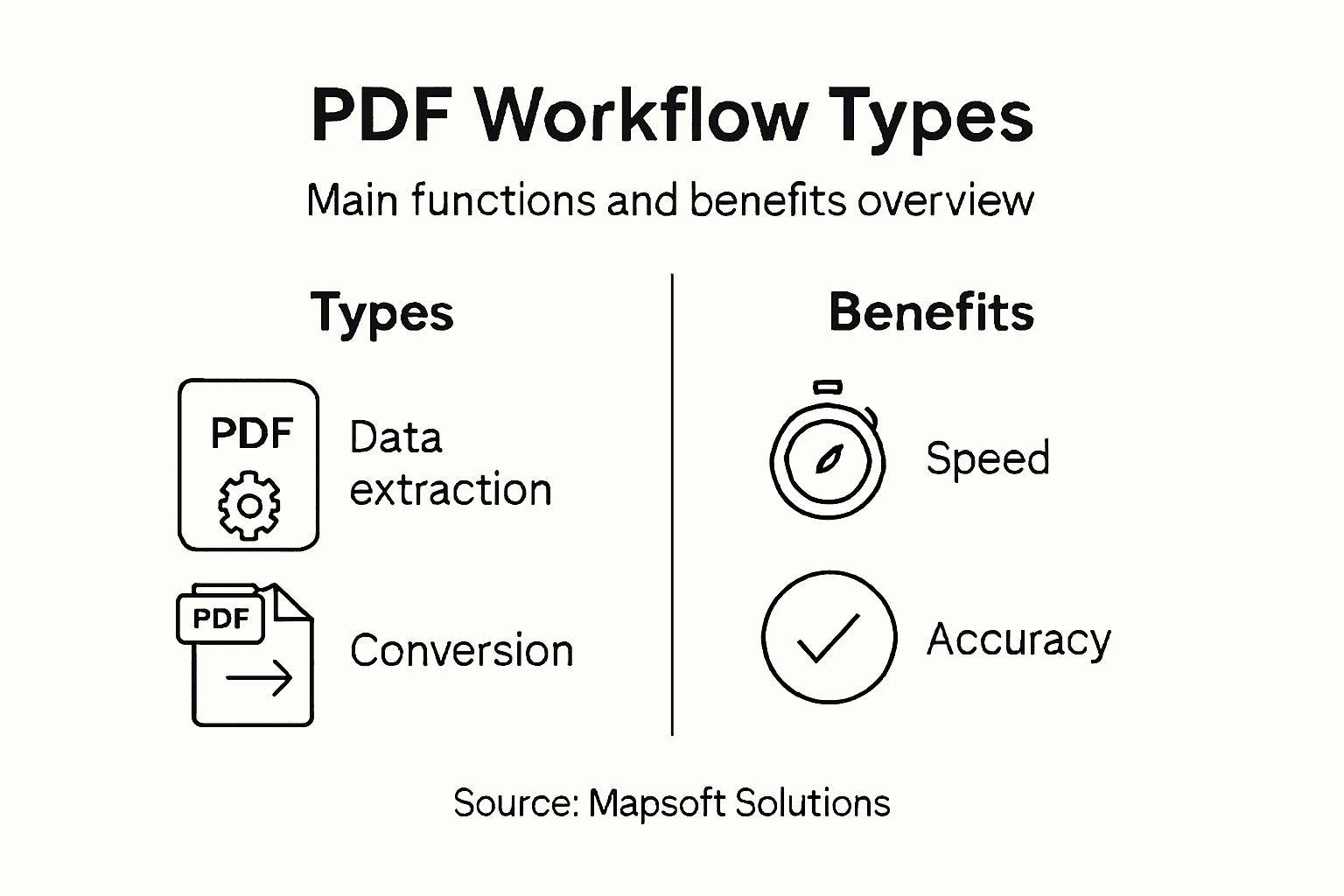
The primary automated PDF workflows your IT team encounters break down into four categories:
- Data extraction pulling specific information from PDFs into structured formats
- Document conversion transforming PDFs into editable formats like Word or Excel
- Content validation checking extracted data for accuracy and completeness
- Distribution automation routing processed documents to appropriate departments or systems
Data extraction represents the heaviest lift for multinational corporations. When you receive invoices, contracts, or forms in PDF format, someone manually reads them and enters key data into your ERP system. AI-powered workflow enhancements can automate this entirely, identifying invoice amounts, vendor names, and line items without human review.
Conversion workflows address a different pain point. Your legal team receives contracts as PDFs but needs to edit them in Word. Instead of manual conversion, automation handles the transformation while preserving formatting. This sounds simple until you’re converting thousands of documents monthly.

Validation becomes critical when accuracy matters. Automated systems check extracted data against predefined rules: Does this invoice amount match the purchase order? Is the vendor in your approved list? These checks prevent fraudulent or incorrect payments from entering your system.
Distribution automation routes completed documents intelligently. An invoice marked “urgent” goes directly to the CFO. A standard invoice routes to accounts payable with automatic status updates sent back to the requestor.
Here’s a summary of common automated PDF workflow types and their business impact:
| Workflow Type | Main Function | Typical Business Benefit |
|---|---|---|
| Data Extraction | Captures structured data from PDFs | Reduces manual entry and errors |
| Document Conversion | Changes PDF to editable formats | Speeds legal edits and reviews |
| Content Validation | Checks data for accuracy and rules | Prevents fraud and incorrect payouts |
| Distribution Automation | Routes documents to destination | Accelerates approval and communication |
Technology Approaches Behind Automation
Three core technology categories power modern PDF automation:
Robotic Process Automation (RPA) uses software robots mimicking human actions. These robots open PDFs, read content, click buttons, and enter data into systems. RPA works well when your existing systems lack APIs or direct integration options.
Machine learning trains models on example PDFs to recognize patterns. Unlike rigid rule-based systems, ML adapts to layout variations and different document formats, making it ideal for invoices from dozens of different vendors with unique formats.
Optical Character Recognition (OCR) extracts readable text from scanned PDFs that contain only images. This unlocks automation for older documents, faxed invoices, or handwritten forms when combined with ML validation.
Compare core PDF automation technology approaches and their ideal use cases:
| Technology | What It Does | Best Used For |
|---|---|---|
| Robotic Process Automation (RPA) | Mimics user actions in apps | Handling legacy systems, repetitive tasks |
| Machine Learning | Recognizes data and patterns | Variable invoice and contract layouts |
| Optical Character Recognition (OCR) | Extracts text from scans | Digitizing printed or handwritten PDFs |
The most effective implementations combine multiple technologies, using OCR for text extraction, ML for content understanding, and RPA for system integration.
For IT managers, the technology choice depends on your document volume, format consistency, and system integration requirements. High-volume, standardized documents justify sophisticated ML implementations. Lower volumes with inconsistent formats might use rule-based RPA approaches.
Pro tip: Pilot automation with your highest-volume, most standardized document type first. Success here builds internal confidence and creates a reusable playbook for rolling out automation across other document workflows.
Critical features of Adobe-based automation solutions
Adobe-based automation solutions offer specialized capabilities designed specifically for document-heavy workflows. These aren’t generic process automation tools—they’re built around PDF handling, form processing, and document lifecycle management.
The core features that matter most to IT managers running multinational operations include:
- PDF generation and modification creating or editing documents programmatically without manual intervention
- Form recognition and auto-filling intelligently identifying form fields and populating them with extracted data
- Electronic signatures embedding legally binding digital signatures into documents automatically
- Workflow routing directing documents to appropriate teams based on content, amount, or other criteria
- Enterprise system integration connecting directly with your CRM, ERP, and accounting platforms
Form processing deserves special attention. Adobe tools recognize complex form layouts across thousands of document variations. When an invoice arrives in an unexpected format, the system still identifies the invoice number, amount due, and vendor name. This adaptability prevents workflow failures that plague less sophisticated solutions.
Security and Compliance Features
Your legal and compliance teams care deeply about document security. Adobe-based automation solutions integrate secure document handling directly into workflows, not as an afterthought.
Encryption happens automatically. Sensitive documents like contracts or financial records get encrypted in transit and at rest. Access controls ensure only authorized personnel can view or modify specific documents. Audit trails record every action taken on every document, creating accountability throughout your organization.
Speed and Accuracy Improvements
When you automate document workflows, two things happen immediately: speed increases and errors decrease. Automated form recognition and filling eliminates manual data entry, which is where most errors occur. Your team stops spending time copying invoice details into spreadsheets. The system does it instantly and accurately.
Approval processes accelerate dramatically. Instead of documents sitting in someone’s inbox waiting for review, automation routes them intelligently, sends reminders, and escalates overdue approvals. What took three weeks now takes three days.
Integration Capabilities
Adobe solutions connect to your existing enterprise systems seamlessly. Documents flow directly from your email into SharePoint. Invoice data automatically posts to your accounting system. Signed contracts route to your document management platform without manual handoffs.
This integration eliminates the manual work that kills efficiency gains. You’re not creating new isolated systems—you’re automating the document layer within your existing infrastructure.
The most valuable feature isn’t the individual capabilities—it’s how they work together to create end-to-end automation without human touchpoints.
For IT managers evaluating solutions, these features translate directly to cost savings and risk reduction. You reduce labor costs by eliminating manual document handling. You reduce compliance risk through automated security and audit trails. You reduce operational risk through better accuracy.
Pro tip: Before selecting an Adobe automation platform, audit your top 10 document workflows. Identify which steps involve manual work, where errors occur most frequently, and which systems need to exchange data. Match these requirements against platform capabilities—this ensures you’re investing in features your organization actually uses.
Enterprise use cases and PDF integration strategies
Multinational corporations solve real business problems through PDF automation. These aren’t theoretical exercises—they’re proven approaches that reduce costs, accelerate cycles, and improve compliance across your organization.
The most common use cases breaking through in enterprise environments include:
- Contract management automating review, signature capture, and archival of legal agreements
- Invoice processing extracting vendor data and routing payments through approval workflows
- Regulatory compliance reporting generating required documents and maintaining audit trails automatically
- Customer onboarding collecting signatures, identity verification, and account setup documentation
- Claims processing validating insurance or benefit claims and routing decisions
Invoice processing offers the clearest ROI for most organizations. You’re likely processing hundreds or thousands monthly across multiple departments. Each invoice represents manual work: opening the file, reading details, entering data, routing for approval. Automation eliminates these steps entirely, cutting processing time from days to minutes.
Integration Architecture Matters
Successful PDF automation doesn’t exist in isolation. PDF processing integrates with enterprise content management systems, ERP platforms, and CRM tools to create seamless workflows.
Your invoice automation won’t deliver value if the system extracts data but can’t communicate with your accounting software. Integration ensures data flows bidirectionally. Your ERP sends purchase orders to the automation system. The system matches incoming invoices against those orders, flags discrepancies, and posts approved invoices back to the ERP automatically.
This creates end-to-end automation. No manual handoffs. No data re-entry. No waiting for exports and imports between systems.
Technical Integration Strategies
API and middleware solutions connect PDF automation with existing enterprise infrastructure. Rather than replacing systems, you layer automation on top, extending capabilities without disruption.
Your integration approach depends on system complexity. Simple integrations use direct API connections. Complex environments with legacy systems use middleware platforms that translate between different data formats and communication protocols.
The key decision: build custom integration or use pre-built connectors. Pre-built connectors launch faster but may require customization. Custom integration takes longer but perfectly matches your unique requirements.
Geographic and Departmental Scale
Multinational operations introduce complexity. Your German subsidiary processes invoices differently than your Singapore office. Same currency issues. Same language requirements. Same regulatory compliance standards vary by region.
Successful implementations standardize where possible while allowing regional flexibility. The invoice extraction engine works identically across regions. Approval workflows reflect local requirements. Audit trails meet regional compliance standards.
The most successful PDF automation strategies treat integration as foundational, not an afterthought. Your choice of integration architecture determines whether you scale successfully across departments and regions.
For IT managers planning implementations, start with your highest-pain use case. Document the current process, identify bottlenecks, and measure baseline metrics. Then implement automation and compare results. Early success proves value and creates momentum for expanding to other workflows.
Pro tip: Map your integration requirements before selecting an automation platform. Identify which systems must connect, what data needs to flow between them, and whether you need real-time synchronization or batch processing. This determines whether you need tight API integration or can work with scheduled data exchanges.
Risks, costs, and common workflow pitfalls
PDF automation delivers impressive returns, but only when implemented carefully. Many organizations launch automation initiatives with enthusiasm, then face unexpected costs, security issues, or workflows that create more problems than they solve.
Understanding the risks upfront prevents costly mistakes. The most dangerous pitfall is automating a broken process. If your current invoice workflow has bottlenecks or unclear decision points, automation just makes those problems faster.
Financial Costs Beyond Software Licensing
The purchase price for automation software represents only a fraction of total investment. Real costs emerge across multiple categories:
- Implementation consulting designing workflows and integrating systems
- Staff training teaching teams how the new automated processes work
- Testing and refinement identifying issues before production launch
- Ongoing maintenance updating workflows as business requirements change
- System integration connecting automation tools with your existing platforms
Underestimating implementation resources is the classic mistake. Your IT team gets caught between supporting current operations and building new automated workflows. Projects extend timelines, costs balloon, and benefits arrive later than expected.
Security and Compliance Vulnerabilities
Document handling security vulnerabilities emerge when automation processes sensitive data without proper safeguards. You automate invoice processing, but the system stores extracted vendor data unencrypted. You extract customer information, but access controls are insufficiently restrictive.
Automation doesn’t eliminate human error—it amplifies it at scale. A poorly configured validation rule might approve fraudulent invoices automatically. Missing exception handling means your system processes invalid documents without alerting anyone.
Design and Process Pitfalls
Rigid workflow design represents another critical failure mode. You automate your current process exactly as it works today. Six months later, business requirements change. Your workflow can’t adapt, forcing manual workarounds that defeat automation benefits.
Another pitfall: insufficient testing. Your team designs workflows theoretically but tests with only a handful of real documents. Production launch reveals edge cases nobody anticipated. Claims that should route to one team go elsewhere. Invoices with unusual formats fail validation.
Final pitfall: ignoring change management. Your teams resisted the old process. They’ll resist the new one even more if you don’t involve them in design and provide thorough training.
Integration Complexity
Integrating disparate systems creates unexpected challenges. Your ERP expects invoice data in one format. Your document management system expects different fields. Your automation tool must translate between them—adding complexity, cost, and risk.
Legacy systems without modern APIs force workarounds. You can’t connect directly, so you create scheduled batch processes that update data hourly. This works until timing misaligns, creating data synchronization problems.
The costliest automation failures stem from inadequate process design and insufficient testing, not technology limitations.
For IT managers, the pattern is clear: spend time preparing before automation. Document existing processes precisely. Test extensively with real data and edge cases. Involve stakeholders in design. Plan for ongoing maintenance and updates.
Pro tip: Before implementation, run a detailed cost analysis including all resources: consulting, staff time, testing, training, and maintenance. Compare this against conservative projections of time savings and error reductions. If ROI appears marginal, reconsider—marginal projects often underperform due to unforeseen complications.
Unlock True PDF Workflow Automation Efficiency with Mapsoft
The article highlights critical challenges faced by multinational corporations and IT managers managing complex, repetitive PDF workflows such as invoice processing, document validation, and routing. If your teams struggle with manual data extraction, content validation, or integrating PDF workflows across enterprise systems, you know how costly delays and errors can be. Business process workflow automation demands intelligent tools that go beyond basic solutions. Mapsoft specializes in enhancing Adobe Acrobat® workflows with advanced plug-ins, web-based services, and custom software development tailored specifically to streamline PDF handling and automation at scale.

Discover how Mapsoft PDF Hub and our suite of specialized Acrobat® plugins can help you:
- Automate high-volume PDF tasks like conversion, form filling, and data extraction
- Seamlessly integrate with ERP, CRM, and document management platforms to create end-to-end workflows
- Reduce manual errors, accelerate approvals, and enforce compliance with automated validation and routing
Start mastering your PDF processes today by visiting Mapsoft to explore solutions that directly address your workflow bottlenecks. See how our PDF Hub platform empowers you to automate, secure, and optimize PDF workflows with an easy-to-use online builder. Take control of your document processes now and realize the ROI your organization deserves.
Frequently Asked Questions
What is business process workflow automation?
Business process workflow automation is the use of technology to execute repetitive tasks with minimal human intervention, streamlining processes for improved efficiency.
How does automation improve PDF workflows?
Automation enhances PDF workflows by reducing manual data entry, increasing processing speed, and minimizing errors, leading to faster document handling and more consistent results.
What types of automated PDF workflows exist?
There are several types of automated PDF workflows, including data extraction, document conversion, content validation, and distribution automation, each designed to solve specific operational challenges.
What technologies are commonly used in PDF automation?
Common technologies in PDF automation include Robotic Process Automation (RPA) for mimicking user actions, Machine Learning for recognizing data patterns, and Optical Character Recognition (OCR) for extracting text from scanned documents.