

Workflow bottlenecks around Adobe PDF integration can leave even the most well-resourced enterprise teams stuck in cycles of confusion and delay. For IT managers leading complex operations across American, European, and Asian organizations, fragmented document collaboration means lost productivity and rising frustration. Understanding the difference between basic file sharing and dynamic, multi-user workflows unlocks essential insights into building resilient document ecosystems. Enterprise document workflows sit at the heart of this transformation, shaping not only project speed but also security and compliance outcomes.
Table of Contents
- Document Collaboration Explained: Core Concepts
- Types of Collaboration Challenges in PDF Workflows
- Integration Barriers with Adobe and Enterprise Systems
- Roles, Responsibilities, and Compliance Risks
- Common Pitfalls and How to Avoid Them
Key Takeaways
| Point | Details |
|---|---|
| Effective Collaboration Requires Strategy | Document collaboration demands strategic alignment of team objectives and clear communication protocols beyond just technology. |
| Robust Document Management is Essential | Enterprise document management systems are crucial for standardizing processes and enhancing team dynamics. |
| Addressing Integration Challenges is Key | Organizations must implement comprehensive integration strategies to navigate the complexities of diverse technological ecosystems. |
| Proactive Compliance and Role Definition | Clearly defined roles and responsibilities are vital for mitigating compliance risks and ensuring effective document management. |
Document Collaboration Explained: Core Concepts
Document collaboration represents a sophisticated approach to shared work processes where multiple team members simultaneously engage with digital documents, enabling seamless information exchange and collective productivity. Enterprise document workflows have evolved dramatically, transforming how organizations manage complex information ecosystems.
At its core, document collaboration involves several critical components:
- Simultaneous multi-user editing capabilities
- Version control and tracking mechanisms
- Real-time communication and annotation features
- Secure access management
- Cross-platform compatibility
Interdisciplinary research collaboration highlights the importance of breaking down traditional communication barriers. Modern enterprises recognize that effective collaboration requires more than technological tools—it demands strategic alignment of team objectives and communication protocols.
The complexity of document collaboration extends beyond simple file sharing. Collaborative workflows integrate sophisticated permission structures, enabling granular control over document access, editing rights, and review processes. Teams can now work synchronously or asynchronously, with robust tracking mechanisms ensuring accountability and transparency.
Successful document collaboration transforms individual contributions into collective intelligence.
Enterprise document management systems have emerged as critical infrastructure, supporting diverse team dynamics and complex project requirements. These platforms enable organizations to standardize processes, reduce communication overhead, and accelerate decision-making cycles.
Here’s a summary of how key components of document collaboration directly impact enterprise business outcomes:
| Component | Business Impact | Challenges Addressed |
|---|---|---|
| Multi-user editing | Faster project delivery | Reduces bottlenecks |
| Version control | Improved decision traceability | Minimizes confusion |
| Real-time communication | Enhanced team alignment | Resolves miscommunication |
| Secure access management | Strong data protection | Prevents unauthorized access |
| Cross-platform support | Enables flexible workflows | Reduces system silos |
Pro tip: Implement clear collaboration guidelines and invest in training to maximize the effectiveness of your document collaboration strategy.
Types of Collaboration Challenges in PDF Workflows
Document collaboration in enterprise PDF workflows presents a complex landscape of technical and interpersonal challenges that can significantly impede organizational productivity. Collaborative document management requires navigating multiple interdependent obstacles that extend far beyond simple file sharing.
The primary types of collaboration challenges include:
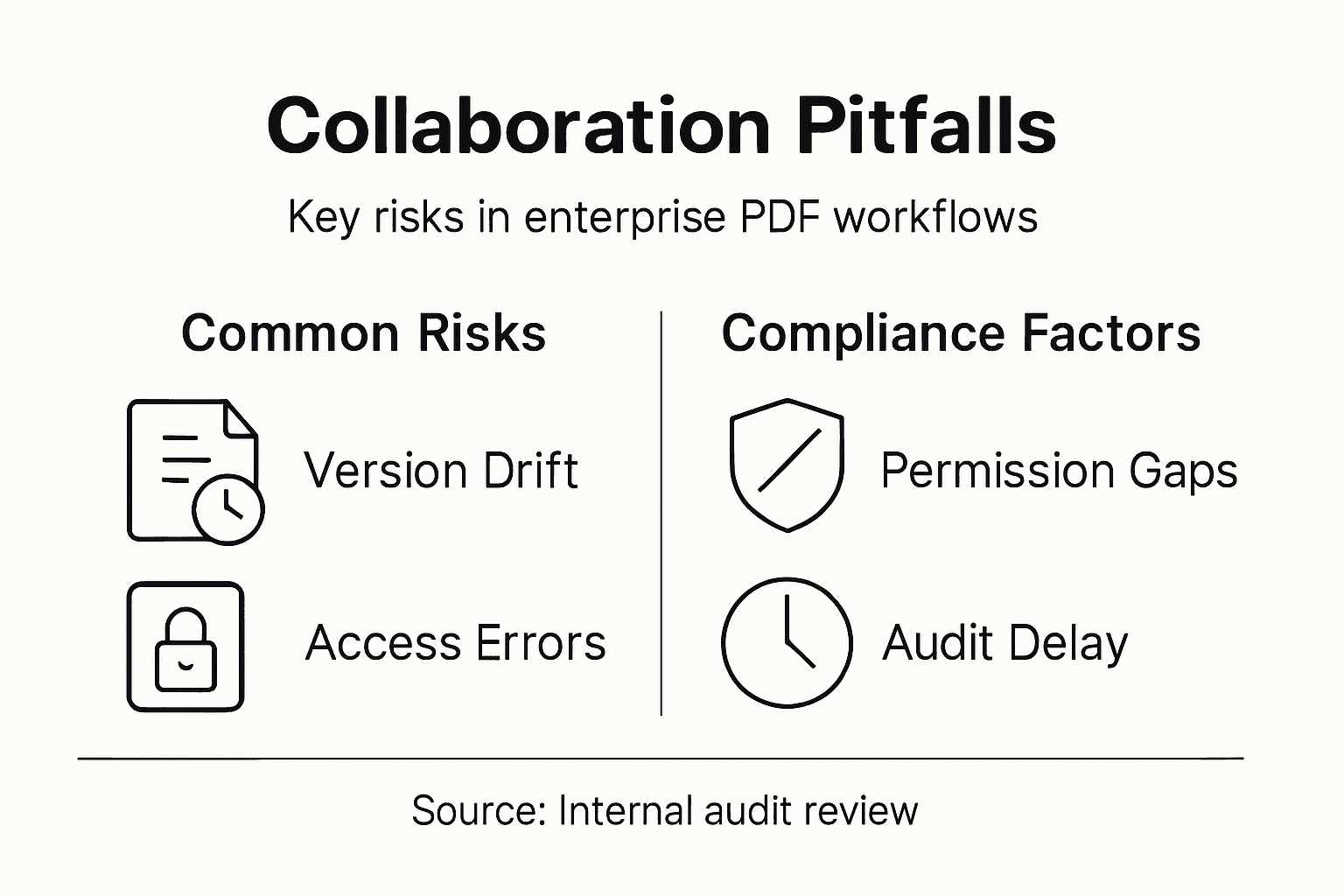
- Version control inconsistencies
- Access permission complexities
- Real-time editing conflicts
- Security and confidentiality concerns
- Incompatible file format restrictions
Research collaboration challenges reveal that communication barriers represent a fundamental impediment to effective teamwork. These barriers manifest in PDF workflows through misaligned editing protocols, unclear annotation standards, and inconsistent document tracking mechanisms.
Enterprise teams frequently encounter sophisticated workflow integration challenges that compromise document integrity and collaboration efficiency. Different team members often use varying software versions, annotation tools, and editing interfaces, creating friction in seamless information exchange. Security protocols and permission structures further complicate collaborative processes, requiring robust management strategies.
Successful PDF workflow collaboration demands intentional communication and standardized processes.
Technical interoperability remains a significant challenge, with organizations struggling to create unified document environments that support diverse user requirements. Compatibility issues between different PDF editing platforms, varying security configurations, and inconsistent metadata management can derail even the most well-intentioned collaborative efforts.

Pro tip: Implement comprehensive collaboration guidelines and invest in standardized PDF workflow training to minimize technical and communication barriers.
The following table compares typical strategies for overcoming PDF workflow collaboration challenges:
| Challenge | Standard Solution | Advanced Approach |
|---|---|---|
| Version confusion | Manual tracking | Automated versioning tools |
| Access complexity | Basic permissions | Role-based access systems |
| Editing conflicts | Sequential editing | Real-time conflict alerts |
| Security risks | Password protection | Encryption & user auditing |
| Format incompatibility | Format conversion tools | Native multi-format support |
Integration Barriers with Adobe and Enterprise Systems
Enterprise document management demands sophisticated integration strategies that bridge complex technological ecosystems. PDF workflow integration represents a critical challenge for organizations seeking seamless document collaboration across diverse software platforms and technological infrastructures.
Key integration barriers typically include:
- Incompatible authentication protocols
- Limited API connectivity
- Licensing and permission constraints
- Metadata translation difficulties
- Security configuration misalignments
Adobe Acrobat automation capabilities reveal significant limitations in enterprise environments, particularly around virtualization and third-party application interactions. These constraints create substantial friction in developing comprehensive document workflow solutions.
The complexity of integration extends beyond simple technical compatibility. Enterprise systems require robust middleware solutions that can translate document formats, synchronize user permissions, and maintain consistent metadata across different platforms. Each integration point introduces potential points of failure, demanding meticulous architectural planning and strategic implementation.
Successful document ecosystem integration demands comprehensive architectural strategy, not just technological connections.
Security represents another critical dimension of integration challenges. Organizations must navigate intricate permission structures, encryption standards, and compliance requirements while maintaining smooth document exchange capabilities. The intersection of different enterprise systems creates a complex landscape of potential vulnerabilities and operational constraints.
Pro tip: Conduct comprehensive system compatibility assessments and develop detailed integration mapping before implementing enterprise document workflow solutions.
Roles, Responsibilities, and Compliance Risks
Document management in enterprise environments demands a sophisticated approach to defining organizational roles and managing potential compliance vulnerabilities. Compliance risk management involves creating clear accountability structures that protect sensitive information while enabling efficient collaborative workflows.
Key roles and responsibilities typically include:
- Document creators and originators
- Compliance and legal review specialists
- Information security managers
- Access control administrators
- Audit and validation teams
Document control systems establish critical frameworks for ensuring organizational accountability and operational efficiency. These systems define precise ownership pathways for document creation, review, approval, and maintenance, reducing potential compliance risks and streamlining organizational processes.
The compliance landscape extends beyond simple document management, requiring nuanced understanding of regulatory requirements, technological capabilities, and organizational risk tolerance. Each role within the document ecosystem carries specific responsibilities for maintaining information integrity, protecting sensitive data, and ensuring transparent documentation practices.
Effective compliance management transforms risk mitigation from a challenge into a strategic organizational advantage.
Accessibility and regulatory compliance represent complex, multidimensional challenges that demand comprehensive strategies. Organizations must develop robust frameworks that balance technical capabilities, human expertise, and structured governance models to navigate increasingly complex regulatory environments.
Pro tip: Develop comprehensive role definition documentation that explicitly outlines responsibilities, authority levels, and accountability metrics for each document management position.
Common Pitfalls and How to Avoid Them
Document workflow automation presents complex challenges that can derail even the most meticulously planned enterprise initiatives. Collaboration strategy requires careful navigation of potential obstacles that can compromise document integrity, security, and operational efficiency.
Common pitfalls organizations frequently encounter include:
- Overly complex workflow designs
- Inadequate change management processes
- Poor data validation mechanisms
- Insufficient system integration planning
- Neglecting user training and adoption strategies
Document workflow automation challenges reveal that most organizational failures stem from attempting overly ambitious transformations without comprehensive preparatory strategies. Successful implementation demands incremental approaches that prioritize systematic testing and user engagement.
The technological complexity of modern document ecosystems creates significant risks for enterprises attempting to streamline their collaborative processes. Each integration point represents a potential vulnerability, requiring meticulous planning, robust security protocols, and continuous monitoring to prevent systemic failures.
Effective workflow automation is less about technology and more about understanding organizational dynamics.
Successful mitigation strategies demand holistic approaches that balance technological capabilities with human factors. Organizations must develop flexible frameworks that can adapt to evolving business requirements while maintaining stringent compliance and security standards.
Pro tip: Develop a phased implementation strategy that includes pilot testing, comprehensive user training, and continuous feedback mechanisms to minimize workflow disruption.
Overcome Document Collaboration Challenges with Mapsoft Solutions
Struggling with complex PDF workflows and document collaboration issues can slow down your entire enterprise. Common pain points like version control inconsistencies, access permission complexities, and security concerns demand reliable solutions that integrate smoothly into your existing Adobe Acrobat® environment. By addressing these challenges with specialized tools, you can accelerate project delivery and improve team alignment while maintaining strict compliance.

Discover how Mapsoft’s advanced PDF processing and workflow automation platform can transform your collaboration experience. From secure access management to real-time editing capabilities, our Acrobat plugins and custom software development services are designed to optimize enterprise PDF workflows. Start simplifying your document processes today by exploring our Digital Preservation resources and visit Mapsoft.com for tailored solutions that fit your business needs. Learn more in our Uncategorized insights and take the first step toward seamless enterprise document collaboration.
Frequently Asked Questions
What are the common challenges in PDF workflows during document collaboration?
Collaboration challenges in PDF workflows often include version control inconsistencies, access permission complexities, real-time editing conflicts, security and confidentiality concerns, and incompatible file format restrictions.
How can enterprises improve document collaboration for PDF workflows?
Enterprises can enhance collaboration by implementing standardized PDF workflows, comprehensive collaboration guidelines, role-based access control, and automated versioning tools to address common obstacles and streamline processes.
What security risks should organizations be aware of in document collaboration?
Organizations need to be vigilant about security risks such as unauthorized access through weak permissions, data breaches due to poor encryption practices, and compliance violations if regulatory requirements are not met.
Why is version control important in collaborative document workflows?
Version control is crucial as it improves decision traceability, minimizes confusion regarding document edits, and ensures that all team members are working on the most current version of the document.

