

Managing vast volumes of digital documents across international teams can quickly reveal gaps in efficiency and oversight. In large enterprise environments, every PDF carries operational, legal, and strategic value, demanding more than basic storage solutions. Defining the PDF ecosystem shapes how organizations deploy advanced workflow automation, integrate Adobe technologies, and elevate document handling from routine tasks to intelligent, rules-based processes. This article clarifies essential components and strategies that help IT managers transform PDF workflows for maximum productivity and compliance.
Table of Contents
- Defining The PDF Ecosystem For Enterprises
- Types Of PDF Workflows And Automation Approaches
- Key Features Of Advanced PDF Processing
- Integrating Adobe Plug-ins And API Platforms
- Security, Compliance, And Risk Management
- Costs, Common Pitfalls, And Alternatives
Key Takeaways
| Point | Details |
|---|---|
| Understanding the PDF Ecosystem | Enterprises should view the PDF ecosystem as an interconnected framework, integrating various technologies and processes for efficient document management. |
| Emphasis on Workflow Automation | Automating PDF workflows is essential for enhancing efficiency and reducing manual tasks, necessitating a strategic approach to implementation. |
| Advanced Processing Features | Organizations must leverage advanced PDF processing capabilities, such as AI-powered extraction and classification, to maximize document utility. |
| Security and Compliance Focus | Robust security and compliance frameworks are vital for protecting sensitive information and ensuring adherence to regulations in PDF workflows. |
Defining the PDF Ecosystem for Enterprises
The PDF ecosystem represents a complex, interconnected network of digital document management processes within enterprise environments. Unlike simple file storage systems, this ecosystem encompasses multiple layers of technological infrastructure, organizational protocols, and strategic document handling methodologies.
At its core, a PDF ecosystem involves several critical components that work synergistically to transform document workflows. Conceptual ecosystem frameworks highlight the importance of understanding document interactions beyond traditional file management. These components typically include:
- Document creation and origin systems
- Conversion and transformation tools
- Security and compliance mechanisms
- Archival and retrieval platforms
- Workflow integration technologies
Enterprise PDF ecosystems distinguish themselves through their ability to manage document lifecycles with precision and strategic intent. Workflow automation becomes the critical differentiator, enabling organizations to move beyond manual processing and implement intelligent, rules-based document management strategies.
The boundaries of a PDF ecosystem extend far beyond simple file handling. Entrepreneurial system integration approaches demonstrate that successful ecosystems require comprehensive understanding of value generation, transformation processes, and strategic boundaries. Enterprises must view PDFs not as static documents, but as dynamic assets capable of driving operational efficiency.
Pro tip: Conduct a comprehensive audit of your current PDF workflow to identify potential automation opportunities and integration bottlenecks.
Types of PDF Workflows and Automation Approaches
PDF workflow automation represents a sophisticated approach to digital document management that transcends traditional processing methods. Enterprises now leverage multiple automation strategies to transform how documents are created, processed, routed, and archived across complex organizational ecosystems.
Collaborative automation techniques reveal several critical workflow automation approaches that modern organizations deploy. These approaches can be categorized into distinct types:
- Robotic Process Automation (RPA): Automated document processing with minimal human intervention
- Hybrid Workflows: Combining AI-driven systems with human decision-making
- Rules-Based Automation: Predefined logic governing document routing and transformation
- Intelligent Document Processing: Machine learning-enabled extraction and classification
- Event-Driven Workflows: Triggered actions based on specific document states or conditions
Enterprise PDF workflow automation is not merely about replacing manual tasks but reimagining document management as a strategic capability. Intelligent systems can now understand context, extract meaningful information, and make sophisticated routing decisions that previously required human intelligence.

Here’s a summary of automation approaches in enterprise PDF workflows:
| Automation Type | Typical Use Case | Business Benefit |
|---|---|---|
| Robotic Process Automation | Routine document processing | Reduces human error and workload |
| Hybrid Workflows | AI with human oversight | Balances efficiency and accuracy |
| Rules-Based Automation | Logical document routing | Ensures consistent compliance rules |
| Intelligent Document Processing | Automated info extraction | Accelerates decision-making |
| Event-Driven Workflows | Triggered by document changes | Enables real-time response actions |
The landscape of workflow automation continues to evolve, with AI-driven work transformation strategies pushing boundaries of what’s possible. Organizations are increasingly viewing PDF workflows as dynamic, adaptable systems that can restructure collaboration, delegate routine tasks, and introduce more strategic management approaches.
Pro tip: Map your current PDF workflow processes before implementing automation to identify precise optimization opportunities and potential integration points.
Key Features of Advanced PDF Processing
Advanced PDF processing has evolved far beyond simple document conversion, transforming into a sophisticated ecosystem of intelligent document management. Modern enterprises require comprehensive solutions that go well beyond traditional file handling capabilities, integrating cutting-edge technologies to maximize document utility and operational efficiency.
Advanced AI-powered document processing now encompasses a range of sophisticated features that fundamentally reshape how organizations interact with digital documents. These key features include:
- Automated Transcription: Converting scanned documents into searchable, editable text
- Intelligent Metadata Extraction: Automatically identifying and categorizing document attributes
- Machine Learning Classification: Sorting and routing documents based on content analysis
- Multi-Format Content Analysis: Parsing complex document structures across different layouts
- Contextual Search and Retrieval: Advanced indexing beyond simple keyword matching
Enterprise-grade PDF processing systems integrate intelligent transformation capabilities that enable organizations to treat documents as dynamic, data-rich assets. These systems can automatically detect document types, extract critical information, and route content through predefined workflows with minimal human intervention.
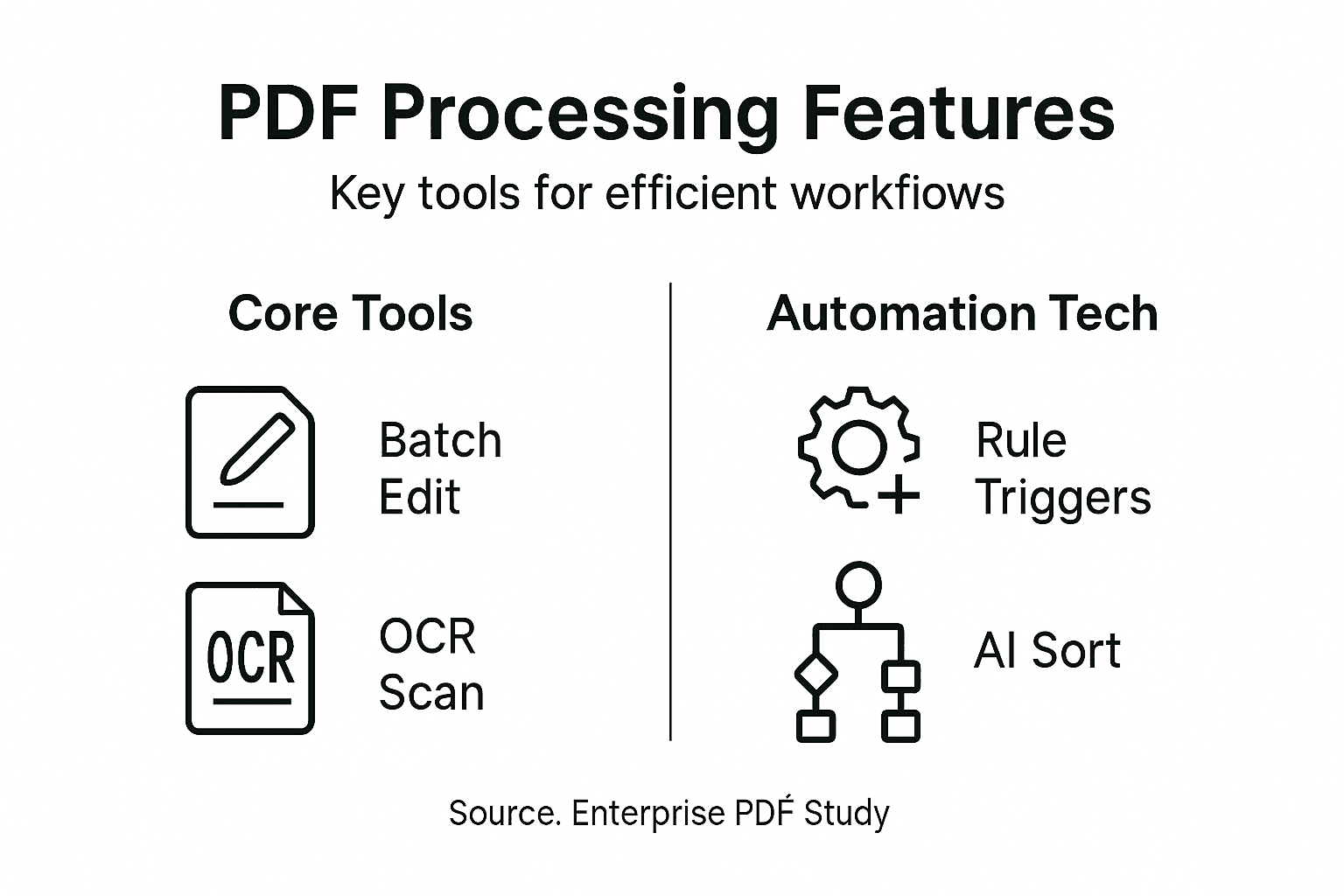
The future of document management continues to evolve, with AI-driven content curation strategies pushing the boundaries of what’s possible. Organizations now view PDF processing not as a technical function, but as a strategic capability that can unlock unprecedented levels of operational intelligence and efficiency.
Pro tip: Implement a pilot program to test advanced PDF processing features, focusing on measuring tangible productivity gains and workflow optimization.
Integrating Adobe Plug-ins and API Platforms
Enterprise PDF workflow automation demands sophisticated integration strategies that leverage powerful Adobe technologies. Modern organizations require seamless connections between document management systems, collaborative platforms, and advanced PDF processing tools to streamline complex operational workflows.
Adobe plugin development frameworks provide comprehensive mechanisms for extending and customizing PDF interactions across enterprise environments. These integration approaches typically encompass several key strategies:
- Core API Integration: Direct interaction with Adobe’s foundational PDF libraries
- Plugin Development: Custom extensions for specialized document processing
- Workflow Automation Connectors: Bridging PDF systems with enterprise platforms
- Cloud Storage Synchronization: Enabling seamless document accessibility
- Cross-Platform Compatibility: Ensuring consistent performance across different systems
Enterprise-grade plugin architectures enable organizations to transform PDF handling from a static document process into a dynamic, intelligent workflow. These systems can automatically detect, classify, route, and transform documents with minimal human intervention, creating unprecedented operational efficiency.
The integration landscape continues to evolve, with comprehensive API integration strategies providing unprecedented flexibility for enterprise document management. Organizations can now create custom solutions that seamlessly connect Adobe technologies with existing business systems, breaking down traditional technological barriers.
Pro tip: Develop a comprehensive testing strategy that validates plugin performance across multiple document types and enterprise environments before full-scale deployment.
Security, Compliance, and Risk Management
Enterprise PDF workflow automation introduces complex security challenges that demand sophisticated, comprehensive risk management strategies. Organizations must develop robust frameworks that protect sensitive information while maintaining operational efficiency and regulatory compliance.
Cybersecurity frameworks in digital enterprises reveal critical dimensions of comprehensive security management. Key strategic considerations include:
- Data Encryption: Protecting document contents at rest and in transit
- Access Control: Implementing granular user permissions and authentication
- Audit Trail Management: Tracking all document interactions and modifications
- Compliance Monitoring: Ensuring adherence to industry-specific regulations
- Threat Detection: Identifying potential security vulnerabilities proactively
Modern risk management approaches require a holistic view of document security that goes beyond traditional perimeter defenses. Enterprises must develop adaptive strategies that can respond dynamically to emerging threats and changing regulatory landscapes.
The emerging paradigm of security management emphasizes comprehensive risk mitigation strategies that integrate technological solutions with organizational policies. Successful implementations recognize that document security is not a static condition but a continuous, evolving process that requires ongoing assessment and refinement.
Pro tip: Conduct quarterly comprehensive security audits that combine automated vulnerability scanning with manual expert review to identify and address potential risks in your PDF workflow ecosystem.
Costs, Common Pitfalls, and Alternatives
Enterprise PDF workflow automation represents a significant technological investment with complex financial and operational implications. Organizations must carefully evaluate the total cost of ownership, potential challenges, and strategic alternatives before implementing comprehensive automation solutions.
Business process automation challenges reveal multiple critical considerations that enterprises must navigate. The most prevalent obstacles include:
- Implementation Complexity: Extensive technical integration requirements
- Skill Gap: Shortage of specialized automation personnel
- Initial Investment Costs: Significant upfront technology and training expenses
- Legacy System Compatibility: Challenges in integrating with existing infrastructure
- Performance Optimization: Ongoing maintenance and refinement needs
Enterprise leaders must develop strategic cost management approaches that balance technological innovation with practical financial constraints. This requires a nuanced understanding of both direct and indirect expenses associated with workflow automation initiatives.
Compare the challenges and alternative strategies for enterprise PDF automation:
| Challenge | Impact | Alternative Strategy |
|---|---|---|
| Implementation Complexity | Delays and high costs | Phased rollouts reduce risks |
| Skill Gap | Slowed adoption | Upskill staff or outsource |
| High Initial Investment | Budget constraints | Modular solutions limit upfront costs |
| Legacy System Issues | Operational disruption | Hybrid integration enhances compatibility |
| Performance Optimization Needs | Ongoing resource demands | Continuous review ensures stability |
The emerging landscape of workload automation strategies suggests multiple alternative approaches that can mitigate traditional implementation challenges. Organizations can explore hybrid models, phased implementation strategies, and modular solutions that provide greater flexibility and risk mitigation.
Pro tip: Conduct a comprehensive cost-benefit analysis that includes both quantitative metrics and qualitative organizational readiness assessments before committing to full-scale PDF workflow automation.
Streamline Your PDF Ecosystem with Mapsoft Solutions
Navigating the complexities of enterprise PDF workflow automation requires precise tools that address critical challenges like integration bottlenecks, automation opportunities, and secure document handling. This article highlights the importance of treating PDFs as dynamic assets within a strategic ecosystem to unlock efficiency and compliance. At Mapsoft, we understand these pain points and offer specialized solutions that enhance your PDF workflows through advanced automation, intelligent processing, and seamless Adobe platform integration.

Discover how our Digital Preservation solutions and bespoke Acrobat plugins can transform your document management from a manual burden into a streamlined, intelligent operation. Visit Mapsoft.com now to explore tools that enable large-scale PDF processing, secure document workflows, and customizable automation tailored for your enterprise needs. Take control of your PDF ecosystem today and experience the operational gains that come with cutting-edge Adobe technology enhancements.
Frequently Asked Questions
What is the PDF ecosystem in enterprise settings?
The PDF ecosystem refers to a complex network of document management processes that includes document creation, conversion tools, security mechanisms, archival systems, and workflow technologies, all working together to enhance operational efficiency.
How can workflow automation improve PDF processes?
Workflow automation streamlines PDF document management by reducing manual tasks, enabling intelligent routing and processing, and improving overall efficiency and accuracy within an organization.
What are some common types of PDF workflow automation?
Common types include Robotic Process Automation (RPA), hybrid workflows that combine AI and human tasks, rules-based automation, intelligent document processing, and event-driven workflows that react to specific document conditions.
What key features should I look for in advanced PDF processing tools?
Essential features include automated transcription, intelligent metadata extraction, machine learning classification, multi-format content analysis, and contextual search capabilities to optimize document interaction and management.

