

Every American IT manager knows the pressure of handling huge volumes of PDFs that pass through large enterprise systems daily. A surprising sixty percent of enterprise leaders cite manual document processes as a top barrier to efficiency. With growing demands for speed, security, and compliance, defining clear PDF document workflows is now a strategic priority. This guide breaks down essential concepts and reveals how advanced Adobe integrations and plug-ins can help you automate, optimize, and secure every stage of your enterprise document journey.
Table of Contents
- Defining PDF Document Workflows And Key Concepts
- Essential Types Of PDF Workflow Automation
- Core Steps In Enterprise PDF Processing
- Adobe Integrations: Plug-Ins And API Platforms
- Security, Compliance, And Common Pitfalls
Key Takeaways
| Point | Details |
|---|---|
| Enhancing Document Workflows | Integrating automation technologies in PDF workflows improves efficiency and reduces manual errors across organizational processes. |
| Importance of Security | Addressing security challenges with robust access controls and compliance measures is essential for protecting sensitive information. |
| Maximizing Automation Benefits | Identifying repetitive tasks suitable for automation can streamline processes and enhance operational productivity. |
| Leveraging Adobe Integrations | Custom plug-ins and APIs enable tailored PDF solutions that meet specific organizational needs and improve document management capabilities. |
Defining PDF Document Workflows and Key Concepts
PDF document workflows represent complex digital ecosystems where portable document files move systematically through organizational processes, transforming raw information into structured, actionable resources. These workflows integrate multiple technologies and human interactions to convert, manage, analyze, and distribute digital documents efficiently across enterprise environments.
At their core, PDF document workflows encompass several critical components that enable seamless information processing. These include document capture, which transforms physical or digital documents into standardized PDF formats, metadata extraction to enhance searchability and categorization, automated routing to direct documents to appropriate stakeholders, and security protocols that protect sensitive information throughout transmission. Building ethical document management frameworks requires understanding how these components interact to create dynamic, responsive information systems.
Modern PDF document workflows leverage sophisticated automation technologies that transcend traditional static file handling. Organizations can now implement intelligent systems that recognize document types, automatically apply classification rules, trigger specific business processes, and integrate with enterprise resource planning (ERP) platforms. These advanced workflows support complex tasks such as contract management, compliance documentation, financial reporting, and regulatory submissions, dramatically reducing manual intervention and potential human error.
Here’s a summary comparing the main components and strategic advantages of modern PDF workflows:
| Workflow Component | Primary Function | Strategic Benefit |
|---|---|---|
| Document Capture | Converts files to PDF format | Ensures consistency and compatibility |
| Metadata Extraction | Adds searchable info to documents | Improves classification and retrieval |
| Automated Routing | Sends files to key stakeholders | Reduces process delays and manual effort |
| Security Protocols | Protects sensitive data transfers | Ensures compliance and data integrity |
Pro tip: Implement standardized naming conventions and metadata tagging in your PDF workflows to dramatically improve document discoverability and reduce time spent searching for critical files.
Essential Types of PDF Workflow Automation
PDF workflow automation represents a strategic approach to transforming document management across enterprise environments. Organizations leverage multiple automation types to streamline complex processes, reduce manual intervention, and enhance operational efficiency. Comprehensive document workflow automation encompasses several critical categories that address different organizational needs and technological challenges.
The primary types of PDF workflow automation include auto-creation, which automatically generates standardized PDF documents from multiple source formats, document merging that consolidates multiple files into cohesive reports, and intelligent routing systems that direct documents to appropriate stakeholders based on predefined rules. These automation techniques dramatically reduce processing time, minimize human error, and ensure consistent document handling across complex organizational structures.
Advanced PDF workflow automation extends beyond basic file management, integrating sophisticated capabilities such as compliance tracking, metadata extraction, security protocol enforcement, and seamless integration with enterprise resource planning (ERP) systems. Organizations can implement intelligent workflows that automatically apply classification rules, trigger specific business processes, and maintain comprehensive audit trails. These systems support critical functions like contract management, regulatory submissions, financial reporting, and cross-departmental collaboration, transforming PDF documents from static files into dynamic, actionable business assets.
Pro tip: Conduct a comprehensive audit of your existing document processes to identify repetitive tasks that can be automated, focusing on workflows with high volume and standardized steps.
Core Steps in Enterprise PDF Processing
Enterprise PDF processing represents a sophisticated workflow that transforms unstructured documents into structured, actionable business intelligence. Document processing workflows have evolved dramatically, shifting from manual, time-consuming methods to automated systems that dramatically reduce operational complexity and increase organizational efficiency. These sophisticated approaches enable businesses to capture, analyze, and utilize critical information embedded within PDF documents with unprecedented speed and accuracy.
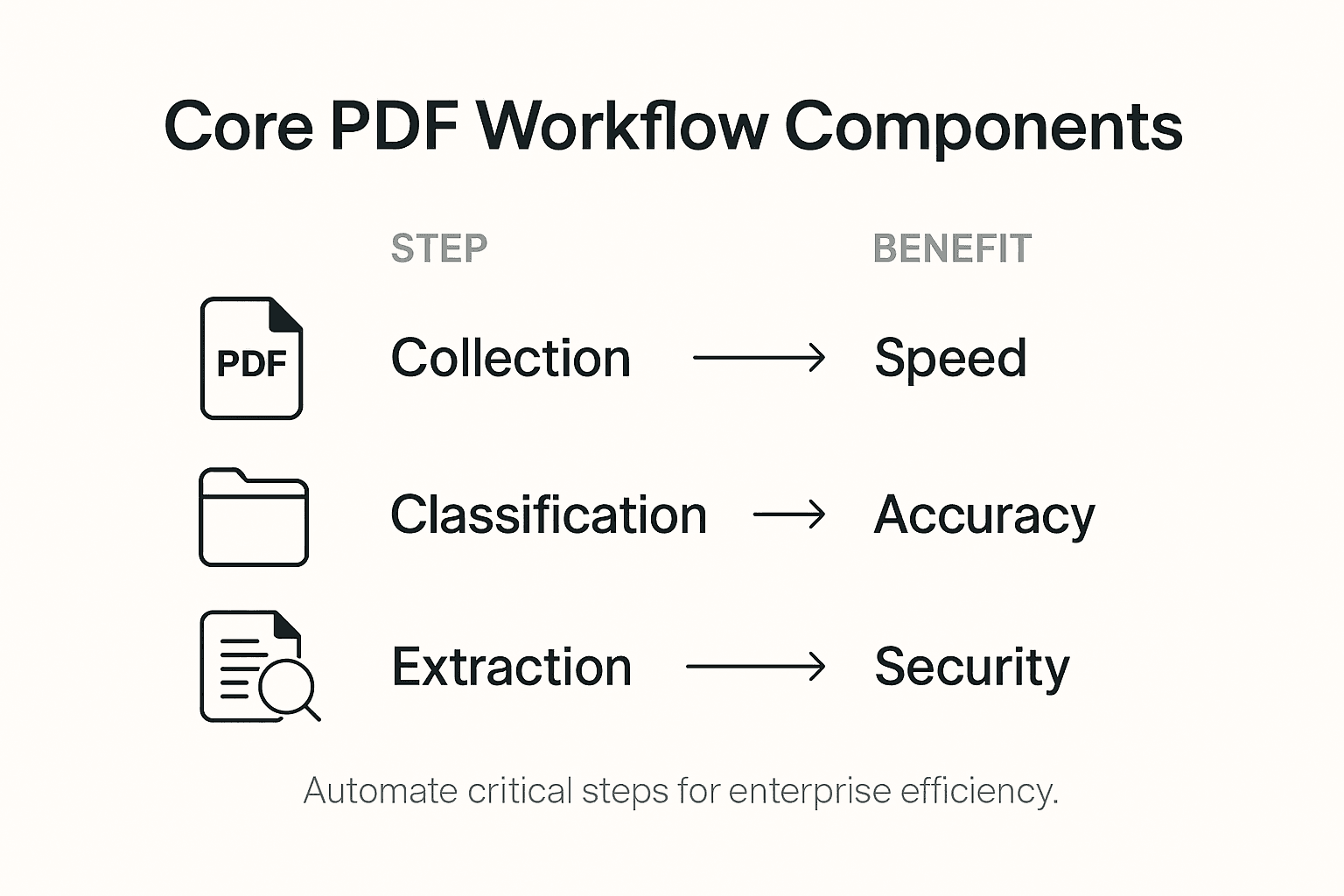
The core steps in enterprise PDF processing typically encompass five critical stages: document collection, classification, optical character recognition (OCR), structured data extraction, and system integration. Each stage plays a crucial role in transforming raw PDF documents into meaningful business data. Document collection involves gathering PDFs from multiple sources, while classification algorithms automatically categorize documents based on content, structure, and predefined rules. OCR technology then converts scanned or image-based PDFs into machine-readable text, enabling comprehensive data extraction and analysis.
Advanced enterprise PDF processing goes beyond basic text recognition, incorporating intelligent validation mechanisms, compliance checks, and seamless integration with existing business systems. Organizations can implement workflows that automatically route documents, trigger specific business processes, and maintain comprehensive audit trails. These systems support critical functions such as contract management, regulatory compliance, financial reporting, and cross-departmental collaboration, effectively transforming PDF documents from static files into dynamic, strategic business assets that drive operational efficiency and decision-making.
Pro tip: Implement a pilot program with a small subset of your document workflows to test automation strategies, allowing you to refine processes and measure potential efficiency gains before full-scale deployment.
Adobe Integrations: Plug-Ins and API Platforms
Adobe integrations represent a sophisticated ecosystem of plug-ins, APIs, and development tools that enable enterprises to extend and customize PDF processing capabilities beyond standard functionality. Adobe Developer Console documentation provides comprehensive insights into the robust framework that allows organizations to create powerful, tailored document workflow solutions, addressing complex enterprise requirements with unprecedented flexibility.

The core components of Adobe integrations include Acrobat SDK (Software Development Kit), PDF Library API, and core API platforms that empower developers to build custom plug-ins with advanced functionality. These tools support various integration strategies, including document manipulation, security enhancement, metadata management, and automated workflow creation. Enterprises can develop plug-ins that seamlessly integrate with existing business systems, enabling sophisticated PDF processing capabilities such as automated form generation, intelligent document routing, and comprehensive compliance tracking.
Enterprise-grade Adobe integrations go far beyond basic document handling, offering robust security protocols, cross-platform compatibility, and granular control over PDF interactions. Development teams can leverage these platforms to create specialized solutions that address unique organizational challenges, from complex regulatory compliance requirements to industry-specific document workflow needs. The extensibility of Adobe’s API platforms allows for deep customization, enabling businesses to transform PDF documents from static files into dynamic, intelligent assets that drive operational efficiency and strategic decision-making.
Pro tip: Conduct a comprehensive review of your organization’s specific PDF workflow requirements before developing custom plug-ins, ensuring that your integration strategy aligns precisely with existing business processes and technological infrastructure.
Security, Compliance, and Common Pitfalls
Enterprise PDF workflow security demands a sophisticated, multi-layered approach that addresses the complex landscape of digital document management. Security and privacy concerns in document workflows reveal critical challenges that organizations must navigate to protect sensitive information and maintain regulatory compliance. These challenges extend far beyond simple encryption, encompassing comprehensive risk management strategies that address technological vulnerabilities and organizational processes.
The primary security challenges in PDF workflow automation include unauthorized access, data leakage, compliance violations, and inadequate audit trails. Organizations must implement robust access control mechanisms that leverage multi-factor authentication, granular permission settings, and comprehensive user activity monitoring. Advanced encryption techniques, including end-to-end document protection and dynamic permission management, can help mitigate risks associated with sensitive document handling across distributed enterprise environments.
Compliance represents a critical dimension of PDF workflow security, requiring organizations to navigate complex regulatory frameworks such as GDPR, HIPAA, and industry-specific standards. The most common pitfalls include superficial compliance approaches that prioritize checkbox-style documentation over genuine security implementation, insufficient staff training, and inadequate technological infrastructure. Successful enterprises develop holistic compliance strategies that integrate technological solutions with comprehensive policy frameworks, continuous employee education, and adaptive security protocols that can respond dynamically to emerging digital threats.
The table below compares essential security challenges and their enterprise solutions in PDF workflows:
| Security Challenge | Organizational Risk | Effective Solution |
|---|---|---|
| Unauthorized Access | Data breaches | Multi-factor authentication |
| Data Leakage | Loss of sensitive data | End-to-end encryption |
| Compliance Violations | Regulatory penalties | Integrated compliance checks |
| Inadequate Audit Trails | Poor traceability | Detailed user activity logging |
Pro tip: Conduct quarterly comprehensive security audits of your PDF workflow systems, focusing on identifying potential vulnerabilities, reviewing access logs, and updating encryption and authentication protocols to maintain robust protection.
Unlock Seamless PDF Document Workflows with Mapsoft Solutions
Navigating the complexities of PDF document workflows can be challenging, especially when aiming to automate and secure enterprise-level processes. This article highlights key pain points such as document capture, metadata extraction, automated routing, and stringent security protocols. At Mapsoft, we understand that organizations need reliable tools to streamline PDF processing tasks like merging, splitting, and metadata management while maintaining compliance and safeguarding sensitive data.
Discover how our specialized Digital Preservation services and advanced PDF manipulation solutions empower your teams to automate repetitive tasks and reduce manual errors. Our robust https://mapsoft.com platform offers you powerful integrations, including batch workflow automation and secure document handling that align perfectly with the critical automation, security, and compliance concerns emphasized in this article.

Take control of your PDF workflows today by exploring our tailored Acrobat plug-ins and API solutions that transform static PDF files into dynamic digital assets. Visit Mapsoft.com now to accelerate your enterprise efficiency and secure your document processes for the future.
Frequently Asked Questions
What are PDF document workflows?
PDF document workflows refer to the systematic processes involving the movement and management of PDF documents within an organization, integrating technologies and human interactions to convert, analyze, and distribute documents efficiently.
How does automation improve PDF document workflows?
Automation enhances PDF document workflows by reducing manual intervention, minimizing human error, and streamlining processes such as document capture, merging, and intelligent routing, leading to increased operational efficiency.
What are the core steps in enterprise PDF processing?
The core steps in enterprise PDF processing include document collection, classification, optical character recognition (OCR), structured data extraction, and system integration, all aimed at transforming unstructured documents into actionable business intelligence.
What security measures should be considered for PDF workflows?
To ensure PDF workflow security, organizations should implement multi-factor authentication, end-to-end encryption, compliance checks, and detailed user activity logging, addressing risks such as unauthorized access and data leakage.
Recommended
- Automating Business Processes with Adobe PDF Solutions –
- Workflow Automation Services for Streamlined PDF Operations –
- Master PDF Batch Processing to Automate Document Workflows –
- Master PDF Workflow Automation for Your Business –
- How to Improve Workshop Efficiency for Diesel Injection Pros 2025 – My WordPress

