

{
“@type”: “Article”,
“image”: “https://csuxjmfbwmkxiegfpljm.supabase.co/storage/v1/object/public/blog-images/organization-3822/1765499450287_image_1765499450095.png”,
“author”: {
“url”: “https://mapsoft.com”,
“name”: “Mapsoft”,
“@type”: “Organization”
},
“@context”: “https://schema.org”,
“headline”: “Process Automation: Transforming PDF Workflows for Business”,
“imageAlt”: “Specialist automates PDF tasks in office”,
“publisher”: {
“url”: “https://mapsoft.com”,
“name”: “Mapsoft”,
“@type”: “Organization”
},
“inLanguage”: “en”,
“articleBody”: “Process automation for PDFs streamlines workflows, boosts productivity, reduces manual errors, and integrates with Adobe tools. Explore types, benefits, and risks.”,
“description”: “Process automation for PDFs streamlines workflows, boosts productivity, reduces manual errors, and integrates with Adobe tools. Explore types, benefits, and risks.”,
“datePublished”: “2025-12-12T00:31:18.539Z”
}
Over ninety percent of American companies are turning to digital workflows to cut through manual paperwork. Streamlining how documents move and are managed affects everything from day-to-day efficiency to competitive growth. If you want to know how process automation can reshape your approach to business, this guide breaks down the powerful benefits and hidden risks behind embracing automated PDF workflows.
Table of Contents
- Defining Process Automation In Digital Workflows
- Types Of Process Automation For Pdf Management
- How Automated Pdf Workflows Operate
- Key Benefits For Adobe-Based Enterprises
- Potential Risks And Common Pitfalls
Key Takeaways
| Point | Details |
|---|---|
| Process Automation Enhances Efficiency | Utilizing technology to automate repetitive tasks reduces errors and allows teams to focus on strategic initiatives. |
| Key Components Include Advanced Technologies | Effective automation relies on intelligent document recognition, rules-based processing, and seamless system integration. |
| Adobe Integration Offers Competitive Advantages | Automating workflows through Adobe technologies improves operational efficiency and enables faster decision-making. |
| Risk Management is Essential | Organizations must address integration complexities and data security risks to maximize the benefits of process automation. |
Defining Process Automation in Digital Workflows
Process automation transforms how businesses manage digital workflows by systematically converting repetitive manual tasks into streamlined, computer-controlled processes. At its core, process automation means using technology to execute recurring tasks and transactions with minimal human intervention. This approach allows organizations to reduce errors, increase efficiency, and allocate human resources toward more strategic activities.
In digital document management, process automation specifically focuses on eliminating manual PDF handling steps. Workflow automation services for PDF operations enable businesses to automatically route documents, extract critical information, validate content, and integrate data across multiple systems. These sophisticated digital workflows can handle complex tasks like automatically classifying incoming documents, routing them to appropriate departments, and triggering subsequent actions based on predefined rules.
The key components of effective process automation include intelligent document recognition, rules-based processing, seamless system integration, and real-time tracking. Businesses can leverage these capabilities to create end-to-end workflows that dramatically reduce processing time and minimize human error. By implementing robust workflow process automation strategies, companies can transform traditionally time-consuming document management into efficient, predictable digital processes that enhance overall organizational productivity.
Understanding process automation requires recognizing its strategic potential beyond simple task replacement. Modern digital workflow solutions do more than automate – they provide comprehensive insights, enable data-driven decision making, and create scalable systems that adapt to evolving business requirements. The most successful implementations view process automation not as a technological upgrade, but as a fundamental reimagining of how work gets accomplished in an increasingly digital enterprise landscape.
Types of Process Automation for PDF Management
PDF process automation encompasses several distinct approaches designed to streamline document management and enhance organizational efficiency. Document capture software represents a foundational type of automation, enabling businesses to automatically scan, import, and classify digital documents with minimal manual intervention. This technology forms the backbone of advanced digital workflow strategies, transforming how organizations handle complex document processing tasks.
The primary types of PDF process automation include batch processing, rules-based routing, intelligent document recognition, and workflow integration. Batch processing allows businesses to simultaneously handle multiple PDF documents, applying consistent transformations like merging, splitting, converting, or redacting files across entire document collections. Automating business processes with Adobe PDF solutions enables organizations to create repeatable workflows that significantly reduce manual processing time and eliminate potential human errors.
Another critical automation type involves intelligent document recognition, which uses advanced algorithms to automatically categorize, extract key information, and route PDFs based on predefined criteria. This approach goes beyond simple file handling, creating dynamic workflows that can interpret document content, validate information, and trigger subsequent actions across integrated business systems. Companies can implement these sophisticated automation strategies to transform traditionally labor-intensive document management processes into efficient, predictable digital operations.
Advanced PDF process automation also includes real-time monitoring, analytics, and compliance tracking. These systems provide comprehensive insights into document workflows, allowing businesses to identify bottlenecks, measure processing efficiency, and ensure regulatory compliance. By leveraging these automation technologies, organizations can create scalable, adaptable document management solutions that not only improve operational efficiency but also provide strategic advantages in an increasingly digital business environment.
How Automated PDF Workflows Operate
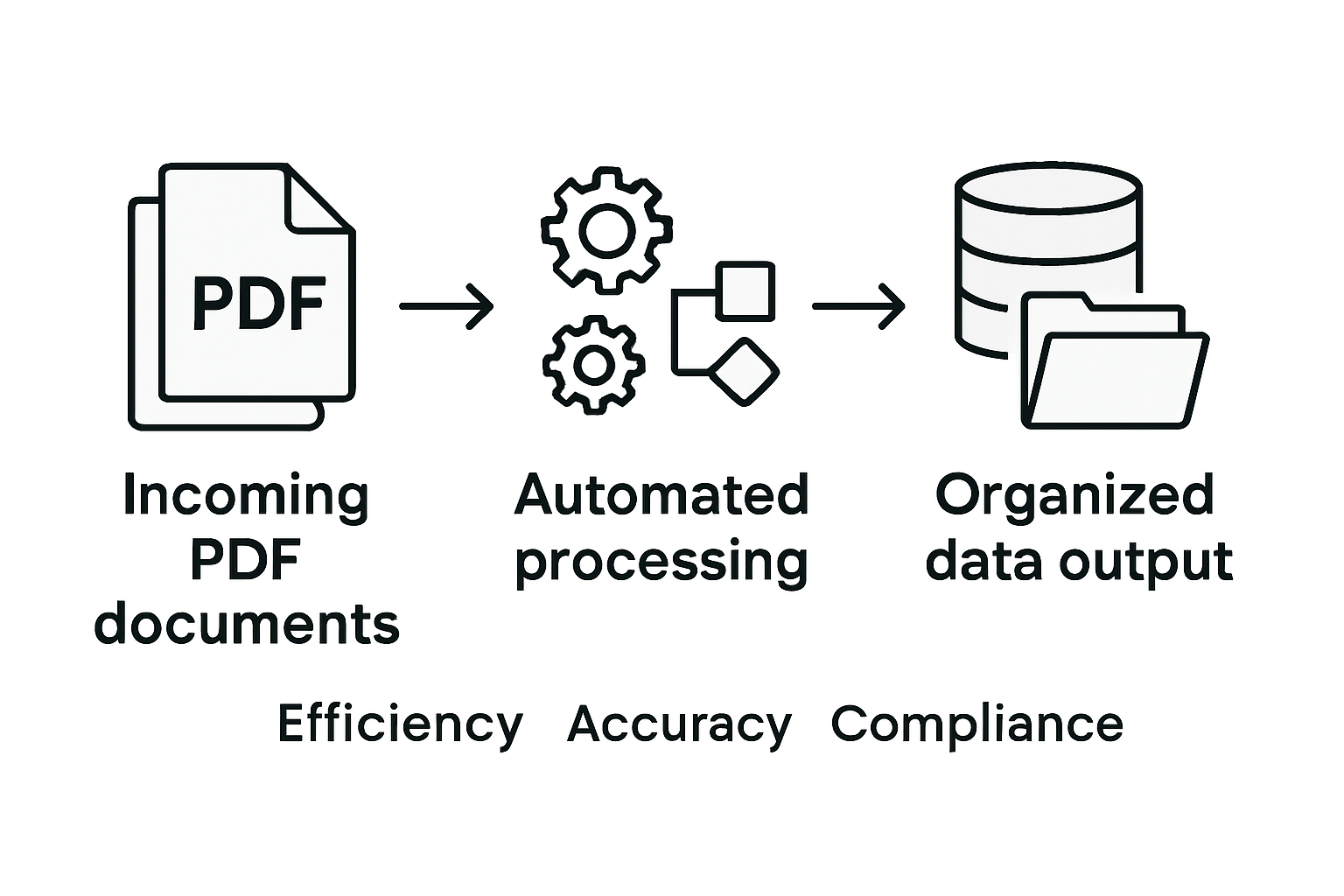
Automated PDF workflows function through a sophisticated sequence of interconnected technological processes designed to transform document management from manual to intelligent digital operations. Advanced recurrent neural networks enable these systems to process low-level PDF data with unprecedented accuracy, creating complex document transformation capabilities that go far beyond traditional file handling methods.
Master PDF workflow automation for your business typically involves a multi-stage approach that breaks down document processing into discrete, programmable steps. These stages include initial document capture, intelligent recognition, data extraction, validation, routing, and final output generation. Workflow triggers act as critical decision points, automatically determining how each document should be processed based on predefined rules, content analysis, and organizational requirements.

The operational mechanics of automated PDF workflows rely on several key technological components. Intelligent document recognition algorithms analyze PDF structure, identify specific content types, extract relevant data fields, and categorize documents without human intervention. Machine learning models continuously improve these recognition capabilities, enabling increasingly sophisticated document processing with minimal manual configuration. Businesses can implement rules that automatically route invoices to accounting, extract contract details, redact sensitive information, or convert documents into standardized formats.
Advanced PDF workflow automation goes beyond simple document processing by integrating seamlessly with existing enterprise systems. These workflows can trigger actions across multiple platforms, generate real-time analytics, ensure compliance with regulatory standards, and provide comprehensive audit trails. By transforming PDF handling from a manual, time-consuming task into an intelligent, automated process, organizations can significantly reduce operational costs, minimize human error, and accelerate overall business productivity.
Key Benefits for Adobe-Based Enterprises
Enterprise form automation represents a transformative approach for businesses leveraging Adobe technologies, offering unprecedented capabilities in document management and workflow optimization. Enterprise forms automation streamlines digital form processing, enabling organizations to achieve remarkable improvements in operational efficiency and data accuracy across complex business ecosystems.
Integrating Adobe Acrobat with enterprise systems delivers substantial strategic advantages for modern businesses. The primary benefits include dramatically reduced processing times, minimized human error, enhanced compliance tracking, and seamless information integration across multiple departments. Intelligent document workflows can automatically route critical information, extract key data points, and trigger subsequent actions without manual intervention, creating a more responsive and agile organizational infrastructure.
Adobe-based process automation provides comprehensive advantages that extend beyond simple document handling. Advanced machine learning algorithms embedded within these systems enable continuous improvement of recognition and processing capabilities. Businesses can implement sophisticated rules that automatically categorize documents, validate critical information, redact sensitive data, and generate comprehensive audit trails. These capabilities translate into tangible benefits such as reduced operational costs, improved regulatory compliance, and accelerated decision-making processes.
The strategic implementation of Adobe workflow automation fundamentally transforms how enterprises manage information. By converting manual, time-consuming tasks into intelligent, automated processes, organizations can reallocate human resources toward more strategic initiatives. The result is a more efficient, adaptable, and competitive business model that leverages technology to drive innovation and operational excellence.
Potential Risks and Common Pitfalls
Process automation technologies, while transformative, come with inherent challenges that organizations must carefully navigate. Robotic Process Automation (RPA) implementation risks can potentially undermine the very efficiency gains businesses seek to achieve, creating complex technological and operational hurdles that demand strategic management and proactive planning.
System integration complexities represent a significant potential pitfall in PDF workflow automation. Robotic process automation vulnerabilities can emerge from incompatible software architectures, leading to unexpected system breakdowns, data inconsistencies, and reduced operational reliability. Organizations must conduct comprehensive compatibility assessments, ensuring seamless communication between automated systems, legacy infrastructure, and emerging technological platforms.
Critical risks in PDF workflow automation include data security vulnerabilities, over-reliance on technological solutions, and potential loss of human oversight. Automated systems might inadvertently process sensitive information incorrectly, bypass critical validation steps, or create blind spots in compliance monitoring. Businesses must implement robust governance frameworks that maintain human intervention checkpoints, establish clear escalation protocols, and develop comprehensive monitoring mechanisms to mitigate potential automated workflow failures.
Successful process automation requires a nuanced approach that balances technological innovation with strategic human insight. Companies must invest in continuous training, develop flexible automation strategies, and maintain adaptable technological infrastructures. By anticipating potential challenges, implementing rigorous testing protocols, and maintaining a critical perspective on technological limitations, organizations can transform potential risks into opportunities for sustainable digital transformation.
Unlock Efficiency with Advanced PDF Process Automation Solutions
Facing challenges with manual PDF workflows and integration complexities can slow business momentum and heighten errors. As the article highlights, intelligent document recognition, rules-based processing, and seamless system integration are vital to transforming digital workflows. At Mapsoft, we understand these pain points and offer specialized tools designed to automate PDF handling and business processes efficiently.

Discover how our suite of Adobe Acrobat® plug-ins and the Mapsoft PDF Hub platform can eliminate repetitive tasks by enabling batch processing, document classification, and real-time workflow automation. Whether you need to merge, redact, or route PDFs automatically our solutions help you regain control and reduce operational costs today. Explore more about digital document management in our Digital Preservation – category and start transforming your workflows by visiting Mapsoft.com. Take the first step toward smarter PDF automation now.
Frequently Asked Questions
What is process automation in PDF workflows?
Process automation in PDF workflows involves using technology to systematically streamline the handling of repetitive tasks associated with digital documents, reducing manual intervention and increasing efficiency.
How does intelligent document recognition enhance PDF process automation?
Intelligent document recognition uses advanced algorithms to categorize, extract key information, and route PDFs based on predefined criteria, allowing for more efficient and accurate document processing.
What are the key benefits of automating PDF workflows for businesses?
Automating PDF workflows offers benefits such as reduced processing times, minimized human error, improved compliance tracking, and seamless integration of information across various departments.
What risks should an organization consider when implementing PDF process automation?
Organizations should be aware of potential risks like system integration complexities, data security vulnerabilities, and over-reliance on automation, necessitating robust governance frameworks and human oversight.
Recommended
- Automating Business Processes with Adobe PDF Solutions –
- Workflow Automation Services for Streamlined PDF Operations –
- Master PDF Batch Processing to Automate Document Workflows –
- Master PDF Workflow Automation for Your Business –
- How to Minimize Downtime: Efficient Diesel Injection Repairs – My WordPress

