

{
“@type”: “Article”,
“image”: “https://csuxjmfbwmkxiegfpljm.supabase.co/storage/v1/object/public/blog-images/organization-3822/1765845088144_image_1765845088054.png”,
“author”: {
“url”: “https://mapsoft.com”,
“name”: “Mapsoft”,
“@type”: “Organization”
},
“@context”: “https://schema.org”,
“headline”: “Process Automation Software: Transforming PDF Workflows”,
“imageAlt”: “Professional working on automated PDF workflow”,
“publisher”: {
“url”: “https://mapsoft.com”,
“name”: “Mapsoft”,
“@type”: “Organization”
},
“inLanguage”: “en”,
“articleBody”: “Process automation software streamlines document workflows, integrates with Adobe systems, boosts security, and reduces manual workload for enterprises.”,
“description”: “Process automation software streamlines document workflows, integrates with Adobe systems, boosts security, and reduces manual workload for enterprises.”,
“datePublished”: “2025-12-16T00:31:58.380Z”
}
Every American business leader knows that time lost to repetitive tasks adds up fast. Over 60 percent of companies say inefficient workflows drain resources and slow progress, highlighting just how critical process automation tools have become. As organizations race to modernize, understanding process automation software essentials is now a top priority for boosting productivity, reducing errors, and staying ahead in an increasingly digital world.
Table of Contents
- Defining Process Automation Software Essentials
- Types of Automation for Document Workflows
- Key Features in PDF Processing Tools
- Practical Applications in Enterprise Environments
- Integrating Automation With Adobe Technologies
- Risks, Limitations, and Best Practices
Key Takeaways
| Point | Details |
|---|---|
| Implement Process Automation | Transform repetitive tasks into automated workflows to enhance efficiency and reduce human error. |
| Conduct Workflow Audits | Assess current processes before implementing automation to identify high-impact areas for maximum ROI. |
| Integrate Advanced Technologies | Utilize AI and machine learning to improve document processing and adapt to changing operational needs. |
| Mitigate Risks Effectively | Develop robust governance models and phased implementation strategies to address potential automation challenges. |
Defining Process Automation Software Essentials
Process automation software represents a technological solution designed to transform repetitive manual tasks into streamlined, efficient digital workflows. At its core, process automation enables organizations to reduce human intervention in routine operations by creating systematic, rule-based procedures that computers can execute consistently and rapidly.
The fundamental architecture of process automation software relies on understanding complex interactions between human workers, documentation systems, and technological infrastructure. Researchers exploring continuous integration frameworks have highlighted the critical importance of creating socio-technical environments where automation complements human capabilities rather than replacing them entirely. This means effective process automation isn’t just about eliminating manual steps, but strategically redesigning workflows to maximize productivity and minimize potential errors.
Key characteristics of robust process automation software typically include:
- Ability to map existing workflows
- Rule-based decision making capabilities
- Integration with existing enterprise systems
- Scalable architectural design
- Real-time tracking and reporting mechanisms
Modern process automation platforms go beyond simple task replication. They provide sophisticated tools that can learn from historical data, predict potential bottlenecks, and recommend optimization strategies. These intelligent systems analyze performance metrics, identify inefficiencies, and suggest continuous improvement pathways.
Pro Tip – Workflow Assessment: Before implementing any process automation solution, conduct a comprehensive audit of your current workflows to identify precise areas where automation can deliver maximum value and return on investment.
Types of Automation for Document Workflows
Document workflow automation represents a sophisticated approach to digitizing and optimizing organizational processes, encompassing multiple advanced techniques designed to streamline information management. The landscape of document automation has evolved dramatically, offering businesses increasingly intelligent solutions for handling complex paperwork and digital transactions.
Systematic research on process automation reveals several critical categories of workflow automation technologies that organizations can leverage. These include Robotic Process Automation (RPA), which focuses on automating rule-based, repetitive tasks, and more advanced intelligent document processing systems that integrate artificial intelligence and machine learning capabilities.
Key types of document workflow automation include:
- Rule-Based Automation: Predefined workflows with specific trigger points and standardized processing
- Intelligent Document Processing (IDP): AI-driven systems that can extract, classify, and interpret complex document structures
- Cognitive Automation: Advanced systems capable of learning and adapting to changing document processing requirements
- Hyperautomation: Comprehensive approaches combining multiple automation technologies for end-to-end process transformation
Modern document workflow automation goes far beyond simple digitization. These sophisticated platforms can analyze document content, make intelligent routing decisions, extract critical information, and integrate seamlessly with existing enterprise systems. They transform traditional document management from a manual, error-prone process into a dynamic, intelligent ecosystem that enhances productivity and reduces operational overhead.

Here’s a summary of how different automation types address document workflow challenges:
| Automation Type | Primary Focus | Example Benefit |
|---|---|---|
| Rule-Based Automation | Predefined decisions and tasks | Ensures consistency in routing |
| Intelligent Document Processing | AI-driven data extraction and classification | Reduces manual data entry |
| Cognitive Automation | Adaptive learning for new patterns | Handles changing requirements |
| Hyperautomation | Combines multiple technologies | Enables end-to-end automation |
Pro Tip – Automation Assessment: Conduct a comprehensive workflow audit to identify repetitive, rules-based document processes that are prime candidates for immediate automation implementation.
Key Features in PDF Processing Tools
PDF processing tools have become essential for businesses seeking to optimize document management and streamline complex workflows. These sophisticated software solutions offer a comprehensive range of capabilities that transform how organizations handle digital documents, moving far beyond simple file conversion or basic editing functions.
Advanced execution frameworks for document workflows demonstrate the potential for intelligent PDF processing tools that can orchestrate complex document operations with precision and adaptability. Modern PDF processing platforms integrate multiple advanced features that enable organizations to automate, secure, and optimize their document management strategies.
Key features of robust PDF processing tools typically include:
- Batch Processing: Ability to handle multiple documents simultaneously
- Advanced Conversion: Seamless transformation between PDF and other file formats
- Security Controls: Encryption, password protection, and access management
- Metadata Management: Comprehensive editing and extraction of document metadata
- Intelligent Parsing: AI-driven content extraction and document intelligence
- Workflow Automation: Rule-based processing and intelligent routing capabilities
The most sophisticated PDF processing tools go beyond basic functionality, offering intelligent capabilities that can learn from document patterns, adapt to organizational needs, and provide deep insights into document workflows. These platforms leverage machine learning and artificial intelligence to transform document management from a mundane administrative task into a strategic organizational capability.
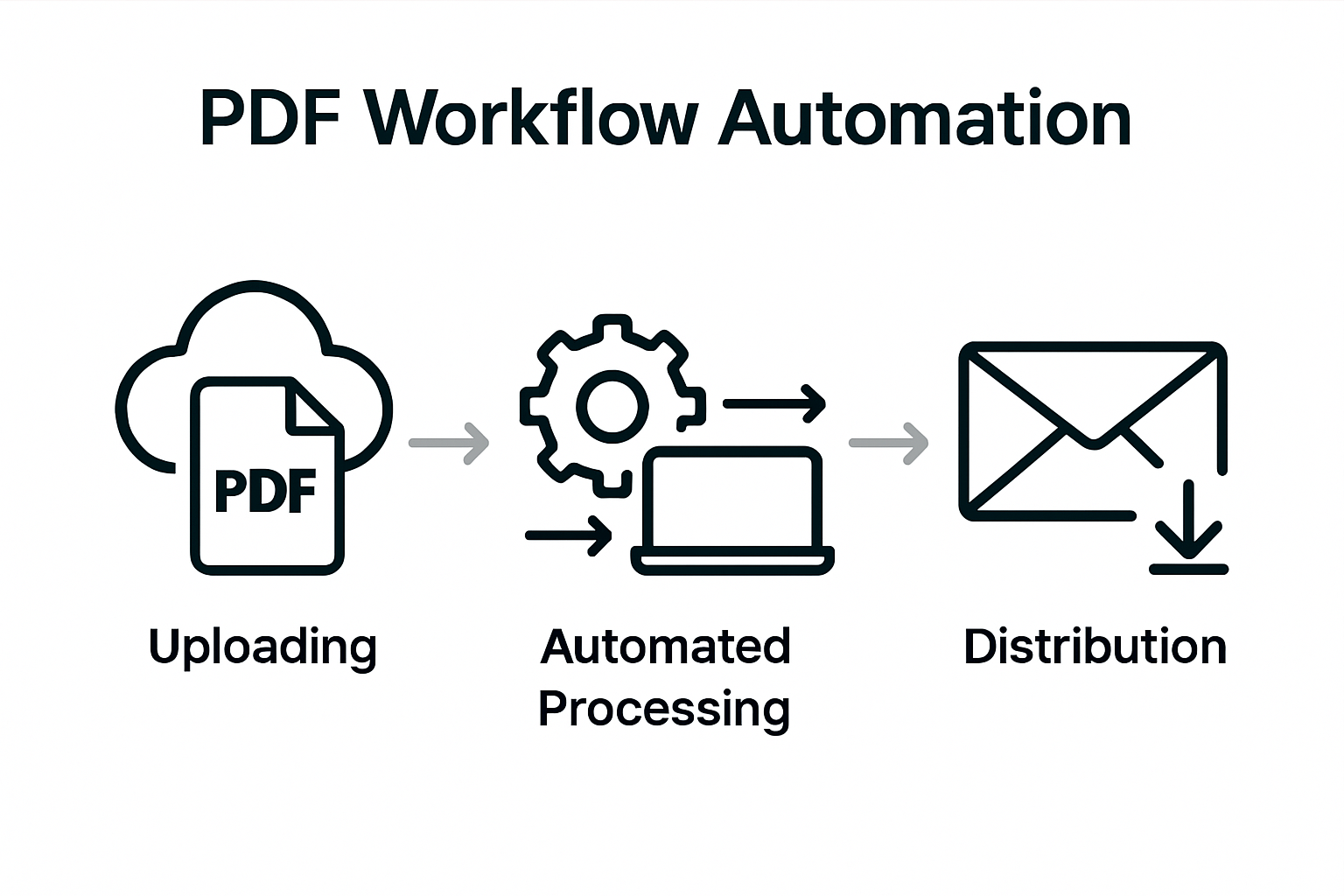
Compare key business impacts of advanced PDF processing features:
| PDF Tool Feature | Business Impact | Typical Use Case |
|---|---|---|
| Batch Processing | Saves time on repetitive document tasks | Processing large contract sets |
| Security Controls | Protects sensitive information | Handling legal documents |
| Intelligent Parsing | Extracts key data with minimal human review | Invoice data capture |
| Workflow Automation | Accelerates complex approval processes | Policy document sign-offs |
Pro Tip – Feature Evaluation: When selecting a PDF processing tool, prioritize solutions that offer flexible, scalable features that can be customized to your specific organizational workflow requirements.
Practical Applications in Enterprise Environments
Enterprise environments demand sophisticated process automation solutions that can seamlessly integrate complex document workflows across multiple departments and technological ecosystems. The ability to transform traditional paper-based processes into intelligent, automated systems has become a critical competitive advantage for modern organizations seeking operational efficiency and strategic agility.
Comparative studies of enterprise workflow automation reveal significant performance improvements when organizations leverage advanced process automation technologies, particularly in data-intensive tasks like document processing, monitoring, and extraction. These sophisticated platforms enable businesses to reduce manual intervention, minimize human error, and accelerate overall organizational productivity.
Practical applications of process automation in enterprise environments span multiple critical operational domains:
- Human Resources: Automating employee onboarding, document verification, and performance management workflows
- Finance: Streamlining invoice processing, expense reporting, and financial document routing
- Legal: Managing contract review, compliance documentation, and regulatory reporting
- Procurement: Automating purchase order generation, vendor management, and approval workflows
- Customer Service: Routing and processing customer documentation, support tickets, and communication records
The most successful enterprise implementations focus on creating interconnected automation strategies that bridge departmental silos, enabling seamless information flow and intelligent decision-making. By integrating advanced technologies like artificial intelligence and machine learning, organizations can develop adaptive workflow systems that continuously optimize themselves based on historical performance data and emerging operational requirements.
Pro Tip – Strategic Implementation: Conduct a comprehensive workflow audit before implementing process automation, identifying high-volume, repetitive tasks that offer the greatest potential for efficiency gains and return on investment.
Integrating Automation With Adobe Technologies
Adobe technologies represent a powerful ecosystem for organizations seeking to transform their document management and workflow automation strategies. By leveraging sophisticated integration techniques, businesses can create seamless, intelligent systems that dramatically enhance productivity and operational efficiency across multiple departments.
Dynamic publishing approaches enable organizations to design flexible document templates that can automatically adapt content and layout requirements, creating a foundation for more intelligent and responsive workflow automation. This integration strategy allows companies to move beyond static document processing, developing adaptive systems that can intelligently route, modify, and manage complex digital assets.
Key strategies for integrating automation with Adobe technologies include:
- Plugin Development: Creating custom extensions that enhance native Adobe functionality
- API Integration: Connecting Adobe tools with enterprise systems and databases
- Workflow Scripting: Developing automated processes using Adobe’s scripting capabilities
- Intelligent Document Processing: Implementing AI-driven extraction and classification
- Cross Platform Synchronization: Ensuring seamless data transfer between different Adobe applications
Successful integration requires a holistic approach that goes beyond technical implementation. Organizations must develop a comprehensive strategy that aligns technological capabilities with specific business objectives, ensuring that automation solutions deliver tangible value across operational workflows. This means carefully mapping existing processes, identifying optimization opportunities, and designing flexible automation frameworks that can evolve with changing business requirements.
Pro Tip – Technical Alignment: Conduct a thorough assessment of your current Adobe technology stack and identify specific integration points where custom automation can deliver the most significant performance improvements.
Risks, Limitations, and Best Practices
Process automation technologies offer transformative potential, but organizations must navigate a complex landscape of potential risks and operational challenges. Understanding these constraints is crucial for developing robust, reliable automation strategies that deliver sustainable business value.
Systematic research on robotic process automation reveals critical challenges that organizations must proactively address, including limited operational control and the need for sophisticated rollback mechanisms. These insights underscore the importance of implementing comprehensive risk management frameworks that can anticipate and mitigate potential automation failures.
Key risks and limitations in process automation include:
- Operational Unpredictability: Potential for unexpected system behaviors
- Integration Complexity: Challenges connecting diverse technological ecosystems
- Security Vulnerabilities: Potential data exposure and access control issues
- Performance Variability: Inconsistent automation execution speeds
- Scalability Constraints: Limitations in handling increasingly complex workflows
Best practices for mitigating these risks require a strategic, multifaceted approach. Organizations must develop comprehensive governance models that include continuous monitoring, rigorous testing protocols, and adaptive implementation strategies. This means creating flexible automation frameworks that can evolve dynamically, incorporating machine learning capabilities that enable systems to improve their performance and reliability over time.
Pro Tip – Risk Mitigation: Implement a staged automation rollout strategy, beginning with low-complexity processes and progressively expanding automation capabilities while maintaining robust human oversight and intervention mechanisms.
Unlock Seamless PDF Workflow Automation with Mapsoft Solutions
The challenges of transforming PDF workflows through process automation require powerful and adaptable tools that can handle everything from batch processing to intelligent parsing. If your organization faces the task of converting, editing, securing, and automating documents while ensuring integration with existing systems, then Mapsoft’s specialized solutions built around Adobe technologies are the right fit. Our expertise directly addresses key pain points such as workflow mapping, rule-based decision-making, and scalable automation frameworks for high-volume, repetitive PDF tasks.

Explore our Digital Preservation offerings and discover how Mapsoft’s advanced PDF Hub platform transforms complex document management. Don’t wait to enhance security, reduce manual entry, and accelerate approvals. Visit Mapsoft.com now to see how we tailor plug-ins and API solutions that maximize your investment in Adobe Acrobat and Creative Cloud. Empower your enterprise workflows today and experience automation with precision and reliability.
Frequently Asked Questions
What is process automation software?
Process automation software is a technological solution that transforms repetitive manual tasks into streamlined, efficient digital workflows, reducing human intervention by creating systematic, rule-based procedures.
How can document workflow automation benefit my organization?
Document workflow automation can enhance productivity by streamlining information management processes, reducing manual errors, and providing intelligent systems for handling complex paperwork and digital transactions.
What are the key features to look for in PDF processing tools?
Key features include batch processing, advanced conversion capabilities, security controls, metadata management, intelligent parsing, and workflow automation functionalities.
How can I integrate process automation with Adobe technologies?
Integration can be achieved through plugin development, API integration, workflow scripting, intelligent document processing, and cross-platform synchronization, aligning technological capabilities with specific business objectives.
Recommended
- Automating Business Processes with Adobe PDF Solutions –
- Workflow Automation Services for Streamlined PDF Operations –
- Master PDF Batch Processing to Automate Document Workflows –
- Master PDF Workflow Automation for Your Business –
- How to Improve Workshop Efficiency for Diesel Injection Pros 2025 – My WordPress

