
Processing thousands of PDF files every day can turn even the most robust enterprise systems into productivity bottlenecks. As finance, HR, and operations teams rely on document routing and data extraction, manual efforts slow critical workflows and increase the risk of errors. Embracing Robotic Process Automation (RPA) overhauls this challenge, delivering round-the-clock precision and freeing skilled staff for strategic work. Discover how advanced automation and AI integration allow your organization to optimize every stage of PDF workflow management, enhancing efficiency and compliance across large-scale business environments.
Table of Contents
- Automation In Pdf Workflow Management
- Types Of Pdf Automation Solutions
- Essential Features For Enterprise Integration
- Real-World Applications And Case Studies
- Risks, Costs, And Common Pitfalls
Key Takeaways
| Point | Details |
|---|---|
| Robotic Process Automation (RPA) Revolutionizes Workflows | RPA automates repetitive PDF tasks, reducing processing time and errors significantly while freeing staff for strategic tasks. |
| AI Integration Enhances Efficiency | AI-driven solutions adapt to various document formats and improve extraction accuracy, solving limitations faced by traditional RPA. |
| Real-World Results Demonstrate Impact | Implementing automation in finance, healthcare, and legal sectors has yielded substantial time savings, reduced error rates, and increased operational efficiency. |
| Careful Implementation is Crucial | Planning, integration with existing systems, and change management are essential to successfully deploy PDF automation solutions. |
Automation in PDF Workflow Management
PDF workflows consume enormous amounts of IT resources in large enterprises. Document routing, form processing, and data extraction happen thousands of times daily across finance, HR, and operations teams. Manual handling creates bottlenecks, errors, and missed deadlines.
Robotic Process Automation (RPA) changes this equation entirely. RPA handles repetitive PDF tasks at machine speed, processing documents 24/7 without fatigue or mistakes. When you implement RPA for PDF workflow tasks, your teams shift from data entry to strategic work.
How RPA Works in PDF Environments
RPA bots follow predefined rules to execute PDF operations automatically. They read document content, extract structured data, validate against business rules, and route files to the correct departments or systems. No human intervention required.
Key operations RPA handles effectively:
- Extracting customer information from intake forms
- Validating required fields before processing
- Routing documents to appropriate approval queues
- Populating backend systems with extracted data
- Flagging documents that require manual review
- Generating audit trails for compliance
AI-Enhanced Automation Takes It Further
Traditional RPA has limits. It struggles with unstructured documents or format variations. AI integration solves this problem. Machine learning models can understand document context, extract information from varied layouts, and adapt to new document types without rule updates.
Advanced AI approaches like structured workflow generation from documents automatically identify procedural steps within PDFs and create repeatable workflows. Your system learns patterns from existing documents and applies them to new submissions instantly.
This means:
- No manual rule creation for each document variant
- Faster adaptation to new business processes
- Higher accuracy on complex, unstructured documents
- Reduced maintenance as processes evolve
Real Impact on Your Operations
Enterprise implementations show measurable results. Processing speed increases 300-500% when automation handles document intake. Error rates drop from 2-3% in manual processing to under 0.1% with RPA. Your finance team processes vendor invoices in hours instead of days.
HR departments approve leave requests instantly. Operations teams route maintenance forms automatically. Compliance departments maintain perfect audit trails without additional effort.
Automation doesn’t replace your team—it frees them from repetitive tasks. Your people focus on exceptions, client relationships, and strategic initiatives.
Implementation Considerations
Successful deployment requires careful planning. Identify processes with high volume, minimal exceptions, and stable rules first. These are your quick wins. Start with current PDF workflows before expanding to new ones.
Integration with existing systems matters significantly. Your automation platform must connect to your enterprise resource planning systems, document management repositories, and approval workflows seamlessly.
Pro tip: Map your highest-volume PDF processes before selecting an automation solution. This prevents overengineering and ensures rapid ROI—processes handling 100+ documents daily typically pay for automation solutions within 3-6 months.
Types of PDF Automation Solutions
Not all PDF automation tools deliver equal results. Your choice depends on document complexity, extraction requirements, and integration needs. Enterprise teams must evaluate solutions based on real-world performance across your specific document types.
PDF automation solutions fall into distinct categories. Each addresses different workflow challenges and excels in particular scenarios. Understanding these categories helps you select the right tool for your operation.
Rule-Based Automation Systems
Rule-based systems execute predefined logic on PDF documents. You specify extraction patterns, validation rules, and routing logic. The system follows your rules consistently on every document.
These solutions work best for:
- Highly structured documents with consistent layouts
- Simple field extraction from forms
- Basic document classification and routing
- High-volume, low-complexity processing
Rule-based approaches are fast and predictable. They require minimal setup for straightforward tasks. However, they struggle when documents vary in layout or contain unstructured content. One format change breaks your rules.
Intelligent Extraction Tools
Intelligent extraction uses machine learning to understand document structure. These systems learn from examples rather than relying on rigid rules. They adapt to layout variations and extract data accurately from diverse document formats.

Comparative studies of PDF parsing tools show that cognitive-based extraction systems and advanced parsers significantly outperform traditional rule-based approaches. The performance gap widens with complex scientific and financial documents containing tables, charts, and mixed layouts.
Intelligent tools handle:
- Variable document formats and layouts
- Complex table and data extraction
- Unstructured content recognition
- Continuous learning and improvement
These solutions require training data but deliver superior accuracy on complex documents. Your finance and operations teams see dramatic improvements in extraction accuracy and processing speed.
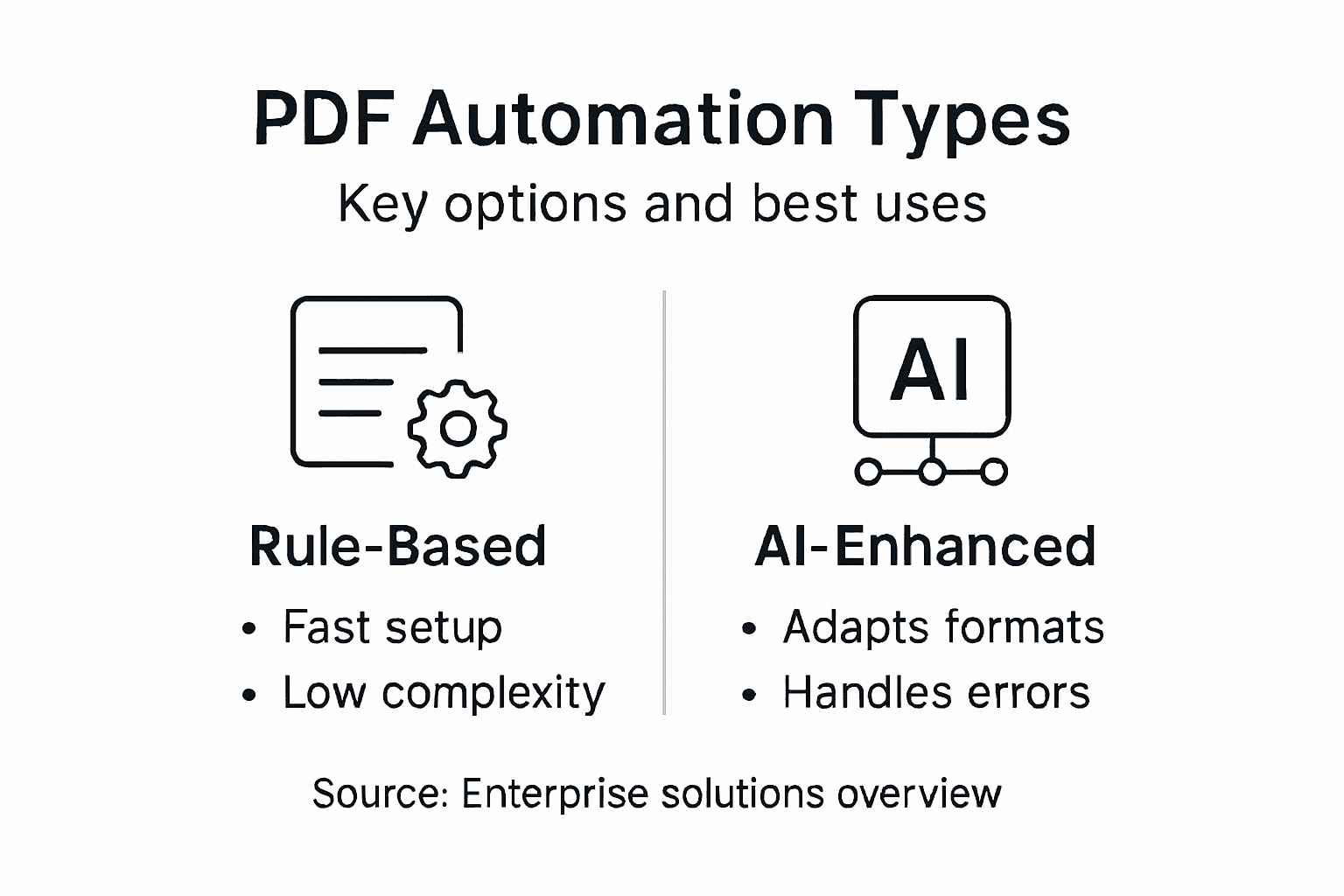
Here’s how major PDF automation solution types compare:
| Solution Type | Best For | Adaptability | Implementation Effort |
|---|---|---|---|
| Rule-Based | Consistent forms, simple logic | Low—breaks with format change | Minimal setup for basic cases |
| Intelligent Extraction | Varied or complex documents | High—learns from new layouts | Requires training data |
| API-Based Platforms | Large-scale or real-time intake | Flexible via integrations | Moderate; needs system links |
| Hybrid/AI-Enhanced | Mixed or evolving processes | Very high, adapts over time | Highest; combines multiple tech |
API-Based Automation Platforms
Modern PDF automation operates through APIs, allowing seamless integration with your enterprise systems. API platforms enable batch processing, real-time document handling, and custom workflow orchestration.
Platform-based solutions provide:
- Scalable processing for high-volume operations
- Integration with existing enterprise applications
- Batch workflow capabilities for scheduled processing
- Real-time monitoring and audit trails
API platforms handle security, compliance, and infrastructure concerns. Your teams focus on workflow logic, not system maintenance.
Hybrid and AI-Enhanced Solutions
The most capable solutions combine multiple technologies. They use rule-based logic for predictable sections, AI extraction for variable content, and human review queues for edge cases.
Hybrid systems deliver:
- Maximum accuracy across diverse document types
- Adaptive processing that improves over time
- Reduced manual review requirements
- Better handling of exceptions and variations
The right automation solution matches your document complexity and processing volume. Overengineering wastes budget; underengineering leaves errors and delays.
Selecting Your Solution
Evaluate solutions by testing them against your actual documents. Process 100 samples through each platform and compare extraction accuracy, processing speed, and integration effort.
Consider these factors:
- Document variety in your current workflows
- Required extraction accuracy percentages
- Integration complexity with your systems
- Long-term scalability for volume growth
- Support and maintenance requirements
Pro tip: Test automation solutions on your actual documents before commitment. Vendors’ demo documents rarely reflect real-world complexity; your finance invoices and intake forms are your true benchmark for performance.
Essential Features for Enterprise Integration
Enterprise PDF automation only works when it connects seamlessly to your existing systems. Standalone tools create silos. Your solution must integrate with ERP platforms, CRM systems, document management repositories, and business intelligence tools.
The right integration capabilities transform PDF automation from a nice-to-have into a competitive advantage. Without them, you’re moving data manually between systems—defeating the entire purpose of automation.
API-First Architecture
Your automation platform must expose robust APIs for real-time integration. API-first design allows your development teams to connect PDFs directly into custom workflows. REST APIs, webhook support, and standardized data formats enable rapid integration with any system.
API capabilities include:
- Real-time document submission and processing
- Batch operations for scheduled workflows
- Webhook callbacks for event-driven automation
- Authentication and authorization controls
- Rate limiting and scalability for enterprise volumes
Without APIs, you’re limited to manual uploads and downloads. Your teams waste hours moving files between applications.
Standardized Data Exchange Formats
Successful enterprise integration requires standardized data exchange support across systems. Your platform must handle JSON, XML, and CSV formats natively. This ensures seamless data flow between your PDF automation and downstream business systems.
Data format support enables:
- Direct mapping to ERP field requirements
- Compatibility with legacy system connections
- Standardized metadata handling
- Cross-platform data validation
When formats don’t align, integration stalls. Your finance team’s invoice automation fails because extracted data won’t fit your accounting system’s input format.
Real-Time Analytics and Monitoring
Analytics dashboards track automation performance across your entire operation. Real-time monitoring shows processing volumes, success rates, error frequencies, and bottlenecks. Your IT team identifies problems before users notice delays.
Monitoring capabilities include:
- Live processing status and queue depth
- Accuracy metrics and quality indicators
- Performance trends and capacity planning data
- Exception tracking and root cause analysis
Without visibility, you’re flying blind. Problems cascade before anyone realizes the system is struggling.
Security and Compliance Framework
Enterprise security isn’t optional. Your automation platform must support GDPR, HIPAA, and industry-specific compliance requirements. This includes encryption, audit trails, access controls, and data retention policies.
Required security features:
- End-to-end encryption for documents and data
- Role-based access controls
- Comprehensive audit logging
- Data residency and sovereignty compliance
- Regular security assessments and certifications
Compliance failures create legal exposure. Your organization cannot afford security gaps in document processing.
Flexible Deployment Models
Your team needs deployment options matching your infrastructure strategy. Cloud, on-premises, or hybrid deployments should all be supported. This allows you to place sensitive documents where required while scaling non-sensitive processing in the cloud.
Deployment flexibility supports:
- Cloud SaaS for rapid scaling
- On-premises for strict security requirements
- Hybrid architectures for mixed workloads
- Container support for Kubernetes environments
Integration capabilities determine whether automation succeeds or fails. A powerful automation engine delivering extracted data to incompatible systems creates waste, not productivity.
System Interoperability Testing
Before committing to a platform, validate integration with your specific systems. Request sandbox access and test workflows connecting to your actual ERP, CRM, and document management tools. Real integration testing prevents costly surprises after deployment.
Pro tip: Demand comprehensive API documentation and sandbox environments before purchasing. Request references from organizations using the platform with your specific systems—they provide honest feedback on integration complexity and real-world performance.
Real-World Applications and Case Studies
Theory only matters if it works in practice. Enterprise PDF automation delivers measurable results across finance, healthcare, legal, and operations departments. Real-world deployments show exactly what’s possible when you implement the right solutions.
These case studies demonstrate proven outcomes your organization can replicate. Specific results matter more than vendor promises.
Financial Services: Invoice Processing at Scale
A major financial services company processes 50,000 invoices monthly from hundreds of vendors. Manual data entry took 400 hours per month. Invoice formats varied wildly—some scanned images, others native PDFs, many with embedded tables.
Deploying intelligent PDF automation cut processing time to 60 hours monthly. Extraction accuracy improved from 94% to 99.2%. Accounts payable staff shifted from data entry to exception handling and vendor relationship management.
Results:
- Processing time reduced by 85%
- Error rate dropped from 6% to 0.8%
- Cost per invoice fell from $3.20 to $0.48
- Early payment discounts captured worth $280,000 annually
Healthcare: Patient Onboarding Workflows
A regional healthcare network processes 15,000 new patient registrations annually. Each registration required manual form completion, manual document verification, and manual data entry into electronic health records. Processing took 3-5 business days per patient.
AI-driven document automation improvements in healthcare enabled automatic form classification, field extraction, and direct EHR integration. Same-day patient onboarding became standard.
Outcomes:
- Patient onboarding time reduced from 3-5 days to 2 hours
- Administrative staff reallocated to patient support roles
- Compliance violations dropped to zero
- Patient satisfaction increased 23% from faster processing
Legal: Contract Review and Compliance
A professional services firm reviews hundreds of contracts monthly. Paralegals manually extracted key terms—effective dates, payment amounts, liability clauses, renewal terms. This tedious work took 4-6 hours per contract.
Contract processing automation delivers faster workflows with enhanced accuracy. Intelligent PDF automation extracts all key terms, flags non-standard clauses, and compares against templates automatically.
Results achieved:
- Contract review time cut from 4-6 hours to 15 minutes
- Standard clause identification 100% accurate
- Risk flagging accuracy improved to 98%
- Annual labor savings exceeded $400,000
Operations: Expense Report Processing
A global corporation with 5,000 employees processes 40,000 expense reports annually. Finance teams manually reviewed receipts, extracted amounts, categorized expenses, and entered data into accounting systems. Approval cycles took 2-3 weeks.
PDF automation with approval workflow routing compressed the entire process to 3-5 days. Employees receive reimbursement faster. Finance gains audit trails and compliance documentation automatically.
Below is a summary of automation ROI improvements found in real-world deployments:
| Industry | Pre-Automation Challenge | Measured Outcome | Key Benefit Realized |
|---|---|---|---|
| Financial | High manual invoice workload | 85% less processing time | $280k/year in discounts captured |
| Healthcare | Multi-day patient onboarding | Onboarding in 2 hours | 23% patient satisfaction increase |
| Legal | Tedious contract review process | Review time cut to 15 minutes | $400k annual labor savings |
| Operations | Slow expense approvals | Approval in 3-5 days | Faster reimbursement; audit trail |
Real-world deployments prove automation’s value through measurable metrics—time saved, errors eliminated, costs reduced. These aren’t theoretical benefits; they’re operational realities.
Implementation Patterns Across Industries
Successful deployments share common patterns:
- Start with highest-volume, lowest-exception processes
- Measure baseline performance before implementation
- Include teams in design to capture edge cases
- Deploy to pilot group first; expand based on results
- Monitor continuously and refine workflows
Pro tip: Request detailed case studies from your prospective automation vendor, specifically matching your industry and document types. Ask for client references you can contact independently—their honest feedback about implementation complexity and timeline accuracy matters far more than vendor marketing claims.
Risks, Costs, and Common Pitfalls
PDF automation delivers real returns, but only when implemented carefully. Organizations rushing deployments face costly failures. Hidden costs emerge after launch. Security vulnerabilities create compliance exposure. Your success depends on understanding what can go wrong.
Many automation projects fail not from technology limitations, but from poor planning and execution. Learning from these pitfalls prevents expensive mistakes.
Automating Broken Workflows
The biggest mistake organizations make is automating inefficient processes. If your manual workflow includes unnecessary steps, duplicate reviews, or redundant approvals, automation amplifies those problems at scale.
Automation doesn’t fix broken processes. It accelerates them.
Before deploying automation:
- Map your current workflow completely
- Identify unnecessary steps and eliminate them
- Streamline before automating
- Document the ideal process, not the current one
Automating a wasteful 10-step process creates a faster wasteful process. Your team ends up frustrated with expensive technology delivering the same poor results, just quicker.
Data Quality Issues
Poor data quality sabotages automation projects. Common automation pitfalls include ignoring data quality, which undermines extraction accuracy and downstream system reliability. Garbage in equals garbage out, regardless of automation sophistication.
Before implementing automation, audit your data:
- Measure current data accuracy rates
- Identify common data entry errors
- Establish data quality standards
- Plan data cleansing before automation
If your source documents contain inconsistent formatting, missing required fields, or errors, automation fails or requires constant manual intervention. Your expected 80% automation rate becomes 40%.
Hidden Implementation Costs
Vendor pricing quotes rarely include total ownership costs. Hidden expenses accumulate quickly.
Common cost drivers:
- Integration work with existing systems
- Staff training and change management
- Ongoing maintenance and monitoring
- Custom workflow development
- Data migration and cleansing
- Compliance and security enhancements
Plan for implementation costs exceeding software licensing by 200-300%. A $50,000 software purchase often requires $100,000-$150,000 in implementation services.
Insufficient Change Management
Your teams resistance kills automation adoption. Employees worried about job security or overwhelmed by new processes reject the system, whether consciously or through passive resistance.
Change management requirements:
- Clear communication about job impacts
- Comprehensive training before launch
- Gradual rollout with pilot groups
- Feedback loops and continuous improvement
- Recognition for successful adoption
Without addressing people concerns, your $200,000 automation investment sits unused while teams continue manual processes.
Security and Compliance Gaps
Intelligent automation risks include data privacy breaches and cybersecurity vulnerabilities requiring integrated risk management. Moving sensitive documents through automated workflows increases exposure if security controls are inadequate.
Security considerations:
- Encryption for documents in transit and at rest
- Access controls and audit logging
- Compliance with industry regulations
- Regular security assessments
- Vendor security certifications
Automation failures typically aren’t technology failures. They’re planning failures, change management failures, or governance failures. Technical solutions can’t fix organizational problems.
Fragmented Oversight and Monitoring
Automation projects without clear ownership fail. No single person accountable means no one tracks problems or ensures continuous improvement.
Define clear governance:
- Executive sponsor for strategic alignment
- Project manager for implementation
- Operations lead for day-to-day monitoring
- Security officer for compliance oversight
Pro tip: Build a 6-month post-implementation support plan before launch. Most automation projects fail 3-6 months after deployment when initial enthusiasm fades and operational issues emerge without dedicated attention. Assign a dedicated team to monitor performance, troubleshoot issues, and refine workflows during this critical period.
Unlock Seamless PDF Workflow Automation with Mapsoft
The article highlights the challenges of managing high-volume PDF workflows prone to errors, slow processing, and manual bottlenecks. If you are seeking to eliminate repetitive tasks like document routing, data extraction, and validation within your PDF processes, understanding how automation and AI transform these workflows is crucial. Mapsoft offers cutting-edge solutions precisely designed to address these pain points by automating PDF handling with unparalleled accuracy and scalability.

Experience the power of PDF workflow automation tailored for enterprises that demand efficiency and reliability. With Mapsoft PDF Hub’s ability to convert, edit, secure, and automate PDF processes via a comprehensive web and API platform, your teams can focus on strategic work instead of manual data entry. Start your journey to faster, error-free document processing today by exploring Mapsoft’s complete suite of Adobe-enhanced products and services. Don’t wait for inefficiencies to hold your business back – transform your PDF workflows now.
Frequently Asked Questions
What is RPA in PDF workflow management?
Robotic Process Automation (RPA) is a technology that automates repetitive tasks in PDF workflow management, allowing for document processing at machine speed without human intervention.
How does AI enhance PDF automation?
AI enhances PDF automation by enabling systems to understand unstructured documents and adapt to new layouts over time, improving extraction accuracy and reducing the need for manual rule updates.
What are the benefits of implementing PDF automation solutions?
Implementing PDF automation solutions can lead to significant benefits, including faster processing times, reduced errors, and lower operational costs, allowing teams to focus on strategic work instead of repetitive tasks.
What types of PDF automation solutions exist?
There are several types of PDF automation solutions, including rule-based systems for structured documents, intelligent extraction tools for variable formats, API-based platforms for integration, and hybrid systems that combine multiple technologies for enhanced accuracy.
Recommended
- Enhancing Business Productivity with PDFs: Automated Workflows That Drive Results –
- Business Automation Workflow: Maximizing PDF Efficiency –
- Process Automation: Transforming PDF Workflows for Business –
- Process Automation Software: Transforming PDF Workflows –
- Unlocking Efficiency: How Business Process Automation Reduces Costs and Boosts Productivity | Singleclic