
Every IT manager knows the frustration of searching for critical documents buried deep within endless PDF archives. Managing thousands of files without structured metadata drains time and causes compliance headaches, especially when each PDF holds vital but hidden details about authorship, security, and workflow history. By mastering document metadata in Adobe PDF files, you empower your enterprise to search, secure, and automate PDF workflows, ensuring faster access, better organization, and stronger regulatory compliance across all your systems.
Table of Contents
- Defining Adobe PDF Metadata And Its Role
- Types Of PDF Metadata And Their Distinctions
- Managing Metadata Within Enterprise Workflows
- Security Risks And Compliance Implications
- Best Practices And Alternatives For Metadata Handling
Key Takeaways
| Point | Details |
|---|---|
| Importance of Metadata | Adobe PDF metadata enhances document searchability, security, and organizational efficiency in enterprise workflows. |
| Types of Metadata | Understanding different metadata types helps prioritize for better document management and compliance tracking. |
| Workflow Integration | Embedding metadata management throughout document lifecycles reduces manual work and improves overall compliance. |
| Security Considerations | Hidden metadata can pose liability risks; regular audits and sanitization are essential for compliance and data protection. |
Defining Adobe PDF Metadata and Its Role
Adobe PDF metadata is the hidden information embedded within your PDF files that describes and organizes document content. Think of it as a digital filing system built directly into every PDF—it tracks who created the document, when it was modified, what it contains, and how it should be handled across your enterprise systems.
Metadata serves multiple critical functions in enterprise workflows:
- Document identification: Title, author, subject, and keywords that make PDFs searchable and sortable
- Rights management: Tracks ownership, usage restrictions, and security permissions
- Workflow automation: Enables routing, version control, and compliance tracking
- System interoperability: Allows different enterprise applications to read and process the same metadata standards
Your PDFs contain more than just visible text and images. Document properties in PDF files include foundational metadata that controls searchability, security, and organizational efficiency across your entire document management system.
Adobe uses standardized metadata frameworks to ensure consistency:
Here’s how major PDF metadata frameworks compare:
| Framework | Origin & Use Case | Metadata Structure | Enterprise Benefit |
|---|---|---|---|
| XMP | Adobe open standard | Flexible XML fields | Consistent integration across tools |
| Dublin Core | International library science | 15 core data elements | Supports global search standards |
| IPTC | Media and publishing industry | Rich descriptive fields | Ideal for multimedia workflows |
- XMP (Extensible Metadata Platform): Adobe’s open standard for storing metadata
- Dublin Core: International standard for document description
- IPTC: Professional standard used in publishing and media workflows
These standards matter because they allow your IT infrastructure to read PDF metadata consistently, regardless of which application created the file or which tool processes it next.
Without proper metadata, PDFs become invisible to your enterprise search tools, compliance systems, and automation workflows. They’re essentially orphaned documents floating through your network.
Why does this matter to you as an IT manager? Your organization likely processes thousands of PDFs monthly. Without metadata, each document requires manual handling—someone has to open it, read it, and route it manually. With proper metadata, your systems can automatically categorize, secure, distribute, and archive these files without human intervention.
Metadata enables three core enterprise needs: organization (finding documents quickly), security (controlling who accesses what), and compliance (proving proper document handling for audits and regulations).
Pro tip: Start by auditing your current PDF collection for missing or inconsistent metadata. Most enterprises discover that 40-60% of their existing PDFs lack proper metadata, creating immediate opportunities for workflow optimization.
Types of PDF Metadata and Their Distinctions
PDF metadata comes in several distinct types, each serving different purposes in your enterprise workflows. Understanding these categories helps you know which metadata to prioritize when organizing and securing your document systems.
The main metadata categories break down like this:
- Description metadata: Title, author, subject, and keywords that identify and describe the document
- Security metadata: Encryption settings and permission controls that protect sensitive information
- Font metadata: Lists which fonts are embedded in the PDF for consistent rendering
- Initial View metadata: Controls how the document appears when opened (zoom level, page display)
- Custom metadata: User-defined fields that you create for specific business needs
Each type plays a different role in your document lifecycle. Document properties in Acrobat include creation and modification dates that track when documents were created and last changed, providing crucial audit trails for compliance purposes.

Description metadata is your searchability foundation. When you embed proper titles, authors, subjects, and keywords, your enterprise search tools can instantly locate PDFs without opening each file. This alone can reduce document retrieval time by 75% compared to manual searching.
Security metadata protects your sensitive information. These properties control whether users can print, copy text, or modify the document. They also track encryption standards applied to the file.
Different metadata types serve different masters. Description metadata serves searchability, security metadata serves protection, and custom metadata serves your unique business processes.
Font metadata ensures visual consistency. When a PDF specifies which fonts it uses, any system opening that file displays it correctly, even if those fonts aren’t installed locally. Without this, documents can look completely different on different computers.
Custom metadata is where enterprise workflows really shine. You can create fields like “Department,” “Project Code,” or “Compliance Status” that match your specific organizational needs. These fields become powerful filtering tools in your document management system.
Initial View metadata improves user experience. You can configure PDFs to open at specific zoom levels or show bookmarks automatically, making documents easier to navigate without user intervention.
Pro tip: Create a metadata template for your most common document types. Most enterprises save 10-15 hours per week by standardizing metadata across similar documents rather than entering information manually each time.
Managing Metadata Within Enterprise Workflows
Metadata management isn’t a one-time task. It’s an ongoing process embedded throughout your document lifecycle, from creation through archival. Smart enterprises capture and standardize metadata early, before documents enter the system, saving countless hours of manual cleanup later.
The key is building metadata into your workflow at strategic points:
- At creation: Authors embed basic metadata (title, author, subject) when the document is first created
- During review: Additional metadata (department, project code, confidentiality level) gets added as documents move through approval chains
- Before distribution: Final metadata validation ensures consistency before documents reach end users
- During storage: Automated systems track modification dates and access logs as metadata evolves
Modern enterprise workflows embed metadata management early in document lifecycles, capturing structured metadata such as author identifiers and keywords during submission phases. This approach prevents the chaos of having thousands of undocumented PDFs scattered across your systems.
Metadata management in enterprises involves organizing and standardizing metadata across diverse sources while ensuring security and compliance. You’re essentially creating a governance framework that keeps metadata accurate and consistent as documents move through different teams and systems.
Without proper workflow integration, metadata management becomes a nightmare. Someone inevitably forgets to tag a document, or different departments use different naming conventions, and your searchability collapses.
Metadata management fails when treated as an afterthought. Success comes from making metadata capture part of your standard workflow, not an optional step.
Start by identifying your critical metadata fields. Ask yourself: what information do I absolutely need to find, secure, and manage this document? Common answers include department, project, compliance status, and confidentiality level.
Then, configure your document management tools to enforce these fields. When users can’t submit documents without completing metadata, compliance becomes automatic rather than aspirational.
The table below summarizes key steps of PDF metadata management and their business impact:
| Workflow Stage | Primary Metadata Action | Business Impact |
|---|---|---|
| Creation | Assign basic identifiers | Faster document routing |
| Review | Add context fields | Improved compliance tracking |
| Distribution | Validate and sanitize | Reduces risk of leaks |
| Archival | Track modification history | Ensures audit-readiness |
Versioning and collaborative editing need metadata support too. Track who modified what and when. This creates accountability and helps you understand document evolution over time.
Pro tip: Implement metadata templates for recurring document types in your business. A contract template with pre-filled legal metadata, or an expense report template with department and cost-center fields, cuts manual entry by 80% and eliminates compliance gaps.
Security Risks and Compliance Implications
Metadata hidden inside your PDFs can become a serious liability. Many IT managers don’t realize that sensitive information is traveling alongside every document—authorship details, edit timestamps, hidden comments, and revision history that you never intended to share.
Consider this scenario: you send a “final” contract to a vendor, but your PDF still contains metadata showing all the previous versions, who made changes, and internal comments about negotiation strategy. That metadata tells a story you never wanted told.
The main security and compliance risks break down like this:
- Information leakage: Metadata reveals authorship, timestamps, and document history that competitors or adversaries could exploit
- Hidden comments: Reviewers often leave confidential notes in PDFs that remain embedded even after final distribution
- Revision tracking: Metadata shows exactly what changed between versions, exposing negotiation positions or sensitive edits
- Regulatory violations: GDPR, HIPAA, and other compliance frameworks require you to control what metadata you retain and share
- Accidental disclosure: Metadata persists across file transfers, emails, and cloud storage, spreading sensitive information unintentionally
Metadata embedded in PDFs can present security risks by revealing confidential information like authorship and editing timestamps. Your organization likely has no idea what metadata is currently embedded in the thousands of PDFs you’ve already distributed.
Compliance frameworks don’t treat metadata as optional. Regulations like GDPR require you to minimize data collection and protect what you do collect. HIPAA demands strict control over patient information, including anything in document metadata. Industry standards like SOX require audit trails but also demand you sanitize sensitive metadata.
Metadata is invisible to users but visible to regulators. A compliance audit that discovers sensitive metadata in your PDFs is a compliance failure, period.
Automated metadata sanitization tools become non-negotiable in regulated industries. Before distributing any PDF externally, you need automated processes that strip or encrypt sensitive metadata while preserving functionality.
Your internal policies should mandate metadata audits at regular intervals. Quarterly reviews of your document repositories help you identify which PDFs contain sensitive metadata that shouldn’t be there.
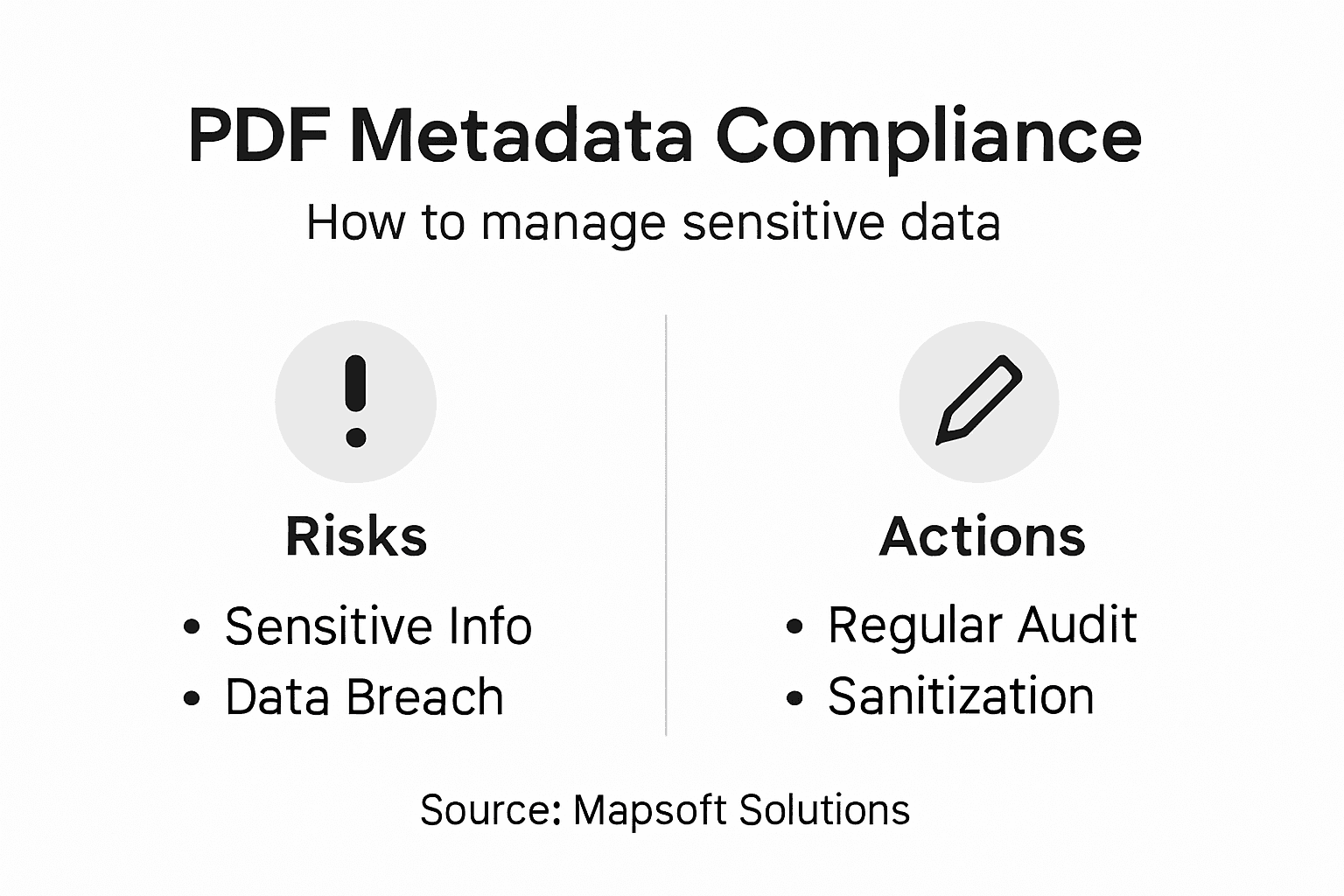
Implement role-based access controls for who can view and edit metadata. Not every employee needs to see or modify metadata fields.
Pro tip: Create a pre-distribution checklist that includes metadata sanitization. Before any PDF leaves your organization for external sharing, run it through an automated metadata scanner that identifies and removes sensitive information like tracked changes, author names, and timestamps.
Best Practices and Alternatives for Metadata Handling
Metadata handling success depends on a combination of strategic planning, the right tools, and consistent execution. There’s no single approach that works for every organization, so you need to evaluate alternatives based on your specific enterprise needs.
Start with a clear metadata governance policy:
- Define mandatory fields: Identify which metadata elements are non-negotiable for your organization (title, author, confidentiality level)
- Set standardization rules: Establish consistent naming conventions, date formats, and classification schemes across all departments
- Create templates: Build reusable templates for common document types that auto-populate standard metadata
- Assign ownership: Designate who creates, reviews, and validates metadata at each workflow stage
- Schedule audits: Plan regular reviews to catch missing or incorrect metadata before it causes problems
When it comes to implementation, you have several alternatives. Some organizations prefer manual metadata entry through Adobe Acrobat, giving users complete control but risking inconsistency. Others automate metadata capture at document creation, using APIs and workflow tools to populate fields without human intervention. The best approach usually combines both: automate what you can, validate manually for critical documents.
Editing PDF metadata for enterprise workflows requires balancing automation with human oversight to ensure both accuracy and compliance.
Tool selection matters tremendously. Evaluate whether your document management system has built-in metadata capabilities or if you need separate solutions for metadata sanitization, validation, and archival.
Best practices aren’t one-size-fits-all. They’re customized to your risk tolerance, compliance requirements, and resource constraints.
Consider metadata lifecycle management. Metadata that’s relevant at creation might become a liability five years later. Plan what metadata you’ll retain, modify, or discard as documents age through your retention policies.
Integrate metadata work with your broader document governance program. Isolated metadata projects fail because they lack organizational support and funding.
Pro tip: Start small with one high-value document type. Master the metadata workflow for contracts, then expand to other categories. This incremental approach builds organizational competency while demonstrating ROI that justifies larger investments.
Unlock the Power of Adobe PDF Metadata with Mapsoft Solutions
Managing PDF metadata effectively is crucial to streamline your enterprise workflows, enhance document security, and ensure compliance. This article highlights how missing or inconsistent metadata causes delays, security risks, and compliance issues in document handling. If you struggle with manual metadata entry or worry about sensitive data leakage hidden inside PDFs, you are not alone. Key pain points like inefficient document routing, risk of accidental disclosure, and fragmented metadata management demand a robust, automated solution.
Mapsoft.com specializes in advanced PDF workflow optimization that directly addresses these challenges. Our powerful suite of Adobe Acrobat plugins and web-based tools lets you effortlessly manage, edit, sanitize, and automate your PDF metadata across thousands of documents. With features designed for batch processing, metadata validation, and secure document handling, Mapsoft empowers your IT team to convert, protect, analyze, and automate PDF workflows securely and efficiently.
Discover how simple it can be to control PDF metadata and enhance enterprise document security today.

Take the next step toward flawless PDF metadata management and enterprise workflow automation now. Visit Mapsoft PDF Hub to explore our solutions that let you edit metadata, redact sensitive information, and automate document processes intelligently. Learn more about metadata management best practices and accelerate your digital transformation with solutions built to maximize your Adobe tools investment.
Explore how Mapsoft technologies integrate seamlessly with your Adobe Acrobat environment by visiting Mapsoft.com and see how we can help you reduce compliance risk and boost productivity. Don’t delay securing your workflows and unlocking true PDF potential.
Frequently Asked Questions
What is Adobe PDF metadata?
Adobe PDF metadata is hidden information within PDF files that describes and organizes document content, tracking details like the document’s creator, modification dates, and content types.
How does PDF metadata enhance enterprise workflows?
PDF metadata enhances enterprise workflows by enabling better document identification, rights management, workflow automation, and system interoperability, allowing for faster retrieval and improved compliance tracking.
What are the different types of PDF metadata?
The main types of PDF metadata include description metadata, security metadata, font metadata, initial view metadata, and custom metadata, each serving distinct purposes in document management and workflow efficiency.
Why is it important to manage PDF metadata for compliance?
Managing PDF metadata is crucial for compliance as it helps control sensitive information, ensures adherence to regulations like GDPR and HIPAA, and minimizes the risk of accidental disclosure of confidential data.