

Gartner reports that low code platforms reduce workflow deployment time by 70%, yet many enterprises still wrestle with manual PDF processes that drain productivity and invite errors. Low code workflow automation transforms how IT managers and business analysts handle document management, enabling rapid deployment of scalable PDF workflows without extensive coding. This guide reveals how to leverage low code platforms to automate merge, split, OCR, and redaction tasks while maintaining enterprise-grade security and compliance.
Table of Contents
- Introduction To Low Code Workflow Automation
- Key Features Of Low Code Platforms For Pdf Workflow Automation
- Benefits Of Low Code Automation For Enterprise Pdf Processes
- Common Misconceptions And Challenges In Low Code Pdf Automation
- Comparison: Low Code Vs Traditional Pdf Automation Approaches
- Implementation Guide: Designing And Deploying Low Code Pdf Workflows
- Integration With Adobe And Mapsoft Solutions For Pdf Automation
- Conclusion And Next Steps For Enterprise Automation Leaders
- Explore Mapsoft’s Advanced Pdf Workflow Automation Solutions
Key takeaways
| Point | Details |
|---|---|
| Rapid deployment | Low code platforms accelerate PDF workflow creation by 70%, empowering business analysts to build solutions without deep coding skills. |
| Error reduction | Automated PDF workflows reduce manual processing errors by up to 85%, ensuring accuracy in document handling. |
| Adobe integration | Seamless connection with Adobe Acrobat SDK and Mapsoft solutions enhances automation capabilities for enterprise PDF management. |
| Governance challenges | Legacy system integration and security frameworks require careful planning to maintain compliance and data protection. |
| Scalable efficiency | Low code enables high-volume batch processing and continuous workflow optimization for growing enterprise document needs. |
Introduction to low code workflow automation
Low code workflow automation enables rapid design and deployment of document processes without deep coding, making it ideal for enterprises seeking to modernize their PDF handling. These platforms use visual drag-and-drop interfaces that let business analysts create sophisticated workflows in days rather than months. You can automate repetitive tasks like merging invoices, splitting contracts, applying OCR to scanned documents, and redacting sensitive information with pre-built modules.
Why are enterprises racing to adopt low code for document workflows? Traditional coded solutions demand specialized developers, lengthy testing cycles, and expensive maintenance. Low code platforms democratize automation by putting workflow creation directly into the hands of subject matter experts who understand PDF document workflows enterprise requirements best.
Typical PDF processes ripe for low code automation include:
- Batch conversion between PDF, Word, Excel, and image formats
- Intelligent document routing based on metadata or content
- Automated watermarking and security policy application
- OCR processing for searchable archives
- Compliance-driven redaction of personally identifiable information
- Multi-step approval workflows with version control
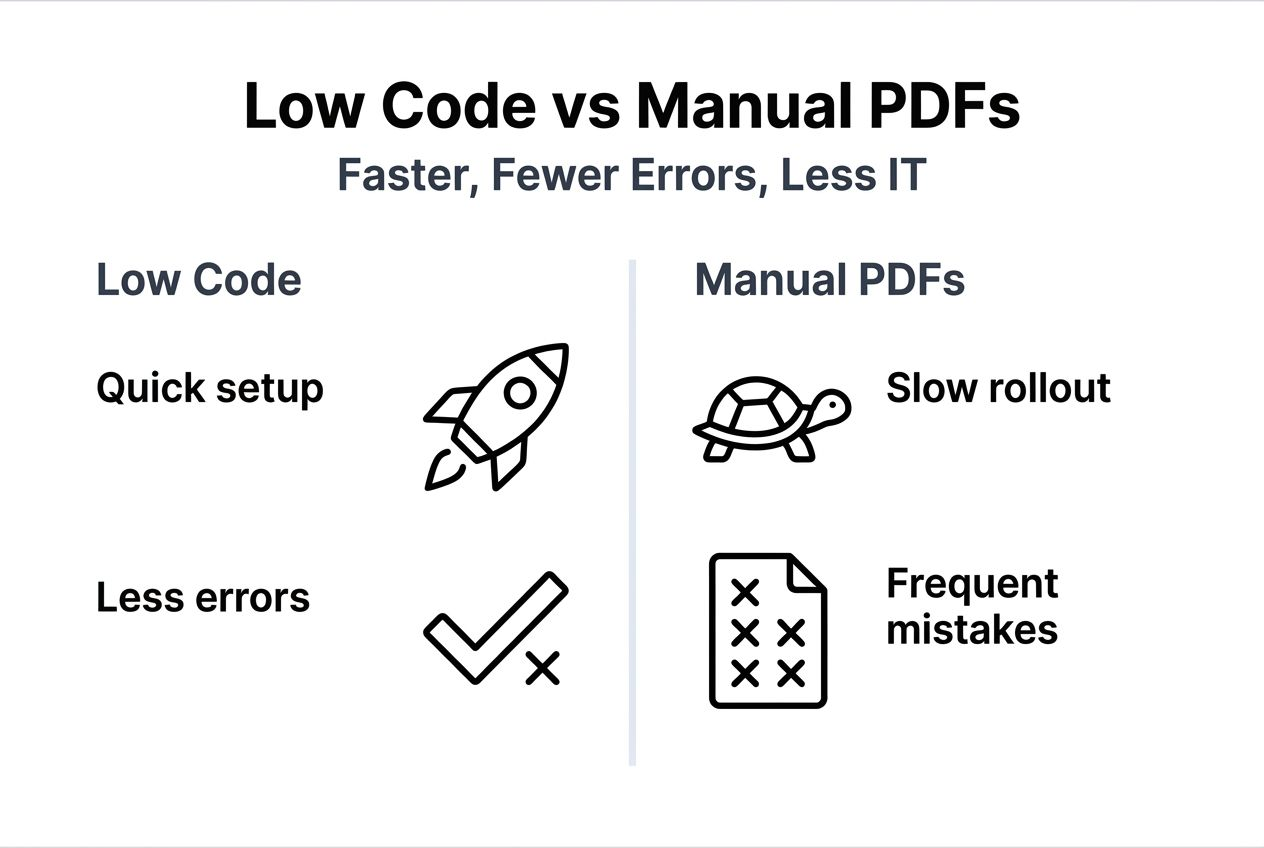
Reducing manual errors becomes critical when processing thousands of documents daily. A single misrouted contract or incorrectly redacted file can trigger regulatory penalties or data breaches. Low code platforms enforce consistency through standardized workflows, eliminating the human variability that plagues manual processing. Accelerated deployment means you can respond to changing business process workflow automation needs in real time, adapting workflows as regulations evolve or business requirements shift.
Key features of low code platforms for PDF workflow automation
Drag-and-drop visual workflow designers form the foundation of effective low code platforms. You connect pre-built action blocks representing PDF operations without writing code, creating flowcharts that map exactly to your business logic. This visual approach makes workflows self-documenting and easy for non-technical stakeholders to review and validate.
Pre-built PDF action modules save hundreds of development hours. Look for platforms offering:
- Merge and split operations with flexible page selection
- OCR engines supporting multiple languages and handwriting recognition
- Redaction tools that permanently remove content rather than just covering it
- Metadata extraction and modification for classification and searchability
- Format conversion maintaining fidelity across complex layouts
- Compression and optimization for storage efficiency
Secure, compliant automation features separate enterprise-grade platforms from consumer tools. You need role-based access controls, audit trails tracking every document modification, and encryption for data at rest and in transit. Compliance modules should support standards like GDPR, HIPAA, and SOX with pre-configured templates that enforce retention policies and access restrictions.
Integration with Adobe Acrobat and third-party APIs enhances PDF automation power and adaptability. The best platforms expose RESTful APIs letting you trigger workflows from existing systems, pull data from databases, and push results to cloud storage or document management systems. Native connectors for Adobe Creative Cloud, SharePoint, Salesforce, and ERP systems eliminate custom integration coding.
Pro Tip: Leverage platform security modules to maintain compliance with sensitive documents by configuring encryption, access controls, and audit logging before designing workflow logic. This ensures security becomes inherent rather than an afterthought.
Modern platforms also offer automation productivity pdf workflows analytics, showing you bottlenecks, processing times, and error rates. Research confirms that document workflow automation boosts efficiency by providing visibility into operations that were previously black boxes.
Benefits of low code automation for enterprise PDF processes
Time savings in deployment and iteration transform how quickly you respond to business needs. Traditional coded solutions require gathering requirements, writing specifications, developer assignments, coding, testing, and deployment over 12 to 16 weeks. Low code platforms compress this to 2 to 4 weeks by eliminating the coding phase and enabling iterative refinement through visual testing.
Low code automated PDF workflows reduce manual processing errors by up to 85%. Manual PDF handling introduces inconsistencies when employees merge documents in different orders, forget redaction steps, or apply incorrect watermarks. Automated workflows execute identical operations every time, enforcing business rules that prevent costly mistakes. One healthcare system eliminated 12,000 annual compliance violations by automating patient record redaction.
Empowering business analysts to build workflows without heavy IT involvement accelerates innovation and reduces backlog. Analysts understand document requirements intimately but typically lack coding skills. Low code bridges this gap, letting them prototype solutions independently and only involving IT for security review and production deployment. This distributed creation model can increase workflow delivery capacity by 300%.
Enhanced regulatory compliance and data security become achievable at scale. Automated workflows enforce retention schedules, apply consistent classification tags, and maintain detailed audit trails showing who accessed which documents when. You can prove compliance during audits by exporting complete processing histories. Built-in encryption and access controls protect sensitive information throughout the automation lifecycle.
Scalability across high-volume enterprise environments sets low code apart from manual processes. You can process 100 documents or 100,000 with the same workflow design, leveraging cloud infrastructure that scales automatically. Batch processing capabilities handle overnight jobs converting entire document repositories, while real-time processing responds to individual document submissions instantly. The benefits of pdf automation multiply as volume increases.

Cost savings compound over time through reduced labor, fewer errors, and faster processing. While initial platform investment requires budget, most enterprises see positive ROI within 6 to 9 months as automation eliminates manual effort. One financial services firm saved $1.2 million annually by automating loan document processing that previously required 15 full-time employees. Similar efficiency gains appear across industries, as documented in studies of warehouse automation benefits showing parallel operational improvements.
Common misconceptions and challenges in low code PDF automation
The myth that low code platforms lack scalability persists despite evidence to the contrary. Many believe low code cannot scale, but enterprise case studies prove successful large-scale implementations. Fortune 500 companies process millions of documents monthly through low code platforms without performance degradation. Cloud-native architectures auto-scale compute resources based on workload, handling spikes during month-end closing or tax season seamlessly.
Integration with legacy systems remains a genuine challenge requiring careful planning. Many enterprises run document workflows spanning mainframes, on-premises databases, and cloud applications built over decades. Your low code platform needs robust API connectivity, file transfer protocols, and data transformation capabilities to bridge these systems. Budget extra time for integration testing and consider phased rollouts starting with isolated processes before tackling complex, interconnected workflows.
Security and governance must be built into workflow design from day one. The ease of creating workflows can lead to shadow IT if business units deploy solutions without proper oversight. Establish clear governance frameworks defining:
- Who can create and modify production workflows
- Required security reviews before deployment
- Standards for naming, documentation, and version control
- Data classification and handling requirements
- Audit and monitoring procedures
Involving business analysts and IT jointly produces the best outcomes. Analysts understand process nuances and pain points, while IT ensures technical feasibility, security, and integration. Create cross-functional teams where analysts lead workflow design and IT provides platform expertise, security guidance, and production support. This collaboration prevents technically sound workflows that miss business requirements or business-focused designs with security gaps.
Pro Tip: Establish strong governance frameworks early to avoid compliance pitfalls by creating workflow design standards, security review checklists, and approval processes before rolling out platform access broadly.
Vendor lock-in concerns arise when workflows become deeply embedded in proprietary platform features. Evaluate platforms supporting open standards, exportable workflow definitions, and API-first architectures that let you migrate if needed. However, recognize that some specialization enables the productivity gains you seek. Balance portability with functionality based on your workflow process automation pdf businesses strategic timeline.
Comparison: low code vs traditional PDF automation approaches
Understanding tradeoffs between low code and traditional coded automation helps you choose the right approach for specific use cases.
| Factor | Low Code Platforms | Traditional Coded Solutions |
|---|---|---|
| Development speed | 2-4 weeks for typical workflows | 12-16 weeks for equivalent functionality |
| Required skills | Business analyst with process knowledge | Professional developers with programming expertise |
| Customization depth | Extensive through modules and APIs | Unlimited with custom code |
| Maintenance complexity | Visual updates by analysts | Code modifications requiring developers |
| Scalability | Auto-scaling cloud infrastructure | Depends on architecture decisions |
| Initial cost | Platform subscription fees | Developer salaries and infrastructure |
| Long-term cost | Predictable subscription model | Ongoing development and maintenance |
| Integration flexibility | Pre-built connectors plus APIs | Custom integration code |
Low code enables faster development with lower skill barriers; traditional coding offers deep customization but at higher cost and maintenance. Choose low code when you need rapid deployment, frequent changes, and business analyst-led creation. Traditional coding makes sense for highly specialized requirements, extreme performance demands, or situations where you need absolute control over every implementation detail.
Hybrid approaches combine both methods strategically. Use low code workflow automation for 80% of standard PDF operations, then write custom code for the 20% requiring specialized processing. Many platforms let you embed custom scripts or call external services, giving you flexibility without abandoning the productivity benefits of visual workflow design.
Consider your team composition when deciding. Organizations with strong developer teams may prefer traditional approaches, while those with limited IT resources benefit more from low code platforms that distribute workflow creation across business units. Your existing technology investments also matter. If you’ve already standardized on development frameworks and have significant code libraries, extending existing solutions may prove faster than adopting new platforms.
Implementation guide: designing and deploying low code PDF workflows
Follow this framework to successfully adopt low code workflow automation for enterprise PDF document management:
-
Assess and map manual PDF processes and pain points by interviewing document handlers, observing workflows, and quantifying time spent on repetitive tasks. Document current state including volume metrics, error rates, and compliance gaps. Prioritize processes with high volume, frequent errors, or significant manual effort for initial automation.
-
Select low code platform with Adobe integration and security by evaluating vendors against your requirements. Test platforms with pilot projects processing real documents. Verify encryption standards, audit capabilities, and compliance certifications match your industry regulations. Confirm Adobe Acrobat SDK support and availability of pre-built PDF modules.
-
Design modular, drag-and-drop PDF workflows by breaking complex processes into reusable components. Start with simple workflows automating single tasks, then combine modules for sophisticated multi-step processes. Include error handling, notification triggers, and retry logic for production resilience. Document workflow logic and business rules for knowledge transfer.
-
Test workflows thoroughly for accuracy and compliance using representative document samples covering edge cases. Verify outputs match expectations, security controls function correctly, and audit trails capture required information. Conduct user acceptance testing with business stakeholders who will rely on automated outputs. Load test with production volumes to confirm performance.
-
Deploy and monitor with analytics for continuous improvement by starting with pilot deployments to limited user groups. Collect feedback, refine workflows, then roll out broadly. Configure monitoring dashboards tracking processing volumes, success rates, and performance metrics. Schedule regular reviews identifying optimization opportunities and changing requirements.
Pro Tip: Empower business analysts to lead design to reduce IT bottlenecks by providing training on platform capabilities, security requirements, and design best practices, then letting them create workflows with IT review before production deployment.
Integrate workflow automation services pdf expertise when tackling complex scenarios or accelerating adoption. External consultants bring implementation experience, best practice frameworks, and platform-specific knowledge that shortens your learning curve. They can establish governance foundations, train your team, and design initial workflows that serve as templates for future projects.
Consider batch processing pdfs requirements during workflow design. Some processes need real-time responsiveness, while others can run overnight on accumulated documents. Batch processing often proves more efficient for high-volume operations, letting you leverage off-peak computing resources and consolidate related documents for streamlined handling.
Integration with Adobe and Mapsoft solutions for PDF automation
Mapsoft PDF Hub enables batch processing for volume scalability by providing web and API platforms handling thousands of documents simultaneously. You can convert PDFs to Word, Excel, PowerPoint, images, and PDF/A formats while performing edits like merging, splitting, rotating, redacting, and watermarking. The platform’s batch workflow builder lets you chain operations, creating repeatable processes that execute consistently across document sets.
Adobe Acrobat SDK integrations extend low code workflow functions beyond standard operations. You can leverage Adobe’s powerful PDF rendering engine, advanced form processing, digital signature capabilities, and document intelligence features. The SDK provides programmatic access to virtually every Acrobat function, letting you automate complex scenarios like form field extraction, signature validation, and standards compliance checking.
Mapsoft plug-ins enrich automation with custom PDF capabilities tailored to enterprise needs. Adobe acrobat plugins add specialized functions for bookmark management, metadata manipulation, and document structure optimization. You can embed these capabilities into low code workflows, combining visual design simplicity with powerful PDF operations that would otherwise require extensive coding.
Benefits for enterprises with existing Adobe investments multiply when you integrate Mapsoft solutions into low code platforms. You maximize ROI on Adobe licenses by extending functionality, while maintaining familiar interfaces and consistent file handling. Integration points include direct API calls, file-based workflows using watched folders, and embedded automation within Creative Cloud document pipelines.
Secure, compliant, and flexible PDF workflow customization becomes achievable by combining low code platforms with specialized tools. You can implement industry-specific requirements like healthcare record redaction, legal document Bates numbering, or financial statement watermarking using pre-built components. Custom workflows handle unique business logic while maintaining security through platform-enforced access controls and audit logging. Detailed guidance on acrobat sdk adobe solutions helps you extend capabilities when standard modules don’t meet specialized needs.
Conclusion and next steps for enterprise automation leaders
Low code workflow automation transforms enterprise PDF processes by enabling rapid deployment, reducing errors, and empowering business analysts to create solutions without deep technical skills. You’ve learned how visual platforms integrate with Adobe tools and Mapsoft solutions to deliver scalable, compliant document management. While challenges like legacy integration and governance require planning, the efficiency gains and cost savings justify strategic adoption.
Successful implementation combines IT expertise with business analyst process knowledge. Start small with high-impact workflows, prove value through measurable results, then expand automation across your document ecosystem. Leverage specialized low code workflow automation platforms and expert partners to accelerate your journey while avoiding common pitfalls.
Explore Mapsoft’s advanced PDF workflow automation solutions
Ready to transform your PDF workflows? Mapsoft delivers the specialized tools and expertise that amplify low code platform capabilities. Our batch processing pdfs solutions handle enterprise-scale document volumes with reliability and speed. Explore our adobe acrobat plugins that extend automation possibilities beyond standard operations.

Need tailored implementation support? Our workflow automation services pdf team brings decades of Adobe integration experience to design, deploy, and optimize workflows matching your unique requirements. Contact Mapsoft today to discuss how we can accelerate your PDF automation journey while ensuring security, compliance, and maximum ROI.
FAQ
What is low code workflow automation for PDF processes?
Low code workflow automation uses visual, drag-and-drop platforms to create PDF processing workflows with minimal coding. Business analysts design solutions rapidly by connecting pre-built modules for merging, splitting, OCR, redaction, and conversion. This approach reduces manual effort, eliminates errors, and enables faster deployment than traditional coded solutions.
How does low code automation integrate with Adobe PDF tools?
Low code platforms leverage Adobe Acrobat SDK and Mapsoft plug-ins to access advanced PDF capabilities within visual workflows. You can perform batch processing, custom PDF operations, and specialized functions through API connections. This integration maximizes existing Adobe investments while enabling automation that would otherwise require extensive development.
Can business analysts manage low code PDF workflows without IT support?
Yes, drag-and-drop interfaces and pre-built modules enable analysts to create workflows independently. Platforms include governance features, security controls, and compliance templates that maintain standards despite reduced technical oversight. IT involvement focuses on security review, integration support, and production deployment rather than building every workflow.
What security features should enterprise low code PDF platforms include?
Enterprise platforms must provide role-based access controls, end-to-end encryption, comprehensive audit trails, and compliance certifications for regulations like GDPR and HIPAA. Look for features including automatic redaction, retention policy enforcement, secure API authentication, and detailed logging of all document access and modifications.
How long does low code PDF workflow implementation typically take?
Simple workflows automating single operations deploy in days, while complex multi-step processes require 2 to 4 weeks including design, testing, and security review. This represents 70% faster deployment than traditional coded solutions. Time varies based on integration complexity, compliance requirements, and team familiarity with the platform.

