

Automating PDF workflows can cut document processing time by up to 60%, yet many enterprises struggle with inefficient manual processes that drain productivity and introduce costly errors. Modern Adobe technologies combined with strategic automation enable IT managers to transform document handling from a bottleneck into a competitive advantage. This guide explores fundamentals of PDF workflow management, Adobe tool capabilities, automation techniques, security standards, and practical implementation steps for enterprise environments.
Table of Contents
- Introduction To Workflow And Process Management In PDF Environments
- Role Of Adobe Technologies In Enhancing PDF Workflows
- Automation Techniques For PDF Workflow Enhancement
- Common Misconceptions About PDF Workflow Automation
- Conceptual Framework For Understanding Workflow And Process Management
- Advanced PDF Workflow Management Features
- Practical Steps To Implement Scalable PDF Workflows
- Conclusion And Actionable Next Steps
- Explore Advanced PDF Workflow Solutions With Mapsoft
- Frequently Asked Questions
Key takeaways
| Point | Details |
|---|---|
| Automation drives efficiency | Automating routine PDF tasks reduces processing time and manual errors while boosting enterprise productivity significantly. |
| Adobe tools enable workflows | Adobe Acrobat plugins and APIs provide core infrastructure for advanced, scalable PDF workflow solutions in enterprises. |
| Frameworks simplify complexity | A modular 5-stage workflow framework helps IT managers design compliant, adaptable PDF processes aligned with business needs. |
| Security requires standards | Effective PDF workflows must integrate ISO 32000 compliance, encryption, and PDF/A archival to meet regulatory requirements. |
| Start small, scale smart | Pilot projects with batch automation demonstrate value quickly while managing risk before enterprise-wide deployment. |
Introduction to workflow and process management in PDF environments
Workflow and process management in enterprise PDF contexts refers to the systematic organization, automation, and optimization of document handling tasks from creation through archival. For document-centric enterprises, efficient PDF workflows directly impact operational speed, accuracy, and compliance posture. IT managers face mounting challenges including fragmented manual processes, inconsistent document standards, version control issues, and regulatory compliance burdens.
Common pain points include excessive time spent on repetitive tasks like merging invoices, extracting data from scanned documents, or applying security policies across thousands of files. Manual handling introduces human errors that compromise data integrity and create audit risks. The complexity multiplies when workflows span multiple departments, each with unique requirements for metadata, bookmarks, or archival formats.
Ineffective PDF handling costs enterprises in multiple ways. Productivity suffers when knowledge workers spend hours on tasks that automation could complete in minutes. Compliance failures due to improper document retention or security can trigger regulatory penalties. Customer satisfaction drops when document processing delays impact service delivery. These challenges create urgent demand for advanced PDF workflow solutions that leverage automation, standardization, and enterprise-grade security.
Key workflow challenges enterprises face:
- Manual processing bottlenecks that slow business operations
- High error rates in data extraction and document assembly
- Inconsistent application of security policies across documents
- Difficulty maintaining audit trails for compliance requirements
- Lack of integration between PDF tools and business systems
Role of Adobe technologies in enhancing PDF workflows
Adobe Acrobat and Creative Cloud form the foundation of enterprise PDF ecosystems, offering robust capabilities for document creation, editing, and collaboration. Acrobat Pro provides advanced features like form creation, digital signatures, and batch processing that address core workflow needs. Creative Cloud integration enables seamless document workflows across InDesign, Photoshop, and Illustrator for publishing-intensive enterprises.
Acrobat plugins extend native functionality by adding specialized capabilities tailored to enterprise requirements. These plugins integrate directly into the Acrobat interface, enabling users to access powerful cloud workflow advantages enterprise automation without leaving familiar tools. Plugins can automate complex tasks like bookmark generation from document structure, batch redaction of sensitive data, or conversion to archival PDF/A formats.
Adobe’s API capabilities unlock programmatic control over PDF operations, enabling IT teams to build automated document workflows pdf solutions that process thousands of documents without manual intervention. The Adobe PDF Services API supports operations like creation, export, OCR, compression, and manipulation through RESTful interfaces. This programmatic access enables integration with enterprise content management systems, workflow engines, and custom business applications.

Benefits of Adobe-based PDF solutions include proven reliability, widespread user familiarity that reduces training costs, and comprehensive feature sets that eliminate need for multiple disparate tools. The Adobe ecosystem offers strong vendor support, regular security updates, and compatibility with industry standards. User adoption rates typically exceed alternatives because most knowledge workers already understand Acrobat basics.
Core Adobe capabilities for workflow enhancement:
- Batch processing for applying consistent operations across document sets
- Digital signature workflows that accelerate approval processes
- Form creation and data extraction for automated information capture
- API access enabling custom automation and system integration
- PDF/A conversion ensuring long-term archival compliance
Automation techniques for PDF workflow enhancement
Batch processing represents the most immediate automation opportunity for enterprises handling repetitive PDF tasks. Common batch operations include merging multiple source files into consolidated reports, splitting large documents into logical sections, applying OCR to scanned images for searchability, and updating metadata fields across document collections. These operations transform hours of manual work into minutes of automated processing.
Implementing API-driven workflows requires systematic planning but delivers exponential efficiency gains. Start by identifying high-volume, rules-based processes suitable for automation. Document current workflow steps, decision points, and exception handling requirements. Select appropriate API endpoints or pdf batch processing document workflows platforms that support your operations. Develop and test automation scripts in isolated environments before production deployment. Monitor results closely during initial rollout to catch edge cases.
Quantified impacts of automation demonstrate compelling return on investment. Batch processing reduces errors by 40% by eliminating inconsistent manual handling. Processing time drops 50-70% for routine operations like invoice processing or contract assembly. Consistency improves as automated workflows apply identical standards across all documents. Staff can redirect time from repetitive tasks to higher-value analytical work.
Steps for implementing API automation:
- Map current manual workflows and identify automation candidates
- Evaluate API platforms for feature fit and scalability requirements
- Develop automation scripts using vendor SDKs and documentation
- Test thoroughly with representative document samples and edge cases
- Deploy gradually with monitoring and rollback capability
- Measure results and optimize based on performance metrics
| Automation Approach | Best For | Scalability | Complexity |
|---|---|---|---|
| Adobe Acrobat Pro Desktop | Interactive editing, ad-hoc batches | 10-100 documents | Low |
| Acrobat Plugins | Specialized workflows, user-driven | 100-1,000 documents | Medium |
| Mapsoft PDF Hub API | Enterprise automation, integration | 1,000+ documents | Medium-High |
| Custom Adobe API Integration | Unique requirements, system integration | Unlimited | High |
Pro Tip: Start automation with small, well-defined batch processes to build confidence and demonstrate value. Choose workflows with clear success metrics like processing time or error rates. Early wins build stakeholder support for broader workflow process automation pdf businesses initiatives.
Common misconceptions about PDF workflow automation
The belief that manual PDF editing provides superior safety compared to automation persists despite evidence to the contrary. Human operators introduce inconsistencies when applying security policies, forget steps in complex procedures, and create version control problems through ad-hoc file management. Automated workflows apply identical security measures, encryption standards, and redaction patterns across all documents without variation. Audit trails automatically capture every operation, creating compliance evidence manual processes rarely provide.
Complexity concerns delay automation adoption as organizations overestimate technical barriers and resource requirements. Modern platforms offer intuitive visual workflow builders that require minimal coding expertise. Cloud-based solutions eliminate infrastructure management overhead. Many enterprises achieve initial automation within weeks using existing IT resources. The perceived complexity often stems from unfamiliarity rather than actual technical difficulty.
Security benefits of automated workflows extend beyond consistency to include advanced capabilities manual processes cannot match. Automated systems enforce benefits of pdf automation through ISO-compliant PDF/A archival that embeds fonts and preserves visual fidelity for decades. Encryption policies apply automatically based on document classification. Digital signatures validate document integrity cryptographically. Redaction permanently removes sensitive data rather than merely obscuring it visually.
Resistance to change in enterprise IT environments creates organizational barriers even when technical solutions exist. Staff comfortable with familiar manual processes worry automation threatens job security. Managers hesitate to disrupt established workflows without guaranteed results. Overcoming resistance requires clear communication about how automation eliminates tedious work while creating opportunities for higher-value contributions. Change management matters as much as technical implementation.
Misconceptions to address:
- Manual processes are NOT inherently more secure than automated workflows
- Automation complexity is often overstated; modern tools require minimal coding
- Security improves through consistent automated application of standards
- Staff roles evolve rather than disappear with workflow automation
- Small pilot projects demonstrate value without major organizational disruption
Pro Tip: Address misconceptions directly by running time-boxed pilot projects with clear metrics. Measure processing time, error rates, and user satisfaction before and after automation. Share results transparently to build confidence and overcome skepticism about workflow transformation initiatives.
Conceptual framework for understanding workflow and process management
A modular 5-stage framework organizes complex PDF workflows into manageable components that enterprises can design, implement, and optimize independently. This structured approach prevents overwhelming complexity while ensuring comprehensive coverage of workflow requirements. Each stage addresses specific document lifecycle needs using appropriate Adobe technologies and enterprise tools.
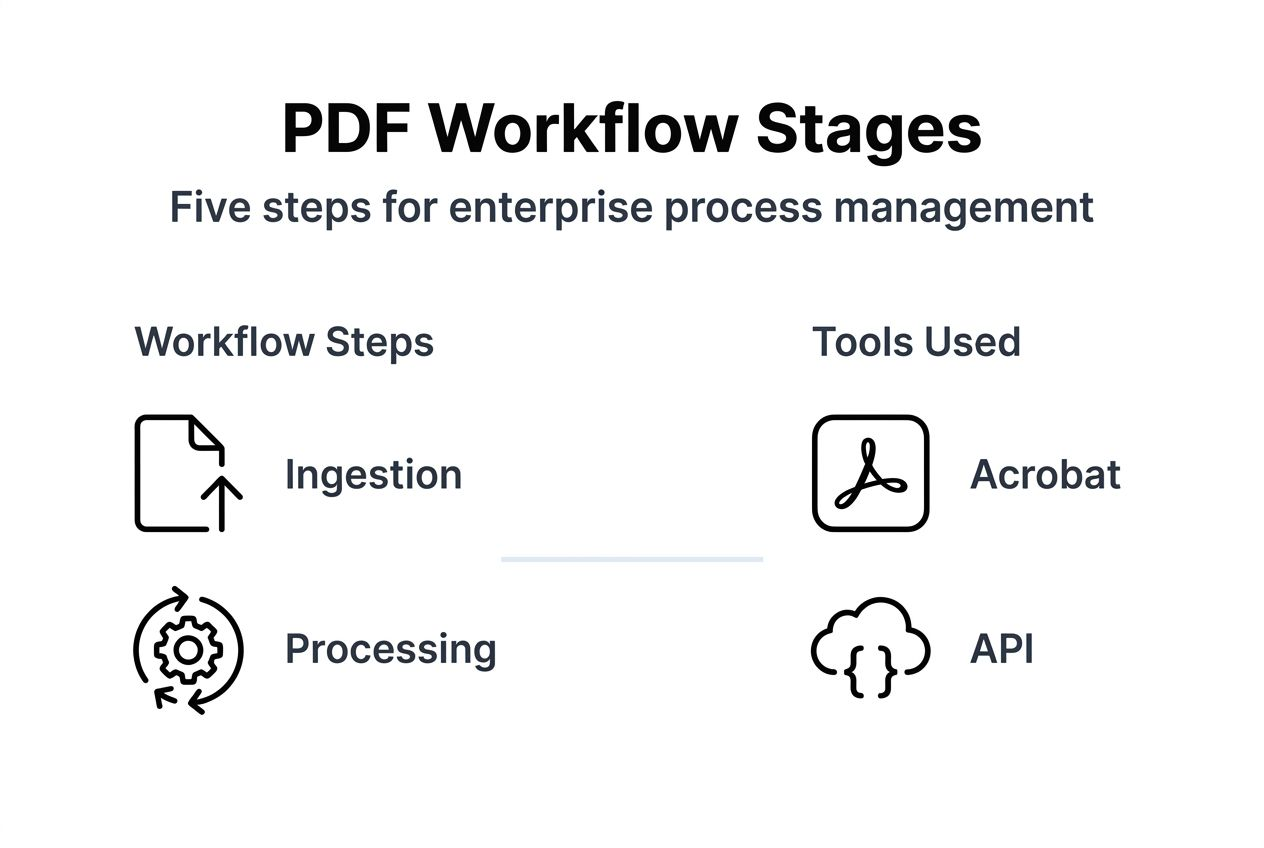
The framework stages adapt flexibly to diverse enterprise contexts while maintaining consistent structure. Manufacturing companies emphasize compliance documentation and audit trails. Financial services prioritize security and regulatory reporting. Healthcare organizations focus on patient record management and HIPAA compliance. The modular design lets IT managers customize each stage while maintaining overall workflow coherence.
Framework implementation stages:
- Document Ingestion: Capture PDFs from multiple sources including email, scanners, web forms, and business applications while applying initial classification and routing logic
- Processing & Transformation: Execute core operations like OCR, format conversion, merging, splitting, and data extraction based on document type and business rules
- Security & Compliance: Apply encryption, redaction, digital signatures, and access controls while ensuring adherence to ISO 32000 standards for PDF/A archival formats
- Metadata & Bookmark Management: Enhance document usability through structured metadata, automated bookmark generation, and searchable indexes that improve retrieval and navigation
- Archival & Output: Store processed documents in appropriate repositories with proper retention policies, distribute to stakeholders, and maintain long-term accessibility
| Framework Stage | Primary Purpose | Key Operations | Adobe Tools |
|---|---|---|---|
| Ingestion | Document capture and classification | Scanning, import, routing | Acrobat, Capture |
| Processing | Core transformations | OCR, merge, split, convert | Acrobat Pro, APIs |
| Security & Compliance | Protection and standards | Encryption, signatures, PDF/A | Acrobat plugins, APIs |
| Metadata & Bookmarks | Discoverability enhancement | Tagging, indexing, navigation | Acrobat, custom plugins |
| Archival & Output | Storage and distribution | Repository integration, retention | Document Cloud, APIs |
Each stage connects to adjacent stages through defined interfaces and data handoffs. Ingestion feeds processed documents to transformation stage. Security stage receives transformed documents and applies protection before metadata enhancement. This modular pipeline enables troubleshooting, optimization, and technology upgrades without disrupting entire workflows. Enterprises can optimise pdf adobe workflows by focusing improvement efforts on specific stages showing bottlenecks.
The framework explicitly incorporates ISO 32000 compliance requirements throughout security and archival stages. PDF/A archival formats ensure documents remain accessible and visually consistent regardless of future software changes. Compliance becomes inherent to workflow design rather than bolted-on afterthought, reducing audit risk and simplifying regulatory reporting.
Advanced PDF workflow management features
Metadata management transforms unstructured document collections into searchable, organized information assets. Consistent metadata schemas enable precise filtering by author, creation date, document type, project code, or custom business attributes. Automated metadata extraction from document content, filenames, or source systems eliminates manual tagging overhead. Enhanced searchability reduces time spent locating relevant documents from hours to seconds, directly improving knowledge worker productivity.
Bookmark handling provides critical navigation infrastructure for complex documents like technical manuals, legal contracts, or financial reports. Automated bookmark generation from document structure, headings, or table of contents creates consistent navigation hierarchies. Users jump directly to relevant sections without scrolling through hundreds of pages. Well-structured bookmarks improve document usability dramatically, particularly for external stakeholders unfamiliar with document organization.
Security features including redaction, encryption, and digital signatures enforce enterprise compliance policies programmatically. Permanent redaction removes sensitive data at the content level rather than merely covering it visually, preventing inadvertent disclosure. AES 256-bit encryption protects confidential documents during transmission and storage. Digital signatures provide non-repudiation and tamper detection, critical for contracts and regulatory submissions.
PDF/A compliance and ISO 32000 standards adherence address long-term archival requirements many enterprises face under regulatory mandates. PDF/A embeds all fonts, preserves color spaces, and prohibits features like encryption or external dependencies that could compromise future accessibility. Organizations subject to retention requirements spanning decades rely on PDF/A to ensure archived documents remain readable and legally valid. GDPR and ISO 27018 compliance often require documented archival processes that PDF/A workflows support.
Advanced features enabling enterprise workflows:
- Automated metadata extraction and application across document sets
- Hierarchical bookmark structures generated from document elements
- Permanent redaction removing sensitive content at pixel level
- Certificate-based encryption controlling document access granularly
- PDF/A conversion ensuring long-term archival integrity
- Digital signature workflows with timestamp authority integration
Practical steps to implement scalable PDF workflows
Begin by assessing current workflow pain points through stakeholder interviews, process observation, and metrics analysis. Identify bottlenecks consuming excessive staff time or generating frequent errors. Prioritize automation targets based on impact potential and implementation complexity. Quick wins build momentum while complex initiatives undergo thorough planning.
Evaluate Adobe plugins and API platforms against specific enterprise requirements including volume capacity, integration needs, and feature gaps. Acrobat plugins excel for user-driven workflows requiring interactive control. API platforms suit high-volume batch processing and system integration scenarios. Consider hybrid approaches combining plugins for ad-hoc tasks with APIs for scheduled bulk operations.
Design modular workflows mapping document lifecycle stages to appropriate tools and technologies. Define clear inputs, outputs, and success criteria for each stage. Specify error handling, exception routing, and escalation procedures. Document workflow logic thoroughly to facilitate future maintenance and optimization. Use visual workflow diagrams to communicate designs across technical and business stakeholders.
Implementing scalable PDF workflows:
- Conduct workflow assessment identifying high-impact automation opportunities
- Evaluate Adobe plugins, APIs, and pdf batch processing document workflows platforms for feature and scale fit
- Design modular workflows with clear stage definitions and handoff points
- Implement automation incrementally starting with pilot projects
- Integrate security controls and compliance measures per ISO standards throughout
- Monitor performance metrics including processing time, error rates, and user satisfaction
- Optimize continuously based on operational data and evolving requirements
- Extend workflows with additional stages and capabilities as needs grow
Security and compliance integration must occur throughout implementation rather than as final addition. Build encryption, access controls, and audit logging into each workflow stage. Validate PDF/A compliance for archival documents using automated checks. Document security measures comprehensively to satisfy auditor requirements. Regular compliance reviews ensure workflows adapt to changing regulatory landscapes.
Continuous monitoring provides feedback enabling ongoing optimization. Track key metrics including documents processed, average processing time, error rates, and cost per document. Compare actual performance against baseline manual processes to quantify automation value. User feedback identifies usability issues and feature requests. Emerging Adobe capabilities and workflow innovations create opportunities for incremental enhancements.
Pro Tip: Involve business stakeholders early in workflow design to ensure solutions address actual user needs rather than perceived requirements. Regular feedback sessions during implementation catch issues before they become entrenched. Cross-functional teams combining IT expertise with business process knowledge deliver superior workflow outcomes.
Conclusion and actionable next steps
Advanced PDF workflow management delivers measurable benefits including 60% time savings, 40% error reduction, and improved regulatory compliance through systematic automation and Adobe technology integration. Modern solutions transform document handling from manual bottleneck into efficient, scalable enterprise capability. IT managers should assess current workflows against the framework presented, identify priority automation opportunities, and implement proven techniques leveraging Adobe plugins and APIs. Beginning with focused pilot projects demonstrates value quickly while building organizational confidence for broader transformation. The competitive advantages of efficient PDF workflows make delay costly in increasingly document-intensive business environments.
Explore advanced PDF workflow solutions with Mapsoft
Ready to transform your enterprise PDF workflows from manual burden into competitive advantage? Mapsoft specializes in Adobe Acrobat plugins boost productivity and API solutions that deliver the automation, security, and scalability enterprise environments demand. Our platforms integrate seamlessly with Adobe technologies you already use while extending capabilities for pdf batch processing document workflows at enterprise scale.

Discover how our solutions address the specific challenges facing pdf document workflows enterprise IT managers. From automated batch processing to compliance-ready archival workflows, Mapsoft provides the tools and expertise to modernize your document operations efficiently. Explore our product portfolio and see how leading organizations leverage our Adobe-based solutions to eliminate bottlenecks, reduce errors, and achieve measurable productivity gains.
Frequently asked questions
What is the primary benefit of automating PDF workflows in enterprises?
Automation significantly reduces processing time by 50-70% while cutting manual errors by 40%, directly increasing productivity and accuracy in document handling. Scalable workflows improve compliance posture, reduce operational costs, and free staff for higher-value work. Consistent automated processes also enhance audit capabilities and regulatory reporting.
How do Adobe Acrobat plugins differ from API-based PDF workflow tools?
Adobe Acrobat plugins enhance the user interface and enable interactive workflow capabilities within Acrobat software for ad-hoc document tasks. API-based tools like Mapsoft PDF Hub enable scalable, programmatic batch processing and cloud integration for high-volume automation. Your use case determines the optimal choice, with many enterprises using both for different workflow requirements.
What security standards should enterprise PDF workflows comply with?
Enterprise workflows must comply with ISO 32000 PDF standards including PDF/A for archival to ensure document integrity and legal admissibility over time. Encryption should meet AES 256-bit standards while redaction permanently removes sensitive data. Data protection practices should align with GDPR, HIPAA, or industry-specific regulations applicable to your organization.
How can enterprises start implementing scalable PDF workflows using Adobe tools?
Begin by assessing current document process bottlenecks through stakeholder input and metrics analysis, then identify high-impact automation candidates. Select compatible Adobe plugins or API platforms matching your volume and integration requirements. Design modular workflows and launch pilot projects to measure impact on processing time and accuracy before scaling enterprise-wide.
Recommended
- Master PDF Workflow Automation for Your Business –
- Master PDF Batch Processing to Automate Document Workflows –
- Automated Document Workflows: Transforming PDF Management –
- PDF Document Workflows: Automating Enterprise Efficiency –
- Event Project Management: Essential Skills and Tools for 2025 – team I
- Dropshipping Workflows: Automation for Depop Sellers

